1. Pengenalan
This manual provides essential information for the safe and effective installation, operation, and maintenance of the PPOZYLPC LSD11-32A 3-Phase Rotary Cam Changeover Switch. This device is designed for controlling main and auxiliary circuits, including three-phase motors and other electrical loads. Please read this manual thoroughly before installation or operation.
2. Maklumat Keselamatan
AMARAN: Electrical work should only be performed by qualified and authorized personnel. Failure to follow these safety instructions may result in electric shock, fire, or serious injury.
- Always disconnect power before installing, servicing, or removing the switch.
- Pastikan semua pendawaian mematuhi kod elektrik tempatan dan nasional.
- Verify the switch ratings match the application requirements.
- Jangan kendalikan suis jika ia kelihatan rosak.
- Gunakan peralatan perlindungan diri (PPE) yang sesuai.
3. Produk Lebihview
The PPOZYLPC LSD11-32A is a robust 3-phase rotary cam changeover switch designed for reliable control of electrical circuits. It features a durable construction and a flexible operating handle for ease of use.
3.1 Komponen
- Pemegang Berputar: Used to select switch positions (e.g., ON, OFF, or different circuit configurations).
- Badan Suis: Contains the internal contacts and switching mechanism.
- Terminal: Connection points for electrical wiring.
- Plat Pemasangan: For securing the switch to a panel or enclosure.

Rajah 1: Depan view of the LSD11-32A rotary cam switch, showing the red and yellow handle, and the blue terminal block.

Rajah 2: Sisi view displaying the technical specifications label on the switch body, detailing voltage dan penilaian semasa.
4. Spesifikasi Teknikal
| Parameter | Nilai |
|---|---|
| Model | LSD11-32A |
| Nilai Penebat Voltage (Ui) | 690V |
| Rated Heating Current (Ith) | 32A |
| Nilai Operasi Voltage (Ue) | 220V, 380V, 500V |
| AC-3 Rated Power (220V/380V/500V) | 5.5kW / 7.5kW / 7.5kW |
| AC-23 Rated Power (220V/380V/500V) | 7.5kW / 11kW / 11kW |
| Dimensi Pakej | 1.18 x 0.79 x 0.39 inci (anggaran) |
| Kiraan Unit | 1.0 Kiraan |
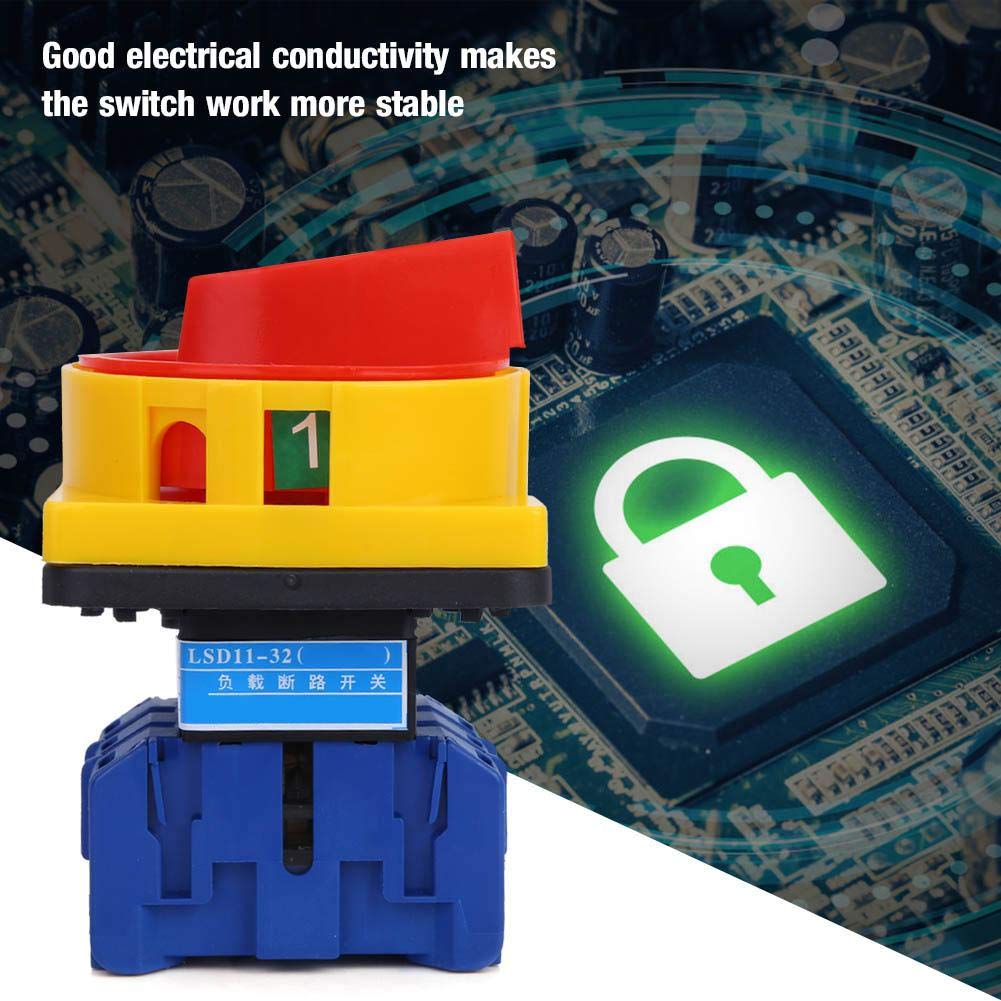
Rajah 3: Bersudut view of the switch, highlighting the terminal connections for wiring.
5. Persediaan dan Pemasangan
Installation of the LSD11-32A switch requires careful attention to electrical safety and adherence to wiring standards. It is strongly recommended that installation be performed by a certified electrician.
5.1 Langkah Pemasangan
- Pemutusan Kuasa: Ensure all power to the circuit where the switch will be installed is completely disconnected and locked out.
- Pemasangan: Securely mount the switch to a suitable panel or enclosure using the provided screws. Ensure the mounting surface is stable and free from vibrations.
- Pendawaian: Connect the main and auxiliary circuit wires to the appropriate terminals on the switch. Refer to the wiring diagram (if provided separately or on the device label) for correct connections. Ensure all connections are tight and secure.
- Pengesahan: Double-check all wiring for correctness and ensure no loose strands or short circuits are present.
- Lampiran: Close and secure the electrical enclosure.
- Pemulihan Kuasa: Carefully restore power to the circuit.

Rajah 4: Bawah view of the switch, illustrating the mounting holes for secure installation.
6. Arahan Operasi
The LSD11-32A is a rotary cam changeover switch. Its operation involves rotating the handle to select different circuit states.
6.1 Operasi Asas
- Petunjuk Kedudukan: The handle typically has clear markings (e.g., "0" for OFF, "1" for ON, or other numerical/symbolic indicators for different circuit configurations).
- Putaran: To change the switch state, firmly grasp the red handle and rotate it clockwise or counter-clockwise to the desired position. The handle will click into place at each defined position.
- Operasi lancar: The handle is designed for flexible and smooth operation. Do not force the handle if it resists movement.
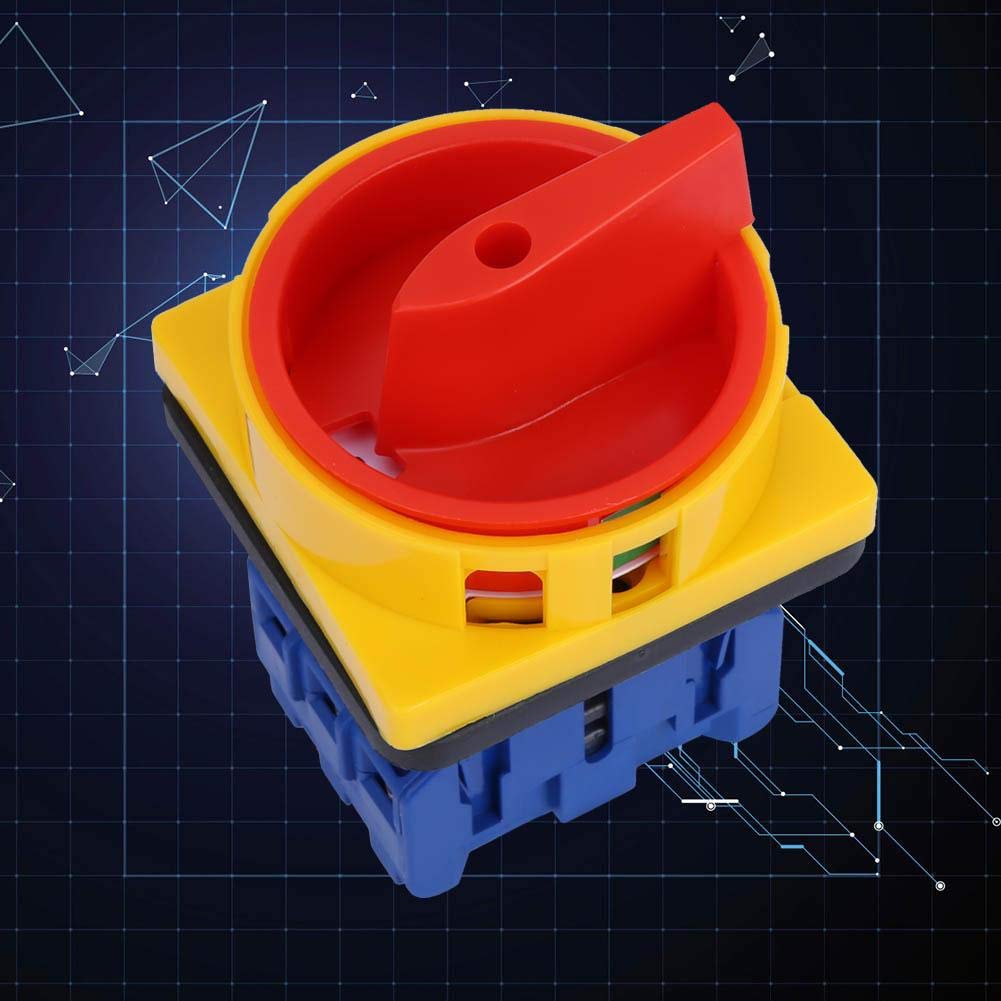
Rajah 5: Atas view of the switch, showing the red handle in an engaged position, ready for rotation.
7. Penyelenggaraan
Regular maintenance ensures the longevity and safe operation of the switch. Always disconnect power before performing any maintenance.
- Pemeriksaan Visual: Periodically inspect the switch for any signs of physical damage, discoloration, or loose connections.
- Pembersihan: Keep the switch free from dust, dirt, and moisture. Use a dry, lint-free cloth for cleaning. Do not use abrasive cleaners or solvents.
- Keketatan Terminal: Check terminal screws for tightness annually to prevent overheating due to loose connections.
- Ujian Kefungsian: Occasionally operate the switch to ensure smooth mechanical action and proper electrical switching.
8. Penyelesaian masalah
If the switch is not functioning as expected, consider the following common issues:
| Masalah | Kemungkinan Punca | Penyelesaian |
|---|---|---|
| Suis tidak beroperasi dengan lancar. | Internal obstruction or damage. | Do not force. Inspect for visible damage. If damaged, replace the switch. |
| No power to the load when switch is ON. | Loose wiring, tripped circuit breaker upstream, or internal switch failure. | Disconnect power. Check all wiring connections. Check upstream circuit breakers. If wiring is correct and breaker is reset, the switch may be faulty and require replacement. |
| Suis terasa panas semasa beroperasi. | Overload, loose connections, or internal fault. | Immediately disconnect power. Check for overload conditions. Inspect wiring for loose connections. If the issue persists, replace the switch. |
For issues not listed here or if troubleshooting steps do not resolve the problem, contact qualified electrical personnel.
9. Waranti dan Sokongan
PPOZYLPC products are manufactured to high-quality standards. For warranty information or technical support, please refer to the documentation included with your purchase or contact your retailer. Keep your purchase receipt for warranty claims.


