pengenalan
The Naztech Xpods PRO are true wireless earbuds designed for an immersive audio experience with advanced features for daily use and active lifestyles. These earbuds offer high-definition sound, noise isolation, and extended battery life, all within a compact and durable design.
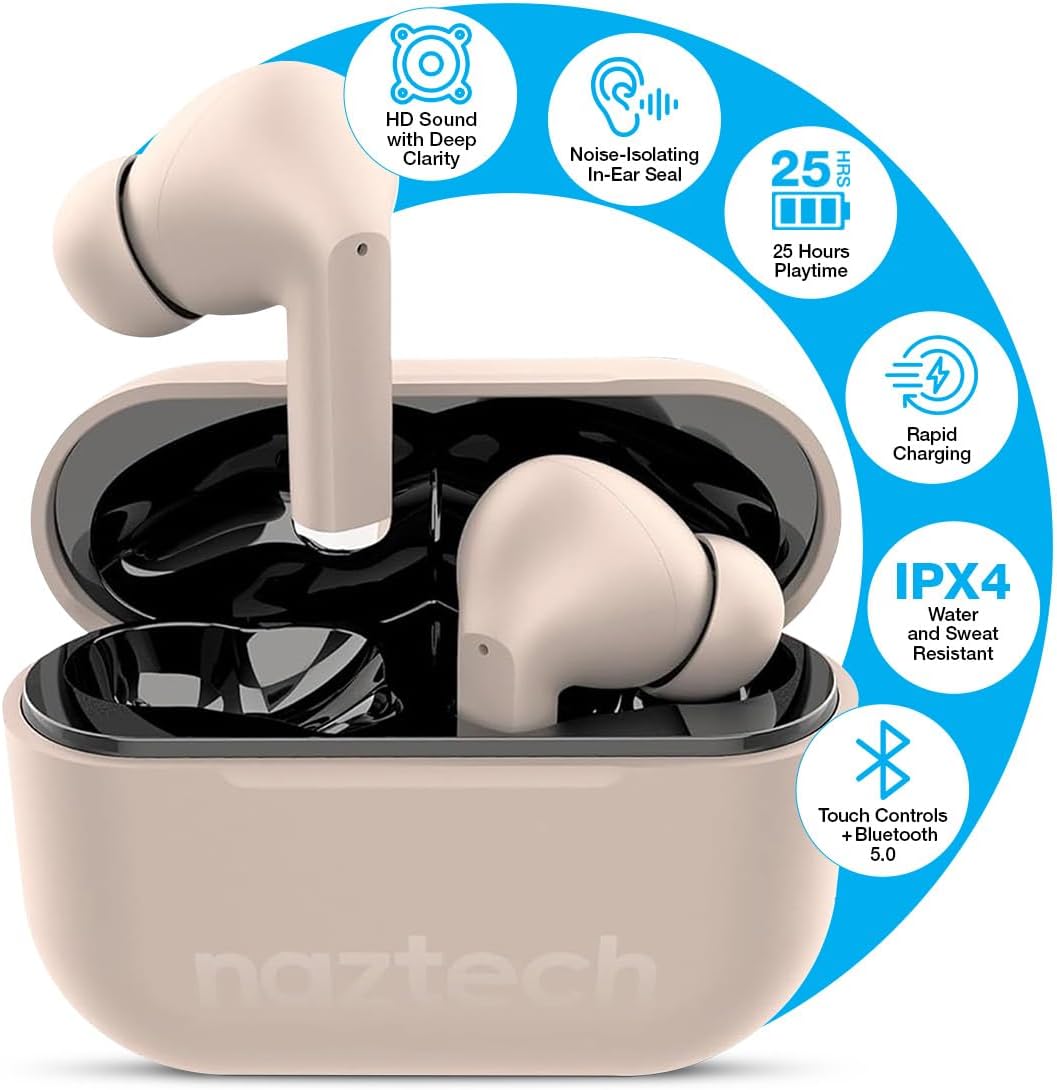
Image: Naztech Xpods PRO True Wireless Earbuds in Sandstone, resting in their open charging case.
Apa yang ada dalam Kotak
- Naztech Xpods PRO True Wireless Earbuds
- Sarung Pengecas Tanpa Wayar
- Kabel Pengecas USB-C
- Pelbagai Saiz Petua Telinga Silikon
- Manual Arahan
Persediaan
1. Mengecas Fon Telinga dan Sarung
Before first use, fully charge the Xpods PRO charging case and earbuds. The case can be charged via the included USB-C cable or a compatible Qi wireless charging pad (sold separately).
- Pengecasan USB-C: Sambungkan kabel USB-C ke port pengecasan pada bekas dan ke sumber kuasa.
- Pengecasan Tanpa Wayar: Letakkan bekas pengecas pada pad pengecas tanpa wayar yang serasi dengan Qi.
- The LED indicator on the case will show charging status. A full charge provides up to 25 hours of total playtime (5 hours per charge from earbuds + 20 hours from case). A 10-minute quick charge can provide 1 hour of playback.

Image: Naztech Xpods PRO charging case on a wireless charging pad, illustrating 25 hours total playtime and quick charge feature.
2. Berpasangan dengan Peranti Anda
The Xpods PRO utilize Bluetooth 5.0 for stable and universal compatibility with Android and iPhone devices.
- Pastikan fon telinga berada dalam bekas pengecasan dan bekas itu dicas.
- Buka bekas pengecas. Fon telinga akan memasuki mod berpasangan secara automatik.
- Pada telefon pintar atau peranti berdaya Bluetooth anda, pergi ke tetapan Bluetooth.
- Select "Naztech Xpods Pro" from the list of available devices.
- Setelah disambungkan, anda akan mendengar pengesahan yang boleh didengar, dan fon telinga akan sedia untuk digunakan.

Image: Naztech Xpods PRO earbuds and a smartphone screen showing successful Bluetooth pairing.
Arahan Operasi
The Xpods PRO feature intuitive touch controls for easy management of audio playback and calls.
Fungsi Kawalan Sentuh

Image: Visual guide to touch sensor controls on the Naztech Xpods PRO earbuds.
- Main/Jeda: Ketik sekali pada salah satu fon telinga.
- Lagu Seterusnya: Ketik dua kali pada fon telinga kanan.
- Trek Sebelumnya: Ketik dua kali pada fon telinga kiri.
- Jawab/Tamatkan Panggilan: Ketik sekali pada salah satu fon telinga.
- Tolak Panggilan: Tekan dan tahan salah satu fon telinga selama 2 saat.
- Aktifkan Pembantu Suara: Ketik tiga kali pada salah satu fon telinga.
Membuat dan Menerima Panggilan
The Xpods PRO feature dual microphones with advanced voice capture technology to filter out wind and background noise, ensuring clear conversations.
- Use the touch controls as described above to manage calls.
- Audio will automatically switch to the earbuds when a call is initiated or received while connected.
Penjagaan dan Penyelenggaraan
To ensure the longevity and optimal performance of your Naztech Xpods PRO, follow these care guidelines:
- Pembersihan: Bersihkan fon telinga dan bekas pengecas secara berkala dengan kain yang lembut, kering dan tidak berbulu. Elakkan menggunakan bahan kimia yang keras atau bahan yang melelas.
- Petua Telinga: Tanggalkan dan bersihkan hujung telinga silikon secara berkala dengan air dan sabun lembut. Pastikan ia kering sepenuhnya sebelum dipasang semula.
- Tahan Air: The Xpods PRO are IPX4 water and sweat resistant, meaning they are protected against splashing water from any direction. They are suitable for workouts and light rain but should not be submerged in water.
- Storan: Apabila tidak digunakan, simpan fon telinga dalam bekas pengecasnya untuk melindunginya dan memastikan ia dicas.
- Suhu: Elakkan mendedahkan fon telinga kepada suhu yang melampau (panas atau sejuk) atau cahaya matahari langsung untuk tempoh yang lama.

Image: Naztech Xpods PRO earbuds designed for active lifestyles, featuring IPX4 water resistance.
Menyelesaikan masalah
If you encounter issues with your Xpods PRO, refer to the following common solutions:
- Fon telinga Tidak Berpasangan:
- Ensure both earbuds are charged and in the case.
- Matikan dan hidupkan Bluetooth peranti anda.
- Forget/delete "Naztech Xpods Pro" from your device's Bluetooth list and attempt to re-pair.
- Hanya Satu Earbud Berfungsi:
- Letakkan kedua-dua fon telinga kembali ke dalam bekas pengecas, tutup penutup, tunggu beberapa saat, kemudian buka semula.
- Pastikan kedua-dua fon telinga dicas.
- Isu Pengecasan:
- Periksa kabel USB-C dan penyesuai kuasa untuk kerosakan.
- Pastikan sesentuh pengecasan pada fon telinga dan dalam bekasnya bersih dan bebas daripada serpihan.
- If using wireless charging, ensure the case is properly aligned on the charging pad.
- Low Sound Quality/Noise:
- Ensure the ear tips provide a secure seal in your ear. Try different sizes.
- Clean the earbud speakers and ear tips.
- Pastikan kelantangan peranti anda ditetapkan dengan secukupnya.
Spesifikasi
| Ciri | Spesifikasi |
|---|---|
| Nombor Model | 15352 |
| Versi Bluetooth | 5.0 |
| Julat Bluetooth | 33 Kaki |
| Hayat Bateri (Jumlah) | Up to 25 Hours (5 hours per charge + 20 hours with charging case) |
| Masa Mengecas | 1 Jam (untuk kes) |
| Kaedah Kawalan | Sentuh |
| Tahap Ketahanan Air | IPX4 (Tahan Air) |
| Berat Barang | 4 auns |
| Dimensi Produk | 4.7 x 4.7 x 1.2 inci |
| Peranti Serasi | Any device with Bluetooth capabilities |
| Jenis Pemacu Audio | Pemandu Dinamik |
| Kawalan Bunyi | Active Noise Cancellation (Passive Noise Isolation from fit) |
Waranti dan Sokongan
For warranty information or technical support, please refer to the official Naztech webtapak atau hubungi bahagian perkhidmatan pelanggan mereka. Simpan bukti pembelian anda untuk sebarang tuntutan waranti.


