1. Pengenalan
Welcome to the user manual for your new HiFuture AX100 Smart Watch. This guide provides essential information to help you set up, operate, maintain, and troubleshoot your device. Please read this manual thoroughly to ensure optimal performance and longevity of your smart watch.
The HiFuture AX100 is designed to enhance your daily life with its 1.83" IPS HD display, Bluetooth calling, comprehensive health monitoring, and a wide array of sports modes. Its IP68 waterproof rating and 7-day battery life make it a reliable companion for various activities.
2. Kandungan Pakej
Sila tandai kotak untuk item berikut:
- HiFuture AX100 Smart Watch (Blue)
- Kabel Pengecasan
- Manual Pengguna (dokumen ini)
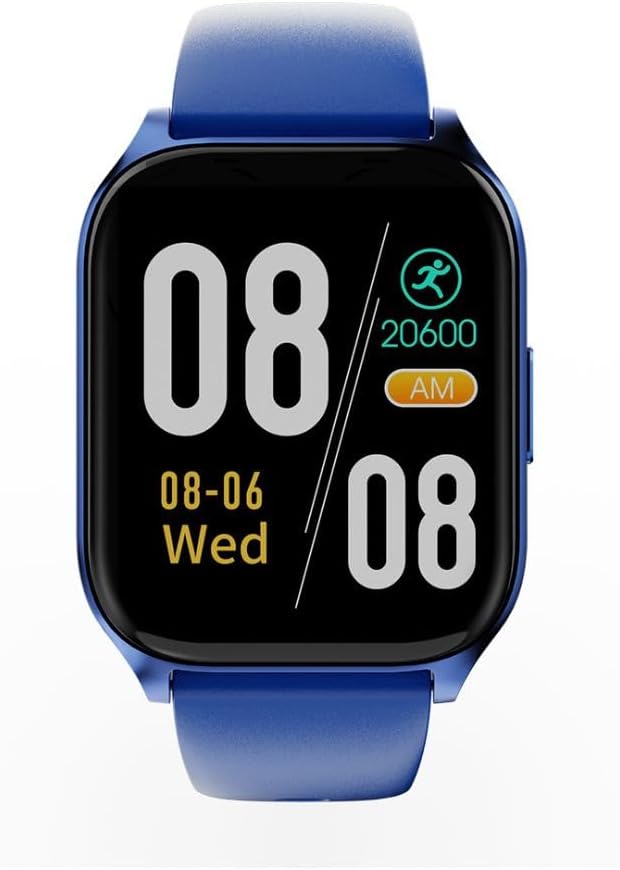
Imej: Depan view of the HiFuture AX100 Smart Watch, displaying time, date, and step count. The watch features a blue strap and a square black display.
3. Persediaan
3.1. Mengecas Peranti
Before first use, fully charge your HiFuture AX100 Smart Watch. Connect the provided charging cable to the charging contacts on the back of the watch and to a standard USB power adapter (not included).
- Pastikan pin pengecas bersih dan sejajar dengan betul dengan port pengecasan jam tangan.
- Pengecasan penuh biasanya mengambil masa lebih kurang 2 jam.
- The watch features a 7-day battery life under typical usage conditions.

Imej: Belakang view of the HiFuture AX100 Smart Watch, highlighting the optical sensors for health monitoring and the two metallic charging contacts.
3.2. Menghidupkan/Mematikan
- Hidupkan kuasa: Press and hold the side button until the HiFuture logo appears on the screen.
- Matikan: Navigate to the 'Settings' menu on the watch, then select 'Power Off' and confirm. Alternatively, press and hold the side button for several seconds until the power off option appears.
3.3. Berpasangan dengan Telefon Pintar
To unlock the full potential of your smart watch, pair it with your smartphone via Bluetooth and the dedicated companion app.
- Download and install the official HiFuture companion app from your smartphone's app store (e.g., Google Play Store or Apple App Store).
- Pastikan Bluetooth didayakan pada telefon pintar anda.
- Open the HiFuture app and follow the on-screen instructions to create an account or log in.
- In the app, select 'Add Device' or 'Pair New Device' and choose 'AX100' from the list of available devices.
- Sahkan permintaan pasangan pada telefon pintar dan jam tangan pintar anda.
3.4. Konfigurasi Awal
After successful pairing, the app will guide you through initial settings such as:
- Masa dan Tarikh: Automatically synchronized with your phone.
- Maklumat Peribadi: Masukkan ketinggian, berat badan, umur dan jantina anda untuk penjejakan kesihatan yang tepat.
- Kebenaran Pemberitahuan: Grant necessary permissions for call, message, and app alerts.
4. Mengendalikan Jam Tangan Pintar
4.1. Paparan dan Navigasi
The AX100 features a responsive touchscreen display for interaction.
- Leret ke atas/bawah: Tatal melalui menu dan pemberitahuan.
- Leret Kiri/Kanan: Access quick panels or different widgets (e.g., heart rate, weather).
- Ketik: Pilih item atau buka aplikasi.
- Butang Sisi: Tekan untuk kembali ke skrin utama atau bangunkan paparan.
4.2. Fungsi Asas
- Tonton Wajah: Customize your watch face through the companion app or directly on the watch.
- Panggilan Bluetooth: Once paired, you can make and receive calls directly from your wrist. Access the dialer or call history from the watch menu.
- Pemberitahuan Pintar: Receive alerts for incoming calls, text messages, and notifications from various apps configured in the companion app.
4.3. Pemantauan Kesihatan
The AX100 provides comprehensive health tracking features:
- Pemantauan Denyut Jantung: Jam tangan ini sentiasa memantau kadar denyutan jantung anda 24/7. View data masa nyata pada jam tangan atau arah aliran terperinci dalam apl.
- SpO₂ Monitoring: Measure your blood oxygen saturation levels. Access this feature from the health menu on the watch.
- Penjejakan Tidur: Jam tangan ini menjejaki corak tidur anda secara automatik, termasuk tidur nyenyak, tidur ringan dan waktu bangun.view your sleep data in the companion app.
4.4. Mod Sukan
The watch supports over 100 sports modes to track your physical activities. To start a workout:
- Navigate to the 'Workout' or 'Sports' menu on your watch.
- Pilih aktiviti yang anda inginkan (cth., berlari, berbasikal, berenang).
- Ketik 'Mula' untuk mula menjejaki. Jam tangan akan merekodkan tempoh, kalori yang dibakar, kadar denyutan jantung dan metrik lain yang berkaitan.
- Tap 'Pause' or 'End' to stop the workout.
4.5. Kefungsian GPS
The AX100 utilizes your smartphone's GPS for location tracking during outdoor activities. Ensure your phone is connected via Bluetooth and has GPS enabled for accurate route mapping.
4.6. Rintangan Air (IP68)
The watch has an IP68 waterproof rating, meaning it is resistant to dust and can withstand immersion in water up to 1.5 meters for 30 minutes. It is suitable for daily wear, hand washing, and light rain. However, it is not recommended for hot showers, saunas, or diving, as steam and high water pressure may compromise the seal.

Imej: Bersudut view of the HiFuture AX100 Smart Watch, showcasing its blue strap and the sleek design of the watch face.
5. Penyelenggaraan
- Pembersihan: Bersihkan jam tangan dan tali anda secara berkala dengan kain lembut dan kering. Jika perlu, gunakan sedikit kain lapamp kain dan sabun lembut, kemudian keringkan dengan teliti. Elakkan bahan kimia yang keras atau bahan yang melelas.
- Mengecas Kenalan: Keep the charging contacts on the back of the watch clean and free of dust or debris to ensure proper charging.
- Pendedahan Air: After exposure to water, especially saltwater, rinse the watch with fresh water and dry it completely before charging or prolonged use.
- Penjagaan Bateri: To prolong battery life, avoid fully discharging the watch frequently. Charge it when the battery level is low.
6. Penyelesaian masalah
If you encounter issues with your HiFuture AX100 Smart Watch, refer to the following common problems and solutions:
| Masalah | Penyelesaian yang Mungkin |
|---|---|
| Jam tangan tidak boleh dihidupkan. | Ensure the watch is fully charged. Connect it to the charging cable for at least 30 minutes. |
| Watch does not charge. | Check if the charging cable is securely connected to both the watch and the power source. Clean the charging contacts on the watch. Try a different USB power adapter. |
| Tidak boleh berpasangan dengan telefon pintar. | Ensure Bluetooth is enabled on your phone and the watch. Restart both devices. Make sure the watch is within range of your phone. Check the companion app for pairing instructions. |
| Pemberitahuan tidak diterima. | Verify that notification permissions are granted to the HiFuture app on your smartphone. Ensure the watch is connected via Bluetooth. Check the app's settings for specific notification preferences. |
| Data kesihatan yang tidak tepat. | Ensure the watch is worn snugly on your wrist, about one finger's width above the wrist bone. Keep the sensor area clean. Update your personal information (height, weight) in the app. |
7. Spesifikasi
| Ciri | Perincian |
|---|---|
| Nombor Model | HF.HSSW4.BL |
| Paparan | 1.83" IPS HD Touchscreen (240 x 240 resolution) |
| Sistem Operasi | OS jam tangan pintar |
| Ketersambungan | Bluetooth |
| GPS | Melalui Telefon Pintar |
| Pemantauan Kesihatan | 24/7 Heart Rate, SpO₂ (Blood Oxygen), Sleep Tracking |
| Mod Sukan | 100+ mod |
| Tahan Air | IP68 |
| Jenis Bateri | Polimer Litium |
| Hayat Bateri | Sehingga 7 hari (penggunaan biasa) |
| warna | Biru |
| Berat Barang | 250 g |
| Dimensi Pakej | 10.6 x 10.6 x 6.6 cm |
8. Waranti dan Sokongan
Your HiFuture AX100 Smart Watch is covered by a manufacturer's warranty. Please refer to the warranty card included in your package or visit the official HiFuture webtapak untuk terma dan syarat jaminan terperinci.
For technical support, product inquiries, or warranty claims, please contact HiFuture customer service through their official website or the contact information provided in your product documentation. When contacting support, please have your model number (AX100 / HF.HSSW4.BL) and proof of purchase ready.