pengenalan
Terima kasih kerana membeliasing the eKids Disney Frozen Karaoke Microphone. This microphone is designed for young fans of Disney's Frozen, offering a fun and interactive way to sing along to favorite songs. It features Bluetooth connectivity for streaming music, built-in songs, echo effects, and a dazzling light show to enhance the performance.

Imej: Depan view of the eKids Disney Frozen Karaoke Microphone, showcasing its purple and blue design with Elsa and Anna characters.
Kandungan Pakej
- eKids Disney Frozen Karaoke Microphone (Model: FR-B12)
- 3 bateri AA (termasuk)
Persediaan
Pemasangan Bateri
- Locate the battery compartment on the back of the microphone.
- Using a Phillips head screwdriver, unscrew the battery compartment door.
- Insert 3 AA (LR6) batteries, ensuring correct polarity (+/-) as indicated inside the compartment.
- Replace the battery compartment door and tighten the screw. Do not overtighten.
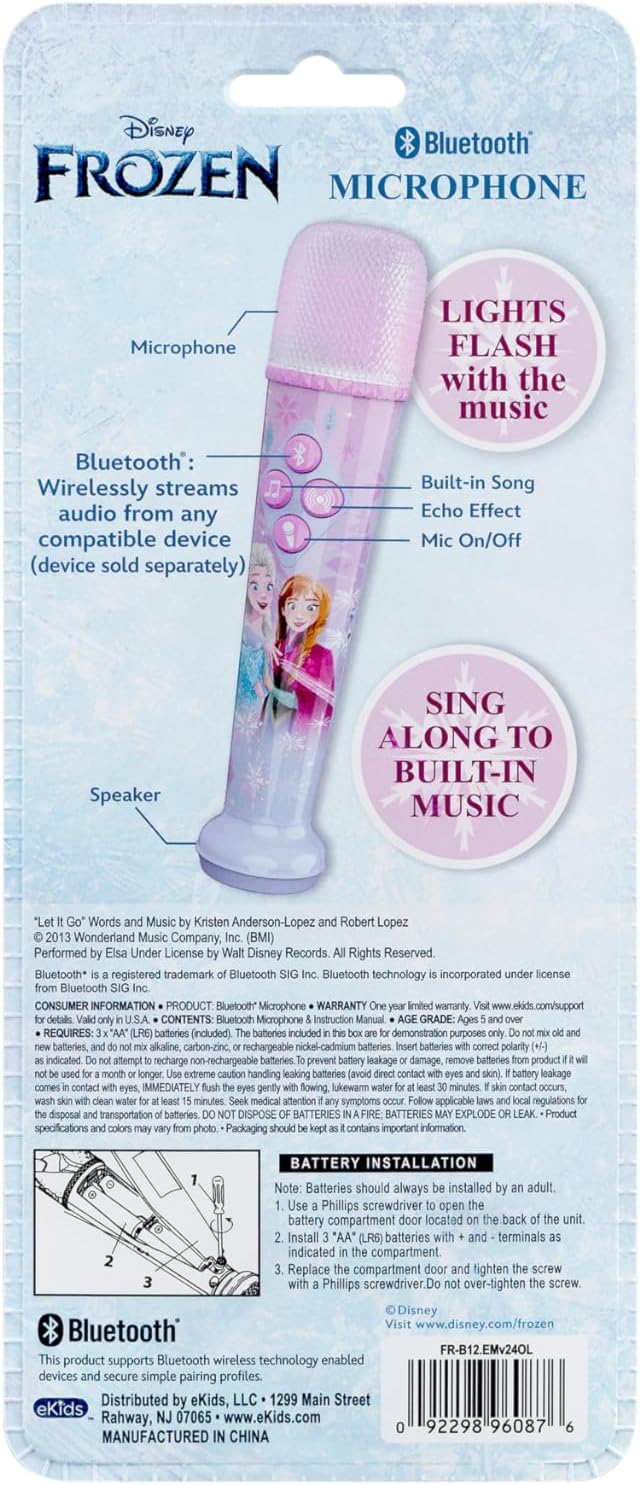
Image: Back of the microphone packaging showing battery installation instructions and compartment location.
Arahan Operasi
Hidupkan/Mati Kuasa
Locate the ON/OFF switch on the side of the microphone. Slide the switch to the 'ON' position to power on the device. Slide to 'OFF' to power off.
Sambungan Bluetooth
The microphone features Bluetooth connectivity for wireless audio streaming. To connect:
- Pastikan mikrofon dihidupkan.
- Activate Bluetooth on your compatible device (smartphone, tablet, laptop).
- Cari untuk "eKids FR-B12" or a similar device name in your device's Bluetooth settings.
- Select the microphone to pair. Once paired, you can stream your favorite music wirelessly through the microphone's speaker.

Image: Diagram highlighting the Bluetooth streaming and built-in music features of the microphone.
Muzik Terbina dalam
Press the music note button (♫) on the microphone to play the extended clip of the built-in song, "Let it Go".
Kesan Gema
Press the Echo button (circular icon with sound waves) to add cool vocal effects to your singing.
Pertunjukan Cahaya
The microphone features a built-in light show that flashes along with the music, creating an immersive performance experience.
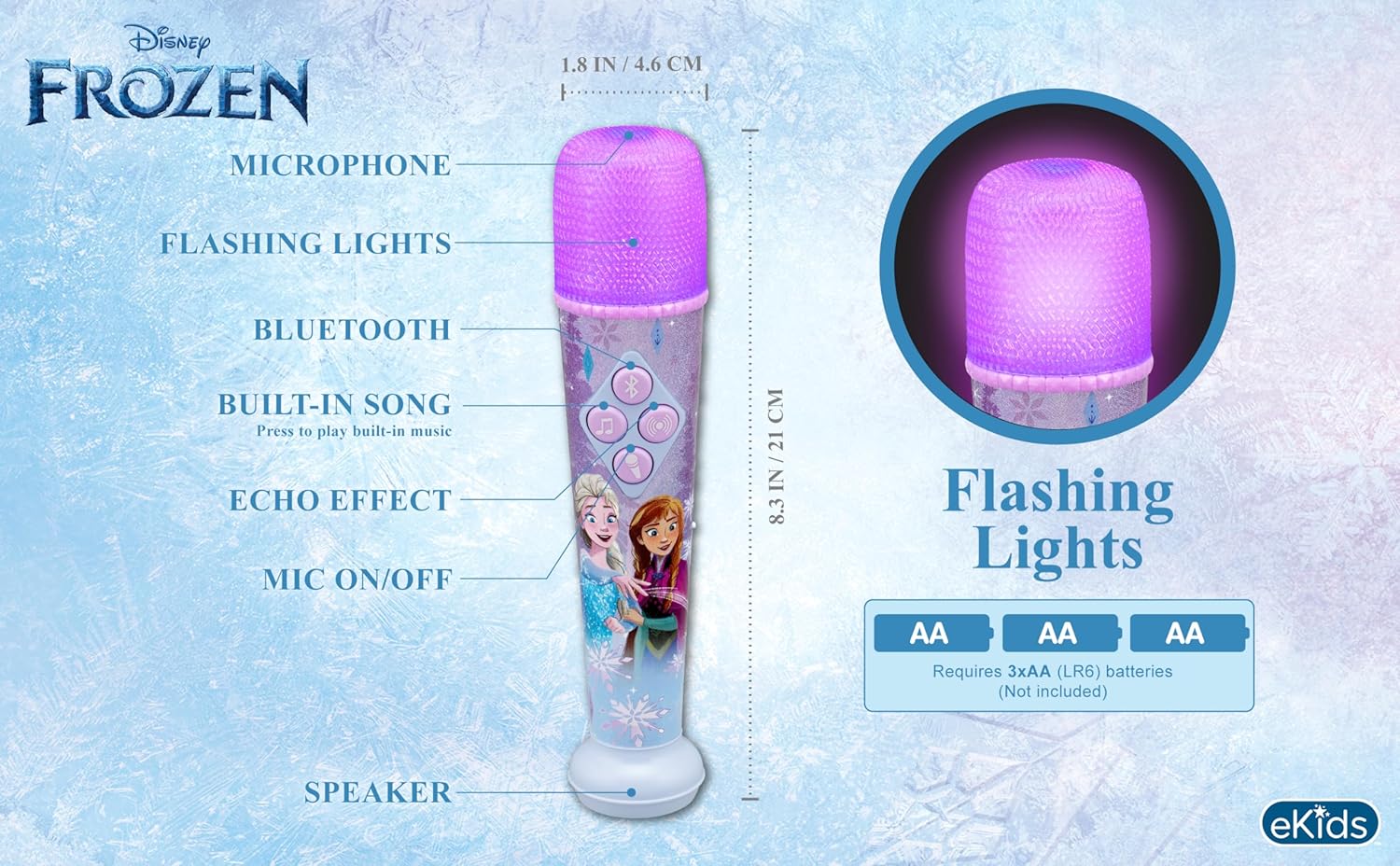
Image: Diagram showing the microphone with its flashing light feature and dimensions.
Penyelenggaraan
- Keep the microphone clean by wiping it with a soft, dry cloth.
- Avoid exposing the microphone to excessive moisture or extreme temperatures.
- Apabila tidak digunakan untuk tempoh yang lama, tanggalkan bateri untuk mengelakkan kebocoran.
Menyelesaikan masalah
| Masalah | Penyelesaian |
|---|---|
| Mikrofon tidak dihidupkan. | Check if the ON/OFF switch is in the 'ON' position. Ensure batteries are correctly installed and are not depleted. Replace batteries if necessary. |
| Tiada bunyi dari mikrofon. | Ensure the microphone is powered on. Check Bluetooth connection if streaming. Adjust volume on the connected device. |
| Isu sambungan Bluetooth. | Ensure the microphone is within range of the Bluetooth device. Turn off and on both the microphone and the Bluetooth device. Try re-pairing the devices. |
Spesifikasi
- Nombor Model: FR-B12
- Jenama: eKid
- Berat Barang: 8.5 auns
- Dimensi Produk: 1.8 x 1.79 x 8.28 inci
- Bateri: 3 bateri AA (termasuk)
- Jenis Bateri: Zink Karbon
- Voltage: 4.5 Volt
- warna: Blue (Note: Product images show purple/pink, but specification lists Blue)
- Peranti Serasi: Laptops, Tablet, Smartphone
- Kiraan Pembesar Suara: 1
- Ciri Khas: Light Up Speaker
Waranti dan Sokongan
This product comes with a one-year limited warranty. For detailed warranty information and support, please visit the official eKids brand store or contact customer service.
eKids Brand Store: Visit eKids Store on Amazon
UPC: 0092298960876


