1. Pengenalan
This user manual provides comprehensive instructions for the VTech ES2051 DECT Cordless Phone system. It covers setup, operation, maintenance, and troubleshooting for your twin handset phone, featuring an integrated answering machine, nuisance call blocker, and handsfree speakerphone capabilities. Please read this manual thoroughly to ensure proper use and to take full advantage daripada semua ciri.
2. Apa yang ada di dalam Kotak
Sila pastikan pakej anda mengandungi item berikut:
- 2 Base Units
- 2 telefon bimbit tanpa wayar
- 2 pengecas
- Pek bateri 2
- Tali talian telefon
- Panduan permulaan cepat
3. Persediaan
3.1 Memasang Bateri
Each handset requires 2 AAA rechargeable batteries (included). Open the battery compartment cover on the back of the handset and insert the batteries, observing the correct polarity (+ and -). Close the cover securely.
3.2 Menyambung Unit Pangkalan
Connect one end of the telephone line cord to the LINE socket on the base unit and the other end to your telephone wall socket. Connect the small end of the power adapter to the POWER socket on the base unit and plug the large end into a mains power outlet. For the second handset, connect its charger to a mains power outlet.
3.3 Charging the Handsets
Place each handset on its respective base unit or charger. The charging indicator on the handset will illuminate. For optimal battery performance, charge the handsets for at least 16 hours before initial use.

Image: The VTech ES2051 DECT Cordless Phone system, showing the main base unit with one handset docked, and a second handset with its charging cradle. This illustrates the twin handset setup.
4. Arahan Operasi
4.1 Fungsi Panggilan Asas
- Membuat Panggilan: Dail nombor dan tekan Panggil butang.
- Menerima Panggilan: Apabila telefon berdering, tekan butang Panggil butang.
- Menamatkan Panggilan: Tekan ke tamat butang atau letakkan semula telefon bimbit pada tapak/pengecas.

Image: Two VTech ES2051 DECT cordless handsets and the main base unit are displayed in a modern living room setting, highlighting the twin handset feature.
4.2 Handsfree Speakerphone
Semasa panggilan, tekan Telefon pembesar suara button to activate handsfree mode. Press it again to switch back to handset mode.
4.3 Penyekatan Panggilan
The nuisance call blocker allows you to stop unwanted calls. You can save up to 100 names and numbers in the call block list. Refer to the quick start guide for specific steps on how to add numbers to the block list.

Image: The VTech ES2051 DECT Cordless Phone base unit and handset are shown with a graphic indicating the 'Call Blocker' feature, emphasizing its ability to block nuisance and unwanted calls.
Sistem Jawapan Digital 4.4
The integrated digital answering system can record up to 30 minutes of messages. You can set up your outgoing message, play back messages, and delete them directly from the base unit or a handset. The base unit features a digital message counter.

Image: The VTech ES2051 DECT Cordless Phone base unit and handset are displayed, with a speech bubble suggesting a message, illustrating the digital answering system's function.
4.5 Easy, One-touch Features
The phone includes features like Mute/Alarm, adjustable ring volume and melodies, and a high-quality handsfree speakerphone, all accessible with ease.

Image: The VTech ES2051 DECT Cordless Phone is shown with icons representing its easy, one-touch features, including Mute/Alarm, adjustable ring volume, and handsfree speakerphone.
4.6 Volume Booster
Activate the Volume Booster function to amplify incoming sound, enhancing clarity and loudness, particularly useful for those with weakened hearing.

Image: A VTech ES2051 DECT Cordless Handset is shown with a graphic illustrating sound waves, indicating the Volume Booster feature that amplifies incoming audio.
4.7 Backlit Display and Keypad
The handset features a backlit LCD screen and keypad, illuminating the entire keypad for easier viewing and operation in dim light conditions.

Image: The VTech ES2051 DECT Cordless Phone base unit and handset are displayed, highlighting the illuminated LCD screen and keypad for improved visibility in low light.
4.8 Intercom Between Base and Handset
Utilize the handset-to-handset intercom function to communicate between the two handsets without using the telephone line. This is useful for internal communication within your home.
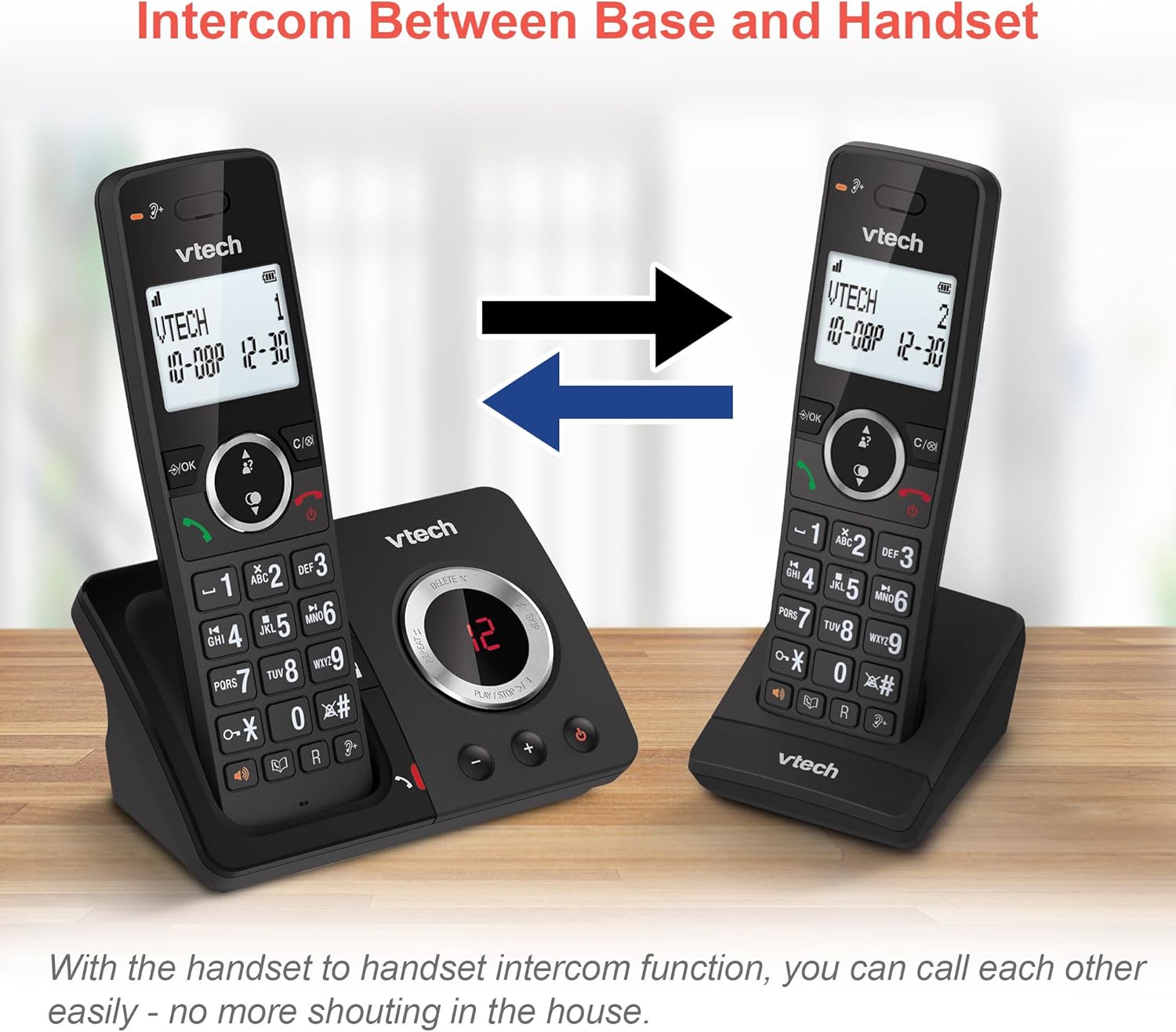
Image: Two VTech ES2051 DECT Cordless Handsets are shown with arrows indicating communication between them, illustrating the intercom function.
4.9 3-Way Conference
The 3-way calling feature allows you to conference a call with two internal callers (handsets) and one external caller into a single conversation.

Image: Three individuals are depicted using phones, visually representing the 3-way conference call capability of the VTech ES2051 system.
5. Penyelenggaraan
5.1 Pembersihan
Bersihkan telefon dan unit asas dengan lembut, sedikit damp cloth. Do not use abrasive cleaners or solvents. Ensure no liquid enters the unit.
5.2 Penjagaan Bateri
Untuk memanjangkan hayat bateri, elakkan pengecasan berlebihan dengan tidak meninggalkan telefon bimbit di atas pengecas untuk tempoh yang lama setelah dicas sepenuhnya. Jika telefon tidak akan digunakan untuk jangka masa yang lama, tanggalkan bateri.
6. Penyelesaian masalah
If you experience issues with your VTech ES2051, please refer to the following common problems and solutions:
- Tiada Nada Dail: Ensure the telephone line cord is securely connected to both the base unit and the wall socket. Check that the power adapter is plugged in correctly.
- Tidak Boleh Membuat/Terima Panggilan: Verify that the phone line is active. Check battery charge level on the handset.
- Kualiti Bunyi/Statik yang Buruk: Move the handset closer to the base unit. Avoid placing the base unit near other electrical appliances that may cause interference.
- Telefon bimbit Tidak Mengecas: Ensure the handset is correctly seated in the charging cradle and that the charging contacts are clean.
- Mesin Penjawab Telefon Tidak Merakam: Check if the answering machine memory is full. Ensure the answering machine is turned on.
7. Spesifikasi
| Ciri | Perincian |
|---|---|
| Jenama | VTech |
| Model | ES2051 |
| Jenis Telefon | DECT tanpa wayar |
| Jenis Sistem Menjawab | digital |
| Pengenalan Pemanggil | ya |
| Bateri Diperlukan | 4 AAA (termasuk) |
| Berat Barang | 0.78 Kilogram |
| Dimensi Pakej | 18.5 x 14 x 11 cm |
| warna | Hitam |
| UPC | 796575179615 |
8. Waranti dan Sokongan
For warranty information and technical support, please refer to the documentation provided with your purchase or visit the official VTech webtapak. Simpan bukti pembelian anda untuk sebarang tuntutan waranti.


