pengenalan
This manual provides detailed instructions for the setup, operation, and maintenance of your Timex UFC Rush 52mm Digital Watch. Please read this manual thoroughly to ensure proper use and to maximize the lifespan of your timepiece.
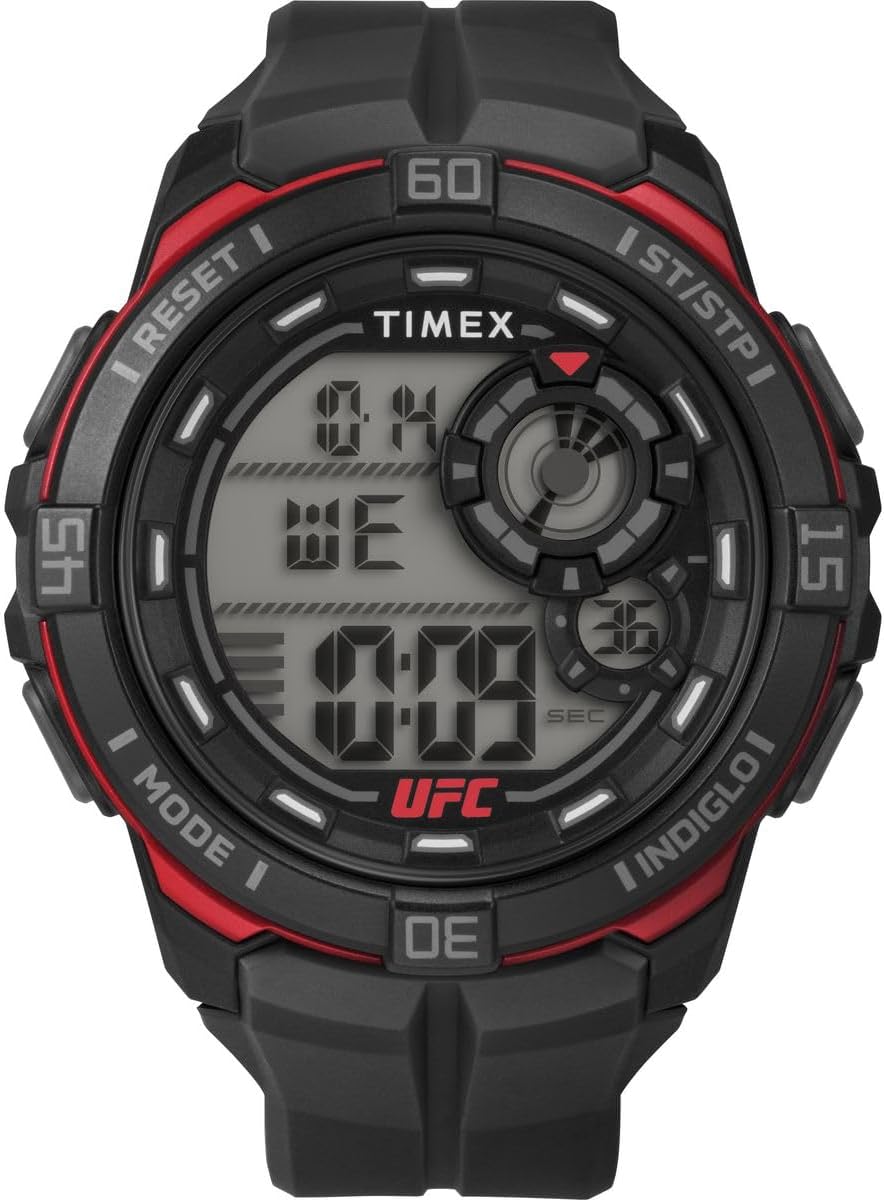
Imej 1: Depan view of the Timex UFC Rush 52mm Digital Watch, displaying the digital time, day, and date, with "TIMEX" and "UFC" logos visible. The watch features a black case with red accents and a black strap.
Komponen Tonton
Familiarize yourself with the main components and buttons of your watch:
- paparan: Digital screen showing time, date, and various function indicators.
- Butang Mod: Cycles through different watch modes (Time, Stopwatch, Timer, Alarm, Dual Time).
- ST/STP (Start/Stop) Button: Used to start and stop functions like the stopwatch or timer, and to adjust settings.
- Butang TETAP SEMULA: Resets functions and is used for setting adjustments.
- INDIGLO Button: Mengaktifkan lampu malam Indiglo untuk pencahayaan.

Imej 2: sebelah view of the Timex UFC Rush 52mm Digital Watch, highlighting the buttons on the side of the watch case. These buttons are used for mode selection, starting/stopping functions, resetting, and activating the Indiglo light.
Persediaan
Tetapan Masa dan Tarikh Permulaan
- In Time mode, press and hold the MODE button until the display flashes, indicating setting mode.
- Tekan ke ST / STP button to advance the flashing digit (e.g., hours).
- Tekan ke TETAP SEMULA button to move to the next setting (e.g., minutes, seconds, month, day, year).
- Ulangi langkah 2 dan 3 sehingga semua tetapan yang dikehendaki dilaraskan.
- Tekan ke MODE butang sekali lagi untuk keluar dari mod tetapan.
Pelarasan Tali
The watch features a polyurethane strap designed to fit wrist sizes from 150 mm to 205 mm. Adjust the buckle to achieve a comfortable and secure fit on your wrist.
Arahan Operasi
Mod Masa
The default display shows the current time, day, and date. Press the INIGLO butang untuk menerangi paparan dalam keadaan cahaya malap.
Fungsi Jam randik
- Tekan ke MODE butang berulang kali sehingga "STW" atau "STOPWATCH" muncul pada paparan.
- Tekan ke ST / STP butang untuk memulakan jam randik.
- Tekan ke ST / STP butang sekali lagi untuk menjeda jam randik.
- Tekan ke TETAP SEMULA butang untuk mengosongkan jam randik kepada sifar.
- Untuk menyambung semula pemasaan selepas berhenti seketika, tekan ST / STP.
Fungsi Pemasa Undur
- Tekan ke MODE button repeatedly until "TMR" or "TIMER" appears.
- To set the timer, press and hold the TETAP SEMULA butang sehingga angka berkelip.
- guna ST / STP to adjust the flashing digit and MODE untuk bergerak antara jam, minit, dan saat.
- Setelah ditetapkan, tekan TETAP SEMULA untuk mengesahkan.
- Tekan ST / STP untuk memulakan kira detik.
- Tekan ST / STP again to pause; press TETAP SEMULA untuk menetapkan semula pemasa.
Fungsi Penggera
- Tekan ke MODE button repeatedly until "ALM" or "ALARM" appears.
- Tekan dan tahan butang TETAP SEMULA butang sehingga digit masa penggera berkelip.
- guna ST / STP to adjust the flashing digit and MODE to move between hours and minutes.
- Tekan TETAP SEMULA untuk mengesahkan masa penggera.
- Untuk mengaktifkan/menyahaktifkan penggera, tekan ST / STP semasa dalam mod Penggera. Ikon penggera akan muncul/hilang.
Fungsi Dual Time
Ciri ini membolehkan anda menjejaki zon waktu kedua.
- Tekan ke MODE button repeatedly until "T2" or "DUAL TIME" appears.
- Tekan dan tahan butang TETAP SEMULA butang sehingga angka berkelip.
- guna ST / STP to adjust the flashing digit and MODE to move between hours and minutes for the second time zone.
- Tekan TETAP SEMULA to confirm the dual time setting.
Penyelenggaraan
Tahan Air
Your Timex UFC Rush watch is water-resistant to 100 meters (330 feet). This rating means it is suitable for showering, swimming, and snorkeling. It is bukan suitable for scuba diving or high-impact water sports where water pressure may exceed the rating.
- Jangan kendalikan butang di bawah air.
- Avoid exposing the watch to extreme temperature changes, which can compromise water seals.
- Selepas terdedah kepada air masin, bilas jam tangan dengan air tawar dan keringkan dengan teliti.
Pembersihan
Bersihkan jam tangan anda dengan kerap menggunakan kain lembut, damp cloth. For the strap, mild soap and water can be used, then rinse thoroughly. Avoid harsh chemicals or abrasive materials.
Penggantian Bateri
The watch uses one CR2025 battery (included). When the display dims or functions become erratic, the battery may need replacement. It is recommended to have the battery replaced by a qualified watch technician to ensure proper sealing and water resistance integrity.

Imej 3: jarak dekat view of the stainless steel back of the Timex UFC Rush watch, showing engraved details such as "UFC TIMEX", "WR 100M", "STAINLESS STEEL BACK", and "CR2025 CELL". This indicates the battery type and water resistance rating.
Menyelesaikan masalah
| Masalah | Kemungkinan Punca | Penyelesaian |
|---|---|---|
| Paparan kosong atau malap. | Bateri lemah. | Replace battery (refer to Battery Replacement section). |
| Butang tidak bertindak balas. | Temporary software glitch or watch is in a locked mode. | Try pressing all buttons firmly. If issue persists, allow the battery to drain completely and replace, or consult a technician. |
| Masa/Tarikh tidak betul. | Incorrect setting or battery interruption. | Reset time and date according to "Initial Time and Date Setting" instructions. |
Spesifikasi
- Nombor Model: TW5M591006B
- Diameter Sarung: 52 mm
- Bahan kes: Damar Hitam
- Bahan Tali: Black Polyurethane
- Padanan Pergelangan Tangan: 150 mm hingga 205 mm
- Jenis Paparan: digital
- Bahan Kristal: Akrilik
- Tahan Air: 100 meter (330 kaki)
- Fungsi: Day-date calendar, Stopwatch, Countdown Timer, Dual Time, Alarm, Indiglo Light
- Bateri: 1 x CR2025 (termasuk)
- Dimensi Produk: 4 x 10 x 6 cm
- Berat: 143 gram
- Negara Asal: Filipina
Waranti dan Sokongan
Untuk maklumat jaminan dan sokongan pelanggan, sila rujuk Timex rasmi webtapak atau kad jaminan yang disertakan dengan pembelian anda. Simpan bukti pembelian anda untuk tuntutan waranti.
Untuk bantuan lanjut, anda boleh melawati Perkhidmatan Pelanggan Timex muka surat.


