1. Pengenalan
Welcome to the Incapto Aura Bean-to-Cup Coffee Machine user manual. This guide provides essential information for the safe and efficient operation, maintenance, and troubleshooting of your new coffee machine. Please read all instructions carefully before first use and keep this manual for future reference.
2. Arahan Keselamatan
- Sentiasa pastikan mesin diletakkan pada permukaan yang stabil dan rata.
- Jangan rendam mesin, kord kuasa atau palam dalam air atau cecair lain.
- Jauhkan perkakas daripada kanak-kanak.
- Cabut plag mesin daripada soket kuasa sebelum membersihkan atau apabila tidak digunakan untuk tempoh yang lama.
- Do not operate the machine with a damaged cord or plug. Contact customer support for repairs.
- Only use whole coffee beans in the bean hopper. Do not use ground coffee, instant coffee, or other substances.
- Gunakan hanya air sejuk dan tawar di dalam tangki air.
3. Produk Lebihview
Familiarize yourself with the components of your Incapto Aura coffee machine.
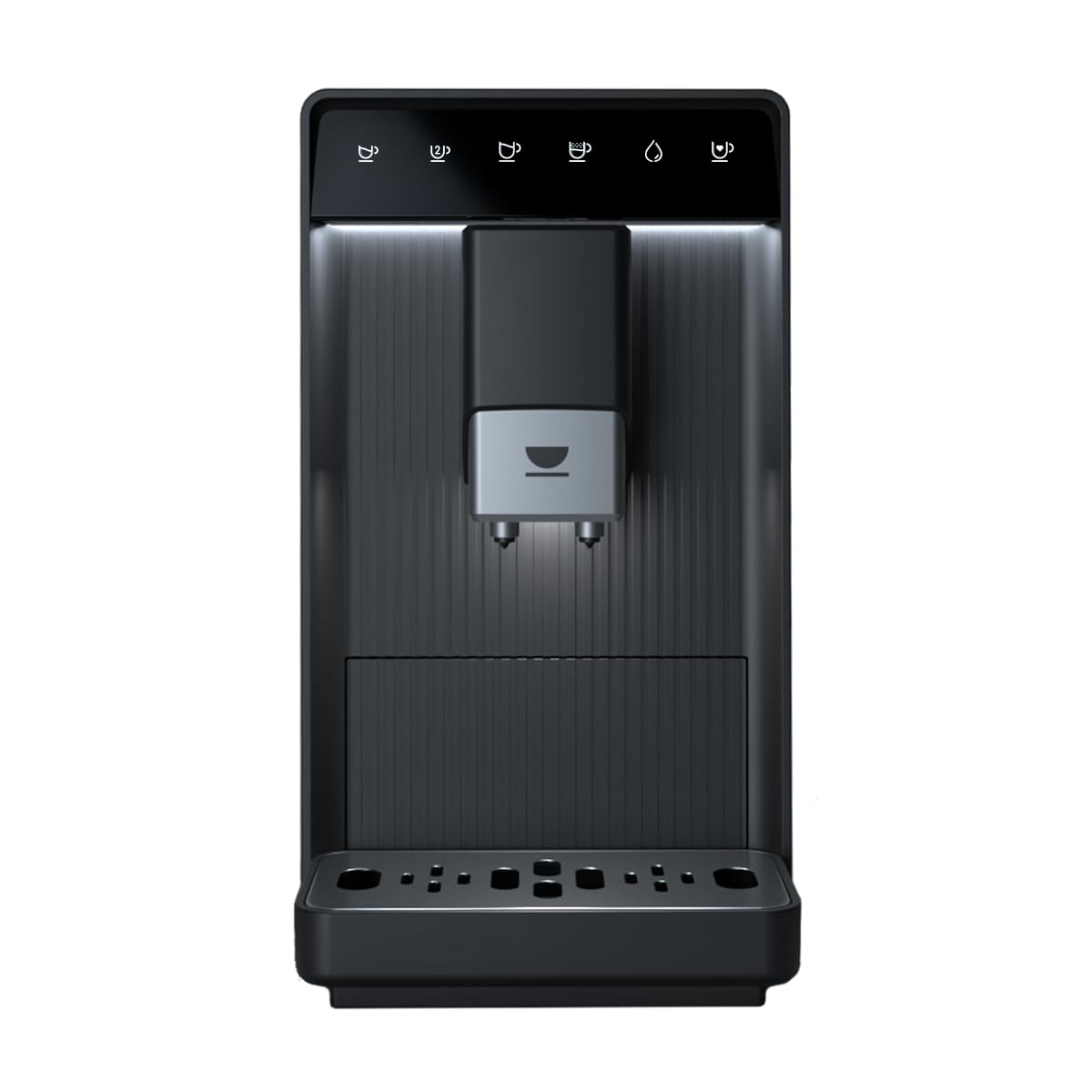
Rajah 3.1: Depan view of the Incapto Aura coffee machine.
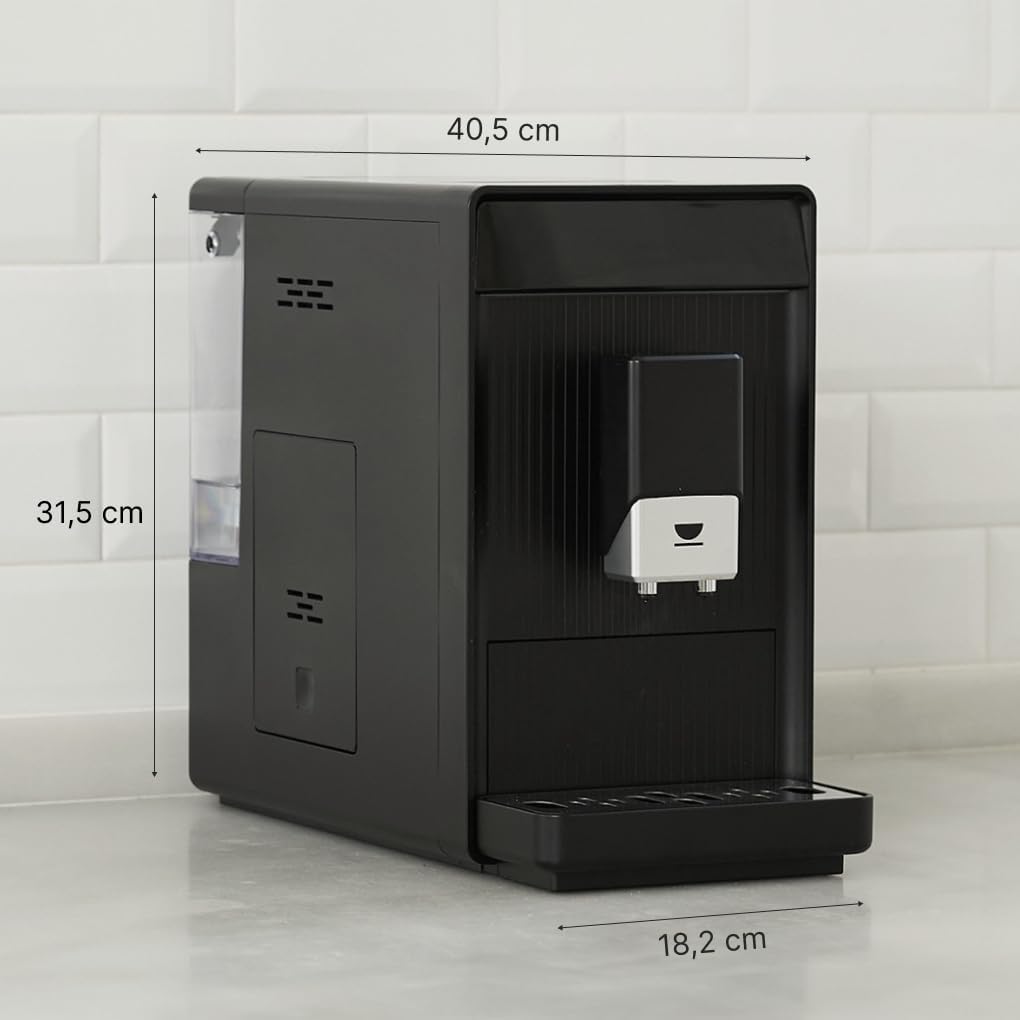
Figure 3.2: Dimensions of the Incapto Aura coffee machine (40.5 cm depth x 18.5 cm width x 31.5 cm height).
4. Persediaan
4.1 Penggunaan Pertama
- Buka bungkusan mesin dan keluarkan semua bahan pembungkusan.
- Letakkan mesin pada permukaan yang stabil dan rata.
- Clean the water tank, bean hopper, and drip tray with warm water and mild detergent. Rinse thoroughly.
- Isi tangki air dengan air segar dan sejuk.
- Fill the bean hopper with whole coffee beans.
- Pasangkan mesin ke soket kuasa yang dibumikan.
- The machine will perform an initial rinse cycle. Follow on-screen prompts or indicator lights.
4.2 Mengisi Tangki Air
The water tank is located on the side of the machine and is easily removable for filling.

Figure 4.1: A hand pouring water into the transparent water tank of the Incapto Aura coffee machine.
4.3 Mengisi Corong Kacang
Open the lid on top of the machine to access the bean hopper. Ensure only whole coffee beans are added.

Figure 4.2: A hand pouring whole coffee beans from a bag into the bean hopper of the Incapto Aura coffee machine.
5. Arahan Operasi
The Incapto Aura features a touch-sensitive control panel for easy operation.

Figure 5.1: A finger interacting with the touch control panel of the Incapto Aura coffee machine.

Figure 5.2: Close-up of the control panel showing icons for various coffee selections: Short Coffee, Long Coffee, Double Espresso, Americano, Hot Water, and Favorite Coffee.
5.1 Making a Single Coffee
- Letakkan cawan di bawah dispenser kopi.
- Select your desired coffee type (e.g., Espresso, Long Coffee, Americano) from the touch panel.
- Mesin akan mengisar biji secara automatik dan membancuh kopi anda.
5.2 Making Two Coffees Simultaneously
The Incapto Aura can brew two cups at once using the double espresso function.

Figure 5.3: The Incapto Aura coffee machine dispensing two espressos into two glass cups simultaneously.
- Place two cups under the coffee dispenser.
- Select the Double Espresso icon on the touch panel.
- The machine will brew two espressos simultaneously.
5.3 Pemberian Air Panas
For tea or other hot beverages, the machine can dispense hot water.
- Letakkan cawan di bawah dispenser kopi.
- Select the Hot Water icon on the touch panel.
- The machine will dispense hot water.
5.4 Customization and Favorite Coffee
You can customize the grind settings and save your preferred coffee settings using the 'Favorite Coffee' option on the touch panel.
6. Penyelenggaraan
Regular maintenance ensures optimal performance and longevity of your Incapto Aura.
6.1 Program Pembersihan Automatik
The machine features an automatic cleaning program. Follow the LED alerts for maintenance actions.
6.2 Removable Components
The brewing unit, drip tray, and coffee grounds container are easily removable for cleaning.
- Dulang Titis dan Bekas Kopi: Empty and rinse daily or when indicated by the machine.
- Unit Pembuatan Bir: Remove and rinse under running water weekly. Allow to air dry before reinserting.
6.3 Penyahkelasan
The machine will indicate when descaling is required. Use the provided descaling powder sachets or a suitable descaling solution according to the instructions on the descaler packaging and the machine's prompts.
6.4 Aksesori Termasuk
Your Incapto Aura comes with a brush for cleaning the grinder and brewing group, a cloth, and 3 sachets of descaling powder for proper maintenance.
7. Penyelesaian masalah
Rujuk bahagian ini untuk isu biasa dan penyelesaiannya.
| Masalah | Kemungkinan Punca | Penyelesaian |
|---|---|---|
| Tiada kopi yang dikeluarkan. | Water tank empty; coffee beans empty; brewing unit blocked. | Refill water tank; refill bean hopper; clean brewing unit. |
| Kopi terlalu lemah/kuat. | Grind setting incorrect; coffee quantity setting incorrect. | Adjust grind setting; adjust coffee strength setting. |
| Kebocoran mesin. | Drip tray full; water tank not properly inserted. | Empty drip tray; ensure water tank is correctly seated. |
| Descaling alert. | Mesin memerlukan penyahkerak. | Perform descaling procedure as per manual. |
If the problem persists after attempting these solutions, please contact Incapto customer support.
8. Spesifikasi
| Ciri | Perincian |
|---|---|
| Jenama | Incapto |
| Nombor Model | Aura |
| warna | Hitam |
| Dimensi (L x W x H) | 40.5 x 18.5 x 31.5 cm |
| Berat badan | 9 Kilogram |
| Capacity (Beans) | 150 Gram |
| Tekanan | 19 Bar |
| kuasa | 1690 Watt |
| Voltage | 240 Volt |
| bahan | plastik |
| Ciri Khas | Water filter, Automatic cleaning, Integrated coffee grinder, Programmable, Removable tank |
9. Video Produk Rasmi
Video 9.1: Tamatview of the Incapto Aura coffee machine, demonstrating its compact design, ease of use, and various coffee preparation functions, including filling beans and water, and brewing different coffee types.
10. Waranti dan Sokongan
Your Incapto Aura coffee machine comes with a standard manufacturer's warranty. For detailed warranty information, please refer to the warranty card included in your product packaging or visit the official Incapto webtapak.
For technical support, spare parts, or any inquiries, please contact Incapto customer service through their official channels. Information regarding spare parts availability is currently unavailable.


