1. Pengenalan
Thank you for choosing the boAt Airdopes 311 Pro Truly Wireless Earbuds. This manual provides essential information for setting up, operating, and maintaining your earbuds to ensure optimal performance and longevity. Please read this manual carefully before using the product.
2. Kandungan Pakej
- boAt Airdopes 311 Pro Earbuds (Left and Right)
- Kes Pengecasan
- Kabel Pengecasan USB Jenis-C
- Additional Ear Cushions (S, M, L sizes)
- Manual Pengguna
3. Produk Lebihview
The boAt Airdopes 311 Pro features a compact design with advanced audio technology for a superior listening experience.

Figure 3.1: boAt Airdopes 311 Pro Earbuds and Charging Case.
This image displays the boAt Airdopes 311 Pro earbuds in their charging case. The earbuds are a soft lavender color, matching the base of the charging case. The case features a transparent lid, allowing visibility of the earbuds inside. A small LED indicator is visible on the front of the case, and the boAt logo is prominently displayed on the case lid.

Figure 3.2: Transparent Minimalistic Design.
This image highlights the transparent and minimalistic design of the boAt Airdopes 311 Pro charging case. The lavender-colored earbuds are visible through the clear lid, nestled securely in their matching base. The design emphasizes a clean and modern aesthetic.
4. Persediaan
4.1 Mengecas Fon telinga dan Sarung
Before first use, fully charge the earbuds and charging case. Use the provided USB Type-C cable to connect the charging case to a power source.
- Letakkan fon telinga ke dalam bekas pengecasan.
- Connect the Type-C cable to the charging port on the case and a USB power adapter.
- Penunjuk LED pada sarung akan menunjukkan status pengecasan.
- ASAP Charging: A 10-minute charge provides approximately 150 minutes of playtime.
- Cas penuh menyediakan sehingga 50 jam masa bermain keseluruhan dengan bekas pengecas.
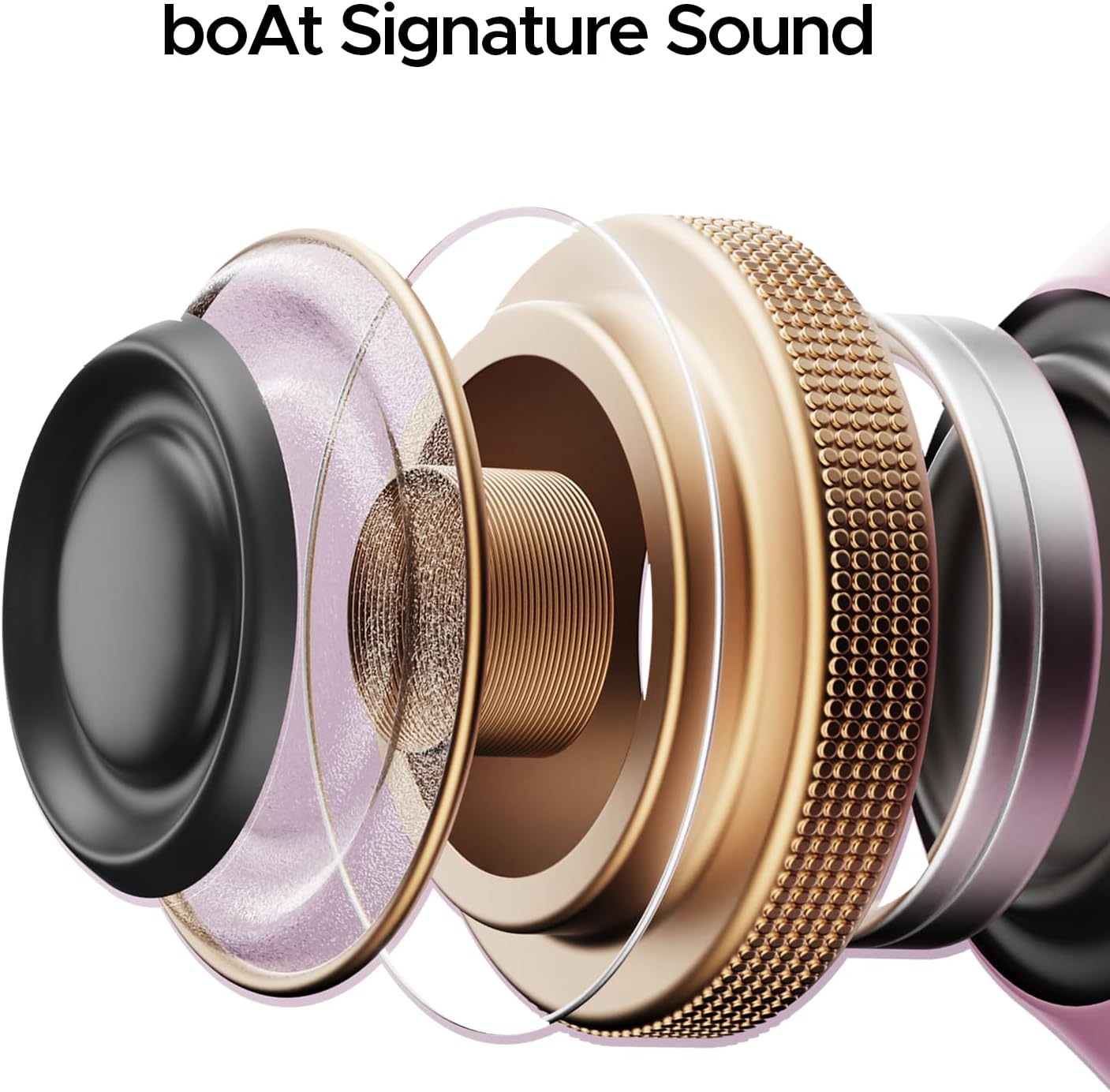
Figure 4.1: Type-C Charging Port.
This image shows a close-up of the boAt Airdopes 311 Pro charging case, highlighting the Type-C charging port located at the bottom. The port is designed for convenient and fast charging of the device.

Figure 4.2: Playtime and ASAP Charging.
This graphic illustrates the impressive battery life of the boAt Airdopes 311 Pro, boasting up to 50 hours of total playback. It also highlights the ASAP Charging feature, indicating that a mere 10 minutes of charge can provide 150 minutes of playtime, emphasizing quick power-up capabilities.
4.2 Berpasangan dengan Peranti Anda
The earbuds utilize Bluetooth v5.3 for stable and efficient wireless connectivity.
- Buka bekas pengecas. Fon telinga akan memasuki mod berpasangan secara automatik.
- Pada telefon pintar atau peranti berdaya Bluetooth anda, pergi ke tetapan Bluetooth.
- Cari untuk available devices and select "boAt Airdopes 311 Pro".
- Once connected, you will hear an audio prompt, and the LED indicator on the earbuds will change.

Figure 4.3: Bluetooth v5.3 Connectivity.
This image depicts a smartphone screen displaying the Bluetooth v5.3 connection. The boAt Airdopes 311 Pro earbuds are shown connected to the device, illustrating the seamless wireless pairing process.
5. Arahan Operasi
5.1 Kawalan Sentuhan
The boAt Airdopes 311 Pro features intuitive touch controls on each earbud for managing calls, music, and voice assistant functions.
- Main/Jeda: Ketik sekali pada salah satu fon telinga.
- Lagu Seterusnya: Ketik dua kali pada fon telinga kanan.
- Trek Sebelumnya: Ketik dua kali pada fon telinga kiri.
- Jawab/Tamatkan Panggilan: Ketik sekali pada salah satu fon telinga.
- Tolak Panggilan: Tekan lama pada kedua-dua fon telinga.
- Aktifkan Pembantu Suara: Ketik tiga kali pada salah satu fon telinga.

Figure 5.1: One-Touch Voice Assistant.
This image shows a single boAt Airdopes 311 Pro earbud, highlighting its capability for one-touch voice assistant activation. The design of the earbud is sleek and ergonomic, indicating ease of use for touch controls.
5.2 Call Management with Dual Mics
The earbuds are equipped with Dual Mics featuring ENx™ Technology for clear voice calls, reducing environmental noise.

Figure 5.2: Dual Mics with ENx™ Technology.
This detailed diagram provides an internal view of a boAt Airdopes 311 Pro earbud, specifically illustrating the placement and function of the Dual Mics with ENx™ Technology. This technology is designed to enhance call clarity by filtering out ambient noise, ensuring clear voice transmission during conversations.
5.3 Low-Latency Beast Mode
Activate Beast Mode for a low-latency experience (50ms), ideal for gaming and video streaming where audio-visual synchronization is critical.
- Refer to the full user manual (available via the boAt Hearables App) for specific activation instructions for Beast Mode.
6. Penyelenggaraan
Penyelenggaraan yang betul memastikan jangka hayat dan prestasi fon telinga anda.
6.1 Pembersihan
- Lap perlahan fon telinga dan bekas pengecas dengan kain lembut, kering dan tidak berbulu.
- Jangan gunakan bahan kimia yang keras atau bahan yang melelas.
- Tanggalkan kusyen telinga dan bersihkannya secara berasingan dengan sabun lembut dan air jika perlu, pastikan ia kering sepenuhnya sebelum dipasang semula.
6.2 Tahan Air
The earbuds are rated IPX4, providing resistance against water splashes and sweat. They are not designed for submersion in water.
- Avoid exposing the earbuds to heavy rain or direct water jets.
- Do not wear them while swimming or showering.
- If they get wet, wipe them dry immediately before placing them back in the charging case.

Figure 6.1: IPX4 Water and Sweat Shield.
This image visually represents the IPX4 water and sweat resistance of the boAt Airdopes 311 Pro earbuds and charging case. The product is shown in an environment with water splashes, indicating its ability to withstand sweat and light water exposure, making it suitable for workouts and outdoor activities.
7. Penyelesaian masalah
If you encounter issues with your boAt Airdopes 311 Pro, try the following solutions:
- Tiada Bunyi: Ensure earbuds are charged and properly paired. Check device volume.
- Tidak boleh berpasangan: Ensure Bluetooth is enabled on your device. Place earbuds back in case, close, then reopen to re-enter pairing mode. Forget previous pairings on your device.
- Satu Earbud Tidak Berfungsi: Place both earbuds back in the case, close the lid, wait a few seconds, then open again. This often re-syncs them.
- Isu Pengecasan: Ensure the charging cable is securely connected and the power source is active. Clean charging contacts on earbuds and case.
- Kualiti Panggilan Lemah: Ensure earbuds are clean and positioned correctly. Check for strong Bluetooth signal.
8. Spesifikasi
| Nama Model | Airdopes 311 Pro |
| Teknologi Ketersambungan | Bluetooth |
| Teknologi Komunikasi Tanpa Wayar | Bluetooth |
| Versi Bluetooth | 5.3 |
| Latensi Audio | 50 Milliseconds (Beast Mode) |
| Tahap Ketahanan Air | IPX4 (Tahan Air) |
| Kaedah Kawalan | Sentuh |
| Bentuk alat dengar | Dalam telinga |
| Jenis Pemacu Audio | Pemandu Dinamik |
| Berat Barang | 110 Gram (3.88 auns) |
| Dimensi Produk | 1.54 x 3.58 x 5 inci |
| Bateri | 1 bateri Polimer Litium (termasuk) |
9. Waranti dan Sokongan
For detailed warranty information, additional support, and to access the full user manual, please download the boAt Hearables App.
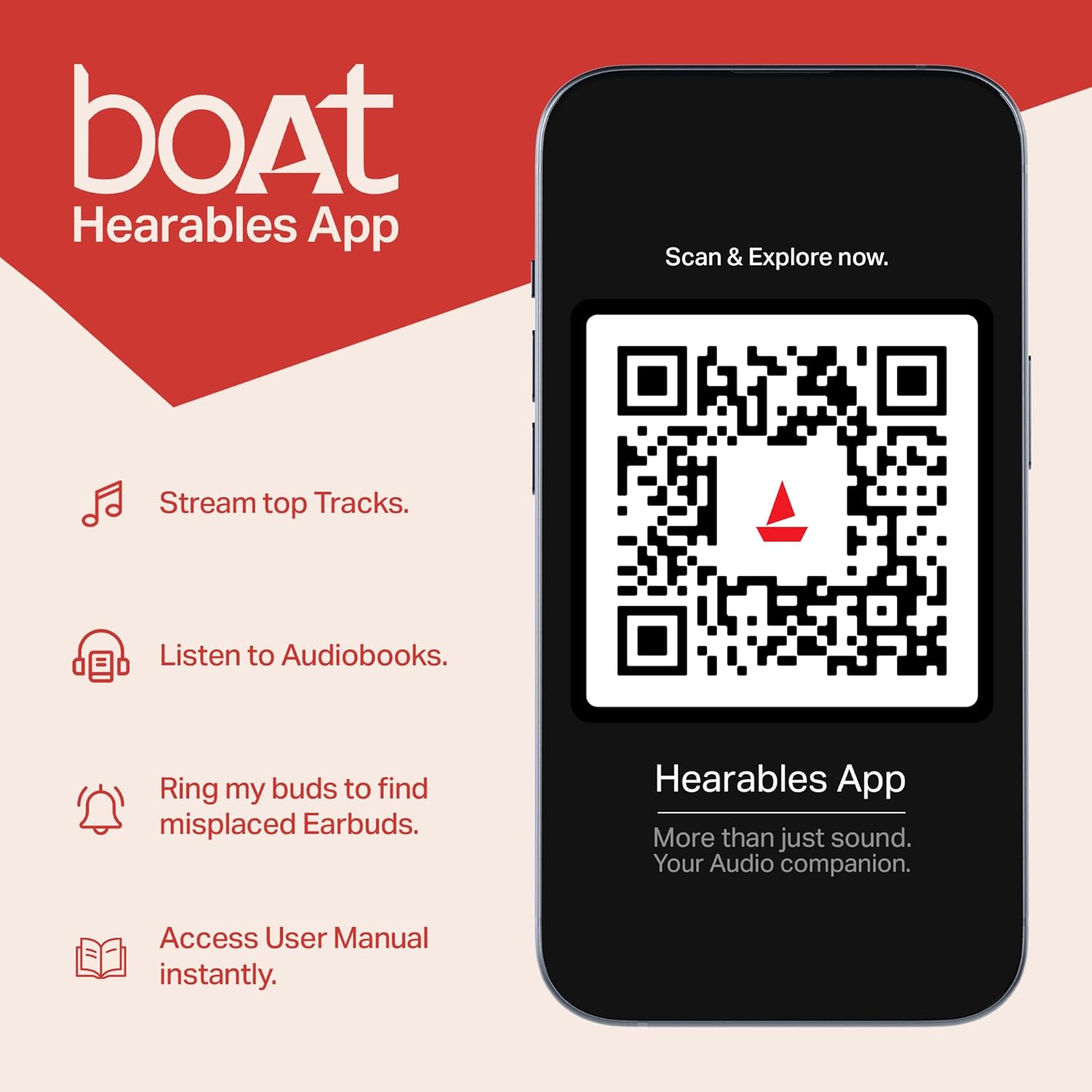
Figure 9.1: boAt Hearables App.
This image shows a smartphone displaying the boAt Hearables App interface. The app offers features like streaming top tracks, listening to audiobooks, finding misplaced earbuds, and accessing the user manual instantly. A QR code is visible for easy scanning to download or access the app. You can also access the app via this link: https://l.ead.me/bdAX6k
For further assistance, please visit the official boAt support webtapak atau hubungi perkhidmatan pelanggan.


