pengenalan
Thank you for choosing the Xtorm Go2 Power Bank. This compact and powerful portable charger is designed to provide reliable power for your mobile devices on the go. With a 5,000mAh capacity, dual USB-A and USB-C ports, and 12W FastCharge technology, it ensures your devices stay charged. The casing is made from 100% recycled plastic, contributing to a cleaner planet.

Image: The Xtorm Go2 Power Bank in Ash White, showcasing its compact design, USB-A and USB-C ports, and LED indicators.
Maklumat Keselamatan
Please read all safety instructions carefully before using this product. Improper use may result in damage to the product, excessive heat, toxic fumes, fire, or explosion, for which Xtorm is not responsible.
- Jangan dedahkan power bank kepada suhu yang melampau (melebihi 45°C atau di bawah -10°C).
- Do not expose to moisture, water, or rain.
- Jangan jatuhkan, tebuk atau buka bank kuasa.
- Jauhkan daripada kanak-kanak.
- Use only original or certified cables for charging.
- Lupuskan bank kuasa secara bertanggungjawab mengikut peraturan tempatan.
The Xtorm Go2 Power Bank undergoes a rigorous 6-stage safety check, including temperature control, overcharge protection, secure energy management, short circuit protection, A-class batteries, and high efficiency, ensuring reliable and safe operation.
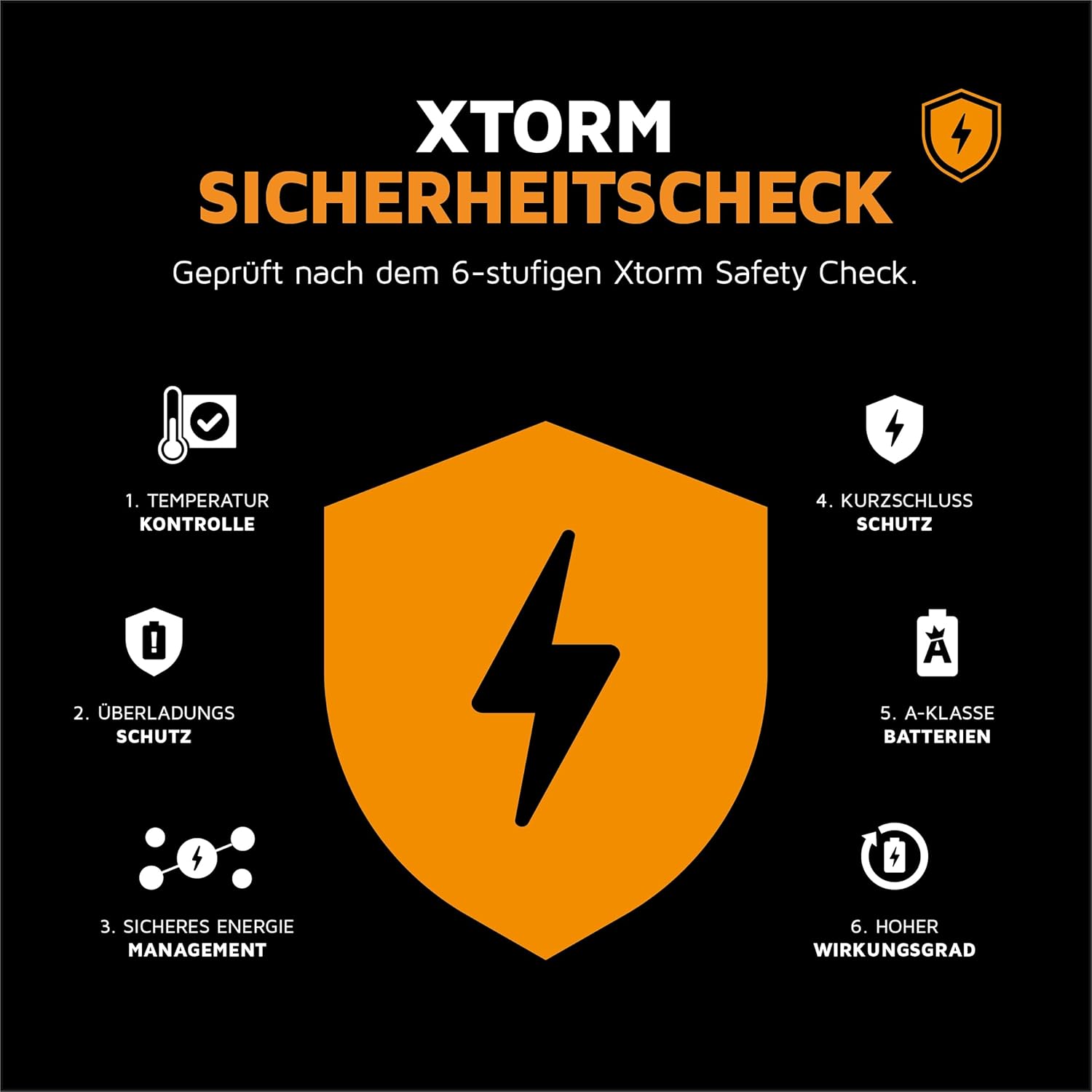
Image: Diagram illustrating the Xtorm 6-stage safety check, including temperature control, overcharge protection, secure energy management, short circuit protection, A-class batteries, and high efficiency.
Kandungan Pakej
Sila tandai kotak untuk item berikut:
- 1 x Xtorm Go2 Power Bank 5000mAh
- 1 x Kabel Pengecas USB-C ke USB-A
- 1 x Manual Pengguna
Produk Selesaiview
The Xtorm Go2 Power Bank features a minimalist design with essential ports and indicators for convenient use.
- Port Output USB-A: Used for charging devices with a USB-A cable.
- Port Input/Output USB-C: Used for charging the power bank itself or charging devices with a USB-C cable.
- Penunjuk LED: Four small LED lights indicate the remaining battery level of the power bank.
- Butang Kuasa: Tekan untuk memeriksa tahap bateri atau memulakan pengecasan.
Imej: Dari dekat view of the Xtorm Go2 Power Bank, highlighting the USB-A and USB-C ports and the LED battery indicators.
Persediaan
Mengecas Power Bank
Before first use, it is recommended to fully charge your Xtorm Go2 Power Bank.
- Connect the supplied USB-C cable to the USB-C port on the power bank.
- Sambungkan hujung kabel yang satu lagi ke pengecas dinding USB (tidak disertakan) atau port USB komputer.
- The LED indicators will light up to show the charging progress. All four LEDs will be solid when fully charged.
A full charge typically takes a few hours, depending on the power source.
Arahan Operasi
Mengecas Peranti Anda
The Xtorm Go2 Power Bank can charge a wide range of devices, including smartphones, tablets, and wireless earbuds.
- Sambungkan kabel pengecas peranti anda ke port yang sesuai pada bank kuasa (USB-A atau USB-C).
- Sambungkan hujung kabel yang lain ke peranti anda.
- Bank kuasa akan mula mengecas peranti anda secara automatik. Jika tidak, tekan butang kuasa sekali.
The 12W FastCharge capability ensures quick charging for your connected devices. You can charge up to two devices simultaneously using both the USB-A and USB-C ports.

Image: The Xtorm Go2 Power Bank connected via cable to a smartphone, illustrating its fast charging capability and compact size.

Image: The Xtorm Go2 Power Bank simultaneously charging a smartphone and wireless earbuds, demonstrating its dual-port functionality.
Pengecasan Laluan
The power bank supports pass-through charging, meaning you can charge the power bank itself while it is simultaneously charging another device. This ensures both your power bank and device are ready when you need them.
Penyelenggaraan
Penjagaan dan Pembersihan
- Lap bank kuasa dengan kain lembut dan kering. Jangan gunakan bahan kimia yang keras atau bahan yang melelas.
- Pastikan port bebas daripada habuk dan serpihan.
- Simpan bank kuasa di tempat yang sejuk dan kering apabila tidak digunakan.
Ketahanan Bateri
To maximize the lifespan of your power bank's battery:
- Avoid fully discharging the power bank regularly.
- Charge it fully at least once every three months if not used frequently.
- Avoid exposing it to extreme heat or cold for prolonged periods.
Menyelesaikan masalah
- Power Bank tidak dicas:
- Ensure the charging cable is securely connected to both the power bank and the wall adapter/USB port.
- Try a different charging cable or wall adapter.
- Check if the wall outlet is working. - Peranti tidak mengecas daripada Power Bank:
- Ensure the cable connecting your device to the power bank is securely connected.
- Try a different cable or port on the power bank.
- Press the power button on the power bank to activate charging.
- Check if the power bank has sufficient charge (LED indicators). - Pengecasan perlahan:
- Ensure you are using a 12W or higher power adapter for optimal charging speed of the power bank.
- Check if your device supports fast charging and if the cable is compatible.
- Charging multiple devices simultaneously may reduce individual charging speeds.
If issues persist, please contact Xtorm customer support.
Spesifikasi
| Ciri | Spesifikasi |
|---|---|
| Nombor Model | XG2050 |
| Kapasiti Bateri | 5000 mAh |
| Komposisi Bateri | Litium-Polymer |
| Jenis Penyambung | USB Jenis-A, USB Jenis-C |
| Kuasa Keluaran | 12W FastCharge |
| Dimensi Produk | 9.35 x 6.3 x 1.55 cm |
| Berat badan | 127 gram |
| bahan | 100% Recycled Plastic (GRS-certified) |
| warna | Abu Putih |
Waranti dan Sokongan
The Xtorm Go2 Power Bank comes with the Xtorm Supreme Guarantee, ensuring a reliable and durable product. This guarantee reflects Xtorm's commitment to quality, utilizing A-class batteries, the latest technology, and a 6-layer safety check.
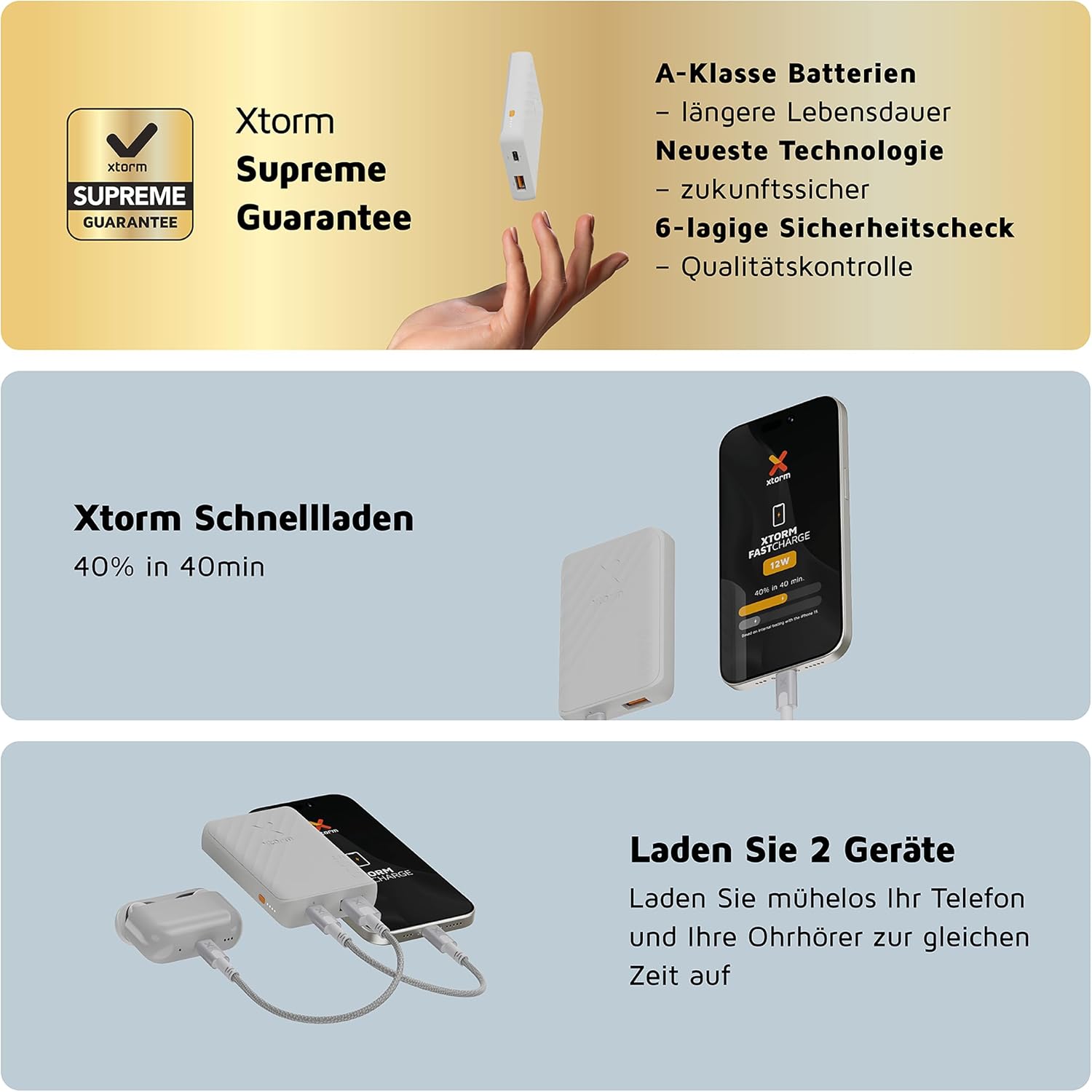
Image: Details of the Xtorm Supreme Guarantee, highlighting A-class batteries, latest technology, and 6-layer safety check for quality control.
Untuk bantuan lanjut, sokongan teknikal atau tuntutan jaminan, sila lawati laman web rasmi Xtorm webtapak atau hubungi perkhidmatan pelanggan mereka secara langsung. Simpan resit pembelian anda sebagai bukti pembelian.


