1. Pengenalan
The karuisrc K417 Drone is a versatile and user-friendly quadcopter designed for both beginners and experienced adults. Equipped with dual 1080P HD cameras and advanced flight features, it offers an immersive aerial photography and videography experience. Its compact, foldable design and included carrying case make it highly portable. This manual provides essential information for safe operation, setup, maintenance, and troubleshooting to ensure optimal performance of your K417 Drone.

Image: The K417 Drone, its remote control, and the included carrying case.
2. Maklumat Keselamatan
Always prioritize safety when operating the K417 Drone. Failure to follow these guidelines may result in injury, damage to property, or legal consequences.
- Semakan Pra-Penerbangan: Before each flight, ensure the drone, remote control, and batteries are in good working condition. Check propellers for damage and ensure they are securely attached.
- Keadaan Persekitaran: Fly in open areas, away from people, animals, buildings, and obstacles. Avoid flying in strong winds (the K417 has Level 4 wind resistance, but caution is advised in adverse conditions), rain, or extreme temperatures.
- Keselamatan Bateri: Use only original or approved batteries. Do not overcharge or puncture batteries. Discontinue use if batteries show signs of swelling or damage.
- Garis penglihatan: Sentiasa mengekalkan garis penglihatan visual dengan dron semasa penerbangan.
- Hormati Privasi: Be mindful of privacy laws and avoid flying over private property without permission.
- Cadangan Umur: This drone is recommended for adults. Supervise minors if they are operating the drone.
- Weight and Regulations: The K417 Drone weighs less than 249g, which may exempt it from certain FAA registration requirements in some regions. Always check local regulations before flying.
3. Kandungan Pakej
Verify that all items are present in your K417 Drone package:
- K417 Drone x 1
- Alat kawalan jauh x 1
- Batteries x 1 (Lithium Ion)
- Propellers x 4 (Spare)
- Protective Frame x 4
- Pemutar skru x 1
- Kabel USB x 1
- Sarung Tangan x 1
- Manual Arahan x 1
4. Produk Lebihview
4.1. K417 Drone
The K417 Drone features a foldable design for portability, dual 1080P HD cameras, and blue LED lights for enhanced visibility and aesthetics. It is equipped with brushless motors for efficient and stable flight.

Image: The K417 Drone and its remote control unit.
Ciri-ciri Utama:
- Dual 1080P HD Cameras: Offers 1920x1080p resolution for high-quality aerial photography and videography. The front camera is 90° electrically adjustable, and a bottom camera assists with real-time monitoring and multi-angle shooting.
- Lampu LED Biru: Enhances visibility during nighttime flights and assists with navigation in low-light environments.
- Motor Tanpa Berus: Provides efficient, powerful thrust with reduced friction, longer lifespan, and improved wind resistance (Level 4).
- Reka Bentuk Lipat: Increases portability and protects the drone during transport.

Imej: A terperinci view of the K417 Drone's 1080P HD camera system.

Image: The K417 Drone with its blue LED lights illuminated, enhancing visibility.
4.2. Alat Kawalan Jauh
The remote control provides intuitive command over the drone's flight and camera functions. It connects via Wi-Fi and can hold a smartphone for FPV viewing.
5. Persediaan
5.1. Mengecas Bateri
The K417 Drone uses a modular Lithium Ion battery. Ensure the battery is fully charged before each flight for optimal performance and safety.
- Keluarkan bateri dari dron.
- Sambungkan bateri ke kabel pengecas USB yang disediakan.
- Pasangkan kabel USB ke sumber kuasa USB yang serasi (cth., port USB komputer, penyesuai dinding USB).
- The charging indicator light on the battery will show its status (refer to battery instructions for specific light patterns). Charging typically takes [Insert approximate charging time if known, otherwise omit].
- Once fully charged, disconnect the battery and reinsert it into the drone.

Image: Diagram illustrating the modular battery design of the K417 Drone.
5.2. Installing Propellers and Protective Frames
Attach the propellers and protective frames as follows:
- Identify the correct propellers (A and B) and match them to the corresponding motor shafts.
- Securely fasten the propellers using the provided screwdriver.
- Snap the protective frames onto the drone's arms to shield the propellers during flight, especially for beginners.

Image: The K417 Drone equipped with its protective propeller brackets.
5.3. Pemasangan dan Sambungan Apl
To unlock full features and FPV viewing, download the K417 drone's dedicated app on your smartphone.
- Scan the QR code in the quick start guide or search for the 'K417' app in your device's app store.
- Pasang apl.
- Hidupkan dron dan alat kawalan jauh.
- On your smartphone, go to Wi-Fi settings and connect to the drone's Wi-Fi network (e.g., 'K417-XXXX').
- Open the K417 app. The app should automatically connect to the drone, displaying the live camera feed.
6. Arahan Operasi
6.1. Kawalan Asas Penerbangan
Familiarize yourself with the remote control's functions:
- Berlepas/Mendarat Satu Kunci: Press the dedicated button to automatically take off or land the drone.
- Tahan Ketinggian: The drone maintains a stable altitude, making it easier for beginners to control.
- Mod Kelajuan: Cycle through 3-speed modes (low, medium, high) to match your flying skill level and environment.
- Kedudukan Aliran Optik: Utilizes a bottom camera to gather image data and calculate displacement, enabling precise hovering and stable flight.

Image: The K417 Drone demonstrating stable hovering, aided by optical flow positioning.
6.2. Ciri Penerbangan Lanjutan
Explore the K417 Drone's advanced capabilities:
- Lambungan 3D: Laksanakan akrobatik udara yang mengagumkan dengan satu tekan butang.
- Kawalan Gerak Isyarat: Use specific hand gestures to trigger photo or video recording, allowing for hands-free operation.
- Custom Path Flight: Draw a desired flight route on the app screen, and the drone will automatically follow the trajectory.

Image: The K417 Drone executing a dynamic 3D flip maneuver.

Image: Hands positioned to demonstrate gesture control functionality for the drone's camera.

Image: The K417 Drone executing a custom flight path, following a pre-defined route.
6.3. Camera Operation and FPV Transmission
The K417 Drone's dual 1080P cameras provide clear visuals, and 5GHz WiFi transmission ensures real-time FPV (First Person View) streaming to your mobile device.
- Tangkapan Foto/Video: Use the dedicated buttons on the remote or the app interface to take photos or start/stop video recording.
- 90° Electric Adjustable Camera: Adjust the angle of the front camera remotely via the app or remote control to capture different perspectives.
- Penghantaran FPV: The 5GHz WiFi connection provides fast and precise data transfer, allowing you to view the drone's camera feed in real-time on your smartphone.

Image: A person observing the K417 Drone in flight, highlighting its 5GHz WiFi transmission capability for extended range.
7. Penyelenggaraan
Proper maintenance ensures the longevity and performance of your K417 Drone.
- Pembersihan: Gently wipe the drone and remote control with a soft, dry cloth after each use. Avoid using harsh chemicals or liquids.
- Pemeriksaan baling-baling: Sentiasa periksa baling-baling sama ada retak, bengkok atau serpihan. Gantikan kipas yang rosak dengan segera menggunakan alat ganti dan pemutar skru yang disediakan.
- Penjagaan Bateri: Store batteries in a cool, dry place. Do not store fully charged or completely depleted batteries for extended periods. Charge them to about 50% for long-term storage.
- Storan: When not in use, store the drone and its accessories in the carrying case to protect them from dust, moisture, and physical damage.
8. Penyelesaian masalah
If you encounter issues with your K417 Drone, refer to the following common problems and solutions:
| Masalah | Kemungkinan Punca | Penyelesaian |
|---|---|---|
| Drone tidak dihidupkan | Bateri lemah; Bateri tidak dipasang dengan betul | Charge the drone battery; Ensure battery is securely connected. |
| Alat kawalan jauh tidak bersambung | Low remote battery; Not paired correctly | Replace remote batteries; Follow pairing instructions in the quick start guide. |
| Tiada suapan FPV dalam apl | Not connected to drone's Wi-Fi; App not open or crashed | Verify Wi-Fi connection to drone; Restart app and drone. |
| Drone hanyut semasa penerbangan | Not calibrated; Wind interference | Perform gyroscope calibration (refer to quick start guide); Fly in calmer conditions. |
| Kualiti kamera yang teruk | Lens dirty; Insufficient lighting | Clean camera lens gently; Ensure adequate lighting for optimal recording. |
9. Spesifikasi
Detailed technical specifications for the K417 Drone:
| Ciri | Spesifikasi |
|---|---|
| Jenama | karuisrc |
| Nama Model | K417 |
| Julat Umur (Perihalan) | Dewasa |
| warna | Biru |
| Resolusi Tangkapan Video | 1080p (1920x1080 Pixels) |
| Teknologi Ketersambungan | Wi-Fi (5GHz) |
| Komponen yang Disertakan | Camera, Carrying Case, Propeller |
| Berat Barang | 147 Gram (5.2 auns) |
| Format Tangkapan Video | MP4 |
| Teknologi Kawalan Jauh | Wi-Fi |
| Jenis Kawalan | Kawalan Isyarat |
| Julat Maksimum | 0.25 Kilometers (821 ft / 250m) |
| Komposisi Sel Bateri | Litium Ion |
| Bateri Termasuk | Ya (1 bateri Lithium Ion diperlukan) |
| Suhu Operasi | 10 Darjah Celsius |
| Teknologi Penderia Optik | CMOS or CCD |
| Dimensi Produk | 0.65"L x 0.49"W x 0.16"H |
| Pengeluar | KARUISRC |
| Nombor Model Item | 2024032105 |
| Tarikh Mula-mula Tersedia | 21 Mac 2024 |
10. Waranti dan Sokongan
For warranty information, technical support, or any inquiries regarding your K417 Drone, please contact karuisrc customer service.
- Pengeluar: KARUISRC
- Kedai Jenama: Visit the karuisrc Store on Amazon
- telefon: +44 7419 298225
- e-mel: Karuisrc@gmail.com
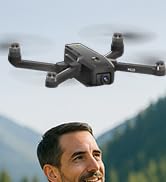
Image: Customer support contact information for karuisrc.


