pengenalan
Thank you for choosing the Hama Freedom Run II Bluetooth In-Ear Headphones. This manual provides essential information for the safe and efficient operation of your device. Please read it carefully before use and keep it for future reference.
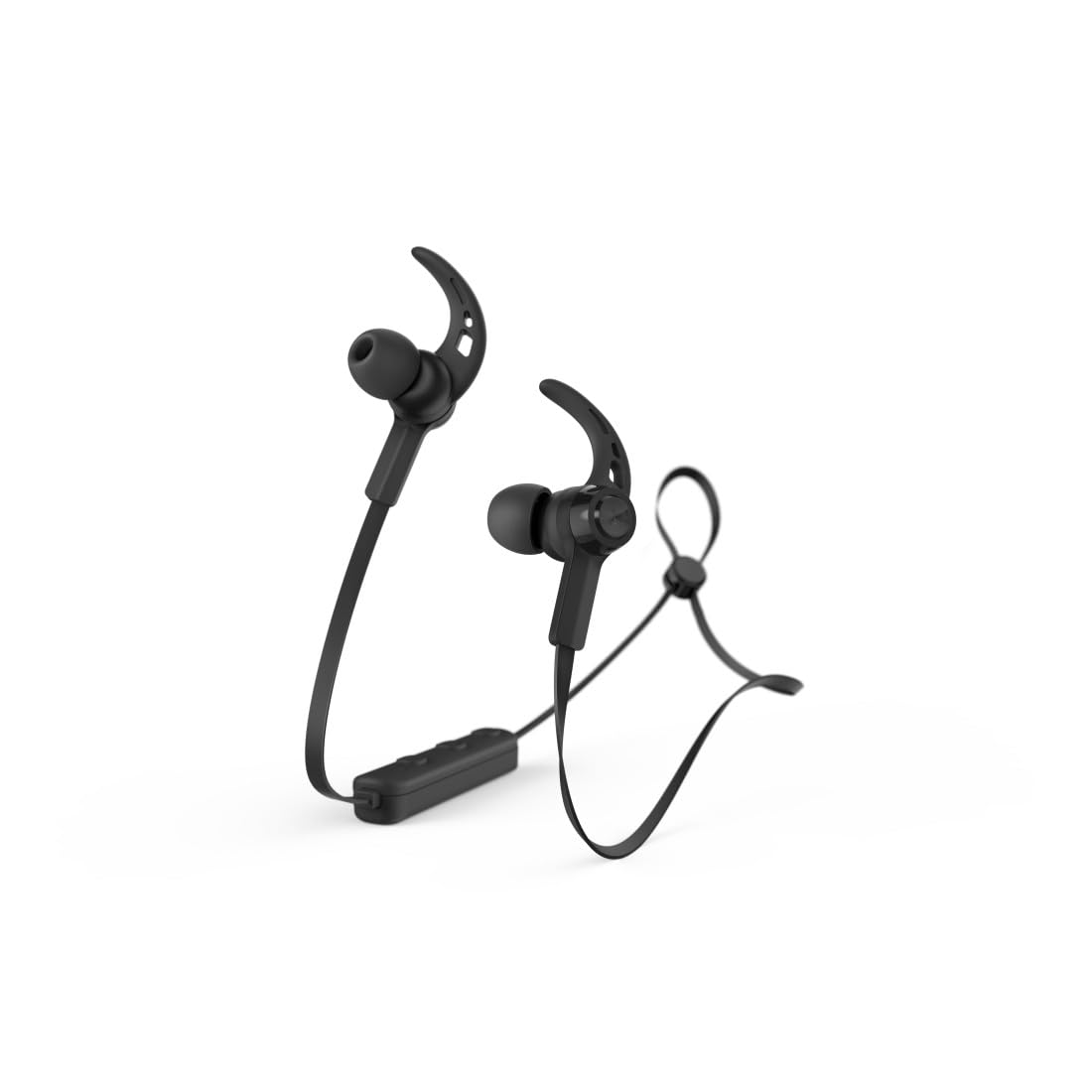
Image: Hama Freedom Run II Bluetooth In-Ear Headphones in black, showcasing the magnetic earbuds and flat, tangle-free cable design.
Persediaan
1. Mengecas Fon Kepala
Before first use, ensure the headphones are fully charged. Connect the charging cable to the charging port on the headphones and to a suitable USB power source. The LED indicator will show the charging status.
2. Berpasangan dengan Peranti Bluetooth
- Pastikan fon kepala dimatikan.
- Press and hold the multi-function button until the LED indicator flashes alternately blue and red, indicating pairing mode.
- Activate Bluetooth on your device (smartphone, tablet, etc.) and search for available devices.
- Select "Hama Freedom Run II" from the list of found devices.
- Setelah disambungkan, penunjuk LED akan berkelip biru perlahan.
These headphones support simultaneous connection to multiple Bluetooth devices.
3. Memakai Fon Kepala
- Pemilihan Hujung Telinga: Choose the silicone ear tips (S, M, L) that provide the most comfortable and secure fit for optimal sound isolation.
- Pelarasan Kabel: The neck cable can be adjusted to your personal preference for comfort and stability.
- Mengamankan Kabel: Use the included clip to attach the cable to your clothing (e.g., T-shirt) for additional support during movement.
Beroperasi
1. Hidupkan/Mati Kuasa
- Hidupkan kuasa: Press and hold the multi-function button until the LED indicator flashes blue.
- Matikan: Press and hold the multi-function button until the LED indicator flashes red and then turns off.
2. Main balik Muzik
- Main/Jeda: Tekan butang pelbagai fungsi sekali.
3. Pengurusan Panggilan
The integrated microphone allows seamless switching between music and calls.
- Jawab Panggilan: Tekan butang berbilang fungsi sekali semasa panggilan masuk.
- Tamatkan Panggilan: Tekan butang berbilang fungsi sekali semasa panggilan.
- Tolak Panggilan: Tekan dan tahan butang berbilang fungsi semasa panggilan masuk.
- Dail Semula Nombor Terakhir: Tekan dua kali butang berbilang fungsi.
4. Kawalan Kelantangan
Volume can be controlled via the integrated remote on the neckband or through your device's voice assistant.
5. Menyemak Status Bateri
The battery charge status can be checked on compatible iOS and Android devices.
Penyelenggaraan
1. Pembersihan
Clean the headphones with a soft, dry cloth. Do not use harsh cleaning agents or solvents. Remove ear tips for separate cleaning if necessary.
2. Penyimpanan
When not in use, the earbuds can be conveniently joined together magnetically to prevent tangling and for easy storage.
3. Sweat Resistance
The headphones feature sweat-resistant materials, making them suitable for sports and active use. However, avoid submerging them in water.
Menyelesaikan masalah
- Tiada Kuasa: Pastikan fon kepala dicas sepenuhnya.
- Tidak boleh berpasangan: Make sure the headphones are in pairing mode (flashing blue/red). Ensure Bluetooth is enabled on your device and it is within range. Try restarting both devices.
- Tiada Bunyi: Check the volume level on both the headphones and your connected device. Ensure the headphones are correctly paired and connected.
- Kualiti Bunyi Lemah: Ensure the headphones are within range of your device and there are no obstructions. Try adjusting the ear tips for a better seal.
- Isu Panggilan: Ensure the microphone is not obstructed. Check that the headphones are selected as the audio output device during calls on your smartphone.
Spesifikasi
| Nama Model | Freedom Run II |
| Nombor Model | 00184189 |
| Jenama | Hama |
| Teknologi Ketersambungan | Wayarles (Bluetooth) |
| Penempatan Telinga | Dalam Telinga |
| Faktor Bentuk | Dalam Telinga |
| bahan | silikon |
| Tahap Ketahanan Air | Waterproof (Sweat-resistant) |
| Ciri Khas | Lightweight, Integrated Microphone, Magnetic Earbuds |
| Peranti Serasi | Telefon pintar, tablet, komputer riba, komputer meja, pembesar suara pintar |
| Komponen yang Disertakan | Petua telinga |
Waranti dan Sokongan
Information regarding specific warranty terms and customer support contacts is not available in the provided product data. Please refer to the product packaging or the manufacturer's official weblaman web untuk maklumat jaminan terperinci dan pilihan sokongan.


