1. Pengenalan
This manual provides essential information for the safe and efficient operation of your JVC TiVo LT-40VF5355 40-inch Full HD Smart TV. Please read these instructions thoroughly before using the television and retain them for future reference.
The JVC TiVo LT-40VF5355 offers a vibrant Full HD display, HDR10 support for enhanced contrast, and an integrated triple tuner for versatile reception options (DVB-C, DVB-T2, DVB-S2). Powered by the TiVo Smart TV operating system, it provides access to a wide range of streaming services and smart features.
2. Maklumat Keselamatan
Sentiasa patuhi langkah keselamatan berikut untuk mengelakkan kejutan elektrik, kebakaran atau kecederaan:
- Jangan dedahkan TV kepada hujan atau lembapan.
- Jangan buka TV casing; merujuk semua perkhidmatan kepada kakitangan yang berkelayakan.
- Pastikan pengudaraan yang betul di sekeliling TV.
- Elakkan meletakkan TV pada permukaan yang tidak stabil.
- Cabut palam TV semasa ribut petir atau apabila tidak digunakan untuk tempoh yang lama.
- Jauhkan bahagian-bahagian kecil dan bateri daripada capaian kanak-kanak.
3. Kandungan Pakej
Sahkan bahawa semua item terdapat dalam pembungkusan:
- JVC TiVo LT-40VF5355 40-inch Full HD Smart TV
- Alat Kawalan Jauh (dengan 2 bateri AAA disertakan)
- Kaki TV (kaki)
- Manual Pengguna (dokumen ini)
4. Persediaan
4.1 Persediaan Fizikal
Melampirkan Pendirian: Carefully place the TV face down on a soft, flat surface. Align the stand feet with the screw holes on the bottom of the TV and secure them with the provided screws. Ensure the stand is firmly attached before placing the TV upright.
Pemasangan Dinding (Pilihan): This TV supports VESA wall mounts. Refer to the wall mount manufacturer's instructions for installation. The VESA mounting pattern for this model is M4 100x100.

Imej: Belakang view of the JVC TiVo LT-40VF5355 TV showing dimensions (Width 90.9 cm, Height with stand 57.9 cm, Depth with stand 23.5 cm, 40 inches / 102 cm diagonal) and VESA M4 100x100 mounting points.
4.2 Sambungan
Connect external devices to your TV using the available ports:
- HDMI (x2): For high-definition audio and video from devices like Blu-ray players, game consoles, or set-top boxes. HDMI 1 supports ARC (Audio Return Channel) for simplified audio connections to soundbars or AV receivers.
- USB (x1): Untuk menyambungkan peranti storan USB untuk memainkan media files.
- Output Audio Digital: Untuk menyambung ke sistem audio luaran.
- Antena (RF/F): For connecting a terrestrial (DVB-T2) or cable (DVB-C) antenna.
- Satellite (LNB): For connecting a satellite dish (DVB-S2).
- Fon kepala: Untuk menyambungkan fon kepala.
- Slot CI: For inserting a Conditional Access Module (CAM) and smart card to access encrypted channels.
- LAN: Untuk sambungan internet berwayar.
- Wi-Fi: Untuk sambungan internet tanpa wayar.

Imej: Jarak dekat view of the TV's rear panel showing various connection ports including 2x HDMI, 1x USB, Digital Audio Output, Antenna (RF/F), Headphones, Bluetooth, CI Slot, and LAN.
4.3 Pemasangan Kali Pertama
After connecting the power cable and turning on the TV for the first time, follow the on-screen instructions to:
- Pilih bahasa anda.
- Sambung ke rangkaian Wi-Fi anda atau gunakan sambungan LAN berwayar.
- Scan for available TV channels (DVB-C, DVB-T2, DVB-S2).
- Log in to your TiVo account or create a new one to access Smart TV features.
5. Beroperasi
5.1 Alat Kawalan Jauh
The included remote control allows you to navigate the TV's functions. It features dedicated buttons for popular streaming services like Netflix, YouTube, Prime Video, and Disney+ for quick access.
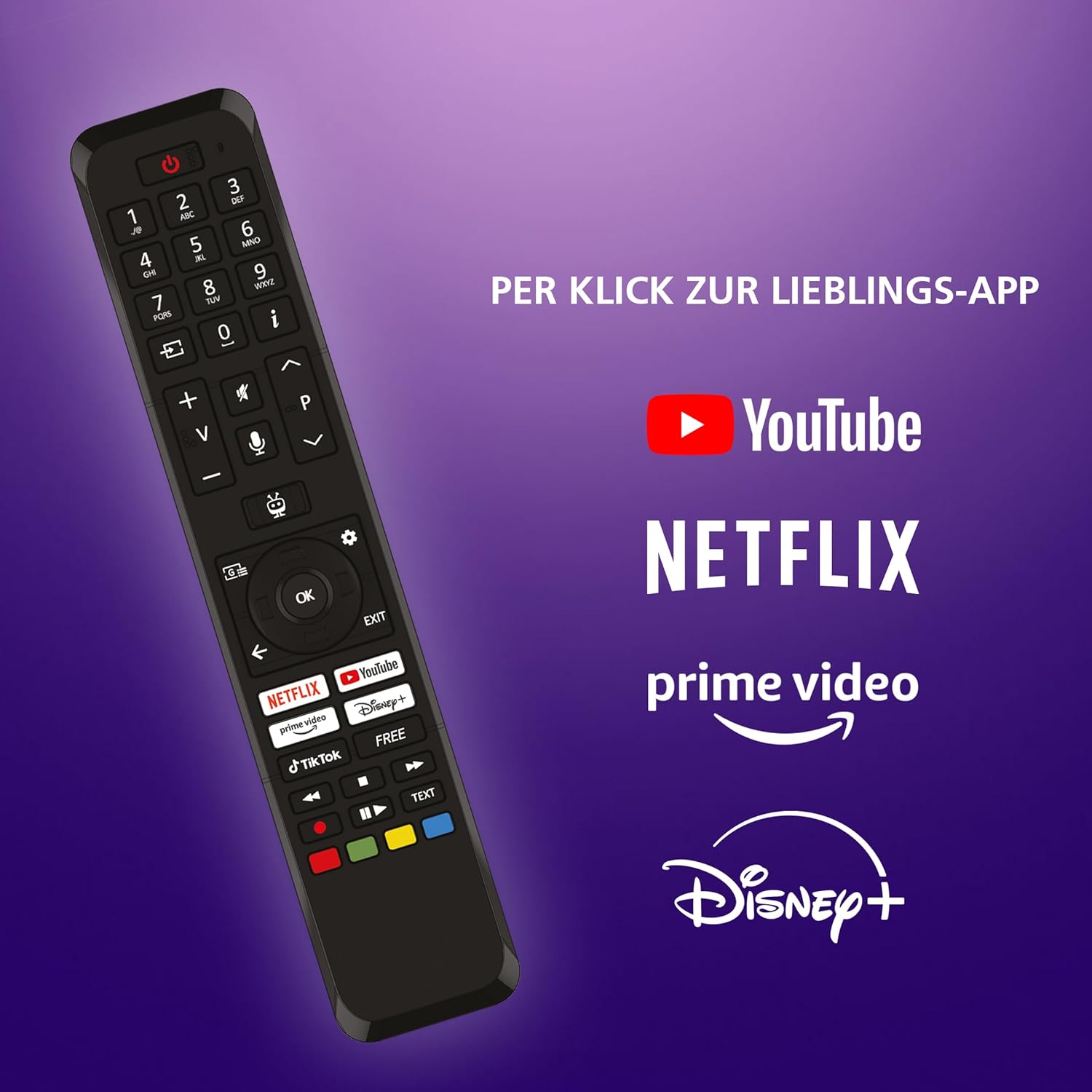
Image: The TV remote control, highlighting dedicated buttons for YouTube, Netflix, Prime Video, and Disney+.
5.2 TiVo Smart TV Features
Your JVC TV is powered by the TiVo Smart TV operating system, offering a personalized and intuitive user experience.
- Navigasi Pintar: Search across streaming apps and live TV to find content.
- Cadangan Peribadi: TiVo learns your viewing habits to suggest content you might enjoy.
- Kawalan Suara: Use voice commands to change channels, adjust volume, open apps, and more.
- Akses Apl: Enjoy a wide range of applications including Netflix, Prime Video, Disney+, YouTube, DAZN, and many others.
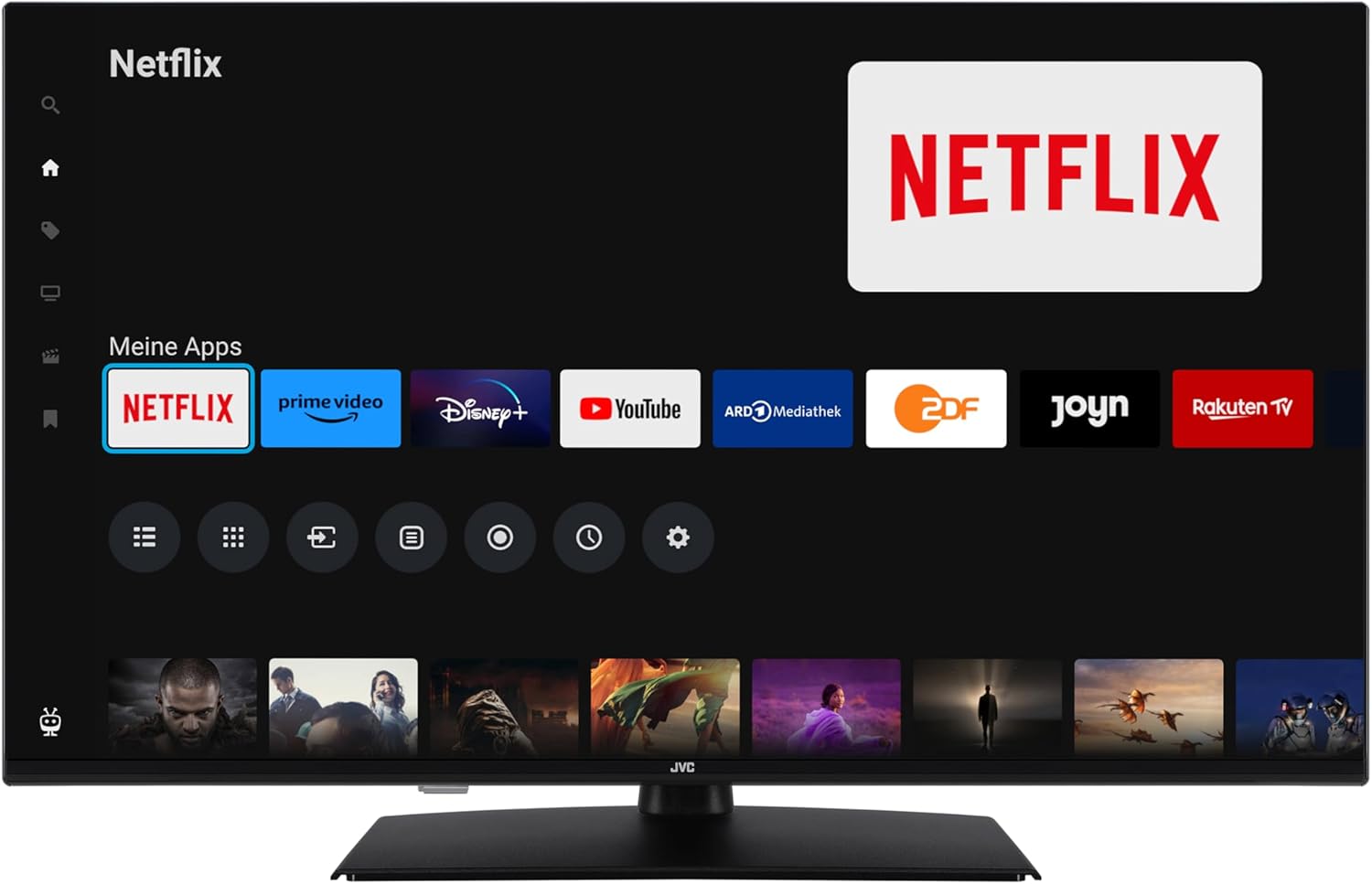
Image: The TiVo Smart TV home screen displaying various applications such as Netflix, Prime Video, Disney+, YouTube, ARD Mediathek, ZDF, Joyn, and Rakuten TV.

Image: Infographic explaining the benefits of TiVo Smart TVs, including intelligent navigation, simple user experience, intelligent recommendations, and continuous improvements.
5.3 Tetapan Gambar dan Bunyi
Your TV supports advanced picture technologies for an optimal viewpengalaman:
- HDR10: High Dynamic Range provides greater contrast and a wider range of colors for more realistic images.
- Resolusi Super: Meningkatkan kejelasan dan perincian imej.
- Peredupan Mikro: Improves contrast by analyzing and adjusting brightness in different areas of the screen.
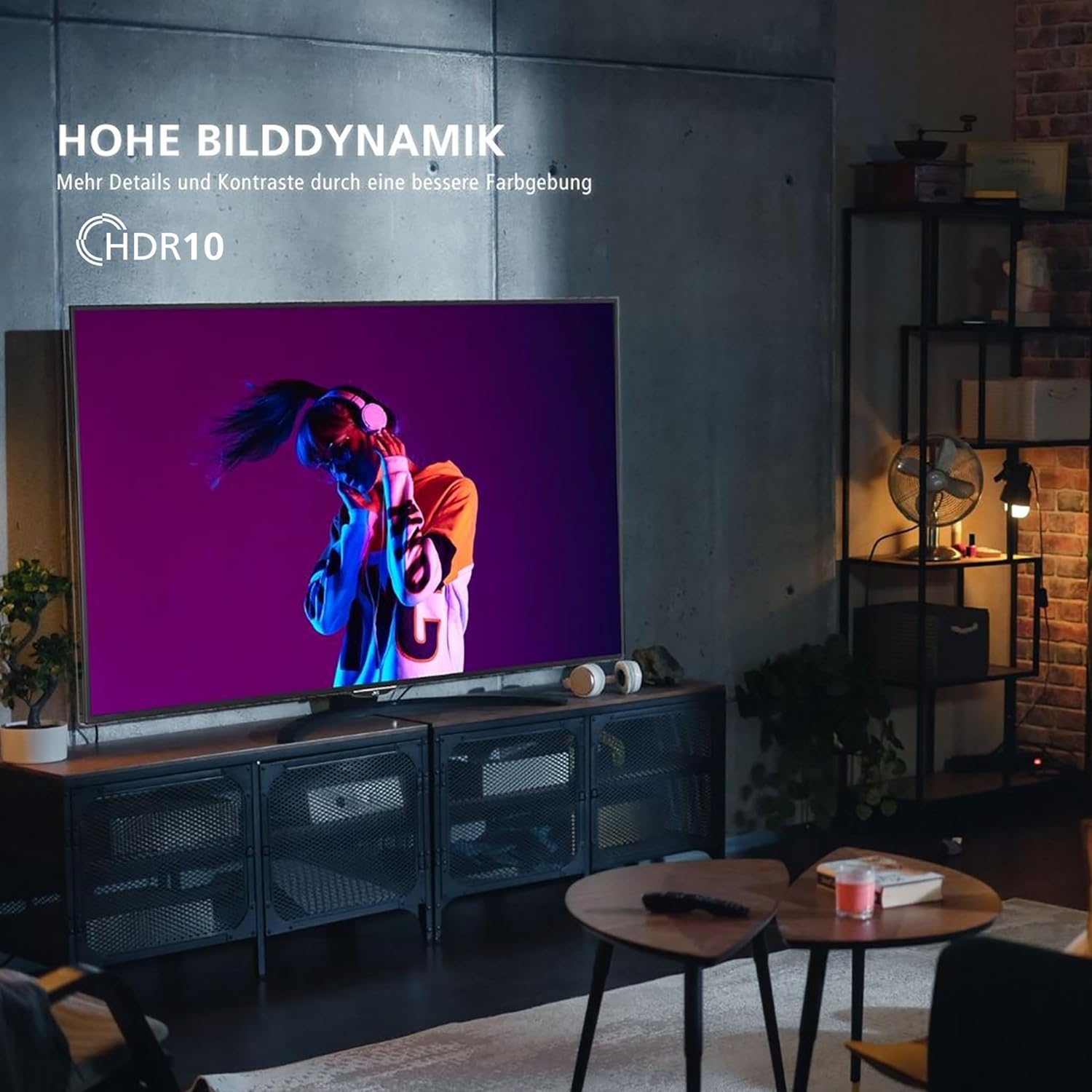
Image: A television screen displaying a vibrant image, illustrating the "High Dynamic Range" (HDR10) feature for more details and contrast.

Image: A television screen displaying a detailed underwater scene, highlighting "Super Resolution" and "Micro Dimming" for breathtaking picture quality.
You can select various picture modes to optimize the display for different content types:
- Pawagam: Optimized for movies.
- Sukan: Enhanced for fast-paced sports.
- Permainan: Reduced input lag for gaming.
- Dinamik: Vivid and bright picture.

Image: A TV screen divided into four sections, each showing a different picture mode: Cinema, Sport, Gaming, and Dynamic.
5.4 Operasi Penala
The integrated triple tuner allows reception via antenna (DVB-T2), cable (DVB-C), or satellite (DVB-S2) without an additional receiver. Use the TV's menu to perform channel scans and manage your channel list.
The TV also supports the HD+ TV App, which may offer additional HD channels (availability depends on region and subscription).
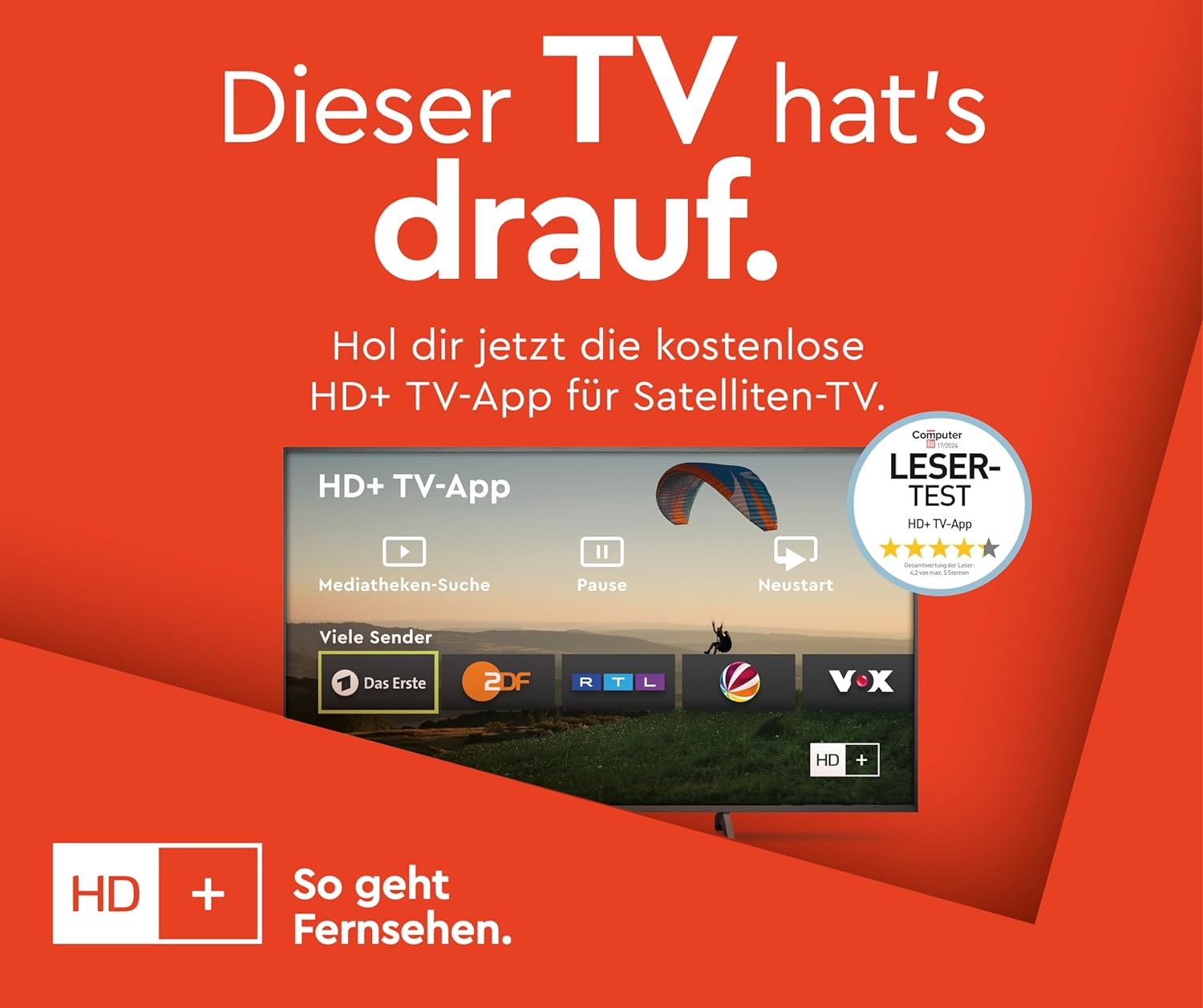
Image: Information about the HD+ TV App, showing features like private HD/UHD channels, restart, media libraries, and a 6-month test period.
5.5 Main Semula Media
Connect a USB storage device to the USB port to play compatible media files (photos, music, videos) directly on your TV using the built-in media player.
6. Penyelenggaraan
6.1 Pembersihan
Always unplug the TV before cleaning. Use a soft, dry cloth to wipe the screen and cabinet. Do not use liquid cleaners or aerosol sprays directly on the TV.
6.2 Kemas Kini Perisian
The TV may receive regular software updates to improve performance and add new features. Ensure your TV is connected to the internet to receive these updates. You can usually check for updates in the TV's settings menu.
7. Penyelesaian masalah
Jika anda menghadapi masalah dengan TV anda, rujuk kepada penyelesaian biasa berikut:
- Tiada Kuasa: Ensure the power cable is securely connected and the wall outlet is functioning.
- Tiada Gambar/Bunyi: Periksa semua sambungan kabel (HDMI, antena). Pastikan sumber input yang betul dipilih.
- Alat Kawalan Jauh Tidak Berfungsi: Gantikan bateri. Pastikan tiada halangan antara alat kawalan jauh dan TV.
- TV Shuts Down Automatically: Check the power saving settings in the TV menu. Disable any automatic shutdown timers.
- App Issues (e.g., Netflix not loading): Try restarting the TV by unplugging it from the power outlet for a few minutes, then plugging it back in. Ensure your internet connection is stable.
- "Cannot find HD channels" error: This message may appear even after successful channel installation. Ensure your tuner settings are correct and try rescanning channels. If the message persists but channels are available, it might be a minor software notification.
For persistent issues, consult the online support resources or contact customer service.
8. Spesifikasi
| Jenama | JVC |
| Nombor Model | LT-40VF5355 |
| Saiz Skrin | 40 Inci (102 cm pepenjuru) |
| Teknologi Paparan | LED-LCD |
| Resolusi | 1080p (Full HD, 1920x1080 pixels) |
| Kadar Segar Semula | 120 Hz |
| Sistem Operasi | TV Pintar TiVo |
| Ciri Khas | HDR10, Micro Dimming, Super Resolution, 6 months HD+ included (via SAT in Germany) |
| Ketersambungan | 2x HDMI (CEC + ARC), 1x USB, Wi-Fi, LAN, Digital Audio Output, Headphones, CI Slot |
| Dimensi (dengan pendirian) | 23.5D x 90.9W x 57.9H cm |
| Kelas Kecekapan Tenaga (SDR) | E |
| Kelas Kecekapan Tenaga (HDR) | G |
| Penggunaan Kuasa (SDR) | 37.0 W |
| Penggunaan Kuasa (HDR) | 67.0 W |
| Ketersediaan Alat Ganti | 7 Tahun |

Image: Table illustrating recommended viewing distances for different TV sizes (24" to 70") and resolutions (4K, Full HD, HD).
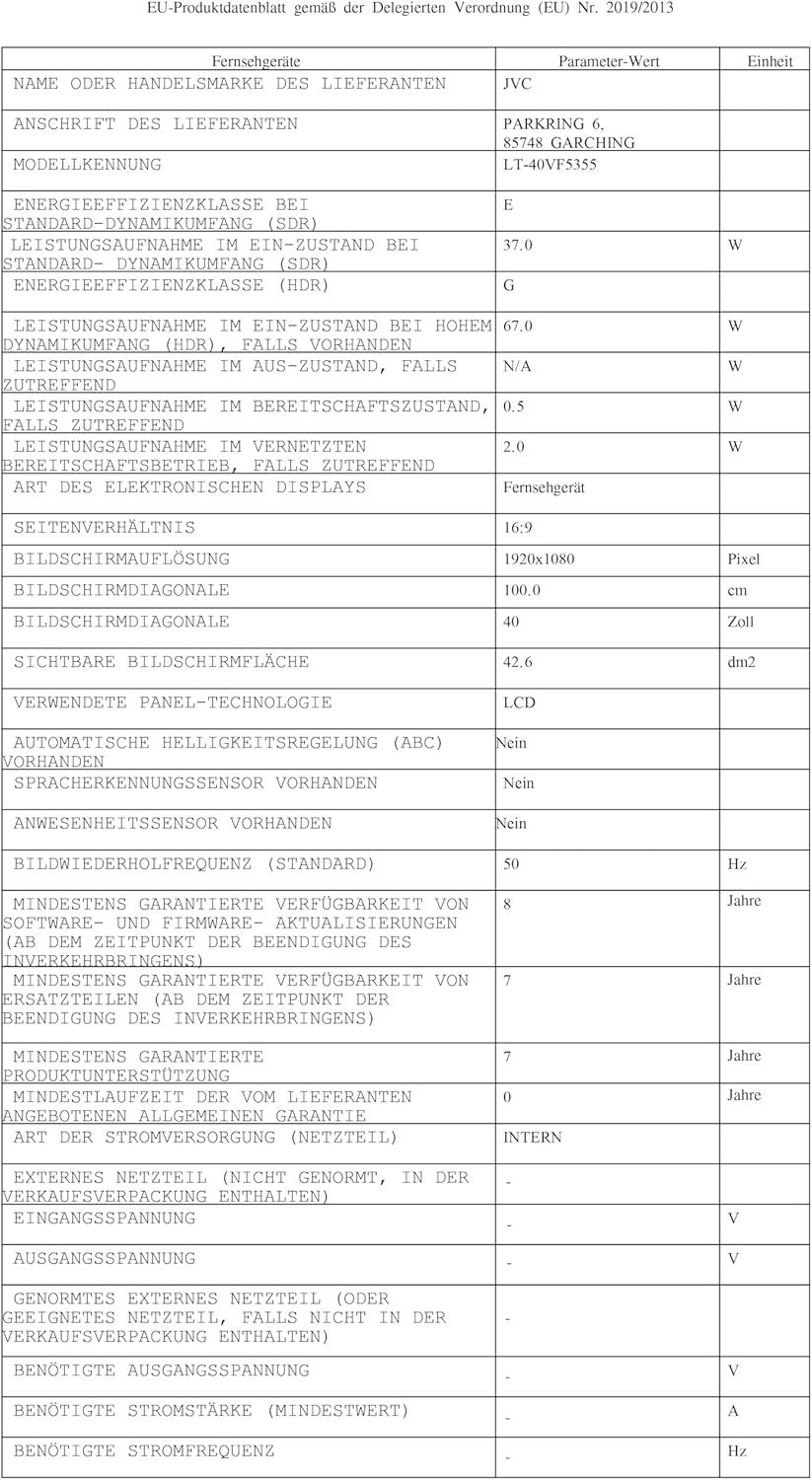
Image: EU Delegated Regulation product data sheet for the JVC LT-40VF5355, detailing technical specifications and energy consumption. For more details, visit eprel.ec.europa.eu/qr/1880376.

Image: EU Energy Label for the JVC LT-40VF5355, showing energy efficiency class E (SDR) and G (HDR), and power consumption values.
9. Waranti
JVC products are manufactured with high-quality components and are subject to rigorous quality control. For detailed warranty information, please refer to the warranty card included with your product or visit the official JVC website for your region. Spare parts are guaranteed to be available for 7 years from the date of placing the product on the market.
10. Sokongan
Untuk bantuan lanjut, sokongan teknikal atau pertanyaan perkhidmatan, sila lawati sokongan JVC rasmi website or contact your local JVC customer service center. Keep your model number (LT-40VF5355) and serial number ready when contacting support.
Online resources may include FAQs, software downloads, and additional troubleshooting guides.


