1. Pengenalan
Thank you for choosing the Timex Unisex Digital 43mm Watch. This manual provides essential information for the proper setup, operation, and care of your new timepiece. Please read these instructions carefully to ensure optimal performance and longevity of your watch.
2. Awasiview
Familiarize yourself with the buttons and display of your Timex Digital 43mm Watch.

Rajah 2.1: sebelah view of the watch, highlighting the function buttons. The top left button is typically for INDIGLO, and the top right button is for START/STOP functions.
Your watch features a clear digital display and multiple function buttons for easy access to time, date, stopwatch, and alarm features. The specific button functions are detailed in the operating instructions.
3. Persediaan Awal
Semasa penggunaan pertama atau selepas penukaran bateri, anda mungkin perlu menetapkan masa dan tarikh.
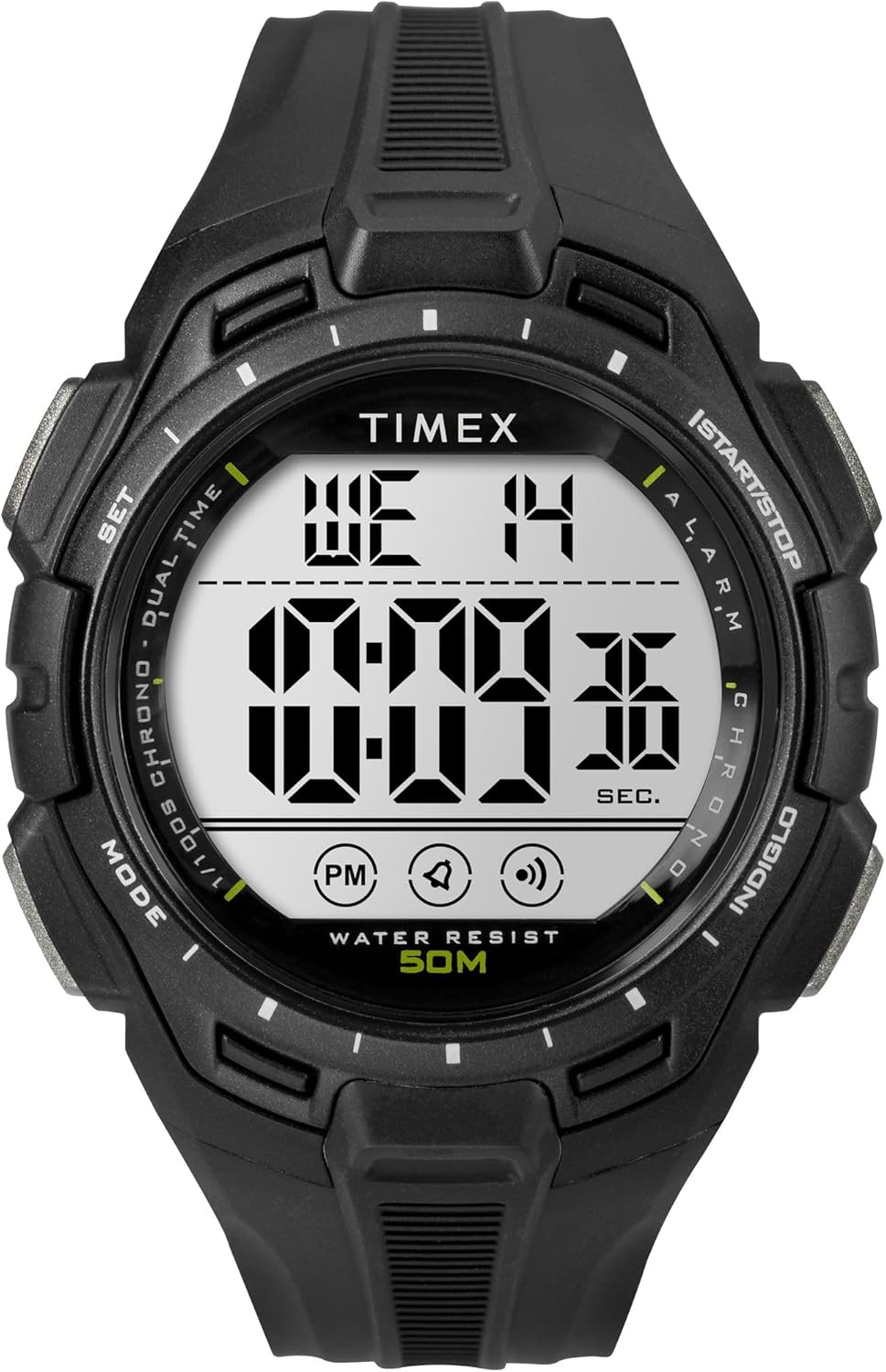
Rajah 3.1: Depan view of the Timex Digital 43mm Watch, showing the digital display.
3.1 Menetapkan Masa dan Tarikh
- Tekan ke MODE button (usually bottom left) repeatedly until the time setting mode is displayed (often indicated by flashing digits).
- Gunakan SET or MULA/BERHENTI button (usually top right) to adjust the flashing digit (hours, minutes, seconds).
- Tekan ke MODE button again to move to the next setting (e.g., minutes, then year, month, day).
- Setelah semua tetapan betul, tekan butang MODE button or a dedicated EXIT butang untuk kembali ke paparan masa biasa.
3.2 Menetapkan Penggera
- Tekan ke MODE button until the alarm time is displayed.
- Gunakan SET or MULA/BERHENTI button to adjust the alarm hours and minutes.
- Tekan ke MODE butang untuk mengesahkan dan keluar daripada mod tetapan penggera.
- Untuk mengaktifkan/menyahaktifkan penggera, biasanya tekan butang SET button while in alarm display mode. An alarm icon will appear/disappear.
4. Arahan Operasi
4.1 Using INDIGLO Night-Light
Tekan ke INIGLO button (usually top left) to illuminate the watch face for easy viewdalam keadaan cahaya malap. Lampu akan kekal menyala selama beberapa saat.
4.2 Menggunakan Jam Rangki
- Tekan ke MODE button until the stopwatch display appears (usually showing 00:00:00).
- Tekan ke MULA/BERHENTI butang (kanan atas) untuk memulakan jam randik.
- Tekan MULA/BERHENTI sekali lagi untuk menjeda jam randik.
- Untuk menetapkan semula jam randik, tekan butang TETAP SEMULA button (often the bottom right button) while the stopwatch is paused.
4.3 Switching 12/24-Hour Format
While in time setting mode, when adjusting the hours, you can typically toggle between 12-hour (with AM/PM indicator) and 24-hour (military) format by pressing the SET or MULA/BERHENTI button past 12 PM or 24. Refer to the specific setting sequence for your model.
5. Penyelenggaraan dan Penjagaan
Proper care will extend the life and appearance of your Timex watch.
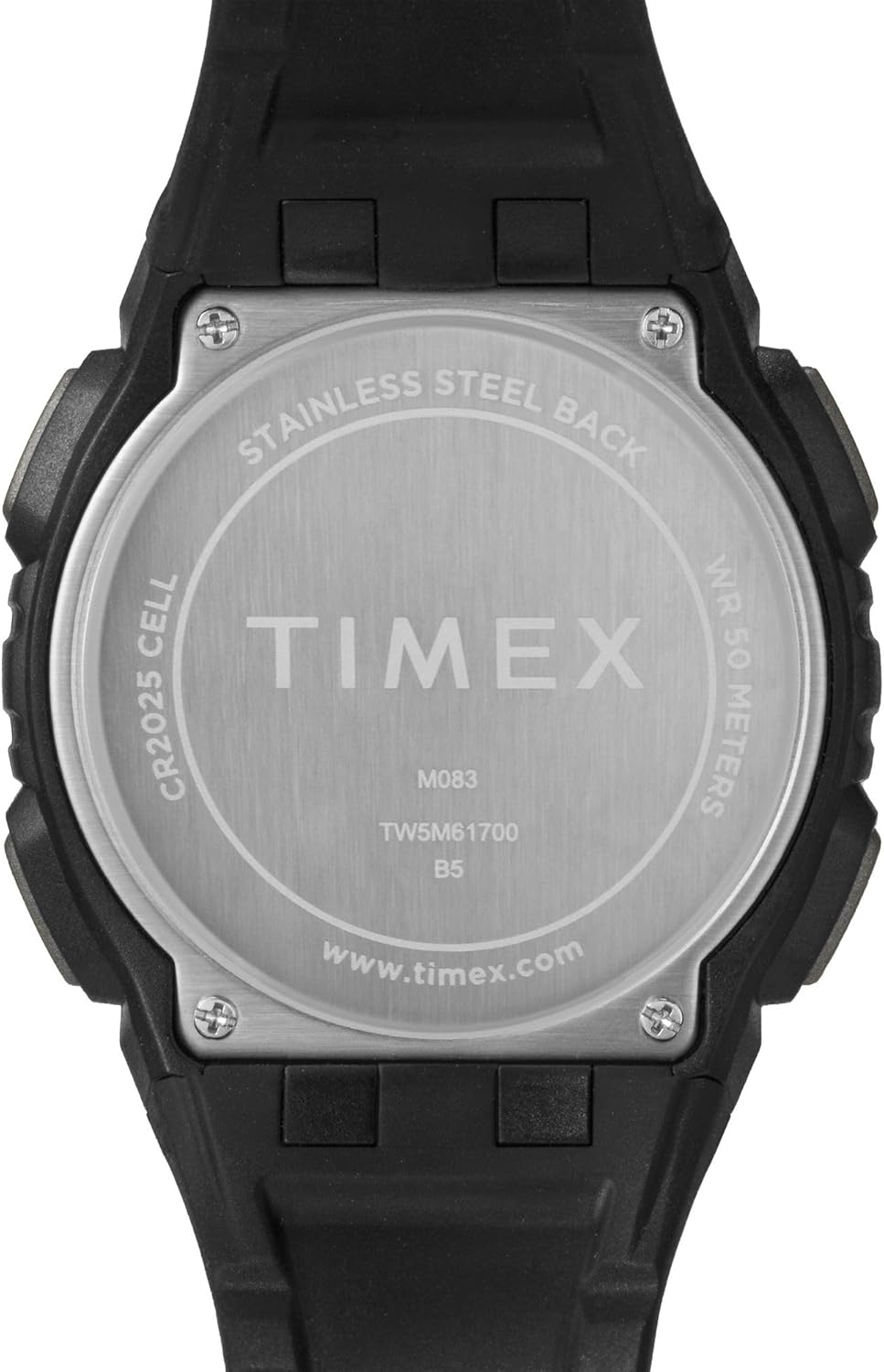
Rajah 5.1: belakang view of the watch case, indicating water resistance and battery type.
5.1 Tahan Air
- Your watch is water resistant to 50 meter (164 kaki). This means it is suitable for short periods of recreational swimming, but not for diving or snorkeling.
- Jangan kendalikan butang di bawah air.
- Elakkan mendedahkan jam tangan kepada air panas, wap atau perubahan suhu yang melampau, kerana ini boleh menjejaskan pengedap air.
5.2 Penggantian Bateri
- The watch uses one CR2025 Lithium Metal battery.
- Battery replacement should ideally be performed by a qualified watch technician to ensure proper sealing and water resistance.
- Improper battery replacement can damage the watch and void the warranty.
5.3 Pembersihan
Bersihkan jam tangan anda dengan kerap menggunakan kain lembut, damp kain. Elakkan daripada menggunakan bahan kimia yang keras atau bahan yang melelas, yang boleh merosakkan sarung atau tali.
5.4 Avoiding Scratches
The watch crystal is made of acrylic, which is susceptible to scratches. To minimize scratching, avoid contact with abrasive surfaces and store the watch carefully when not in use.
6. Penyelesaian masalah
If you encounter issues with your watch, refer to the following common solutions:
- Watch Not Displaying Correctly / Frozen Display: A soft reset may resolve this. Press and hold all four buttons simultaneously for a few seconds, then release. If the issue persists, the battery may need replacement.
- Display is Dim or Faint: This typically indicates a low battery. Replace the battery as soon as possible.
- Butang Tidak Menjawab: Ensure the watch is not in a locked mode (if applicable). If buttons remain unresponsive, try a soft reset. If the problem continues, professional service may be required.
- Jam Tangan Air Dalam: If moisture appears inside the watch, stop using it immediately and have it inspected by a qualified technician. Water damage is often not covered under warranty.
7. Spesifikasi
| Ciri | Perincian |
|---|---|
| Nombor Model | TW5M617009J |
| Jenis Paparan | digital |
| Diameter Kes | 43 Milimeter |
| Ketebalan Kes | 13.8 Milimeter |
| Lebar Jalur | 15 Milimeter |
| Jenis Bahan Band | damar |
| Jenis Bahan Sarung | damar |
| Jenis Kristal | Akrilik |
| Kedalaman Rintangan Air | 50 Meter (164 Kaki) |
| Jenis Pergerakan | Kuarza |
| Jenis Bateri | CR2025 Logam Litium (termasuk) |
| Berat Barang | 0.08 Kilogram |
8. Waranti Terhad
Your Timex watch is warranted against manufacturing defects for a period of satu (1) tahun from the original date of purchase. This warranty does not cover:
- Hayat bateri.
- Kerosakan yang disebabkan oleh pengendalian yang tidak betul, kekurangan penjagaan, kemalangan, atau keausan normal.
- Water damage unless marked as water-resistant and damage occurs within the specified depth rating and proper care instructions were followed.
- Scratches to the crystal, case, or band.
For warranty service, please retain your proof of purchase and contact Timex customer support.
9. Sokongan Pelanggan
For further assistance, frequently asked questions, or to locate an authorized service center, please visit the official Timex webtapak:
You may also refer to the product page on Amazon for additional details and customer reviews: Timex Unisex Digital 43mm Watch on Amazon


