Produk Selesaiview
The Mesqool Digital Alarm Clock CR1028R is designed to provide reliable timekeeping and alarm functions with enhanced visual features. It includes a vibrant RGB display, dual alarm settings for flexible routines, an adjustable night light, and convenient USB charging ports for your devices. This clock is suitable for various environments, including bedrooms, nurseries, dorms, and offices.
Apa yang ada dalam Kotak
Selepas membuka pakej, anda akan mendapati item berikut:
- Mesqool Digital Alarm Clock (Model CR1028R)
- Penyesuai Kuasa
- Kabel Pengecas USB
- Manual Pengguna

Kawalan dan Ciri
Familiarize yourself with the clock's controls and various features for optimal use.
Kawalan Panel Atas
- SNOOZE/MULTICOLOR Button: Press to activate snooze during an alarm. Long press to cycle through RGB display colors or activate dynamic color modes.
- VOL +/- Butang: Laraskan kelantangan penggera.
- Butang DIMMER: Adjust display brightness (7 levels).
- Butang SET MASA: Tekan lama untuk memasuki mod tetapan masa.
- ALARM 1 ON/OFF Button: Aktifkan/nyahaktifkan Penggera 1.
- ALARM 2 ON/OFF Button: Aktifkan/nyahaktifkan Penggera 2.

Rear Panel and Side Features
- Input Kuasa (DC 5V): Sambungkan penyesuai kuasa yang disediakan.
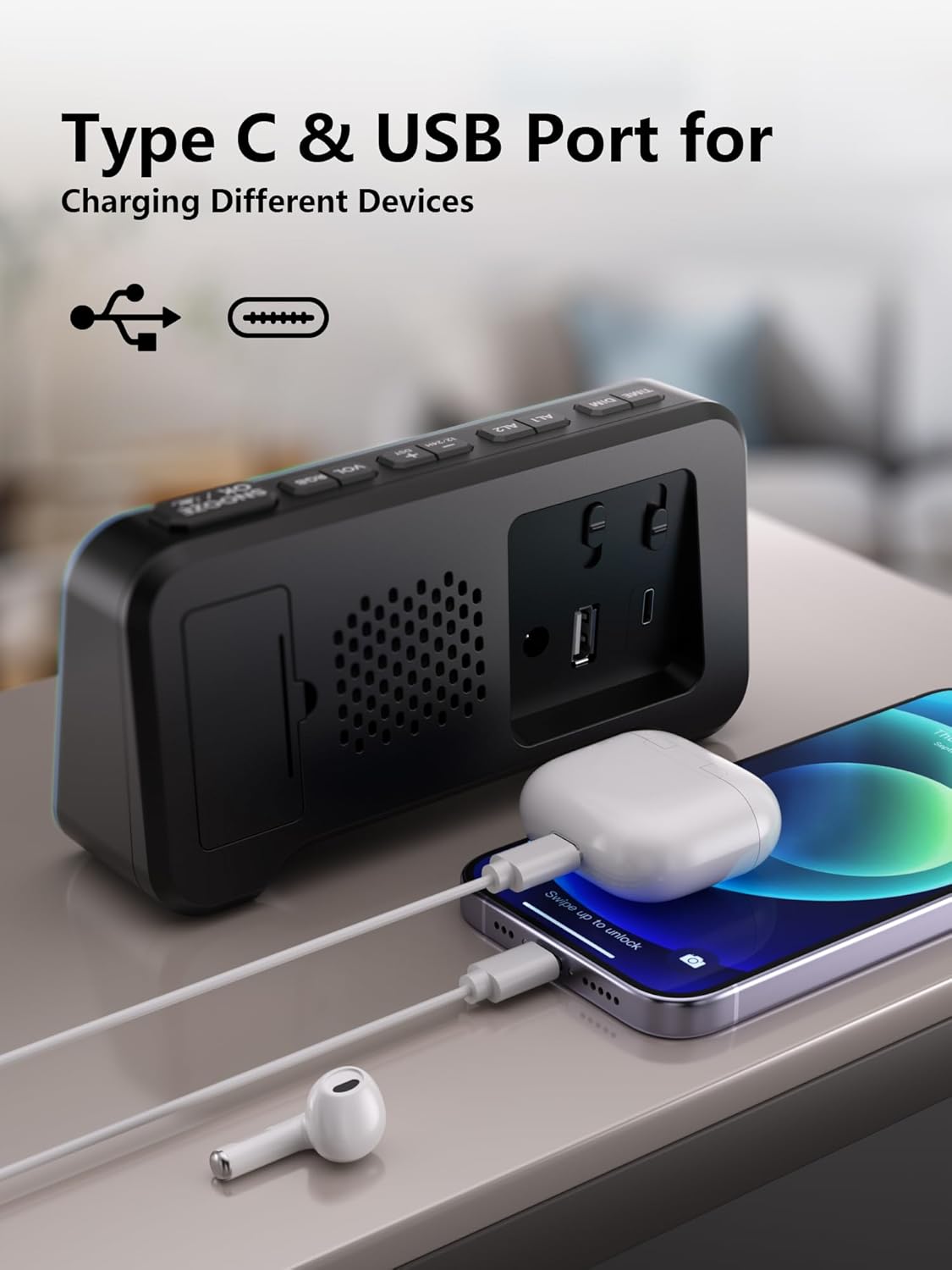
- Port Pengecasan USB-A: Untuk mengecas peranti luaran.
- Port Pengecasan Jenis-C: Untuk mengecas peranti luaran.
- Petak Bateri: Houses 2 AAA batteries for backup (not included).
- Time/Alarm Set Switch: Slide to set time or alarm.
- Peluncur Kelantangan: Adjusts the alarm sound level (Low, Mid, High).
Panduan Persediaan
1. Menghidupkan Jam
- Connect the provided power adapter to the DC 5V input port on the back of the clock.
- Plug the adapter into a standard wall outlet. The display will illuminate.

2. Memasang Sandaran Bateri
- Buka penutup petak bateri di bahagian belakang jam.
- Masukkan 2 bateri AAA (tidak disertakan), pastikan kekutuban (+/-) yang betul.
- Tutup penutup petak bateri.
Nota: The battery backup retains time and alarm settings during power outages but does not power the display. The display will turn off during a power cut, but settings will be preserved.

3. Menetapkan Masa
- Slide the switch on the rear panel to the "TIME SET" position. The time display will start blinking.
- Use the "+" and "-" buttons on the top panel to adjust the hours and minutes.
- Once the correct time is set, slide the switch back to the "LOCK" position to save.
Arahan Operasi
1. Time Format (12/24H) and DST
- To switch between 12-hour and 24-hour time formats, press the "12/24HR" button on the rear panel.
- To activate or deactivate Daylight Saving Time (DST), long press the "DST" button on the rear panel.

2. Setting Dual Alarms
- Slide the switch on the rear panel to "ALARM SET" (for Alarm 1 or Alarm 2). The alarm time will blink.
- Use the "+" and "-" buttons on the top panel to set the desired alarm time.
- Slide the switch back to "LOCK" to save the alarm time.
- To activate an alarm, press the corresponding "ALARM 1 ON/OFF" or "ALARM 2 ON/OFF" button on the top panel. An alarm icon will appear on the display.
- To deactivate an alarm, press the corresponding "ALARM 1 ON/OFF" or "ALARM 2 ON/OFF" button again. The alarm icon will disappear.
The clock supports flexible alarm routines: weekday-only, weekend-only, or daily settings. Adjust these using the dedicated switches on the rear panel for each alarm.

3. Fungsi Tunda
- When an alarm sounds, press the large "SNOOZE" button on the top panel to temporarily silence it for 9 minutes.
- You can repeat the snooze function up to 9 times.
4. Adjusting Display Brightness (Dimmer)
- Press the "DIMMER" button on the top panel to cycle through 7 levels of display brightness.
- Pilih tahap kecerahan yang paling selesa untuk persekitaran anda.

5. RGB Display Colors
- Long press the "SNOOZE/MULTICOLOR" button to cycle through 10 RGB display colors and dynamic color modes.
- Release the button when your desired color or mode is displayed.

6. Fungsi Lampu Malam
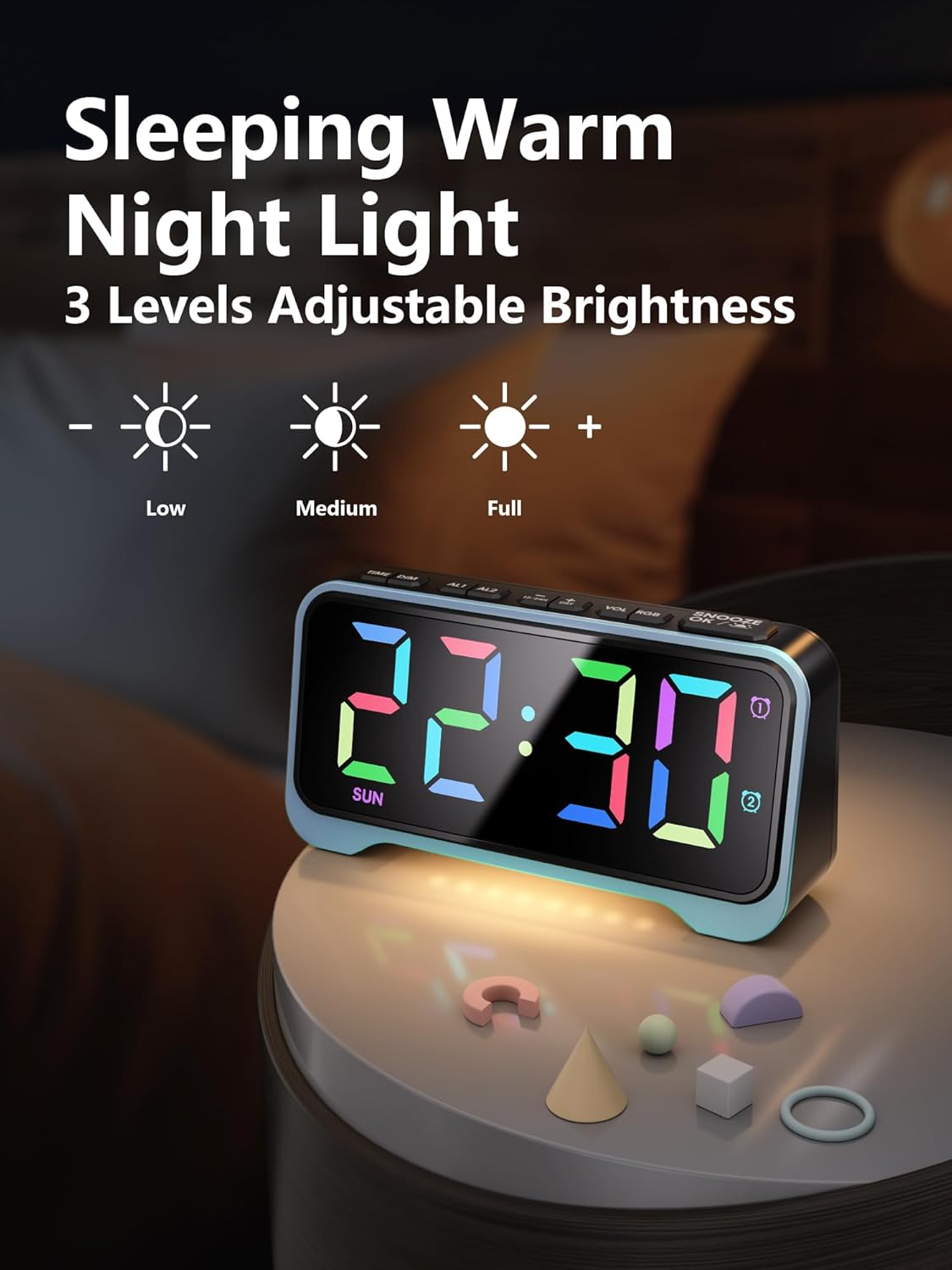
- The clock features a soft warm night light at its base.
- Press the dedicated night light button (often integrated with dimmer or snooze, refer to specific button labels) to cycle through 3 adjustable brightness levels for the night light.
7. Adjustable Alarm Volume
- Use the "VOL +/-" buttons on the top panel to adjust the alarm volume through 5 available levels.
- Alternatively, use the physical volume slider on the rear panel to select between Low, Mid, and High settings.
8. Port Pengecasan USB
- The clock is equipped with both USB-A and Type-C charging ports on the rear panel.
- Connect your smartphone, tablet, or other USB-powered devices to these ports for convenient overnight charging.
Penyelenggaraan
- Clean the clock's exterior with a soft, dry cloth. Avoid abrasive cleaners or solvents.
- Ensure the clock is unplugged before cleaning.
- Jauhkan jam daripada air dan kelembapan yang tinggi.
- Replace AAA backup batteries annually or as needed to ensure settings are retained during power outages.
Menyelesaikan masalah
| Masalah | Kemungkinan Punca | Penyelesaian |
|---|---|---|
| Paparan dimatikan. | Tiada kuasa atau kuasa outage. | Ensure the power adapter is securely plugged into the clock and a working outlet. If there's a power outage, the display will be off, but settings are retained by backup batteries. |
| Penggera tidak berbunyi. | Penggera tidak diaktifkan atau kelantangan terlalu rendah. | Press the "ALARM ON/OFF" button to activate the desired alarm (icon should appear). Check the alarm volume settings using the "VOL +/-" buttons or the rear slider. |
| Time/Alarm cannot be set. | The lock switch is engaged. | Slide the rear switch to "TIME SET" or "ALARM SET" before attempting to adjust. Return to "LOCK" after setting. |
| Pengecasan USB tidak berfungsi. | Device incompatibility or cable issue. | Ensure your device is compatible with USB charging. Try a different USB cable. Verify the clock is powered on. |
Spesifikasi
- Jenama: Mesqool
- Nombor Model: CR1028R
- Jenis Paparan: Digital, RGB
- Sumber Kuasa: Elektrik Bertali arus (DC 5V)
- Bateri tambahan: 2 x bateri AAA (tidak termasuk)
- Dimensi Produk: 6.65"W x 3.39"H
- Berat Barang: 10.8 auns
- Bahan: Akrilonitril Butadiena Stirena (ABS)
- Ciri Khas: 10 RGB Display Colors, 7 Dimmer Levels, Dual Alarms (Weekday/Weekend modes), 3-Level Adjustable Night Light, 5-Level Adjustable Alarm Volume, Snooze Function (9 minutes, up to 9 times), Dual USB Charging Ports (USB-A & Type-C), 12/24H Time Format, DST Function.
- Jenis Bilik: Bedroom, Nursery, Dorm
Video Produk Rasmi
Mesqool Dual Alarm Clock with Weekday/Weekend Mode
Video: This video demonstrates the dual alarm clock's functionality, including setting alarms for weekdays and weekends, and its overall design. Creator: Mestcool (Seller).
Mesqool Super Loud Alarm Clock
Video: This video highlights the super loud alarm feature of the Mesqool clock, demonstrating its effectiveness for heavy sleepers. Creator: Mestcool (Seller).
Waranti dan Sokongan
For warranty information or technical support, please contact Mesqool E-commerce Co.,Ltd. Refer to the product packaging or official webtapak untuk mendapatkan butiran hubungan yang paling terkini.
Pengeluar: Mesqool E-commerce Co.,Ltd


