1. Pengenalan
Welcome to the user manual for your Tracer TW7-BL FUN Smartwatch. This device is designed to enhance your daily life by combining convenience, style, and advanced health and fitness tracking features. Please read this manual carefully to understand the full capabilities of your smartwatch and ensure proper usage and maintenance.
The Tracer TW7-BL FUN features a 1.83-inch HD touchscreen, Bluetooth 5.0 connectivity for calls and notifications, multiple sport modes, and comprehensive health monitoring including heart rate, blood oxygen saturation, steps, and sleep tracking. It also boasts an IP65 water resistance rating, making it suitable for everyday use.
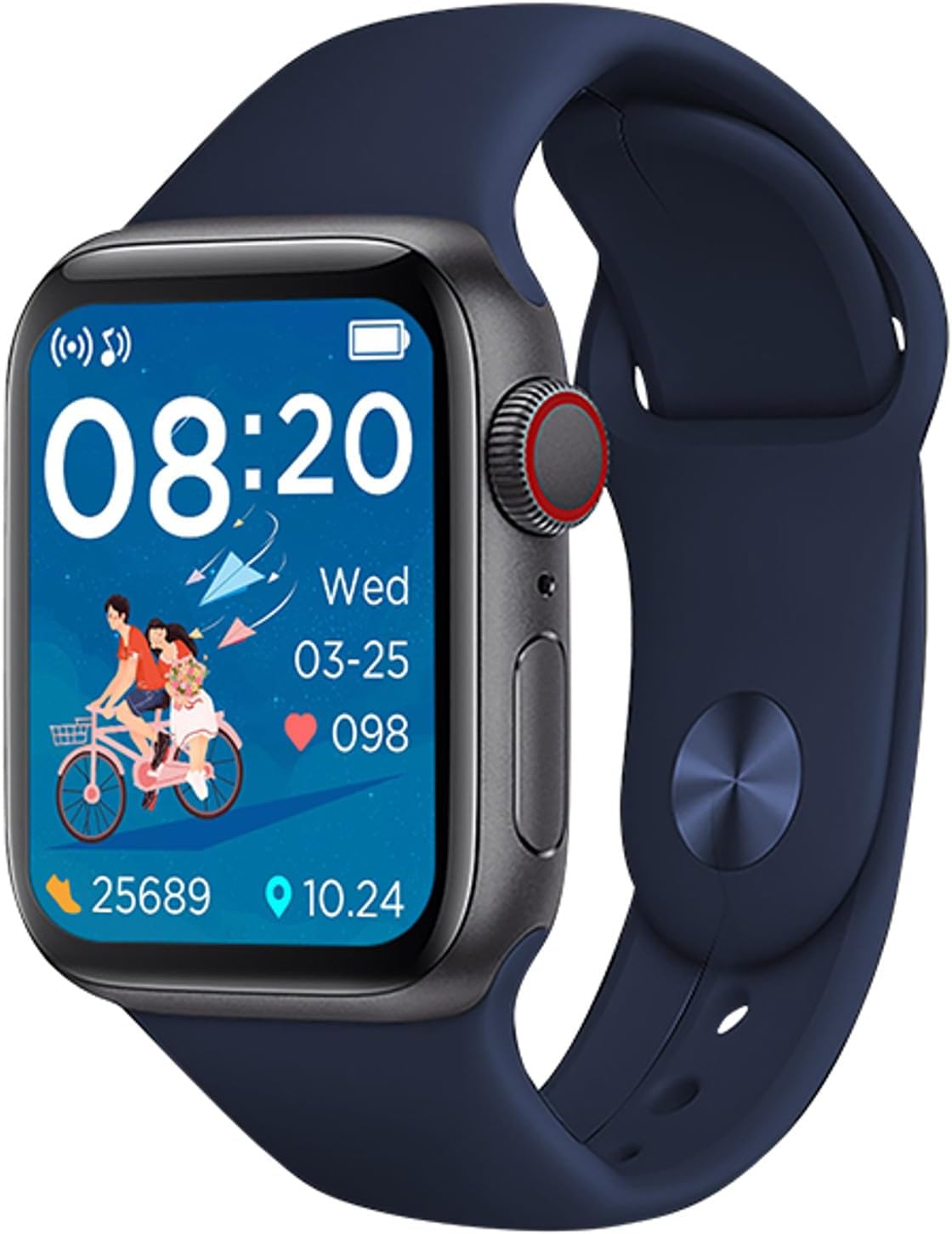
Figure 1: Tracer TW7-BL FUN Smartwatch. This image shows the smartwatch with a blue strap, displaying the time, date, heart rate, and step count on its main screen.
2. Kandungan Pakej
Selepas membuka pakej, sila sahkan bahawa semua item berikut disertakan:
- Tracer TW7-BL FUN Smartwatch (with strap)
- Charging Cable (clip-type)
- Manual Pengguna

Figure 2: Retail packaging of the Tracer TW7-BL FUN Smartwatch. The box highlights key features like BT 5.0, heart pulse, sport modes, and IP65 rating.
3. Persediaan
3.1 Mengecas Jam Pintar
Before initial use, fully charge your smartwatch. Connect the provided clip-type charging cable to the charging contacts on the back of the watch and plug the USB end into a standard USB power adapter (not included) or a computer's USB port.
- Pastikan kenalan pengecas bersih dan kering.
- Penunjuk pengecasan akan muncul di skrin.
- Full charge typically takes approximately 2 hours.
3.2 Memasang Aplikasi Pendamping
To unlock the full functionality of your Tracer TW7-BL FUN Smartwatch, you need to install the FitPro aplikasi pada telefon pintar anda.
- Scan the QR code in the manual or on the watch screen (if available) or search for "FitPro" in your smartphone's app store (Google Play Store for Android, Apple App Store for iOS).
- Download and install the FitPro app.
- Ensure your smartphone meets the compatibility requirements: Android 5.0+ or iOS 9.0+.
3.3 Berpasangan dengan Telefon Pintar Anda
After installing the FitPro app, follow these steps to pair your smartwatch:
- Dayakan Bluetooth pada telefon pintar anda.
- Open the FitPro app and grant all necessary permissions (location, notifications, etc.).
- Navigate to the "Device" or "Mine" section within the app and select "Add Device" or "Bind device".
- The app will search for available devices. Select "TW7-BL FUN" or a similar device name from the list.
- Sahkan permintaan pasangan pada telefon pintar dan jam tangan pintar anda jika digesa.
- Once paired, the time and date on your smartwatch will synchronize with your phone.
4. Arahan Operasi
4.1 Navigasi Asas
The Tracer TW7-BL FUN Smartwatch features a 1.83-inch full touchscreen display for intuitive control. Swipe left, right, up, or down to navigate through menus and functions. Press the side button to return to the home screen or wake the device.

Figure 3: Smartwatch on a wrist, showing a vibrant watch face. This illustrates the device's display clarity and wearability.
4.2 Panggilan Bluetooth
The smartwatch supports Bluetooth calling, allowing you to make and receive calls directly from your wrist. Ensure your watch is connected to your phone via Bluetooth.
- Membuat Panggilan: Access the dial pad or contact list on your smartwatch to initiate a call.
- Menerima Panggilan: Apabila panggilan masuk, anda boleh menjawab atau menolaknya terus dari skrin jam tangan.
- Mikrofon dan pembesar suara terbina dalam memudahkan komunikasi bebas tangan.
4.3 Pemantauan Kesihatan
Your smartwatch is equipped with advanced sensors to monitor various health metrics:
- Pemantau Kadar Jantung: Measures your heart rate throughout the day. Access this feature from the health menu on the watch or view detailed data in the FitPro app.
- Pemantau Oksigen Darah (SpO2): Provides estimates of your blood oxygen saturation levels.
- Pedometer & Kaunter Kalori: Automatically tracks your steps taken and calories burned.
- Monitor Tidur: Memantau corak tidur anda, termasuk tidur nyenyak, tidur ringan dan waktu bangun. View sleep analysis in the FitPro app.
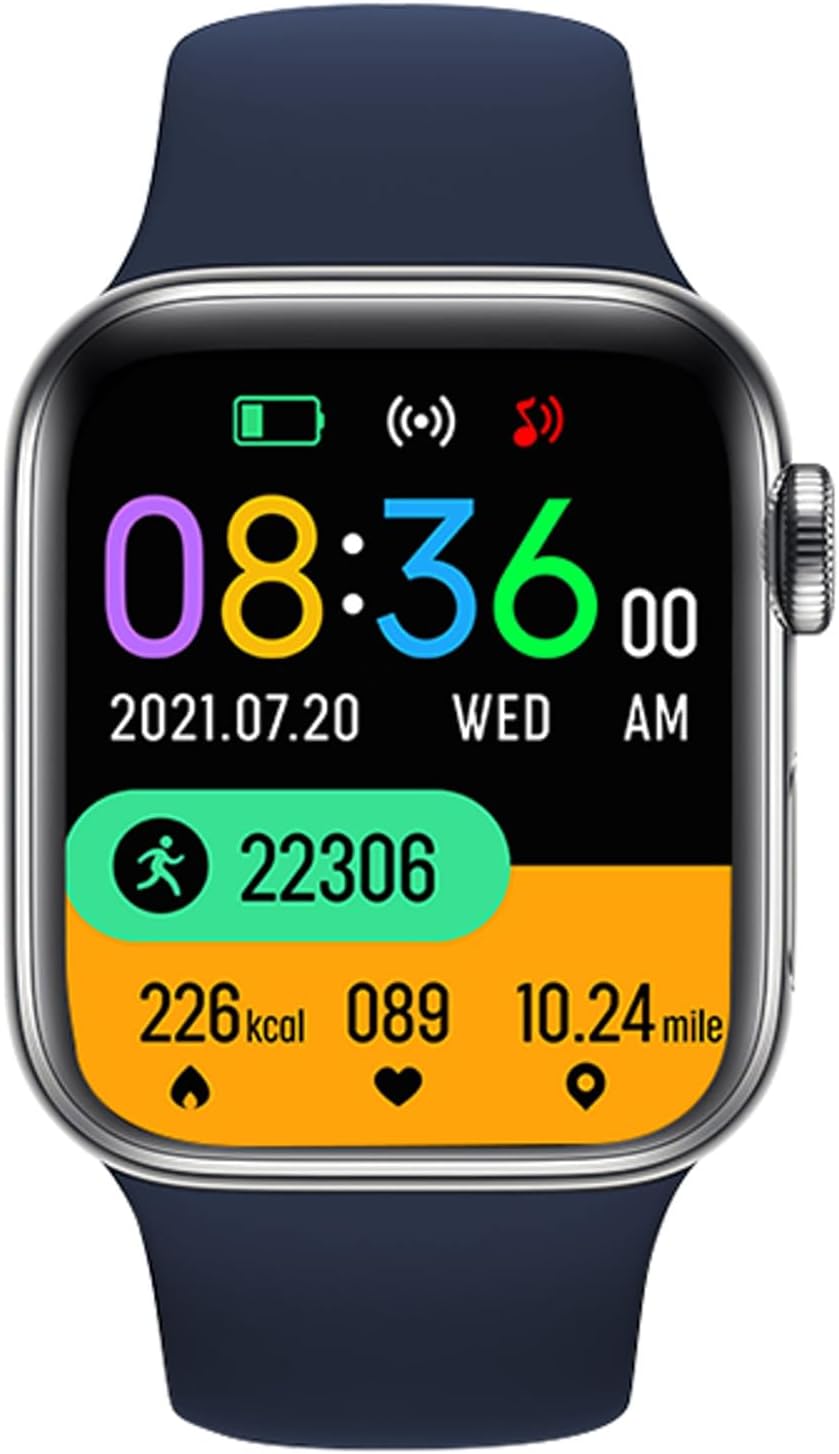
Figure 4: Smartwatch screen showing various health metrics. This display includes step count, calories burned, heart rate, and distance covered, indicating its fitness tracking capabilities.
4.4 Mod Sukan
The smartwatch offers multiple sport modes to track your workouts more accurately. Select the appropriate mode before starting an activity to record specific data such as duration, distance, calories, and heart rate during exercise.

Figure 5: User engaging in a fitness activity while wearing the smartwatch. This image demonstrates the watch's use during exercise, highlighting its sport mode functionality.
4.5 Pemberitahuan dan Ciri-ciri Lain
- Pemberitahuan Mesej: Receive alerts for incoming calls, SMS messages, and notifications from various social media applications (e.g., Messenger) directly on your watch. Configure these in the FitPro app.
- Ramalan cuaca: View current weather conditions and forecasts on your smartwatch after synchronization with the app.
- Kawalan Kamera Jauh: Use your smartwatch as a remote shutter for your phone's camera (feature availability may vary).
- Kawalan Muzik: Control music playback on your smartphone from your wrist.
5. Penyelenggaraan
5.1 Pembersihan dan Penjagaan
- Regularly clean your smartwatch and strap with a soft, dry, lint-free cloth.
- Jika perlu, gunakan sedikit damp kain dengan sabun lembut, kemudian lap sehingga kering.
- Elakkan menggunakan bahan kimia yang keras, pembersih yang kasar atau pelarut, kerana ini boleh merosakkan peranti.
- Ensure the charging contacts are free of dust and debris.
5.2 Rintangan Air (IP65)
The Tracer TW7-BL FUN Smartwatch has an IP65 rating, which means it is protected against dust ingress and low-pressure water jets from any direction. This makes it suitable for:
- Everyday splashes, rain, and hand washing.
- Ia adalah bukan suitable for swimming, showering, or prolonged submersion in water.
- Elakkan daripada mendedahkan jam tangan kepada air panas atau wap.
6. Penyelesaian masalah
Jika anda menghadapi masalah dengan jam tangan pintar anda, sila rujuk penyelesaian biasa berikut:
- Tonton tidak dihidupkan: Pastikan jam tangan dicas sepenuhnya. Sambungkannya ke pengecas selama sekurang-kurangnya 30 minit.
- Tidak dapat dipasangkan dengan telefon:
- Pastikan Bluetooth didayakan pada telefon anda.
- Pastikan jam tangan berada dalam julat Bluetooth (biasanya 10 meter).
- Mulakan semula kedua-dua telefon anda dan jam tangan pintar.
- Clear Bluetooth cache on your phone or forget the device and try pairing again.
- Ensure the FitPro app has all necessary permissions.
- Pemberitahuan tidak muncul:
- Check notification settings in the FitPro app.
- Ensure your phone's notification access is granted to the FitPro app.
- Verify that the watch is properly connected to the app.
- Data kesihatan tidak tepat:
- Pastikan jam tangan dipakai dengan kemas di pergelangan tangan anda, kira-kira selebar satu jari dari tulang pergelangan tangan anda.
- Pastikan sensor bersih.
- Note that these devices are not medical instruments and provide data for reference only.
- Hayat bateri pendek:
- Kurangkan kecerahan skrin.
- Disable unnecessary features or continuous monitoring if not needed.
- Pastikan jam tangan dicas sepenuhnya setiap kali.
7. Spesifikasi
| Ciri | Spesifikasi |
|---|---|
| Nombor Model | TRAFON47134 |
| Paparan | 1.83-inch HD Touchscreen (240 x 286p) |
| Versi Bluetooth | 5.0 |
| Kapasiti Bateri | 180 mAh |
| Masa Tunggu Sedia | 20-22 hari |
| Penilaian Ketahanan Air | IP65 |
| Keserasian | Android 5.0+ / iOS 9.0+ |
| Apl Pendamping | FitPro |
| Pemantauan Kesihatan | Heart Rate, SpO2, Pedometer, Calorie Counter, Sleep Monitor |
| Ciri Khas | Bluetooth Calling (Mic & Speaker), Sport Modes, Notifications, Weather Forecast |
| Port Pengecasan | Clip-type |
| Dimensi (H x W x D) | 3.8 x 1.1 x 4.4 cm |
| Berat badan | 53 g |
8. Waranti dan Sokongan
Tracer products are designed for reliability and performance. For warranty information, please refer to the warranty card included with your product or visit the official Tracer website. If you encounter any issues not covered in this manual, please contact Tracer customer support for assistance.
Sila simpan bukti pembelian anda untuk tuntutan waranti.


