1. Pengenalan
Welcome to the user manual for your new Baseus 20000mAh Power Bank. This portable charger is designed to provide reliable and fast charging for a wide range of electronic devices, featuring built-in dual cables and a smart digital display. Please read this manual carefully to ensure proper use, optimal performance, and longevity of your device.
2. Produk Lebihview
2.1 Ciri-ciri Utama
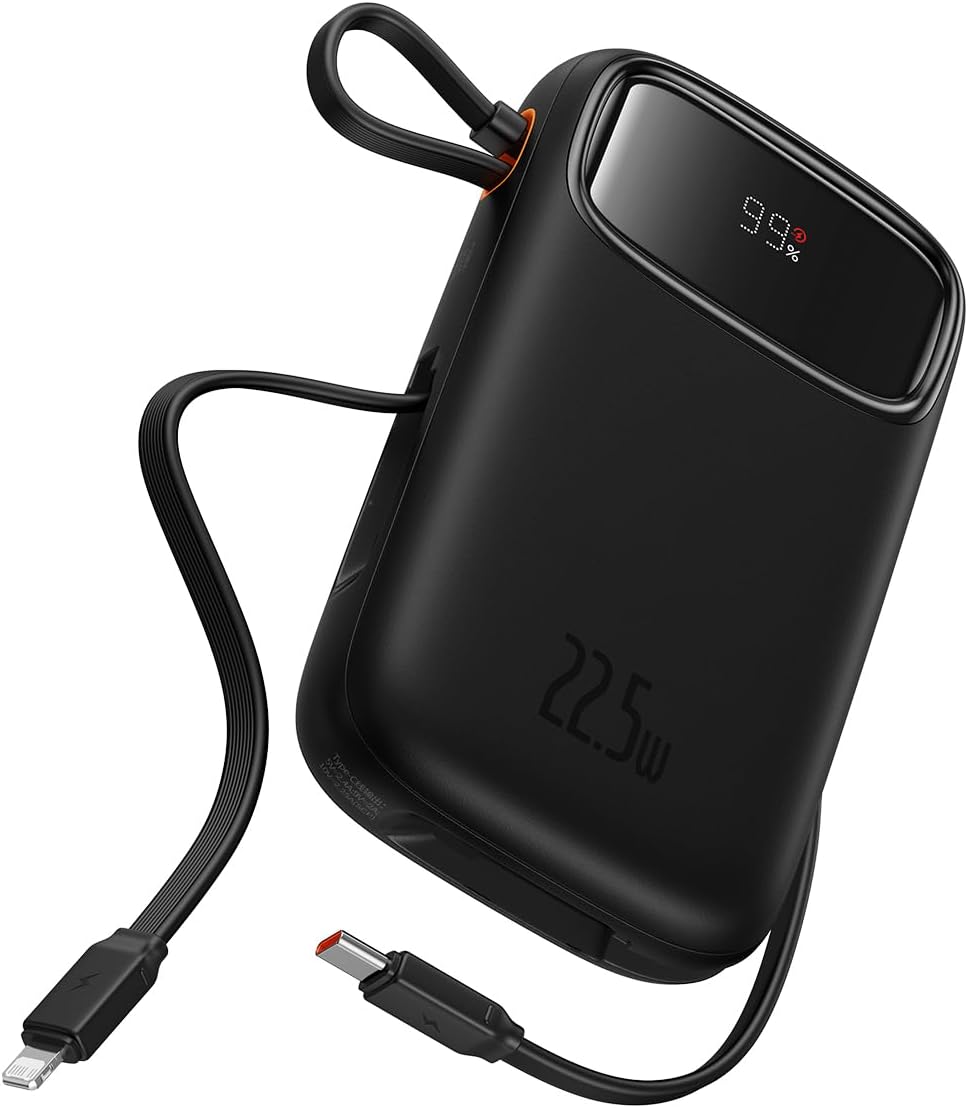
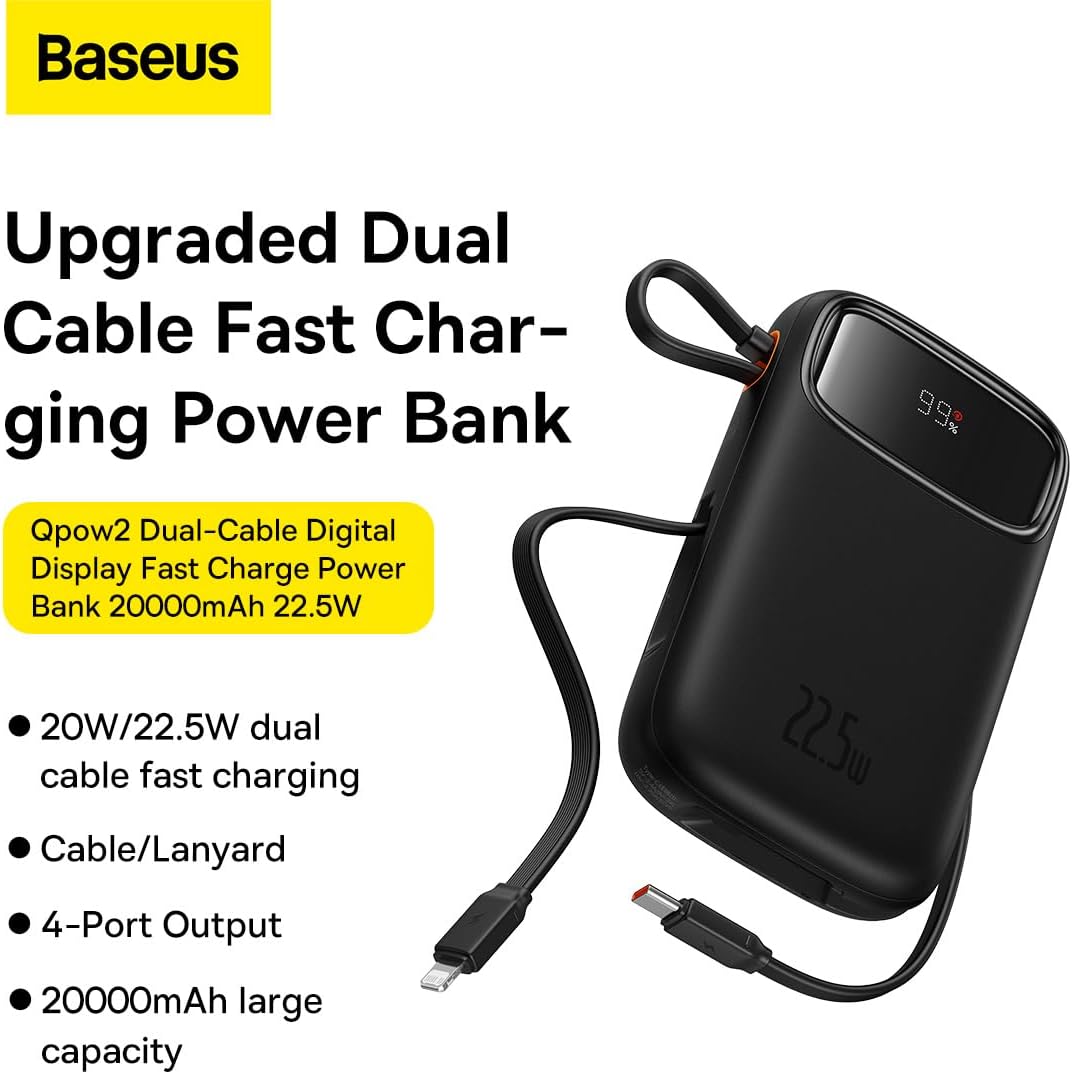
- Integrated Charging Technology: Built-in USB-C and Lightning cables for universal compatibility.
- 22.5W Fast Charging: Rapid power delivery for quick device charging.
- Multi-Device Support: Charge up to four devices simultaneously via built-in cables, USB-C port, and USB-A port.
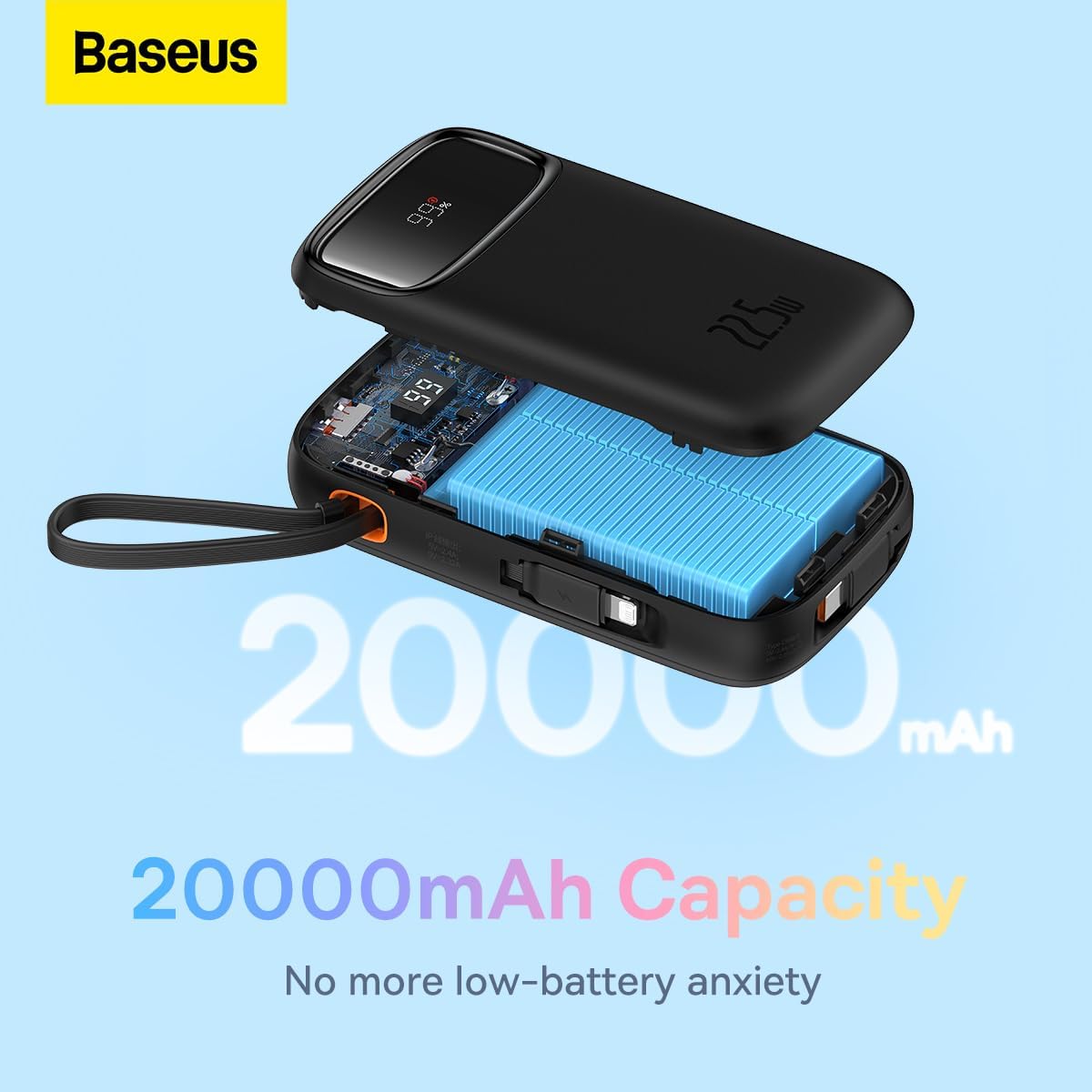
- 20000mAh High Capacity: Provides extended power for multiple charges.
- Smart Digital Display: Accurately shows remaining battery percentage.
- Travel-Ready Design: Lightweight and slim profile, airline approved.
2.2 Kandungan Pakej
- Baseus 20000mAh Power Bank (Qpow2)
- Built-in USB-C Charging Cable
- Kabel Pengecasan Kilat Terpadu
- Manual Pengguna
2.3 Rajah Produk

3. Persediaan
3.1 Pengecasan Awal
Before first use, it is recommended to fully charge your Baseus Power Bank. Connect the power bank to a power adapter (not included) using a USB-C cable via its USB-C input port. The digital display will show the charging progress.
3.2 Menyemak Tahap Bateri
The smart digital display on the power bank shows the current battery percentage. Simply press the power button once to activate the display and view the remaining charge.

4. Arahan Operasi
4.1 Mengecas Peranti
Untuk mengecas peranti anda:
- Menggunakan Kabel Terbina dalam: Pull out the integrated USB-C or Lightning cable and connect it directly to your compatible device.
- Using USB-C/USB-A Ports: Connect your device's charging cable to the power bank's USB-C or USB-A output port.
- The power bank will automatically begin charging your device. The digital display will show the battery level of the power bank.

4.2 Low-Current Mode
For charging low-power devices such as smartwatches, Bluetooth earbuds, or fitness trackers, activate the low-current mode. Press and hold the power button for approximately 3 seconds until the display indicates low-current mode is active. This ensures safe and efficient charging for smaller devices.

5. Penyelenggaraan
- Pembersihan: Lap bank kuasa dengan kain lembut dan kering. Jangan gunakan bahan kimia yang keras atau bahan yang melelas.
- Storan: Simpan bank kuasa di tempat yang sejuk dan kering jauh dari cahaya matahari langsung, suhu yang melampau dan kelembapan.
- Penjagaan Bateri: Untuk memanjangkan hayat bateri, cas penuh bank kuasa sekurang-kurangnya sekali setiap tiga bulan jika tidak digunakan secara tetap. Elakkan daripada mengalirkan bateri sepenuhnya dengan kerap.
- Elakkan Titisan: Jangan jatuhkan atau tundukkan bank kuasa kepada kesan yang kuat.
6. Penyelesaian masalah
| Masalah | Kemungkinan Punca | Penyelesaian |
|---|---|---|
| Power bank tidak dicas | Charging cable or adapter faulty; power bank fully discharged; charging port obstructed. | Try a different USB-C cable and power adapter. Ensure the charging port is clean and free of debris. Allow a few minutes for the power bank to respond if fully discharged. |
| Peranti tidak mengecas daripada bank kuasa | Device cable faulty; power bank battery low; incorrect port used; device not compatible. | Ensure the power bank is charged. Try a different charging cable for your device. Verify the device is compatible with the power bank's output specifications. |
| Pengecasan perlahan | Cable quality; device charging input limit; multiple devices charging simultaneously. | Use high-quality cables. Note that some devices may not support fast charging. Charging multiple devices simultaneously may reduce individual charging speeds. |
| Paparan digital tidak berfungsi | Power button not pressed; device malfunction. | Press the power button once to activate the display. If the issue persists, contact customer support. |
7. Spesifikasi
| Ciri | Perincian |
|---|---|
| Jenama | Baseus |
| Nombor Model | P10055002113-00 |
| Kapasiti Bateri | 20000 Miliamp Jam (mAh) |
| Kuasa Keluaran | Up to 22.5W PD |
| Input Voltage | 20 Volt (Maks) |
| Komposisi Sel Bateri | Polimer Litium |
| warna | Hitam |
| Berat Barang | 500 g |
| Dimensi Produk | 30 x 15 x 25 cm |
8. Waranti dan Sokongan
This Baseus Power Bank comes with an Waranti 18 bulan dari tarikh pembelian. Waranti ini meliputi kecacatan pembuatan dan isu-isu yang timbul daripada penggunaan biasa. Ia tidak meliputi kerosakan yang disebabkan oleh salah guna, kemalangan, pengubahsuaian tanpa kebenaran atau bencana alam.
For warranty claims, technical support, or any inquiries regarding your product, please contact Baseus customer service through the official Baseus website or your point of purchase. Please have your proof of purchase ready when contacting support.
You can also visit the official Baseus Store for more information and product updates: Kedai Rasmi Baseus


