pengenalan
Thank you for choosing the ACEMIC G6 2.4G Wireless Microphone Audio Transmitter and Receiver System. This system is designed to convert your traditional dynamic XLR microphone into a wireless setup, offering freedom of movement and high-quality audio transmission. It is ideal for various applications including live performances, presentations, and studio recording. Please read this manual thoroughly to ensure proper setup and operation.

Image: The ACEMIC G6 wireless transmitter (TX) and receiver (RX) units.
Produk Selesaiview
Kandungan Pakej
- 1 x ACEMIC G6 Wireless Transmitter (TX)
- 1 x ACEMIC G6 Wireless Receiver (RX)
- 1 x Kabel Pengecas Dual USB-C
- 1 x Manual Pengguna
Ciri-ciri Utama
- Teknologi Tanpa Wayar 2.4G: Provides stable and reliable audio transmission.
- XLR Plug-on Design: Easily converts dynamic XLR microphones to wireless.
- 6 Selectable Channels: Allows for multiple units to operate simultaneously without interference.
- Keserasian Luas: Works with dynamic microphones, audio mixers, and PA systems.
- Hayat Bateri yang Panjang: Built-in rechargeable lithium polymer batteries offer up to 10 hours of continuous working time.
- Julat Penghantaran Lanjutan: Up to 100 feet (30 meters) in open areas.
- Latensi Rendah: Audio latency of less than 5ms ensures real-time performance.
- Audio Berkualiti Tinggi: 24-bit/48kHz sampling rate for clear sound reproduction.
- Ringan dan Mudah Alih: Each unit weighs approximately 40g for easy handling.
- Operasi Satu Kunci: Simple power on/off and mute/unmute functions.

Image: The lightweight design of the ACEMIC G6, weighing 40 grams per unit.
Pengenalan Komponen
Each unit (Transmitter and Receiver) features:
- XLR Plug/Socket: For connecting to microphones or audio equipment.
- Lock Design (Transmitter): Secures the unit to the microphone.
- Port Pengecasan Jenis-C: Untuk mengecas semula bateri dalaman.
- Butang Kuasa: Long press to power on/off, short press for mute/unmute.
- Power/Pairing Indicator: LED light indicating power status, charging status, and pairing status.

Image: The ACEMIC G6 system demonstrating one-key pairing and connectivity with various audio devices.
Arahan Persediaan
1. Pengecasan Awal
Before first use, fully charge both the transmitter and receiver. Use the provided dual USB-C charging cable to connect both units to a USB power adapter (not included). The status indicator will be red during charging and turn blue when fully charged. A full charge typically takes 3-4 hours.

Image: ACEMIC G6 units indicating charging status with LED lights.
2. Menghidupkan/Mematikan
Long press the power button on both the transmitter (TX) and receiver (RX) for 3 seconds to turn them on or off. The power indicator will light up.
3. Berpasangan
The transmitter and receiver are designed to automatically pair when powered on. If they do not connect automatically, or if you need to re-pair them:
- Ensure both units are powered off.
- Long press the power button on both units simultaneously for 5 seconds.
- The system will enter pairing mode, and the power indicator will flash.
- Once successfully paired, the power indicator will stay blue.
4. Connecting to Equipment
- Pemancar (TX): Plug the XLR end of the transmitter directly into the XLR output of your dynamic microphone. Ensure it is securely locked.
- Penerima (RX): Plug the XLR end of the receiver into the XLR input of your audio mixer, PA system, or other audio interface.
Important Note: This system does not support phantom power. It is designed for use with dynamic microphones only. Do not attempt to use it with condenser microphones that require phantom power.

Image: A dynamic microphone made wireless with the ACEMIC G6 transmitter.
Arahan Operasi
Fungsi Redam
While the unit is powered on, a short press of the power button on either the transmitter or receiver will mute the audio. The power indicator will flash. Short press again to unmute, and the indicator will return to a solid blue.
Multiple Sets Operation
The ACEMIC G6 system supports 2-3 sets operating simultaneously in the same location. Each set will automatically select an available channel upon pairing to minimize interference.

Image: The ACEMIC G6 system supporting multiple wireless microphone setups simultaneously.
Prestasi Optimum
For best performance, ensure a clear line of sight between the transmitter and receiver. Avoid placing units near strong electromagnetic interference sources (e.g., Wi-Fi routers, microwave ovens) which may affect signal quality and range.
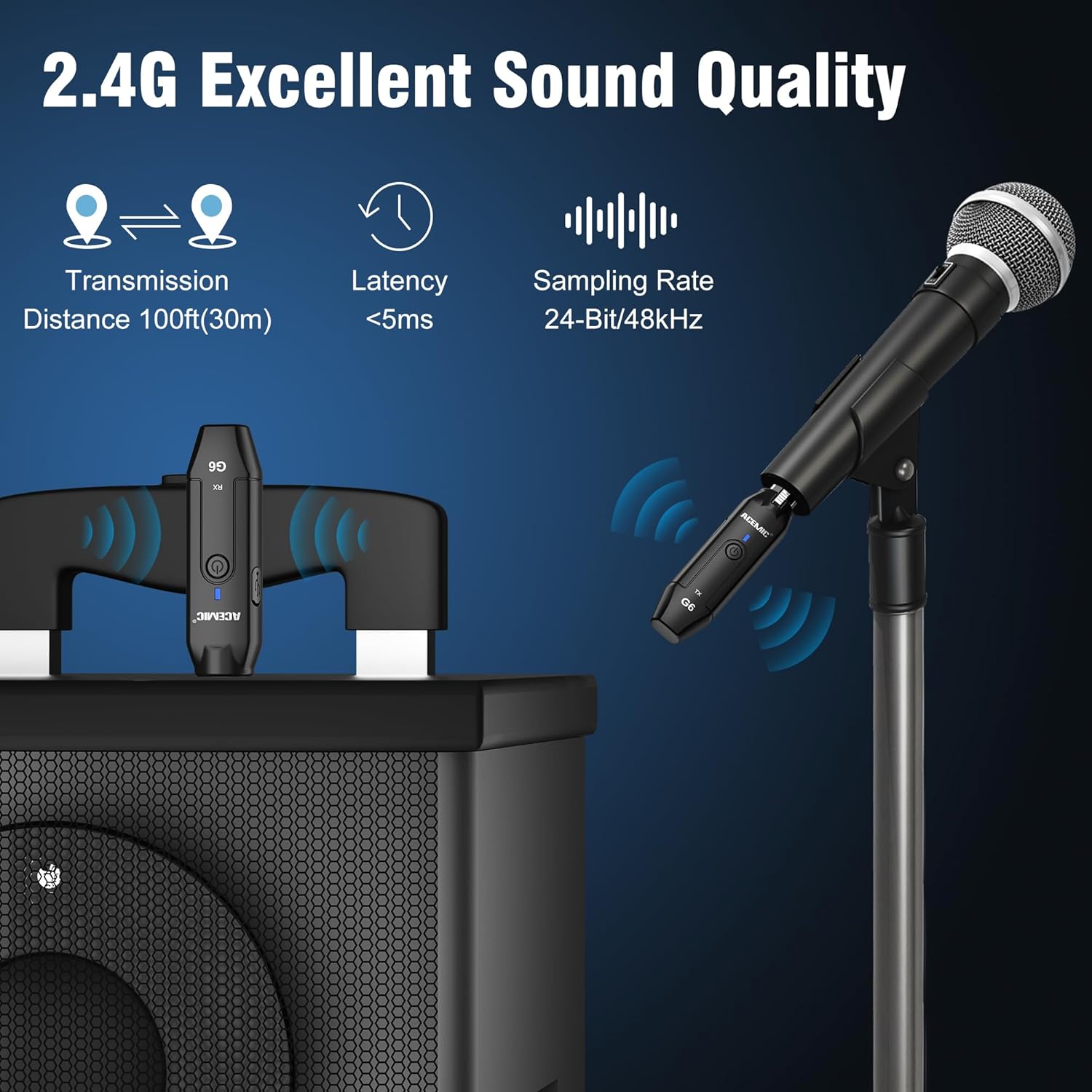
Image: Key performance specifications of the ACEMIC G6 system.
Penyelenggaraan
Penjagaan Bateri
- Recharge the units when the power indicator shows low battery (flashing red).
- Elakkan daripada menghabiskan bateri sepenuhnya dengan kerap untuk memanjangkan jangka hayatnya.
- If storing for an extended period, charge the units to approximately 50% every few months.
Pembersihan
Wipe the units with a soft, dry cloth. Do not use liquid cleaners or solvents, as they may damage the device.
Penyimpanan
Simpan sistem di tempat yang sejuk dan kering jauh dari cahaya matahari langsung dan suhu yang melampau.
Menyelesaikan masalah
- Tiada Bunyi:
- Ensure both transmitter and receiver are powered on and paired (solid blue indicator).
- Check if the microphone is properly connected to the transmitter.
- Verify the receiver is correctly connected to your audio input device.
- Confirm the microphone is a dynamic type and does not require phantom power.
- Periksa tahap kelantangan pada pengadun/sistem PA anda.
- Gangguan/Kualiti Bunyi Lemah:
- Move closer to the receiver to reduce distance.
- Pastikan tiada halangan antara pemancar dan penerima.
- Avoid operating near other 2.4G wireless devices (e.g., Wi-Fi routers, Bluetooth devices).
- Re-pair the units to allow them to select a different channel.
- Unit Tidak Berpasangan:
- Ensure both units are fully charged.
- Follow the re-pairing instructions in the Setup section.
- Hayat Bateri Pendek:
- Pastikan unit dicas sepenuhnya sebelum digunakan.
- Prestasi bateri mungkin merosot dari semasa ke semasa dengan penggunaan yang meluas.
Spesifikasi
| Ciri | Spesifikasi |
|---|---|
| Model | G6 |
| Jalur Kekerapan | 2.4Ghz |
| Respons Kekerapan | 20Hz-20KHz |
| Sumber Kuasa | Dikuasakan Bateri (termasuk 2 bateri Polimer Litium) |
| Kapasiti Bateri Litium | 600mAh (each unit) |
| Masa Bekerja Berterusan | Sehingga 10 jam |
| Masa Mengecas | 3-4 jam |
| Jarak Penghantaran | Up to 100ft (30m) in open area |
| Latensi Audio | <5ms |
| SampKadar ling | 24-bit / 48kHz |
| Nisbah Isyarat-ke-Bunyi | 48 dB |
| Bilangan Saluran | 6 |
| Dimensi (L x W x H) | 0.98 x 0.71 x 4.13 inci |
| Berat Barang | 7 ounces (total for both units, approx. 40g each) |
| bahan | plastik |
Waranti dan Sokongan
ACEMIC products are designed for reliability and performance. This product comes with a standard manufacturer's warranty against defects in materials and workmanship. For specific warranty details, please refer to the warranty card included in your package or contact ACEMIC customer support.
If you encounter any issues or have questions regarding your ACEMIC G6 system, please contact our customer support team. You can find contact information on the ACEMIC official webtapak atau melalui peruncit anda.


