1. Pengenalan
Thank you for choosing the virtavo Indoor WiFi Security Camera. This manual provides essential information for setting up, operating, and maintaining your camera to ensure optimal performance and home security. Please read this manual thoroughly before using the product and keep it for future reference.
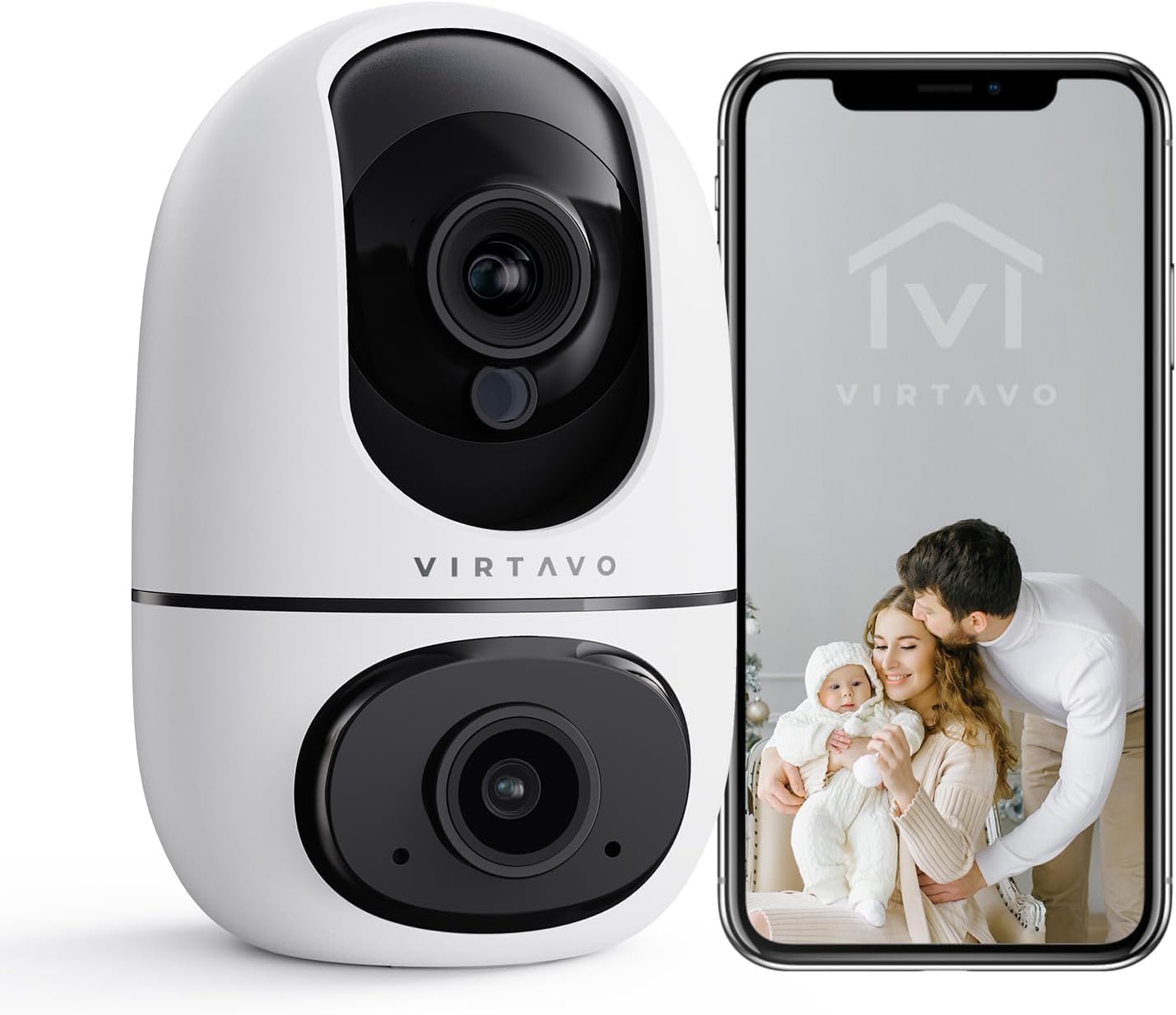
The virtavo Indoor WiFi Security Camera, shown alongside a smartphone displaying its live view, is designed for comprehensive indoor surveillance, offering peace of mind for your home, baby, or pets.
2. Kandungan Pakej
Sila semak kandungan pakej semasa membuka kotak. Jika ada item yang hilang atau rosak, hubungi sokongan pelanggan.
- virtavo Indoor WiFi Security Camera (Model XD1-V124)
- Penyesuai Kuasa
- Kabel Kuasa USB
- Aksesori Pemasangan (Skru, Palam Dinding)
- Manual Pengguna (Dokumen ini)
3. Produk Lebihview
The virtavo Indoor WiFi Security Camera features a dual-lens design, providing enhanced monitoring capabilities. It supports 1080p resolution, pan and tilt functionality for 360-degree coverage, two-way audio, and advanced detection features.

This image highlights the key features of the virtavo camera, including its dual-lens design, 2.4GHz WiFi connectivity, 1080p resolution, extensive pan and tilt range, two-way audio, AI detection, motion tracking, night vision, and video storage capabilities.
Ciri-ciri Utama:
- Reka Bentuk Dwi-Kanta: For comprehensive monitoring.
- Resolusi HD Penuh 1080p: Provides clear and detailed video.
- Sorot & Condong 360°: Menawarkan luas viewing angle for complete room coverage.
- Audio Dua hala: Communicate with family or pets remotely.
- AI Detection & Motion Tracking: Intelligently identifies and follows movement.
- Penglihatan Malam: Clear visibility even in low light or complete darkness.
- Kesambungan WiFi 2.4GHz: Stable wireless connection.
- Tempatan & Storan Awan: Options for video recording.
4. Persediaan
4.1 Menghidupkan
- Sambungkan kabel kuasa USB ke port kuasa kamera.
- Palamkan penyesuai kuasa ke soket elektrik standard.
- The camera will power on and initiate its self-check sequence. Wait for the indicator light to flash, indicating it's ready for connection.
4.2 Pemasangan Aplikasi dan Penciptaan Akaun
- Download the official virtavo app from your smartphone's app store (iOS App Store or Google Play Store).
- Buka apl dan ikut arahan pada skrin untuk membuat akaun baharu atau log masuk jika anda sudah mempunyai akaun.
4.3 Menyambungkan Kamera ke WiFi
- In the virtavo app, tap the "+" icon to add a new device.
- Select "Security Camera" or the specific model if prompted.
- Follow the in-app instructions to connect the camera to your 2.4GHz WiFi network. This typically involves scanning a QR code generated by the app with the camera's lens or entering your WiFi password.
- Once connected, the camera's indicator light will turn solid, and you will hear a confirmation sound.
4.4 Memasang Kamera (Pilihan)
The camera can be placed on a flat surface (tabletop mounting) or mounted to a wall or ceiling using the provided accessories.
- Peletakan Atas Meja: Simply place the camera on a stable, flat surface within range of your WiFi network and a power outlet.
- Pemasangan Dinding/Siling:
- Choose a suitable location, ensuring a clear view and access to power.
- Use the mounting template (if provided) or mark the screw holes on the desired surface.
- Drill pilot holes and insert wall plugs if mounting on drywall or masonry.
- Secure the mounting bracket (if applicable) with screws.
- Pasangkan kamera pada pendakap pelekap, pastikan ia terkunci dengan selamat di tempatnya.
5. Mengendalikan Kamera
5.1 Langsung View dan Kawalan Pan/Tilt
Open the virtavo app and select your camera to access the live view. Use the on-screen controls to pan (horizontal) and tilt (vertical) the camera lens to adjust the viewsudut ing.

The virtavo camera supports dual-view monitoring, allowing you to see multiple camera feeds or different perspectives from the dual-lens on a single screen for an enhanced split-screen experience.
5.2 Audio Dua Hala
Ketik ikon mikrofon dalam siaran langsung view to speak through the camera's speaker. Tap the speaker icon to listen to audio from the camera's surroundings.
5.3 Pengesanan Gerakan dan Makluman
Enable motion detection in the app settings to receive instant alerts on your smartphone when movement is detected. You can adjust sensitivity levels and set specific activity zones to reduce false alarms.

This feature allows users to define specific activity zones within the camera's view, ensuring that alerts are only triggered by motion in designated areas, reducing unnecessary notifications.
5.4 Penglihatan Malam
The camera automatically switches to night vision mode in low-light conditions. It features powerful starlight color night vision for clear images even in complete darkness.

The image demonstrates the superior clarity of the virtavo camera's Starlight Color Night Vision, providing detailed and visible footage even in very low light or complete darkness, compared to a traditional camera.
5.5 Zum Digital
Cubit untuk zum pada siaran langsung view to digitally magnify the image up to 8 times, allowing for closer inspection of details.

This visual illustrates the 8X digital zoom capability of the camera, allowing users to zoom in on specific areas of interest within the live feed for clearer and more detailed viewing.
5.6 Perkongsian Berbilang Pengguna
Share access to your camera's live feed and recordings with family members or trusted individuals through the app. Each user can have their own account and access permissions.

The multi-user sharing feature enables you to securely share your camera's feed with family members, allowing everyone to monitor the home together for enhanced safety and convenience.
5.7 Kedudukan Pratetap
Save specific camera angles as preset positions for quick navigation. This allows you to instantly move the camera to a predefined view dengan sekali ketuk.

This image illustrates the "My Collections" feature, which allows users to save and quickly recall specific camera positions (presets) within the app, making it easy to monitor different areas of a room.
6. Penyelenggaraan
- Pembersihan: Lap kanta dan badan kamera dengan lembut menggunakan kain lembut dan kering. Jangan gunakan bahan kimia yang keras atau pembersih yang kasar.
- Kemas kini Firmware: Regularly check the virtavo app for available firmware updates. Keeping your camera's firmware up-to-date ensures optimal performance, security, and access to new features.
- Kestabilan Rangkaian: Ensure your WiFi network is stable and strong where the camera is located to prevent connectivity issues.
7. Penyelesaian masalah
| Masalah | Kemungkinan Punca | Penyelesaian |
|---|---|---|
| Camera offline/Cannot connect to WiFi | Weak WiFi signal, incorrect WiFi password, camera too far from router, 5GHz WiFi network. | Ensure camera is within 2.4GHz WiFi range. Verify WiFi password. Restart camera and router. Re-add camera in the app. |
| Tiada amaran pengesanan gerakan | Motion detection disabled, sensitivity too low, activity zones not set correctly, app notifications off. | Enable motion detection in app. Adjust sensitivity. Configure activity zones. Check phone notification settings for the app. |
| Kualiti video yang teruk | Insufficient bandwidth, dirty lens, low light conditions. | Ensure stable internet connection. Clean the camera lens. Verify night vision is active in low light. |
| Audio dua hala tidak berfungsi | Microphone/speaker muted in app, app permissions not granted. | Check audio settings in the app. Grant microphone permissions to the app in your phone settings. |
8. Spesifikasi
| Ciri | Perincian |
|---|---|
| Nombor Model | XD1-V124 |
| Resolusi Video | 1080p HD Penuh |
| Ketersambungan | Wi-Fi 2.4GHz |
| Julat Pan/Sendeng | 350° Horizontal, 70° Vertical (approx.) |
| Audio | Audio Dua Hala |
| Penglihatan Malam | Infrared, Starlight Color Night Vision |
| Ciri Khas | AI Detection, Motion Tracking, Digital Zoom (8X), Multi-User Sharing, Preset Positions, Activity Zones |
| Sumber Kuasa | Electric Cable (10 Watts) |
| Dimensi (L x W x H) | 14.3 x 6.6 x 11.91 cm (lebih kurang) |
| Berat badan | 158.76 gram (lebih kurang) |
| bahan | plastik |
| Penggunaan Dalaman/Luar | Dalaman |
| Peranti Serasi | Smartphone, Tablet (Android) |
9. Waranti dan Sokongan
9.1 Maklumat Waranti
The virtavo Indoor WiFi Security Camera comes with a standard manufacturer's warranty. Please refer to the product packaging or the official virtavo webtapak untuk terma dan syarat waranti tertentu. Simpan resit pembelian anda sebagai bukti pembelian untuk tuntutan waranti.
9.2 Sokongan Pelanggan
For technical assistance, troubleshooting, or warranty inquiries, please contact virtavo customer support through the following channels:
- e-mel: Refer to the virtavo official weblaman web untuk alamat e-mel sokongan.
- Webtapak: Visit the official virtavo webtapak untuk Soalan Lazim, artikel sokongan dan borang hubungan.
- Sokongan Dalam Apl: Some issues can be resolved directly through the support section within the virtavo mobile application.
Please have your model number (XD1-V124) and purchase details ready when contacting support.


