pengenalan
Thank you for choosing the litokam 2.5K 4MP QHD Outdoor PTZ Security Camera. This manual provides detailed instructions for setting up, operating, and maintaining your camera to ensure optimal performance and security for your home. This camera features 2.5K 4MP QHD resolution, 360° pan/tilt monitoring, AI motion detection, color night vision, and two-way audio communication.
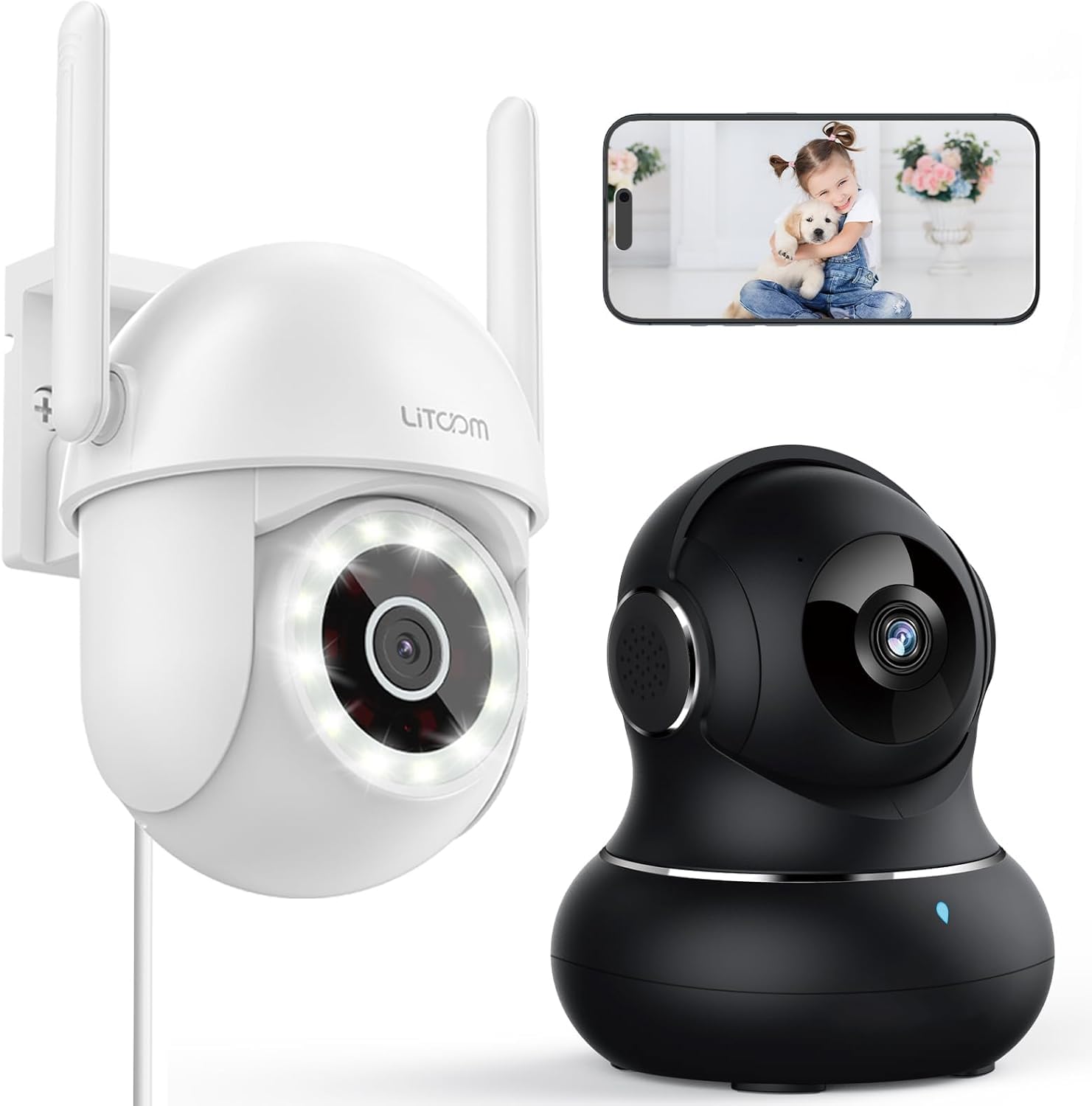
Imej: Selesaiview of the litokam 2.5K 4MP QHD Outdoor PTZ Security Camera.
Panduan Persediaan
1. Kandungan Pakej
Sebelum pemasangan, sila pastikan semua komponen ada:
- litokam 2.5K 4MP QHD Outdoor PTZ Security Camera
- Penyesuai Kuasa
- Skru dan Penambat Pemasangan
- Manual Pengguna (dokumen ini)
2. Menguasakan Kamera
The camera requires a direct power supply. Connect the provided power adapter to the camera's power input port and then plug it into a standard electrical outlet. Ensure the power source is stable.
3. Memasang Kamera
The camera is designed for wall mounting. Choose a suitable location that provides the desired viewing angle and is within range of your 2.4GHz Wi-Fi network. Use the included screws and anchors to securely mount the camera.
- Tandakan titik penggerudian di dinding menggunakan tapak kamera sebagai templat.
- Tebuk lubang pada titik yang ditanda.
- Masukkan sauh plastik ke dalam lubang yang digerudi.
- Align the camera base with the holes and secure it with the screws.
4. Pemasangan Aplikasi dan Sambungan Wi-Fi
To operate the camera, you need to download the litokam app on your smartphone (compatible with Android and iOS). The camera only works with 2.4GHz Wi-Fi networks.
- Download the litokam app from your device's app store.
- Daftar atau log masuk ke akaun anda.
- Follow the in-app instructions to add your new camera. This typically involves scanning a QR code on the camera or manually selecting the device type and entering Wi-Fi credentials.
- Ensure your phone is connected to a 2.4GHz Wi-Fi network during the setup process.
Arahan Operasi
1. Hidup View dan Kawalan Pan/Tilt
Access the live video feed through the litokam app. The camera offers 360° pan and tilt functionality, allowing you to remotely adjust the viewing angle. Use the on-screen controls in the app to pan horizontally and tilt vertically.

Image: Remote Pan/Tilt/Zoom (PTZ) control via the mobile application, showing 360° horizontal viewing angle and 3X digital zoom.
The camera also supports 3X digital zoom to view details more closely within the live feed.
2. Pengesanan dan Amaran Gerakan AI
The camera features PIR motion detection and advanced AI analytics to accurately identify and differentiate between people and vehicles, significantly reducing false alarms. When motion is detected, real-time alerts are sent to your phone.

Image: AI analysis detecting a vehicle in the surveillance area, reducing false alarms.

Image: The camera detecting motion, with options for real-time alerts and app notifications.
You can customize alert settings, including siren activation and flashing white light, to deter unwanted visitors.
3. Komunikasi Audio Dua Hala
With a built-in microphone and speaker, the camera enables two-way audio. Use the app to speak with visitors, family members, or pets directly through the camera, or to warn intruders.

Image: Demonstrating two-way audio, allowing communication with a person at the door.
4. Mod Penglihatan Malam
The camera offers three night vision options for clear monitoring up to 33 feet in low-light conditions:
- Mod Inframerah: Penglihatan malam hitam putih standard menggunakan LED inframerah.
- Mod Warna Penuh: Utilizes the built-in LED spotlight to provide full-color video even at night.
- Mod Pintar: Automatically switches between infrared and full-color mode based on detected motion or light conditions.

Image: Comparison of standard night vision (left) and full-color night vision (right) with LED spotlight activated.

Image: Visual representation of 4MP HD resolution for clearer images, comparing it to lower resolution.
5. Perkongsian Berbilang Pengguna
The litokam app allows you to share camera access with multiple users, such as family members. This enables several people to view the live feed and receive alerts simultaneously.

Image: The litokam app interface showing multi-user access and sharing capabilities across different devices (Android, iOS, Tablet, PC Software).
Penyelenggaraan
1. Membersihkan Kamera
To ensure clear image quality, periodically clean the camera lens and housing. Use a soft, damp kain untuk mengelap habuk dan kotoran. Elakkan menggunakan bahan kimia yang keras atau bahan kasar yang boleh merosakkan kanta atau kemasan.
2. Kemas Kini Perisian Tegar
Keep your camera's firmware updated to benefit from the latest features and security enhancements. Check for available updates within the litokam app and follow the on-screen instructions to install them.
3. Rintangan Cuaca
The camera has an IP65 rating, indicating it is protected against dust and water jets. This allows for efficient, all-weather operation, withstanding rain, snow, and harsh conditions. No special weather-related maintenance is typically required beyond ensuring the power connection remains secure and protected.
Menyelesaikan masalah
If you encounter issues with your litokam security camera, refer to the following common solutions:
- Kamera Luar Talian:
- Pastikan kamera dikuasakan dengan betul dan penyesuai kuasa disambungkan dengan kukuh.
- Verify your Wi-Fi router is working and the camera is within range of a 2.4GHz Wi-Fi signal.
- Mulakan semula kamera dengan mencabut dan memasang semula penyesuai kuasa.
- Check the litokam app for any network status indicators or troubleshooting guides.
- Tidak Dapat Menyambung ke Wi-Fi:
- Confirm your Wi-Fi network is 2.4GHz. The camera does not support 5GHz Wi-Fi.
- Pastikan anda memasukkan kata laluan Wi-Fi yang betul.
- Move the camera closer to your Wi-Fi router during the setup process.
- Reset the camera (refer to the app for specific reset instructions, usually a small button).
- Kualiti Imej Lemah:
- Bersihkan lensa kamera dengan kain lembut.
- Pastikan tiada halangan di hadapan kanta.
- Periksa kelajuan sambungan internet anda; sambungan yang perlahan boleh menjejaskan kualiti penstriman.
- Pengesanan Pergerakan Tidak Berfungsi:
- Verify motion detection settings are enabled in the litokam app.
- Adjust sensitivity levels if necessary.
- Pastikan kamera view tidak terhalang.
For further assistance, please contact litokam customer support or refer to the FAQ section within the litokam app.
Spesifikasi
| Ciri | Perincian |
|---|---|
| Model | 2.5K 4MP QHD Outdoor PTZ Security Camera |
| Resolusi Tangkapan Video | 2.5K, 4 MP (2560*1440) |
| Zum Digital | 3X |
| Liputan Pan/Condong | 360° |
| Protokol Ketersambungan | Wi-Fi (2.4GHz sahaja) |
| Sumber Kuasa | Wired (Direct Power Supply) |
| Pengesanan Pergerakan | PIR Motion Detection, Advanced AI Analytics (Person/Vehicle Differentiation) |
| Penglihatan Malam | Full-Color, Infrared, Smart Mode (up to 33ft visible range) |
| Audio | Audio Dua Hala (Mikrofon & Pembesar Suara Terbina Dalam) |
| Rintangan Cuaca | Nilai IP65 |
| Peranti Serasi | Smartphone (Android, iOS), PC Software |
| Jenis Pemasangan | Lekap di dinding |
| ASIN | B0CX91MDJ4 |
Waranti dan Sokongan
Maklumat Waranti
For detailed warranty information, please refer to the warranty card included with your product or visit the official litokam webtapak. Terma dan syarat waranti mungkin berbeza mengikut wilayah dan tarikh pembelian.
Sokongan Pelanggan
If you require technical assistance, have questions about your product, or need to report an issue, please contact litokam customer support. You can typically find contact information (email, phone, or support portal) on the official litokam website or within the litokam mobile application.
Sila sediakan model produk anda dan ASIN (B0CX91MDJ4) ready when contacting support for faster service.


