DynaScan EU-55 PMR Portable Radio Instruction Manual
Model: DYN-EU-55
pengenalan
Thank you for choosing the DynaScan EU-55 PMR Portable Radio. This device is a professional-grade, license-free two-way radio designed for reliable communication. Featuring 16 channels, CTCSS/DCS tones, and an IP65 rating for dust and water resistance, it is suitable for various environments. This manual provides essential information for the proper setup, operation, and maintenance of your radio.
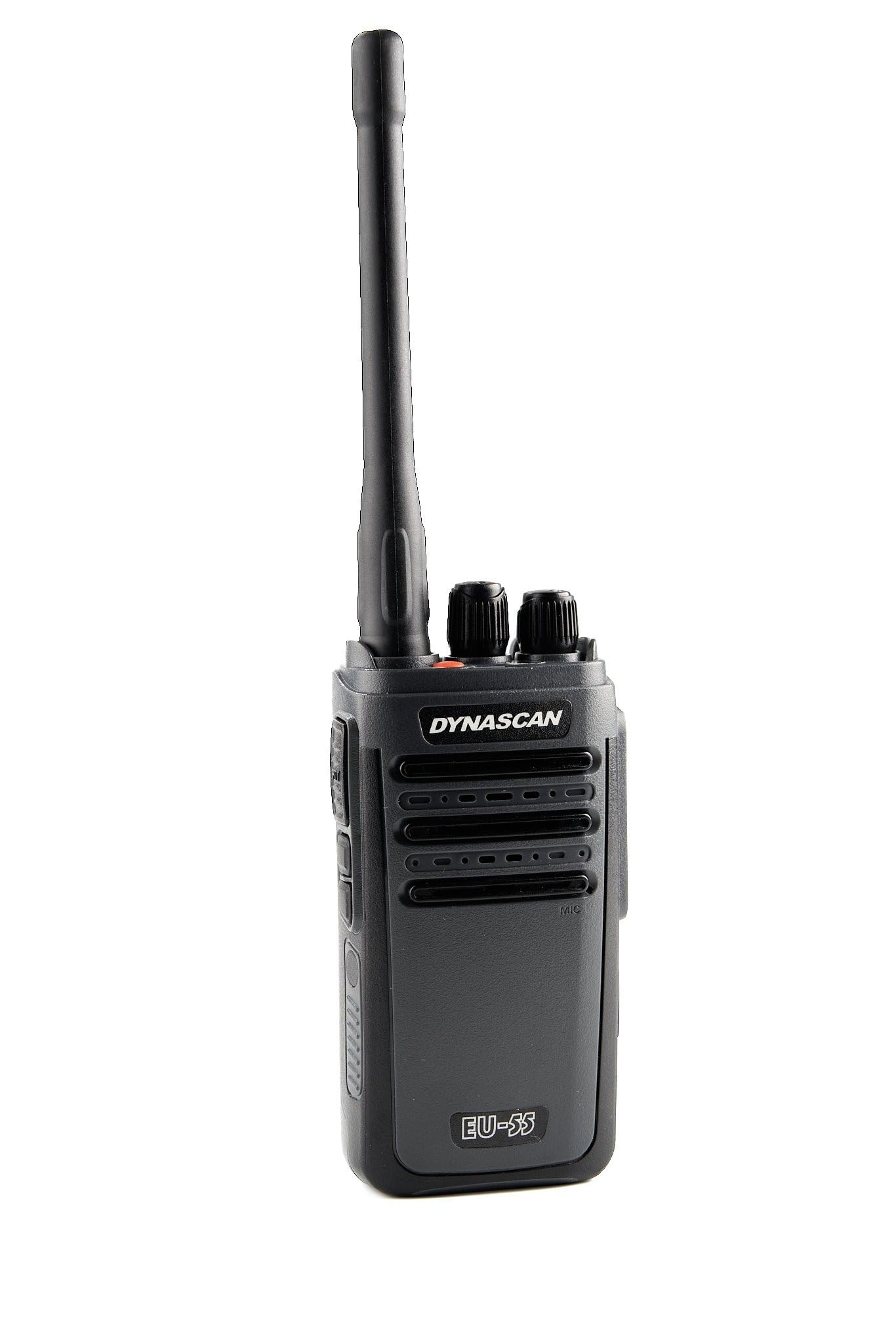
Depan view of the DynaScan EU-55 PMR portable radio, showcasing its compact design and antenna.
Maklumat Keselamatan
Please read and understand all safety instructions before using the radio. Failure to do so may result in injury or damage to the device.
- Jangan kendalikan radio dalam suasana meletup (cth, gas mudah terbakar, zarah habuk, serbuk logam).
- Jangan buka atau ubah suai radio. Pembaikan hendaklah hanya dilakukan oleh kakitangan yang diberi kuasa.
- Use only DynaScan approved batteries and chargers. Improper use may lead to fire, explosion, or injury.
- Elakkan pendedahan berpanjangan kepada cahaya matahari langsung atau suhu yang melampau.
- Jauhkan radio daripada peranti perubatan untuk mengelakkan gangguan.
- Jangan hantar tanpa antena terpasang.
Kandungan Pakej
Sahkan bahawa semua item yang disenaraikan di bawah terdapat dalam pakej anda:
- DynaScan EU-55 PMR Portable Radio
- Lithium-ion Battery (1500 mAh)
- Antena
- Buaian Pengecasan Desktop
- Penyesuai Kuasa AC
- Klip Tali Pinggang
- Tali Pergelangan Tangan
- Manual Pengguna

The DynaScan EU-55 radio and its complete set of included accessories, such as the antenna, battery, belt clip, charger, and wrist strap, laid out on a surface.
Produk Selesaiview
Familiarize yourself with the various parts of your DynaScan EU-55 radio.
Atas View
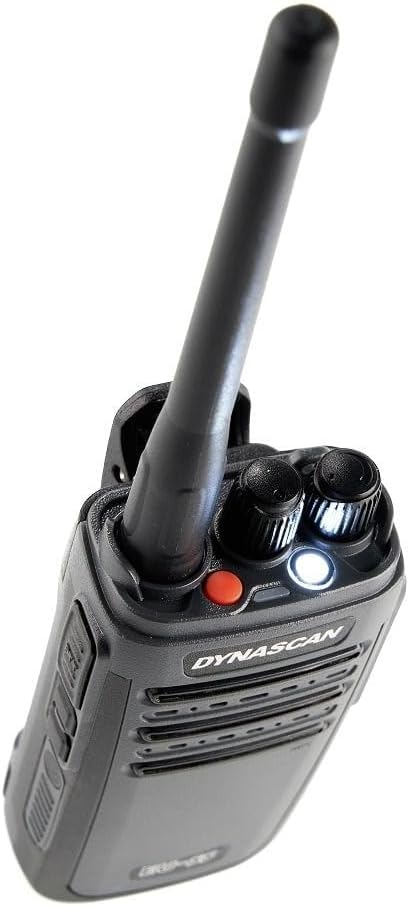
Bahagian atas dekat view of the DynaScan EU-55 radio, displaying the antenna, channel selector knob, and volume/power knob.
- Antena: Untuk menghantar dan menerima isyarat.
- Tombol Pemilih Saluran: Putar untuk memilih salah satu daripada 16 saluran yang tersedia.
- Tombol Kuasa/Kelantangan: Rotate clockwise to power on and increase volume; counter-clockwise to decrease volume and power off.
- Penunjuk LED: Illuminates for various status indications (e.g., transmitting, receiving, low battery).
- Butang lampu suluh: Mengaktifkan lampu suluh LED terbina dalam.
Sisi dan Belakang View

belakang view of the DynaScan EU-55 portable radio, highlighting the attached belt clip and battery compartment.
- Butang PTT (Push-To-Talk): Tekan dan tahan untuk menghantar, lepaskan untuk menerima.
- Jek Aksesori: For connecting external audio accessories (e.g., earpiece, microphone) with Kenwood-type connector.
- Port Pengecasan USB-C: For direct charging using a USB-C cable (not included).
- Klip tali pinggang: For attaching the radio to your belt or clothing.
Persediaan
1. Memasang Bateri
- Pastikan radio dimatikan.
- Jajarkan pek bateri dengan petak bateri di belakang radio.
- Luncurkan bateri ke tempatnya sehingga ia mengklik dengan selamat.
- Untuk menanggalkannya, tekan selak pelepas bateri (jika ada) dan luncurkan bateri keluar.
2. Memasang Antena
- Skrukan antena mengikut arah jam ke dalam penyambung di bahagian atas radio sehingga ia rapat dengan jari. Jangan terlalu ketat.
3. Mengecas Bateri
Before initial use, fully charge the battery. The radio offers two charging methods:

This image demonstrates the two available charging methods for the DynaScan EU-55 radio: charging via the desktop cradle and direct charging using a USB-C cable (cable not included).
Using the Desktop Charging Cradle:
- Connect the AC power adapter to the charging cradle and plug it into a power outlet.
- Letakkan radio (dengan bateri terpasang) ke dalam penyangga pengecas. Pastikan sentuhan pengecas sejajar.
- The LED indicator on the charger will show charging status (e.g., red for charging, green for fully charged).
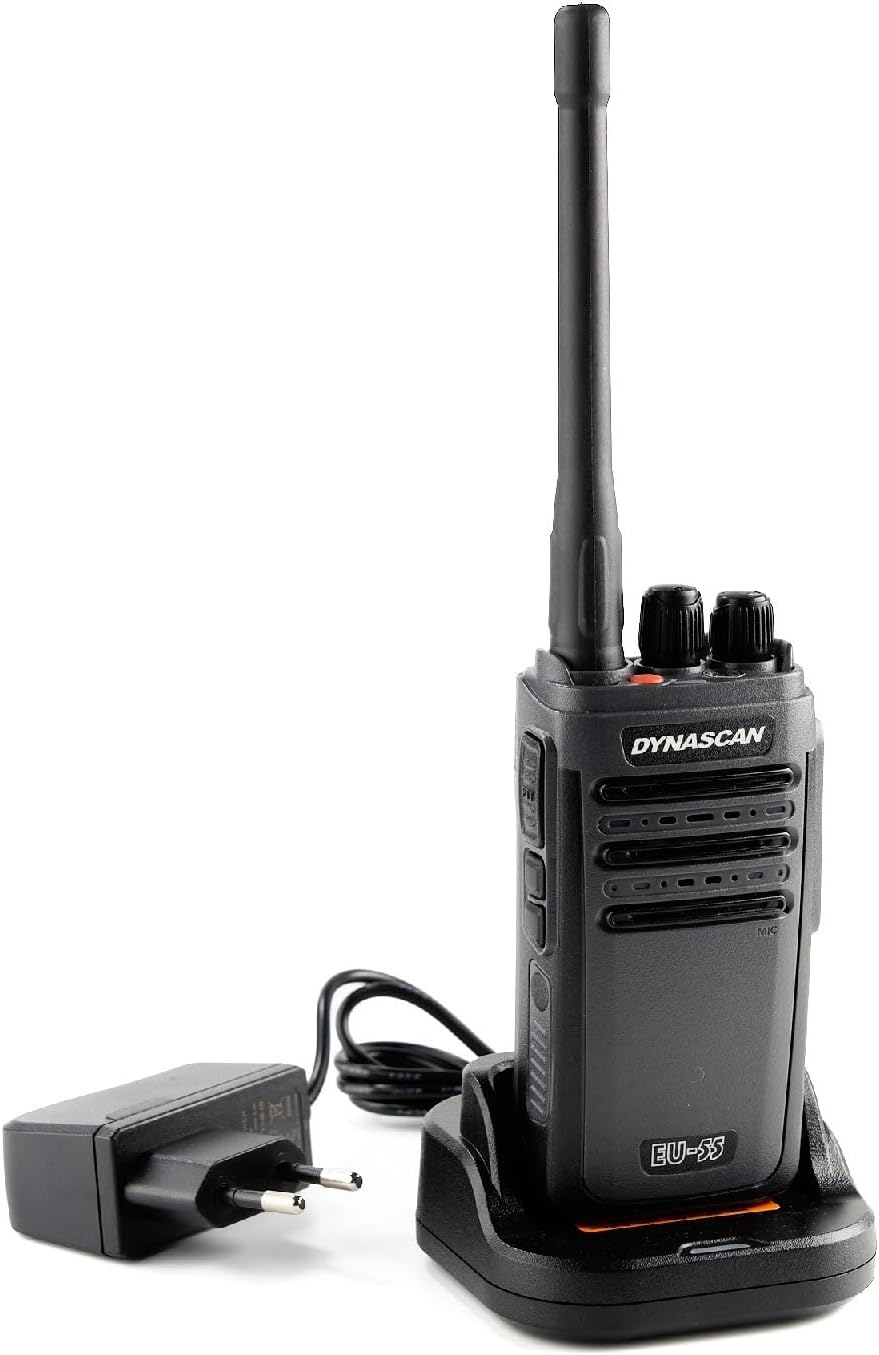
The DynaScan EU-55 radio placed in its charging cradle, connected to the power adapter for battery replenishment.
Menggunakan Port USB-C:
- Connect a compatible USB-C cable (not included) to the USB-C port on the side of the radio.
- Connect the other end of the USB-C cable to a suitable USB power source (e.g., a USB wall adapter, power bank).
- The radio's LED indicator will show charging status.
Mengendalikan Radio
1. Hidupkan/Mati Kuasa dan Pelarasan Kelantangan
- Untuk menghidupkan radio, putar tombol Kuasa/Kelantangan mengikut arah jam sehingga anda mendengar bunyi klik.
- Continue rotating the knob clockwise to increase the volume, or counter-clockwise to decrease it.
- Untuk mematikan kuasa, putar tombol Kuasa/Kelantangan lawan arah jam sehingga anda mendengar bunyi klik.
2. Pemilihan Saluran
- Putar tombol Pemilih Saluran untuk memilih salah satu daripada 16 saluran yang tersedia.
- The radio will announce the selected channel number.
3. Menghantar dan Menerima
- Kepada menerima a transmission, ensure the radio is powered on and set to the desired channel. The LED indicator will glow green when a signal is received.
- Kepada menghantar, press and hold the PTT (Push-To-Talk) button on the side of the radio. Speak clearly into the microphone. The LED indicator will glow red during transmission.
- Lepaskan butang PTT untuk berhenti menghantar dan kembali ke mod menerima.
4. Lampu suluh LED
The DynaScan EU-55 includes a built-in LED flashlight for convenience.
- Press the dedicated Flashlight button (usually located on the top or side) to turn the flashlight on.
- Tekan butang sekali lagi untuk mematikannya.
Ciri Lanjutan
Nada CTCSS/DCS
The DynaScan EU-55 supports CTCSS (Continuous Tone-Coded Squelch System) and DCS (Digitally Coded Squelch) tones. These tones help filter out unwanted conversations on a shared channel. When a CTCSS/DCS tone is set, your radio will only open its squelch and receive calls from other radios transmitting with the same tone. Similarly, your radio will only transmit with the set tone.
Note: CTCSS/DCS tones are typically pre-programmed per channel. Refer to your dealer or advanced programming guide for details on modifying these settings.
Weather Resistance (IP65)
The DynaScan EU-55 is rated IP65, meaning it is protected against dust ingress and low-pressure water jets from any direction. This makes it suitable for outdoor use in various weather conditions.
Note: IP65 rating does not mean the radio is submersible. Avoid intentionally submerging the device in water. Ensure all port covers are securely closed to maintain water resistance.

This image illustrates multiple features of the DynaScan EU-55. It shows the radio's compact design, an active LED flashlight, its IP65 rating for dust and water resistance, the USB-C charging port, and the Kenwood-type connector for accessories. A panel also displays the radio and its accessories in the box.
Penyelenggaraan
Pembersihan
- Lap permukaan radio dengan lembut, damp kain. Jangan gunakan bahan kimia yang keras atau pembersih yang kasar.
- Ensure the charging contacts and accessory jack are clean and free of debris.
Penyimpanan
- Apabila tidak digunakan untuk tempoh yang lama, simpan radio di tempat yang sejuk dan kering.
- Remove the battery if storing for more than a month to prevent battery degradation.
Menyelesaikan masalah
| Masalah | Kemungkinan Punca | Penyelesaian |
|---|---|---|
| Radio tidak dihidupkan | Bateri habis atau tidak dipasang dengan betul. | Charge the battery or ensure it is properly installed. |
| Tidak boleh menghantar atau menerima | Incorrect channel selected; out of range; antenna not attached; low battery. | Verify channel; move closer to other radios; attach antenna; charge battery. |
| Kualiti audio yang lemah | Weak signal; volume too low/high; microphone/speaker obstructed. | Move to a clearer area; adjust volume; check for obstructions. |
| Bateri tidak dicas | Charger/adapter faulty; poor contact; battery damaged. | Check connections; try another outlet/adapter; replace battery if damaged. |
Spesifikasi
| Ciri | Spesifikasi |
|---|---|
| Jenama | DynaScan |
| Nombor Model | DYN-EU-55 |
| Julat Kekerapan | 446 MHz (PMR446) |
| Kuasa Keluaran | 0.5 W |
| Bilangan Saluran | 16 |
| CTCSS/DCS | Disokong |
| Tahap Ketahanan Air | IP65 (Tahan Habuk dan Air) |
| Jenis Bateri | Litium-ion (1 termasuk) |
| Voltage | 230 Volts (AC Adapter) |
| Dimensi Produk (DxWxH) | 5.5 x 10 x 3.2 cm |
| Berat Barang | 255 Gram |
| Ciri Khas | Weather resistant, LED flashlight, USB-C charging |
| Peranti Serasi | Cable, antenna, belt clip, Kenwood-type accessories |
Waranti dan Sokongan
Waranti Pengeluar
The DynaScan EU-55 PMR Portable Radio comes with a Waranti pengilang selama 2 tahun dari tarikh pembelian. Waranti ini melindungi kecacatan pada bahan dan mutu kerja di bawah penggunaan biasa. Sila simpan bukti pembelian anda untuk tuntutan waranti.
Waranti tidak melindungi kerosakan yang disebabkan oleh penyalahgunaan, kemalangan, pengubahsuaian yang tidak dibenarkan atau haus dan lusuh biasa.
Alat Ganti dan Kemas Kini Perisian
Maklumat mengenai ketersediaan alat ganti dan kemas kini perisian yang dijamin tidak tersedia pada masa ini.
Sokongan Pelanggan
For technical assistance, warranty service, or any questions regarding your DynaScan EU-55 radio, please contact your authorized dealer or visit the official DynaScan webtapak untuk maklumat hubungan sokongan.


