1. Pengenalan
The ProtoArc XKM03 is an ergonomic, foldable Bluetooth keyboard and mouse combo designed for portability and comfortable use across various devices. This manual provides instructions for setup, operation, maintenance, and troubleshooting to ensure optimal performance.

Image: The ProtoArc XKM03 foldable keyboard, ergonomic mouse, and protective carrying case.
Ciri-ciri Utama:
- Reka Bentuk Pemisahan Ergonomik: The keyboard features a V-shape with a 166-degree angle and split keyset to promote a natural typing posture and reduce wrist strain.
- Ultra-Slim and Foldable: The keyboard folds for compact storage and portability, with automatic power on/off upon unfolding/folding.
- Tetikus Ergonomik: The wireless mouse is designed with a contoured shape for palm and thumb support, reducing wrist discomfort. It offers adjustable DPI settings up to 2400.
- Kesambungan Berbilang Peranti: Connects to up to three Bluetooth devices simultaneously, allowing for easy switching between them.
- Keserasian Luas: Compatible with Mac OS, iOS, Android, and Windows operating systems on iPads, iPhones, tablets, cellphones, and laptops.
2. Kandungan Pakej
- ProtoArc XKM03 Foldable Bluetooth Keyboard
- ProtoArc Ergonomic Bluetooth Mouse
- Kabel Pengecas USB-C
- Manual Pengguna
- Membawa Sarung
3. Persediaan dan Sambungan
3.1 Mengecas Peranti
Before initial use, fully charge both the keyboard and the mouse using the provided USB-C charging cable. The charging port for the keyboard is typically located on the side or back edge. The mouse charging port is usually on the front edge.
- Pengecasan penuh mengambil masa kira-kira 2 jam.
- The keyboard has a standby time of up to 250 hours on a full charge.
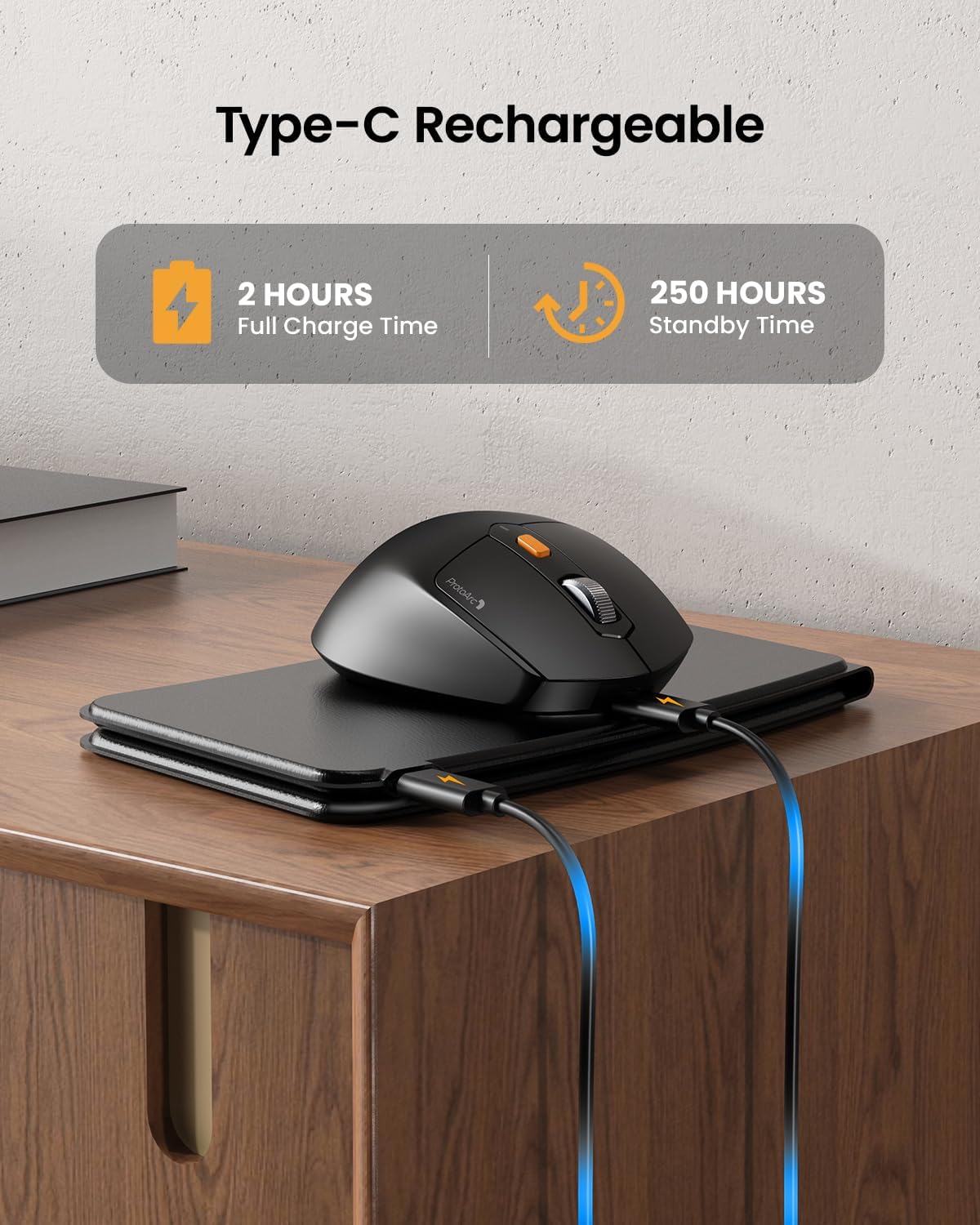
Image: The keyboard and mouse connected to power via USB-C cables for charging.
3.2 Keyboard Bluetooth Pairing
- Unfold the keyboard. This action automatically powers on the keyboard.
- Tekan dan tahan butang Fn kekunci dan salah satu daripada kekunci saluran Bluetooth (BT1, BT2, atau BT3) for 3-5 seconds until the corresponding indicator light flashes rapidly. This indicates the keyboard is in pairing mode.
- On your device (iPad, tablet, iPhone, laptop), go to Bluetooth settings and search for available devices.
- Pilih "ProtoArc XKM03 Keyboard"dari senarai.
- Setelah disambungkan, lampu penunjuk akan berhenti berkelip dan kekal pepejal selama beberapa saat sebelum dimatikan.
3.3 Mouse Bluetooth Pairing
- Hidupkan tetikus menggunakan suis kuasa yang terletak di bahagian bawahnya.
- Press the Bluetooth pairing button (usually on the underside or top near the scroll wheel) for 3-5 seconds until the indicator light flashes rapidly.
- Pada peranti anda, pergi ke tetapan Bluetooth dan cari peranti yang tersedia.
- Pilih "ProtoArc XKM03 Mouse"dari senarai.
- Sebaik sahaja disambungkan, lampu penunjuk akan berhenti berkelip.

Image: The keyboard and mouse wirelessly connected to a laptop, tablet, and smartphone, illustrating multi-device capability.
4. Arahan Operasi
4.1 Penggunaan Papan Kekunci
The XKM03 keyboard features an ergonomic split design for comfortable typing. An initial adaptation period may be required to become accustomed to the layout.

Image: A user's hands positioned on the V-shaped split keyboard, demonstrating the ergonomic design.
Hidupkan/Mati Automatik:
- Buka lipatan papan kekunci untuk menghidupkannya.
- Fold the keyboard to power it off.
- The keyboard also features magnetic closure to prevent accidental unfolding.
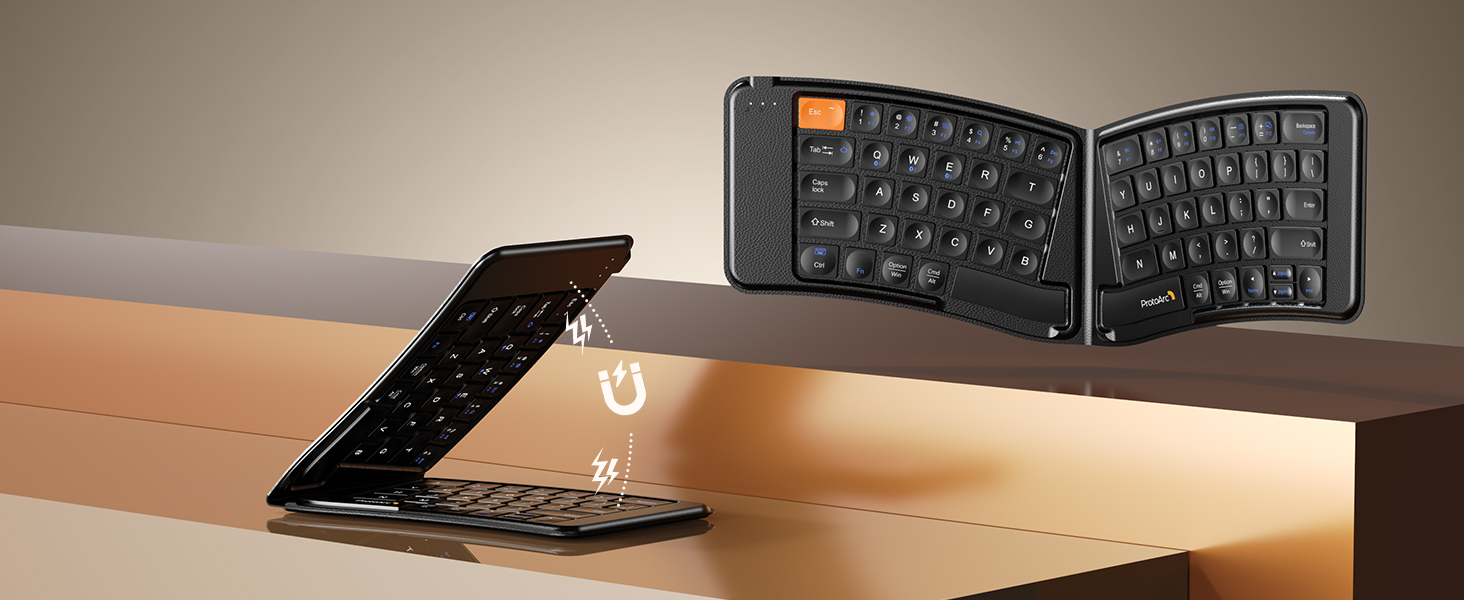
Image: The keyboard shown in both folded and unfolded states, highlighting its magnetic closure mechanism.
4.2 Bertukar Antara Peranti
To switch between paired Bluetooth devices, simply press the Fn kekunci bersama dengan kekunci saluran Bluetooth yang sepadan (BT1, BT2, atau BT3) yang telah dipasangkan dengan peranti yang anda inginkan.
4.3 Kekunci Fungsi Multimedia
The keyboard includes multimedia function keys. Refer to the keycap legends for specific functions (e.g., volume control, media playback).
- Tekan F1-F10 directly to access number 1-0.
- Tekan Fn+F1-F12 to activate multimedia functions.
- Tekan Shift + F1-F12 to input symbols like !, @, #.
- Tekan Fn + Shift + F1-F12 to access F1-F12 functions.
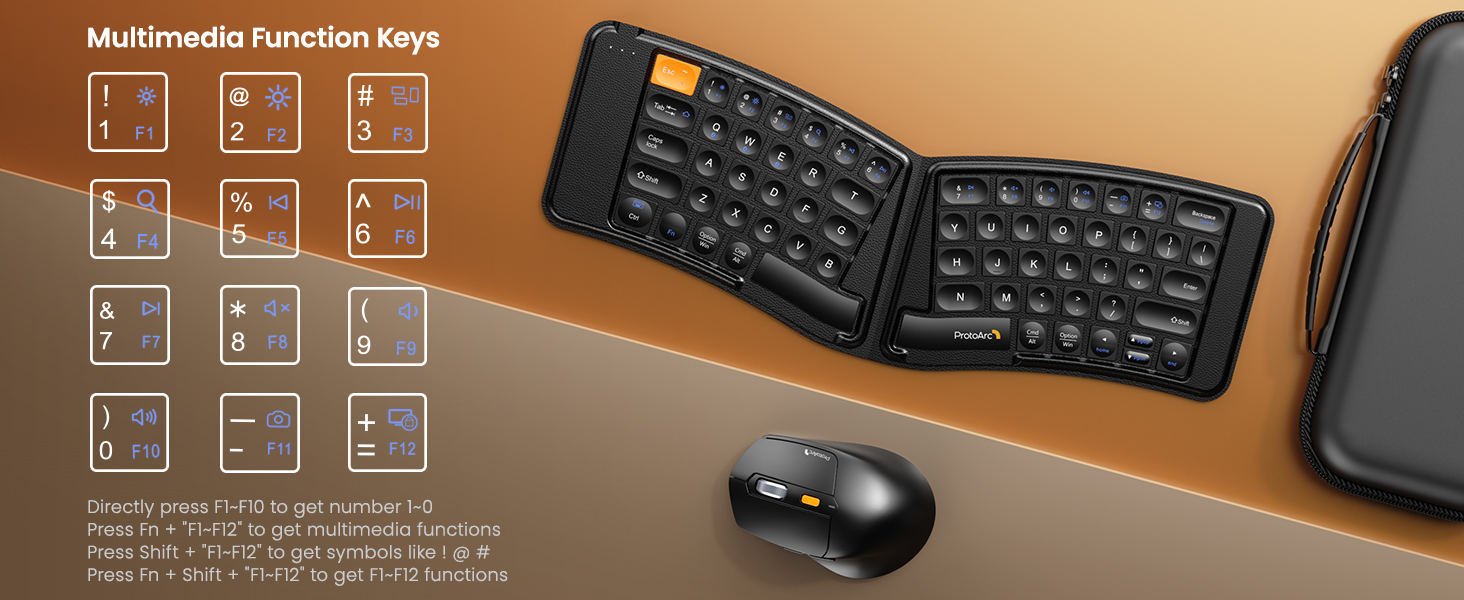
Image: A visual guide to the multimedia function keys and their combinations on the keyboard.
4.4 Penggunaan Tetikus
The ergonomic mouse provides comfortable navigation. It features adjustable DPI settings and additional navigation buttons.
- Pelarasan DPI: Press the DPI button (usually located behind the scroll wheel) to cycle through different sensitivity levels (e.g., 800, 1200, 1600, 2400 DPI).
- Butang Maju/Mundur: Gunakan butang sisi untuk navigasi pantas dalam web pelayar atau file penjelajah.

Image: Diagram illustrating the adjustable DPI settings of the mouse.

Image: Diagram showing the location of the forward and backward buttons on the mouse.
5. Penyelenggaraan dan Penjagaan
- Pembersihan: Gunakan kain lembut dan kering untuk membersihkan papan kekunci dan tetikus. Untuk kotoran degil, sedikit damp kain dengan sabun lembut boleh digunakan, memastikan tiada cecair memasuki peranti.
- Storan: When not in use, fold the keyboard and store both devices in the provided carrying case to protect them from dust and damage.
- mengecas: Recharge the devices when the battery indicator light shows low power. Avoid prolonged exposure to extreme temperatures.
- Bahan: The keyboard features a wear-resistant PU leather exterior.

Imej: Dari dekat view of the keyboard's surface, highlighting the PU leather material.
6. Penyelesaian masalah
| Masalah | Kemungkinan Punca | Penyelesaian |
|---|---|---|
| Keyboard/Mouse not connecting via Bluetooth. | Low battery; not in pairing mode; device's Bluetooth is off; interference. |
|
| Keyboard/Mouse frequently disconnects. | Low battery; too far from host device; interference. |
|
| Kursor tetikus tidak menentu atau tidak responsif. | Low battery; dirty sensor; unsuitable surface; incorrect DPI setting. |
|
| Keyboard keys are not responding. | Low battery; keyboard not powered on; connection issue. |
|
7. Spesifikasi
| Ciri | Perincian |
|---|---|
| Nombor Model | XKM03 |
| Jenama | ProtoArc |
| Ketersambungan | Bluetooth (up to 3 devices) |
| Reka Bentuk Papan Kekunci | Ergonomic Split, Foldable |
| Tetapan DPI tetikus | 800, 1200, 1600, 2400 |
| Port Pengecasan | USB-C |
| Masa Pengecasan Penuh | lebih kurang 2 jam |
| Masa Tunggu Sedia | lebih kurang 250 jam |
| OS yang serasi | Mac OS, iOS, Android, Windows |
| Dimensions (Folded Keyboard) | Anggaran. 7.68 x 5.62 x 0.5 inci |
| Berat Barang | 1.96 paun (kombo) |

Image: Diagram showing the folded dimensions of the keyboard.
8. Waranti dan Sokongan
For warranty information and technical support, please refer to the official ProtoArc webtapak atau hubungi perkhidmatan pelanggan mereka secara langsung. Butiran hubungan biasanya ditemui pada pembungkusan produk atau pengeluar webtapak.
Pengeluar: ProtoArc


