1. Pengenalan
This manual provides detailed instructions for the installation, operation, and maintenance of your Fortdows Android 13 Car Radio. Please read this manual thoroughly before installation and use to ensure proper functionality and safety.
1.1. Produk Lebihview
The Fortdows Android 13 Car Radio is designed to seamlessly integrate into Dodge RAM 1500 and 2500 models from 2013 to 2018. It features an 8-Core processor, 4GB RAM, 32GB ROM, and a 9-inch 1280x800 HD IPS touchscreen. Key functionalities include Wireless CarPlay, Android Auto, 5G WiFi, Bluetooth 5.0, GPS navigation, FM radio, and support for steering wheel controls.
Compatibility Note: This system is specifically designed for Dodge RAM models equipped with manual AC controls. Compatibility may vary for vehicles with automatic AC systems. Consult a professional installer if unsure.
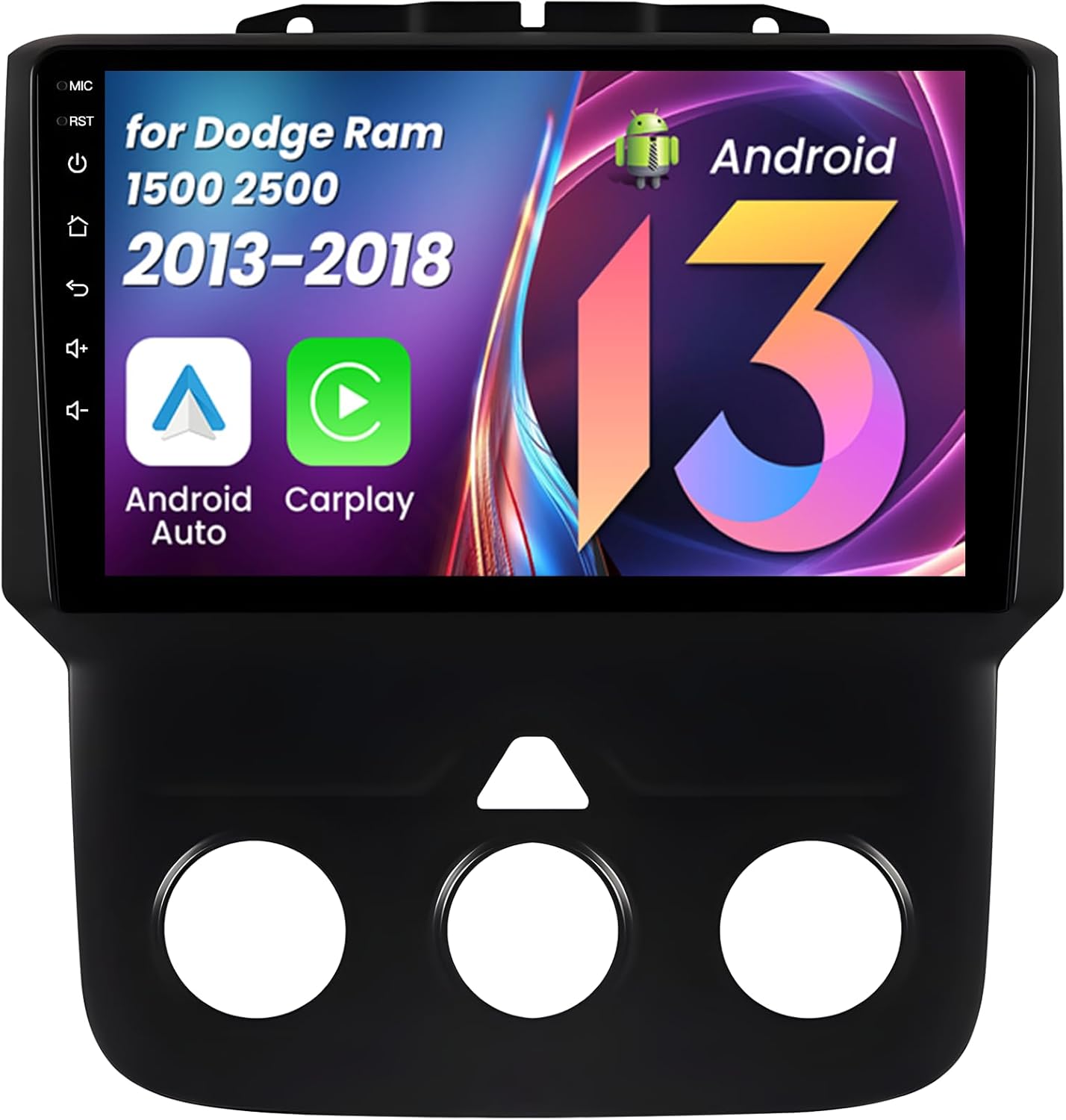
Imej 1.1: Depan view of the Fortdows Android 13 Car Radio unit.
2. Kandungan Pakej
Sahkan bahawa semua item yang disenaraikan di bawah disertakan dalam pakej anda:
- 1x Car Radio Unit
- 1x Dekoder Canbus
- 1x Kabel Kuasa
- 1x Microphone (MIC)
- 1x Camera (Reversing Camera)
- 1x 4G Antenna (Note: 2G configurations do not include a 4G antenna)
- 1x RCA Cable Set
- 1x Crowbar (for trim removal)
- 2x Kabel USB
- 1x Antena GPS
- 1x 1280*800HD Display (integrated)

Imej 2.1: Selesaiview semua komponen yang disertakan dalam pakej.
3. Persediaan dan Pemasangan
Professional installation is recommended. Ensure the vehicle's battery is disconnected before beginning installation. Refer to your vehicle's service manual for specific dashboard removal procedures.
3.1. Sambungan Pendawaian
- Connect the main Power Cable to the corresponding port on the car radio unit.
- Attach the RCA Cable set for audio/video inputs and outputs.
- Connect the Microphone to its designated port.
- Plug in the 6-Pin and 4-Pin USB Cables to the rear of the unit.
- Connect the 4G Antenna (if applicable for your model) and secure it in a suitable location.
- Connect the GPS Antenna and position it for optimal signal reception.
- Connect the Rear Camera Signal Wire and the Camera Extension Cables.
- Connect the Canbus decoder to the main wiring harness.
Ensure all connections are secure and correctly matched to prevent damage or malfunction.
Video 3.1: A detailed guide on connecting the various cables and components to the car radio unit.
3.2. Pemasangan Unit
After all wiring is connected, carefully mount the car radio unit into the dashboard opening. Secure it using the appropriate mounting hardware. Reconnect the vehicle's battery and test the unit's functionality.

Image 3.1: Visual guide for identifying compatible dashboard configurations for Dodge RAM 1500/2500 (2013-2018) with manual AC.
4. Arahan Operasi
This section covers the primary functions and features of your Fortdows Android 13 Car Radio.
4.1. Initial Power-On and System Navigation
Upon first power-on, the system will boot to the Android 13 home screen. Navigate through applications using the touchscreen interface. The system supports various UI themes which can be changed in the settings.
Video 4.1: Demonstration of the car radio's user interface, including WiFi connection, Bluetooth pairing, CarPlay, DSP sound settings, and FM radio operation.
4.2. CarPlay Tanpa Wayar dan Android Auto
Connect your compatible smartphone wirelessly to access navigation, music, calls, and messages directly on the car radio's display. Ensure Bluetooth and Wi-Fi are enabled on your phone for a stable connection.

Image 4.1: Wireless CarPlay and Android Auto functionality, showing smartphone integration.
4.3. 5G WiFi Connectivity
The unit supports 5G WiFi for fast internet access. Connect to a mobile hotspot or available Wi-Fi networks to stream content, download apps, and browse online.

Image 4.2: The 5G WiFi function enabling access to online applications and services.
4.4. Bluetooth 5.0
Pair your smartphone via Bluetooth for hands-free calling, audio streaming, and phonebook access. Bluetooth 5.0 ensures a stable and high-quality connection.

Image 4.3: Bluetooth connectivity for calls and music, alongside GPS navigation.
4.5. Navigasi GPS
The unit includes built-in GPS with an offline map of North America. It supports both online and offline navigation applications. Ensure the GPS antenna is properly installed for accurate positioning.
4.6. Radio FM
Utilize the built-in FM/AM RDS tuner to listen to your favorite radio stations. The system supports automatic scanning and station saving.

Image 4.4: FM Radio interface for tuning and Mirror Link for screen mirroring.
4.7. DSP Sound Processing
The Digital Sound Processor (DSP) provides advanced audio customization options, including equalization, sound field adjustments, surround sound, stereo sound enhancement, bass enhancement, and sound filters. Adjust these settings to optimize your audio experience.

Image 4.5: DSP sound settings for audio customization, including equalizer and speaker positioning.
4.8. Kawalan Stereng
The unit supports integration with your vehicle's existing steering wheel controls, allowing you to manage audio, calls, and other functions without diverting your attention from the road.

Image 4.6: Steering wheel control integration for convenient operation.
4.9. Kefungsian Skrin Pisah
Utilize the split-screen feature to run two applications simultaneously, such as navigation and music playback, enhancing multitasking capabilities.

Image 4.7: Split screen mode allowing simultaneous use of two applications.
4.10. Sokongan Kamera Belakang
The car radio supports 1080P rear cameras, providing clear video for parking and reversing. The display automatically switches to the camera view apabila kenderaan berada dalam gear undur.

Image 4.8: Rear camera display with reference lines for safe maneuvering.
Video 4.2: Selesaiview of the car radio's features, including WiFi, Bluetooth, CarPlay, DSP sound, FM radio, and GPS navigation.
5. Penyelenggaraan
5.1. Membersihkan Skrin
Gunakan kain lembut dan tidak berbulu untuk mengelap skrin sentuh dengan lembut. Untuk calitan degil, sedikit dampen kain dengan air atau pembersih selamat skrin. Elakkan bahan yang melelas atau bahan kimia yang keras.
5.2. Kemas Kini Perisian
Semak secara berkala untuk kemas kini perisian melalui tetapan sistem atau pengeluar website. Keeping the software updated ensures optimal performance and access to new features.
6. Penyelesaian masalah
Jika anda menghadapi masalah, rujuk kepada masalah dan penyelesaian biasa berikut:
- Tiada Kuasa: Check all power cable connections and the vehicle's fuse box. Ensure the battery is properly connected.
- Tiada Bunyi: Verify speaker connections, volume levels, and DSP settings. Check if the mute function is active.
- Kehilangan Isyarat GPS: Ensure the GPS antenna is securely connected and has a clear view dari langit.
- CarPlay/Android Auto Tidak Bersambung: Ensure Bluetooth and Wi-Fi are enabled on your phone and the car radio. Try restarting both devices.
- Kamera Belakang Tidak Dipaparkan: Check the camera connections and the reverse signal wire. Ensure the camera is powered.
- Skrin sentuh Tidak Responsif: Cuba mulakan semula unit. Jika isu berterusan, tetapan semula kilang mungkin diperlukan (nota: ini akan memadamkan semua data pengguna).
Untuk isu yang berterusan, hubungi sokongan pelanggan.
7. Spesifikasi
| Ciri | Perincian |
|---|---|
| Sistem Operasi | Android 13 |
| Pemproses | 8-Teras |
| RAM | 4GB |
| ROM | 32GB |
| Saiz Skrin | 9 Inci |
| Jenis Paparan | Skrin Sentuh IPS |
| Resolusi | 1280x800 HD |
| Kesambungan Wayarles | 5G Wi-Fi, Bluetooth 5.0 |
| Navigasi | Built-in GPS (Offline North America Map) |
| Integrasi Telefon Pintar | Wireless CarPlay, Android Auto, Mirror Link |
| Ciri Audio | DSP Sound Processing, FM/AM RDS Radio, Stereo Audio Output |
| Sokongan Kamera | 1080P Back Camera (included) |
| Keserasian Kenderaan | Dodge RAM 1500 2500 (2013-2018) with Manual AC |
| Jenis Pemasangan | Pemasangan Papan Pemuka |
| Berat Barang | 4.05 paun |
| Dimensi Pakej | 12.32 x 11.93 x 5.59 inci |
8. Waranti dan Sokongan
8.1. Maklumat Waranti
This product comes with a 1-Year Warranty from the date of purchase. A 7-Day Return Policy is available for products with defects. Please retain your proof of purchase for warranty claims.
8.2. Sokongan Pelanggan
For technical assistance, warranty claims, or any other inquiries, please contact our customer support team:
- e-mel: fortdows.cam@gmail.com
- Webtapak: www.fancygod.com


