1. Pengenalan
Terima kasih kerana membeliasing the BE COOL 6-in-1 Design Air Cooler. This innovative appliance combines cooling, humidifying, ventilating, air purifying, and mosquito repellent functions, along with a unique flower pot feature, to enhance your indoor environment. Please read this manual thoroughly before operation to ensure proper use, maintenance, and safety.
1.1 Arahan Keselamatan
- Sentiasa letakkan unit di atas permukaan yang stabil dan rata.
- Jangan rendam perkakas, kord, atau palam ke dalam air atau cecair lain.
- Cabut plag unit daripada soket kuasa sebelum membersihkan, mengisi semula atau melakukan sebarang penyelenggaraan.
- Jauhkan daripada kanak-kanak dan haiwan peliharaan.
- Jangan sekat saluran masuk atau alur keluar udara.
- Gunakan hanya air paip bersih di dalam tangki air.
- Jangan gunakan perkakas jika kord kuasa atau palam rosak.
- Pastikan voltage yang ditunjukkan pada perkakas sepadan dengan bekalan kuasa tempatan anda.
- Jangan cuba membaiki atau membuka unit ini sendiri. Hubungi kakitangan servis yang berkelayakan.
- Alat ini direka untuk penggunaan dalaman sahaja.
2. Ciri-ciri Produk
The BE COOL 6-in-1 Air Cooler offers a range of functionalities designed for optimal comfort and convenience:
- Reka bentuk pelbagai fungsi: Combines air cooling, humidification, ventilation, air purification, and mosquito repellent.
- Cekap Tenaga: Low power consumption of 50 watts.
- Tangki Air Besar: 7-liter capacity for extended operation (10-12 hours).
- Peredaran Udara Berkesan: Provides 480 m³/hour air circulation, suitable for rooms up to 10 m².
- Penapis Udara Bersepadu: Helps keep the air fresh.
- Kawalan Mesra Pengguna: Features a touch control panel and an included remote control for easy operation.
- Tetapan Kelajuan Boleh Laras: Three speed levels (Soft, Medium, High) for customized airflow.
- Fungsi Pemasa: Allows for flexible operation scheduling.
- Flower Pot Recess: Unique design feature at the top to hold a small plant, doubling as a decorative item.
- Mosquito Repellent: Integrated function to help deter insects.
- Ice Cube Compartment: Allows for the addition of ice cubes for enhanced cooling.
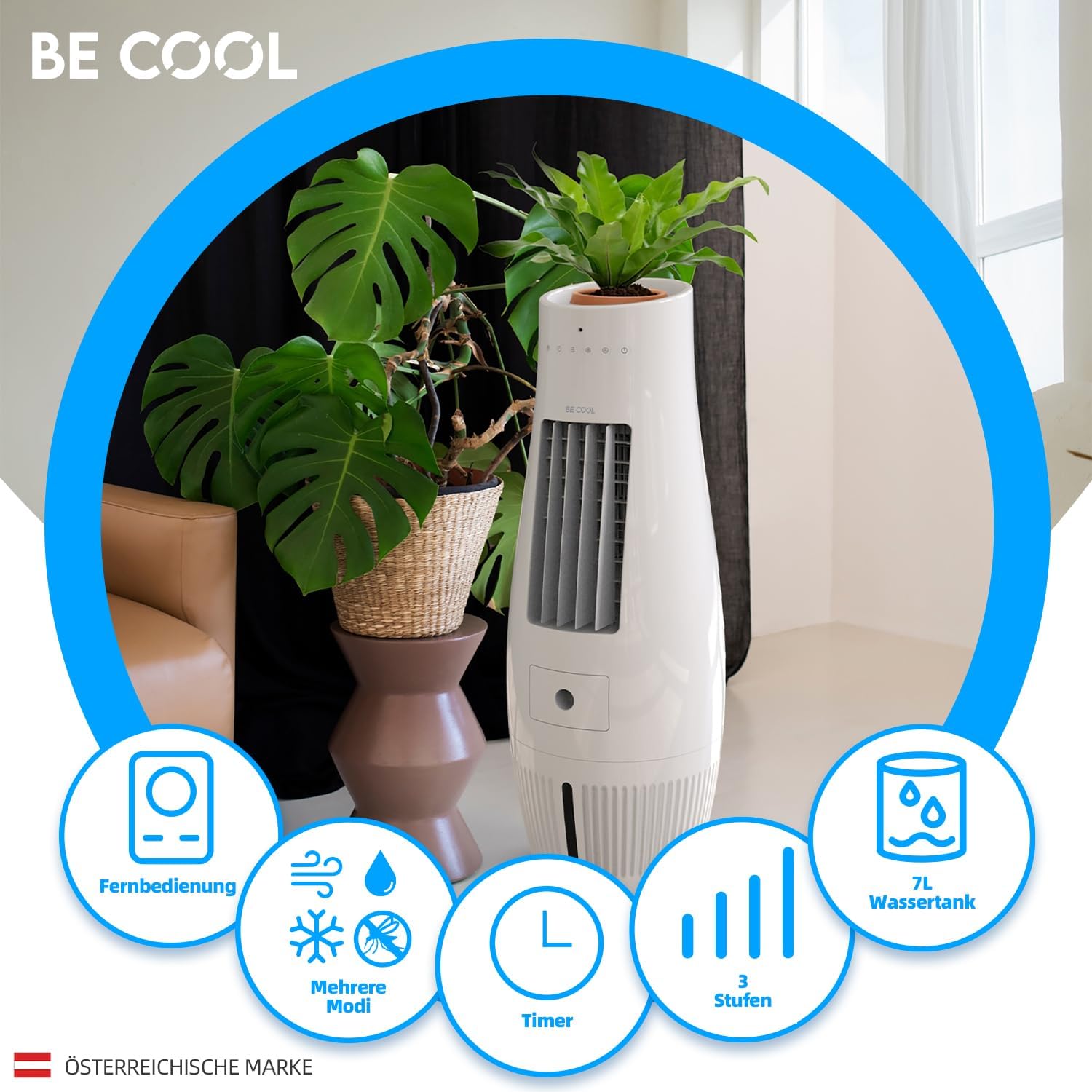
Imej: Selesaiview of the BE COOL Air Cooler's key features, including remote control, various modes, timer, three speed settings, and a 7-liter water tank.

Image: Visual representation of the air cooler's multi-functional capabilities: cooling, humidifying, ventilation, and insect repellent.
3. Kandungan Pakej
Selepas membongkar, sila pastikan semua item ada dan dalam keadaan baik:
- BE COOL Air Cooler Unit
- Alat Kawalan Jauh
- Manual Pengguna
- 1 CR2 battery (pre-installed in remote or included separately)
4. Pengenalan Bahagian

Imej: Depan view of the BE COOL Air Cooler, showing the air outlet, control panel, and water tank window.
- Panel Atas: Touch control panel, LED indicators, flower pot recess.
- Saluran Udara: Front grille for air dispersion.
- Tangki Air: Located at the bottom, with a visible water level indicator.
- Air Inlet/Filter: Rear panel (not visible in front image, but implied by air purification feature).
- Penerima Kawalan Jauh: Small sensor on the front panel.
- Kord Kuasa: Located at the rear bottom.

Imej: Terperinci view highlighting the dimensions (300x300x807mm), maximum room size suitability (10m²), the flower pot recess at the top, and the LED display on the control panel.
5. Persediaan
5.1 Penempatan
Place the air cooler on a firm, level surface in the desired room. Ensure there is adequate space around the unit for proper airflow (at least 20 cm from walls or furniture).

Image: The BE COOL Air Cooler positioned in a room, demonstrating its integration as a decorative element with a plant in its top recess.
5.2 Mengisi Tangki Air
- Ensure the unit is unplugged from the power outlet.
- Locate the water tank. Depending on the design, it might be a pull-out drawer or require lifting a top cover.
- Carefully pour clean tap water into the tank. Do not exceed the "MAX" fill line indicated on the tank or visible through the water level window.
- For enhanced cooling, you may add ice cubes to the water tank.
- Tutup tangki air dengan selamat.
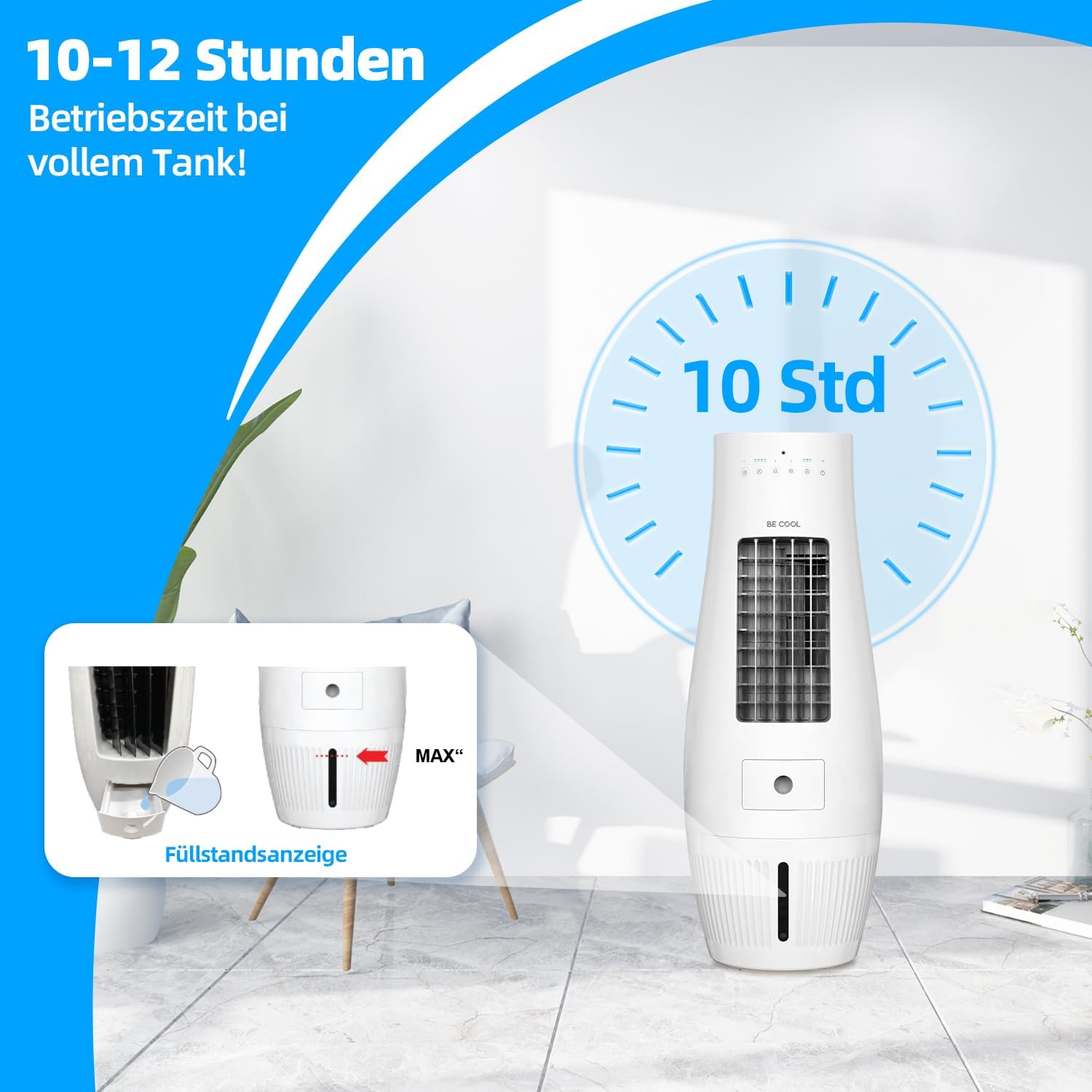
Image: Illustration of the air cooler's long operating time (10-12 hours) with a full tank, and a close-up of the water tank fill level indicator.

Image: Demonstrates the 7-liter water tank capacity and the oscillation feature of the air cooler.
5.3 Sambungan Kuasa
Plug the power cord into a standard electrical outlet (220-240V, 50Hz).
6. Operasi
6.1 Panel Kawalan dan Alat Kawalan Jauh
The air cooler can be operated using the touch control panel on the top of the unit or the included remote control. The remote control requires 1 CR2 battery (included).

Image: The remote control for the BE COOL Air Cooler, illustrating the three available speed settings: Soft, Medium, and High.
6.2 Hidupkan/Mati Kuasa
- Tekan ke kuasa butang pada panel kawalan atau alat kawalan jauh untuk menghidupkan atau mematikan unit.
- LED indicators on the top panel will illuminate to show the current operating status.
6.3 Tetapan Kelajuan
- Tekan ke Kelajuan button (or fan icon) to cycle through the three fan speeds: Soft (Low), Medium, and High.

Image: Visual representation of the air flow intensity at Low, Medium, and High speed settings.
6.4 Cooling/Humidification Mode
- Tekan ke Sejuk button (or snowflake/water drop icon) to activate the cooling and humidification function. This function uses water from the tank to cool and humidify the air.
- Ensure the water tank is filled before activating this mode.
6.5 Fungsi Ayunan
- Tekan ke Berayun or Oscillation button (or swing icon) to activate the automatic oscillation of the air outlet, distributing air more widely.
- Tekan sekali lagi untuk menghentikan ayunan.
6.6 Fungsi Pemasa
- Tekan ke Pemasa button to set the desired operating time. Each press typically increases the timer by a set increment (e.g., 1 hour).
- Unit akan dimatikan secara automatik setelah masa yang ditetapkan telah berlalu.
6.7 Mosquito Repellent Function
- The unit features an integrated mosquito repellent. Refer to the specific instructions in the full manual for activation or if it operates automatically with certain modes.
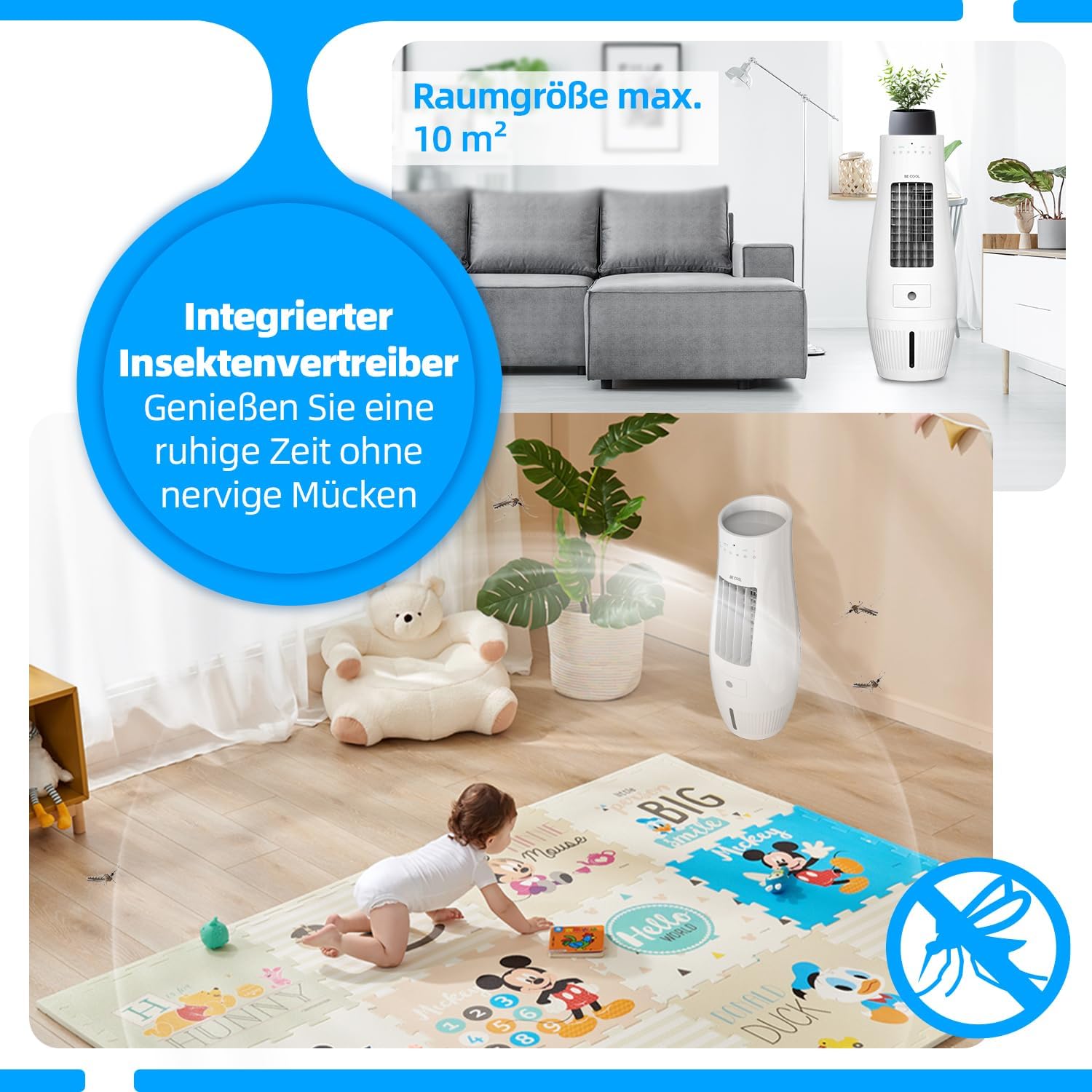
Image: Highlights the integrated insect repellent feature and the recommended maximum room size of 10 square meters for optimal performance.
7. Penyelenggaraan
Pembersihan dan penyelenggaraan yang kerap akan memastikan jangka hayat dan prestasi optimum penyejuk udara anda.
7.1 Membersihkan Bahagian Luar
- Sentiasa cabut plag unit sebelum membersihkan.
- Lap permukaan luar dengan lembut, damp kain. Jangan gunakan pembersih atau pelarut yang melelas.
7.2 Membersihkan Tangki Air
- Kosongkan baki air dari tangki.
- Clean the inside of the water tank with a soft brush or cloth and mild detergent. Rinse thoroughly with clean water.
- Biarkan tangki kering sepenuhnya sebelum mengisi semula atau menyimpan unit.
- Clean the water tank regularly (e.g., weekly) to prevent mold and mildew buildup.
7.3 Membersihkan Penapis Udara
- The unit has an integrated air filter. Refer to the full manual for instructions on how to access and clean or replace the filter.
- Typically, filters can be rinsed under running water and air-dried.

Image: A diagram illustrating the integrated air filter, designed to help keep the air fresh by trapping dust and particles.
7.4 Penyimpanan
- Jika menyimpan unit untuk tempoh yang lama, pastikan tangki air kosong dan bersih.
- Clean the entire unit and allow it to dry completely.
- Store the unit in its original packaging in a cool, dry place.
8. Penyelesaian masalah
Sebelum menghubungi sokongan pelanggan, sila rujuk isu dan penyelesaian biasa berikut:
| Masalah | Kemungkinan Punca | Penyelesaian |
|---|---|---|
| Unit tidak dihidupkan. | Tiada bekalan kuasa; Butang kuasa tidak ditekan. | Periksa sama ada kord kuasa dipasang dengan selamat. Tekan butang Kuasa. |
| Tiada kesan penyejukan. | Water tank empty; Cooling mode not activated. | Fill the water tank. Activate the Cooling/Humidification mode. Add ice cubes for stronger cooling. |
| Aliran udara yang lemah. | Low fan speed selected; Air filter clogged. | Increase the fan speed. Clean the air filter. |
| Bau yang tidak menyenangkan. | Stagnant water in tank; Dirty filter. | Empty and clean the water tank thoroughly. Clean the air filter. |
| Alat kawalan jauh tidak berfungsi. | Battery depleted; Obstruction between remote and unit. | Replace the CR2 battery. Ensure no obstructions and point remote directly at the unit's receiver. |
9. Spesifikasi
| Ciri | Spesifikasi |
|---|---|
| Nombor Model | BC07AC60WF |
| Penggunaan Kuasa | 50 Watt |
| Voltage | 220-240 Volt |
| Kapasiti Tangki Air | 7 Liter |
| Peredaran Udara | 480 m³/hour (8 Cubic meters per minute) |
| Saiz Bilik yang Disyorkan | Sehingga 10 m² |
| Operating Time (Full Tank) | 10-12 jam |
| Dimensi (W x D x H) | 30 x 30 x 80.5 cm |
| Berat Bersih | 4.15 kg |
| Jenis Kawalan | Sentuh Digital, Kawalan Jauh |
| Ciri Khas | Timer, Adjustable Speed, Flower Pot Recess, Mosquito Repellent |
| Komponen yang Disertakan | Air Cooler, Remote Control, Manual |
| Jenis Bateri (Jauh) | 1 CR2 (termasuk) |
10. Waranti dan Sokongan
For warranty information, please refer to the warranty card included with your product or contact the retailer where you purchased the BE COOL Air Cooler. For technical support or service inquiries, please contact the manufacturer, Schuss Home Electronic, or your local distributor.
Simpan resit pembelian anda sebagai bukti pembelian untuk tuntutan waranti.


