pengenalan
Welcome to the GOBOULT UFO True Wireless Earbuds user manual. These earbuds are designed to provide a superior audio experience with features like extended playtime, low latency gaming, advanced noise cancellation, and robust bass drivers. Please read this manual carefully to ensure proper use and optimal performance of your device.
Apa yang ada dalam Kotak
- GOBOULT UFO True Wireless Earbuds
- Sarung Pengecas Tanpa Wayar
- Kabel Pengecas Cepat Jenis-C
- Sepasang Tambahan Telinga
- Manual Pengguna
- Kad Waranti
Produk Selesaiview
The GOBOULT UFO earbuds feature a distinctive design with integrated breathing LEDs on both the earbuds and the charging case. They are equipped with 13mm drivers for rich bass and Quad Mic ENC for clear calls.

Image: GOBOULT UFO Earbuds and Charging Case. This image highlights key features such as Bluetooth 5.3 connectivity, 48 hours of playtime, Quad Mic ENC, 13mm drivers, 45ms low latency, and Type-C fast charging.
LED pernafasan
The breathing LEDs on the case and earbuds provide visual feedback for various actions, including opening/closing the case, charging, and when buds are connected.

Image: The GOBOULT UFO charging case and earbuds displaying their distinctive breathing LED lights, which indicate various operational states.
Kualiti Audio
Experience high-fidelity sound with precision-tuned 13mm drivers, ensuring clear audio across all frequencies and rich bass. The Quad Mic ENC (Environmental Noise Cancellation) system ensures crystal-clear, interference-free calls.
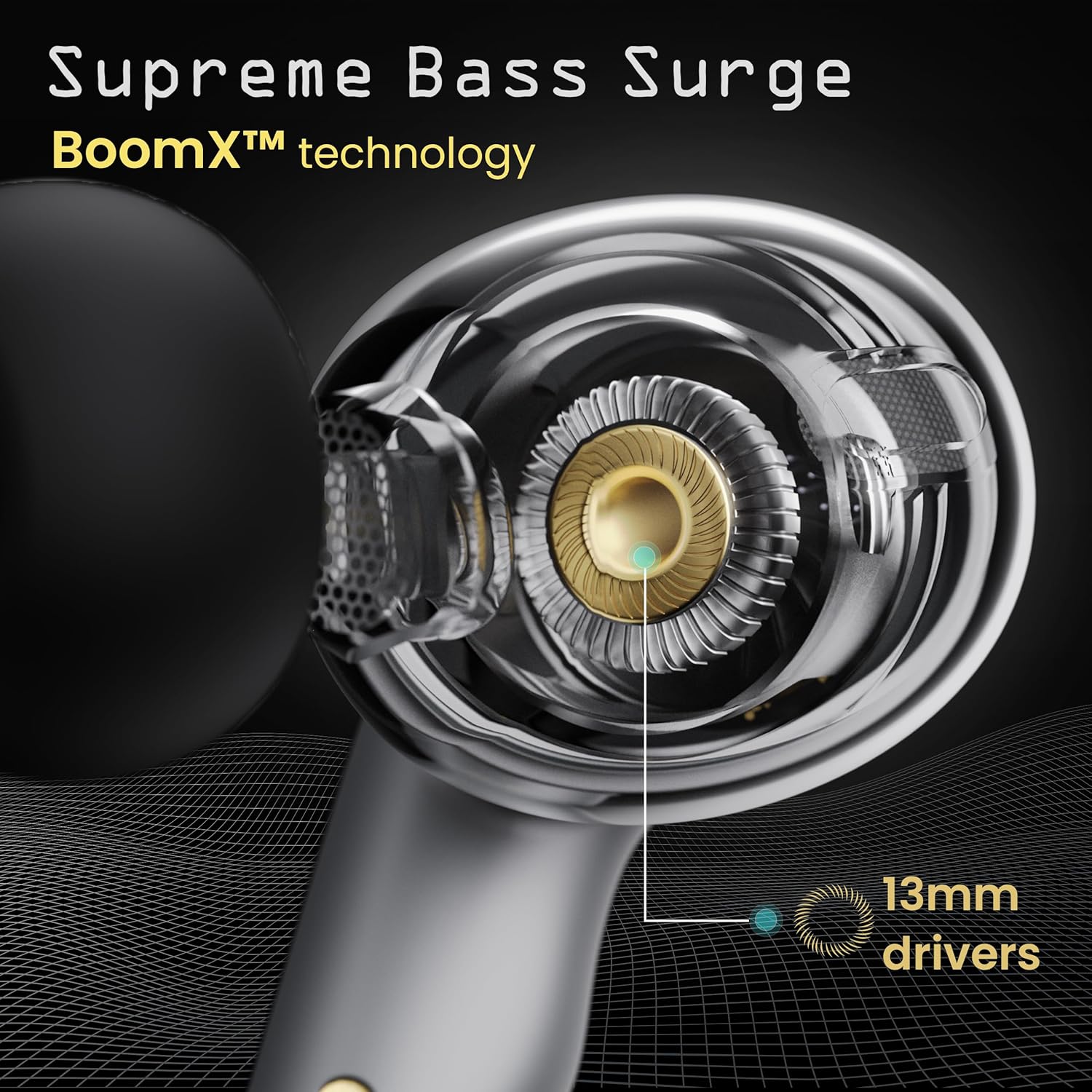
Image: A close-up of a GOBOULT UFO earbud, highlighting the 13mm drivers responsible for supreme bass surge.

Imej: A terperinci view of a GOBOULT UFO earbud, showcasing the AI-powered Quad Mic AI-ENC technology for high-definition call clarity and Zen™ mode for silence.
Persediaan
Gandingan Awal
- Buka bekas pengecas. Fon telinga akan memasuki mod berpasangan secara automatik.
- Pada peranti anda (telefon pintar, tablet, dll.), dayakan Bluetooth.
- Cari untuk "GOBOULT UFO" in the list of available Bluetooth devices and select it to connect.
- Once connected, you will hear an audio prompt, and the LED indicators on the earbuds will change.
The earbuds utilize Bluetooth 5.3 for stable and efficient connection, featuring Blink & Pair™ technology for fast pairing.

Image: GOBOULT UFO Earbuds illustrating stable connectivity with Bluetooth 5.3 and fast pairing technology.
Sokongan Apl
Enhance your experience by downloading the dedicated GOBOULT app. The app allows you to:
- Switch between 6 Equalizer Modes.
- Sesuaikan kawalan sentuh.
- Namakan semula fon telinga anda.
- Access additional settings and features.
Arahan Operasi
Kawalan Sentuh
The GOBOULT UFO earbuds feature intuitive touch controls on each earbud.
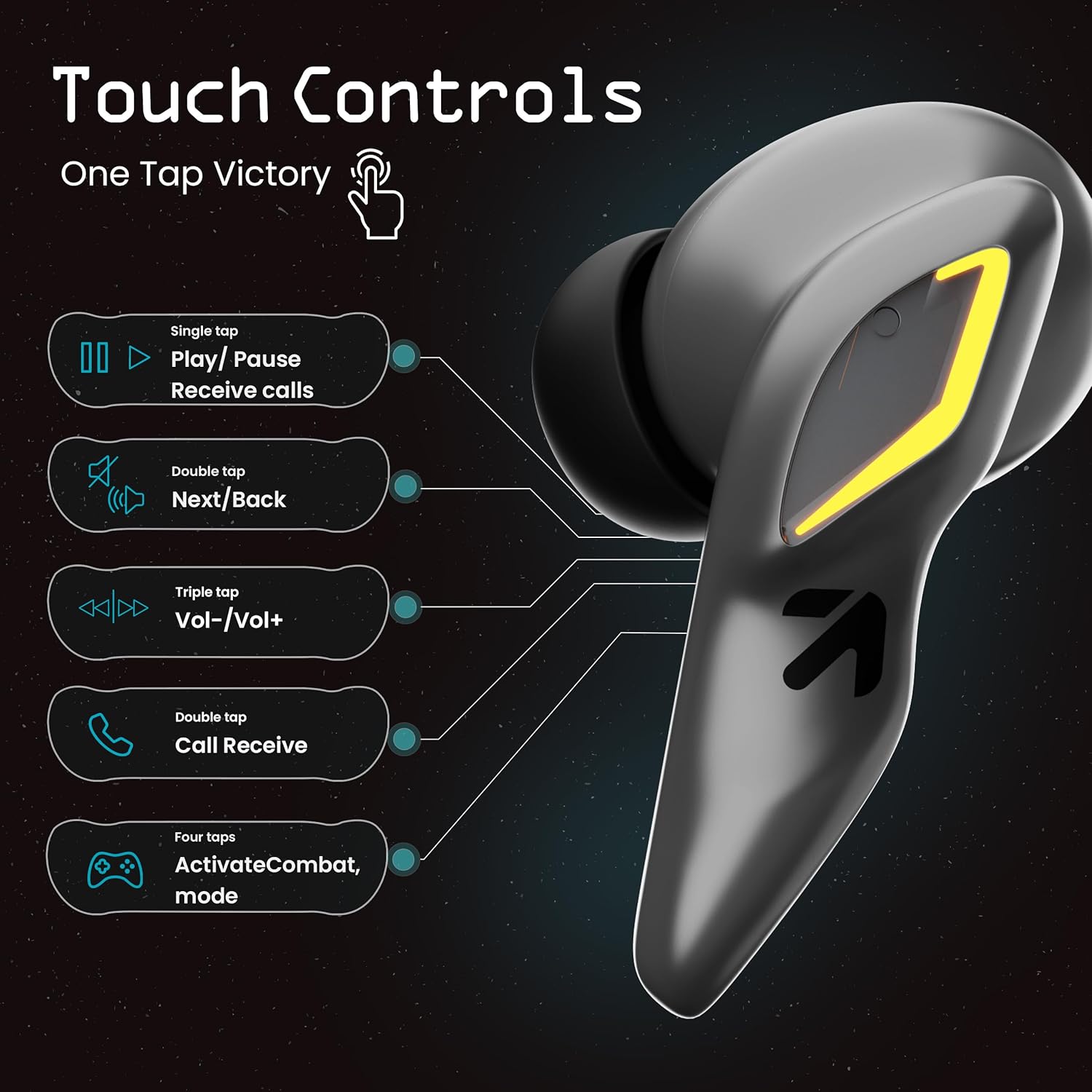
Image: A visual guide to the touch controls on the GOBOULT UFO Earbuds, detailing single, double, triple, and four-tap functions.
- Ketuk tunggal: Play/Pause music, Receive calls.
- Tekan dua kali: Next/Back track.
- Ketuk Tiga Kali: Kelantangan Naik/Turun.
- Empat Ketik: Activate Combat Mode (Gaming Mode).
- Tekan lama: Activate Voice Assistant (Google Assistant, Siri).
Mod Permainan (Mod Pertempuran)
Activate Combat Mode for an ultra-low latency experience of 45ms, ideal for gaming. Tap the earbud four times to toggle this mode.

Image: The GOBOULT UFO Earbuds case open, highlighting the Combat Gaming Mode with 45ms ultra-low latency, activated by four taps.
Pembantu Suara
Long press the touch control area on either earbud to activate your device's voice assistant (e.g., Google Assistant, Siri).

Image: GOBOULT UFO Earbuds demonstrating the long-press gesture to activate the voice assistant feature.
Mengecas
The GOBOULT UFO earbuds offer up to 48 hours of total playtime with the charging case.
Mengecas sarung dan fon telinga
- Letakkan fon telinga ke dalam bekas pengecas. Pastikan ia diletakkan dengan betul.
- Connect the Type-C fast charging cable to the charging port on the case and to a power source.
- Penunjuk LED pada sarung akan menunjukkan status pengecasan.
- A full charge for the earbuds and case takes approximately 100 minutes.
- With Type-C fast charging, a 10-minute charge can provide up to 1.5 hours of playtime.
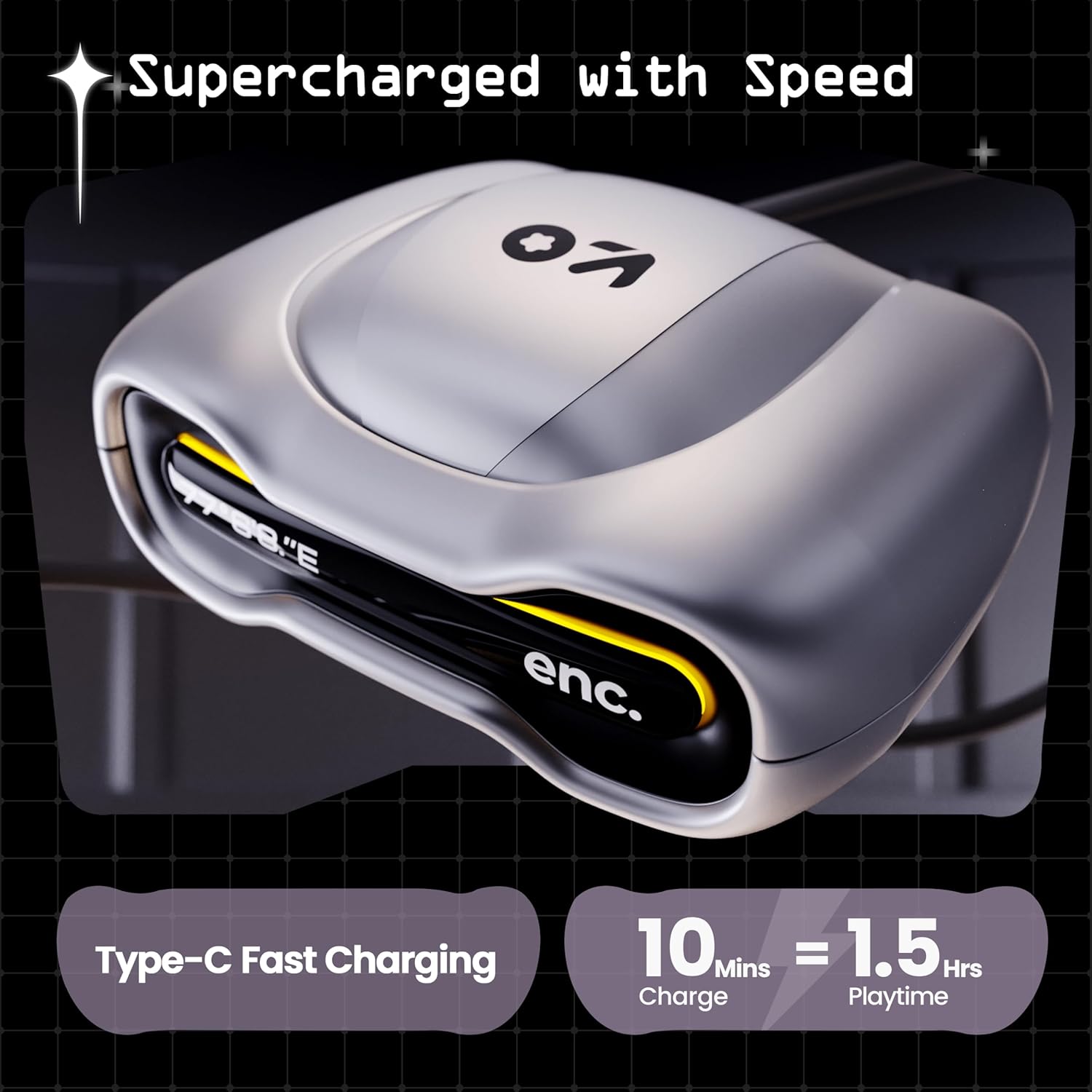
Image: The GOBOULT UFO charging case, illustrating its Type-C fast charging capability, providing 1.5 hours of playtime from a 10-minute charge.
Penyelenggaraan
Tahan Air
The GOBOULT UFO earbuds are IPX5 water-resistant, making them sweatproof, rainproof, and splashproof. This protection allows for use during workouts or in light rain.

Image: GOBOULT UFO Earbuds on a metallic surface, indicating their IPX5 water resistance, making them suitable for sweat, rain, and splashes.
Pembersihan
Untuk mengekalkan prestasi dan kebersihan yang optimum, bersihkan fon telinga dan bekas pengecas anda dengan kerap.
- Gunakan kain lembut, kering dan tidak berbulu untuk mengelap fon telinga dan sarungnya.
- Untuk kotoran degil, sedikit dampen kain dengan air. Elakkan menggunakan bahan kimia yang keras atau bahan yang melelas.
- Ensure the charging contacts on both the earbuds and the case are clean and free of debris.
- Allow all components to dry completely before placing earbuds back in the case or charging.
Menyelesaikan masalah
If you encounter any issues with your GOBOULT UFO earbuds, please refer to the following common solutions:
- Tiada Bunyi: Ensure earbuds are charged and properly connected to your device. Check device volume.
- Isu Berpasangan: Make sure Bluetooth is enabled on your device. Try forgetting the device in your Bluetooth settings and re-pairing. Ensure earbuds are fully charged.
- Satu Earbud Tidak Berfungsi: Place both earbuds back in the case, close it, and then open it again. This often resets the connection.
- Kualiti Panggilan Lemah: Ensure microphones are clean. Check for strong Bluetooth connection.
- Kawalan Sentuhan Tidak Responsif: Ensure your fingers are clean and dry. Try restarting the earbuds by placing them in the case and taking them out.
For further assistance, please contact GOBOULT customer support.
Spesifikasi
| Ciri | Perincian |
|---|---|
| Nama Model | UFO (Airbass Earbuds) |
| Versi Bluetooth | 5.3 |
| Masa bermain | Sehingga 48 Jam (dengan kes pengecasan) |
| Latensi Audio | 45 milisaat (Mod Permainan) |
| Pemandu | Pemacu Dinamik 13mm |
| Mikrofon | Quad Mic ENC (Environmental Noise Cancellation) |
| Tahan Air | IPX5 (Kas Peluh, Kalis Hujan, Kalis Percikan) |
| Port Pengecasan | Pengecasan Cepat Jenis-C |
| Masa Mengecas | Lebih kurang 100 minit |
| Julat Bluetooth | 10 Meter |
| Respons Kekerapan | 20 Hz |
| Sensitiviti | 115 dB |
| Impedans | 32 ohm |
| Berat Barang | 60 Gram |
| Dimensi Produk | 4.7 x 9 x 10 cm |
| bahan | logam |
Waranti dan Sokongan
Maklumat Waranti
The GOBOULT UFO True Wireless Earbuds come with a Waranti Pengeluar 1 Tahun from the date of purchase. Please retain your proof of purchase for warranty claims. The warranty covers manufacturing defects. It does not cover damage caused by misuse, accidents, or unauthorized modifications.
Sokongan Pelanggan
For any questions, technical support, or warranty claims, please contact GOBOULT customer service.
Pengeluar: Exotic Mile Pvt. Ltd.
Alamat: B67 Wazirpur Industrial Area, New Delhi 110052, India.
Please refer to the warranty card included in your product packaging for specific contact details and procedures.


