pengenalan
This manual provides detailed instructions for the installation, operation, maintenance, and troubleshooting of your LAMTTO RC07B Wireless CarPlay Android Auto 9-inch Touchscreen Display. Please read this manual thoroughly before using the product to ensure proper functionality and safety.

The LAMTTO 9-inch Touchscreen Display, featuring a clear interface for navigation and media playback.
Persediaan
1. Unboxing dan Komponen
Sebelum pemasangan, pastikan semua komponen ada:
- LAMTTO 9-inch Touchscreen Display Unit
- Power Cable (Cigarette Lighter Adapter)
- Pemegang Cawan Sedutan
- 3M Adhesive Holder
- Manual Pengguna
2. Pemasangan
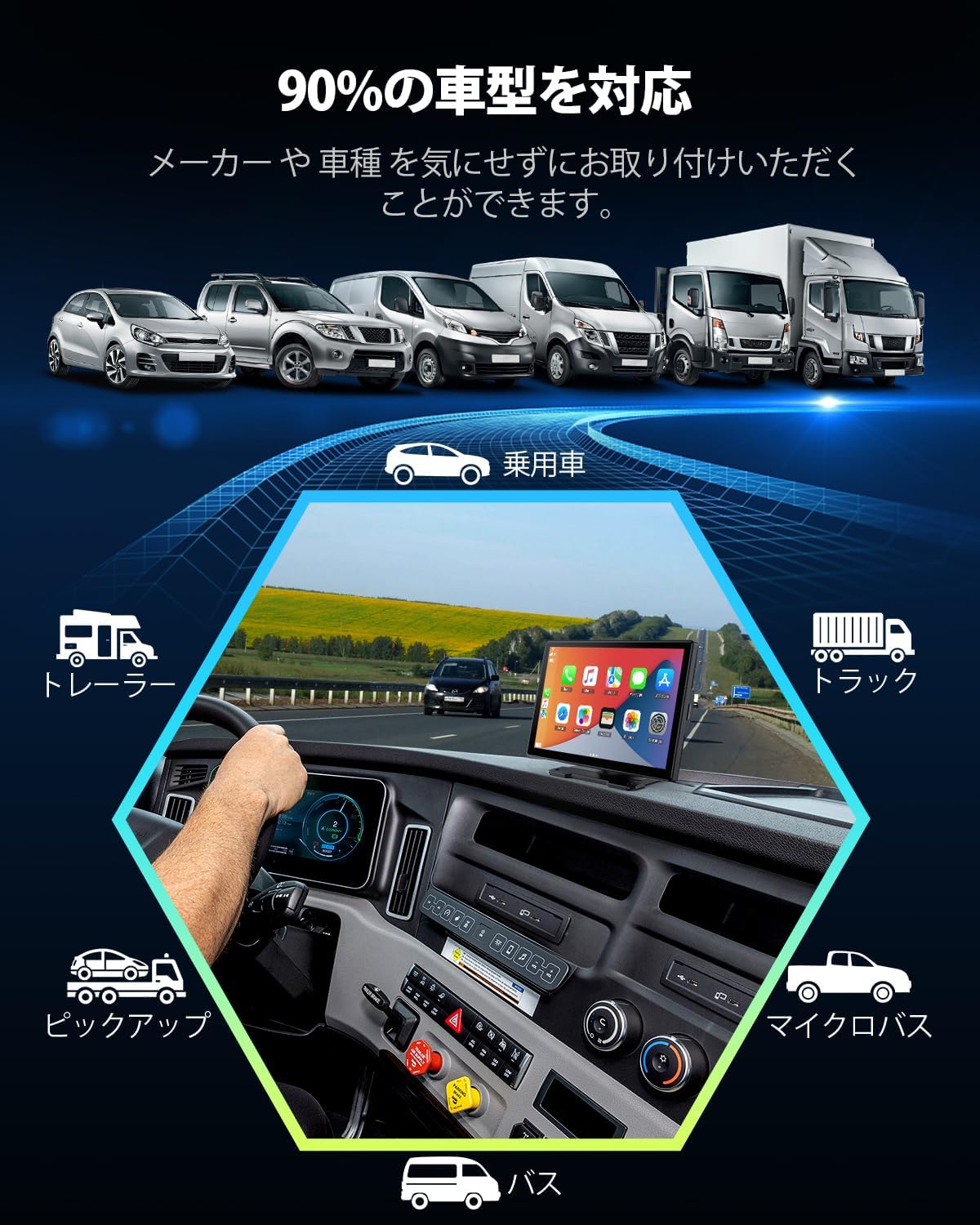
The display unit offers two mounting options: a suction cup holder for windshield or dashboard, and a 3M adhesive holder for a more permanent dashboard installation. Choose the method that best suits your vehicle and viewkeutamaan.
- Pasangkan Pemegang: Securely attach either the suction cup holder or the 3M adhesive holder to the back of the display unit.
- Lekapkan Unit: Place the unit on your desired location on the dashboard or windshield. Ensure it does not obstruct your view atau mengganggu kawalan kenderaan.
- Sambungkan Kuasa: Plug the power cable into the display unit and then into your vehicle's cigarette lighter socket.

Various installation methods are available to suit different vehicle interiors and user preferences.
3. Initial Connection (Wireless CarPlay/Android Auto)
To enable Wireless CarPlay or Android Auto, follow these steps:
- Hidupkan kuasa: Turn on your vehicle's ignition to power on the display unit.
- Enable Phone's WiFi & Bluetooth: On your smartphone, ensure both Wi-Fi and Bluetooth are enabled.
- Pasangkan dengan Peranti: On your phone's Bluetooth settings, search for and connect to the device named "t86xxxx" (or similar, as displayed on the unit).
- Sahkan Sambungan: Once paired via Bluetooth, the unit will prompt you to connect via Wi-Fi for CarPlay or Android Auto. Confirm the connection.
- Launch CarPlay/Android Auto: The CarPlay or Android Auto interface should automatically launch on the display.

Detailed steps for establishing a wireless connection with your smartphone for CarPlay or Android Auto.
Beroperasi
1. Wireless CarPlay & Android Auto Features
The LAMTTO display provides seamless integration with your smartphone, allowing access to various applications optimized for in-car use. This includes navigation, music streaming, messaging, and more.
- Navigasi: Use your preferred map application (e.g., Google Maps, Apple Maps) directly on the large 9-inch screen for clear, turn-by-turn directions.
- Muzik & Media: Strim muzik, podcast dan buku audio daripada aplikasi kegemaran anda.
- Komunikasi: Make calls, send messages, and access your contacts safely while driving.

The display provides access to a range of smartphone applications for enhanced in-car experience.
2. Mirroring Function
The mirroring function allows you to display your smartphone's screen directly onto the LAMTTO unit. This is useful for viewing content not natively supported by CarPlay/Android Auto or for sharing your phone's screen with passengers. Both iPhone and Android devices are supported.

Screen mirroring allows your smartphone's display to be shown on the larger unit, supporting various resolutions.
3. Kawalan Suara (Siri & Google Assistant)
Utilize voice commands through Siri (for iOS) or Google Assistant (for Android) to control the unit and your smartphone hands-free. This enhances safety by allowing you to keep your focus on the road.
- Buat Panggilan: "Hey Siri, call [Contact Name]" or "OK Google, call [Contact Name]".
- Dapatkan Arahan: "Hey Siri, navigate to [Address]" or "OK Google, take me home".
- Main Muzik: "Hey Siri, play [Song/Artist]" or "OK Google, play [Song/Artist]".

Voice control features allow for hands-free operation using Siri or Google Assistant.
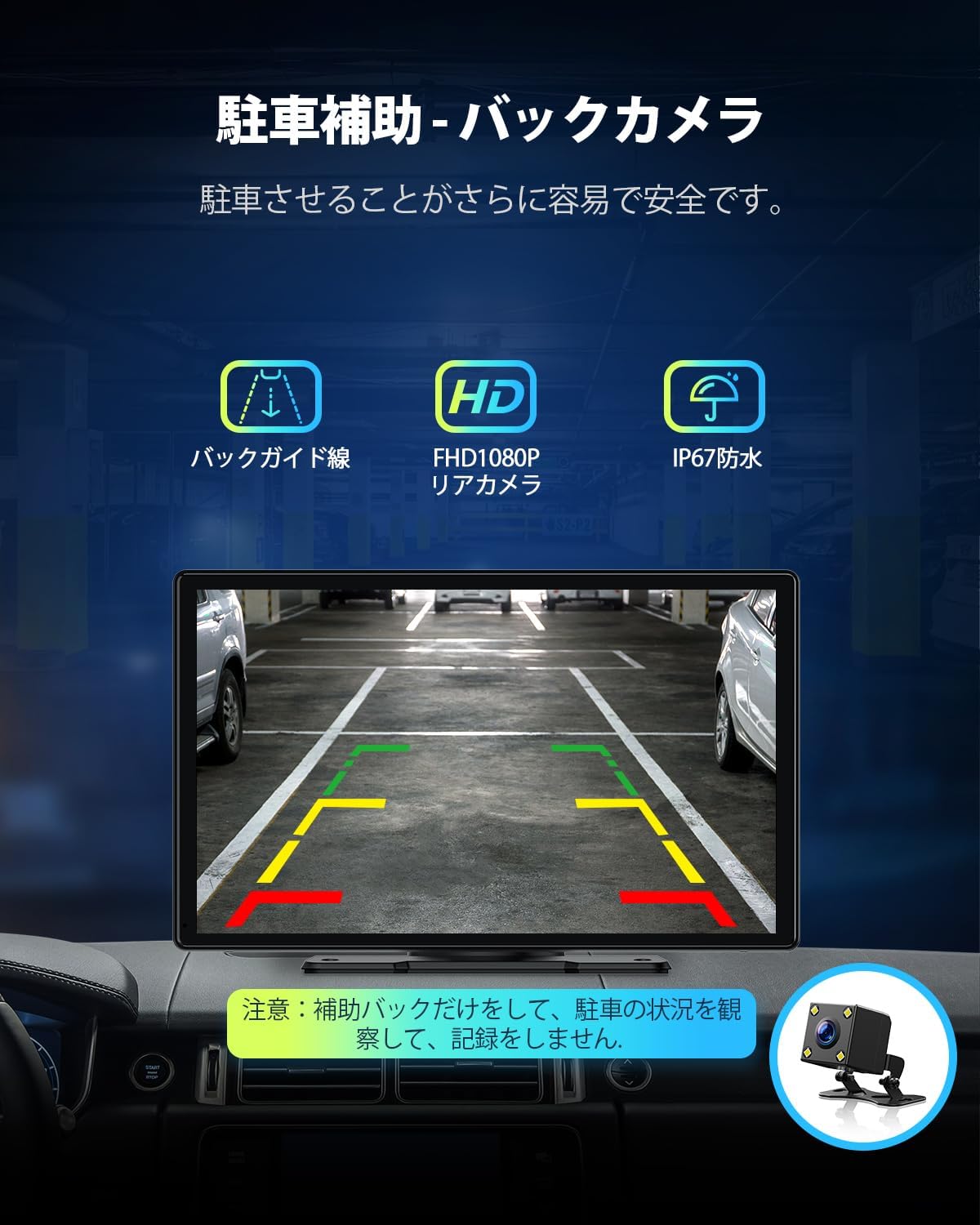
4. Parking Assistance (Rear Camera)
The unit supports a rear camera input, providing parking assistance with dynamic guide lines. This feature makes parking easier and safer by offering a clear view kawasan di belakang kenderaan anda.
The display provides a clear rear camera view with adjustable guide lines for parking assistance.
5. Pilihan Output Audio
The LAMTTO display offers multiple ways to output audio to your vehicle's sound system:
- Kabel AUX: Connect the unit to your car's AUX input using an audio cable for direct sound transmission.
- Penghantaran FM: Transmit audio wirelessly to your car's FM radio by tuning both the unit and your car radio to the same FM frequency.
- Pembesar Suara Terbina dalam: The unit also has a built-in speaker for basic audio output.
Audio can be output via AUX cable or FM transmission to your vehicle's sound system.
Penyelenggaraan
Proper maintenance ensures the longevity and optimal performance of your LAMTTO display.
- Membersihkan Skrin: Gunakan kain lembut dan tidak berbulu untuk mengelap skrin dengan lembut. Untuk calitan degil, sedikit dampen kain dengan air atau pembersih skrin yang direka untuk elektronik. Elakkan bahan kimia yang keras atau bahan yang melelas.
- Membersihkan Unit: Wipe the body of the unit with a dry, soft cloth. Ensure no liquids enter the ports or openings.
- Storan: If the unit will not be used for an extended period, disconnect it from power and store it in a cool, dry place away from direct sunlight and extreme temperatures.
Menyelesaikan masalah
If you encounter issues with your LAMTTO display, refer to the following common problems and solutions:
| Masalah | Kemungkinan Punca | Penyelesaian |
|---|---|---|
| Tiada Kuasa | Loose power connection, vehicle's cigarette lighter not working. | Ensure the power cable is securely plugged into both the unit and the cigarette lighter. Check if the cigarette lighter socket is functional with another device. |
| Cannot Connect to CarPlay/Android Auto | Bluetooth/Wi-Fi not enabled on phone, incorrect pairing, phone OS version incompatible. | Ensure your phone's Bluetooth and Wi-Fi are on. Re-pair the device. Verify your phone's operating system (iOS 13+ for iPhone) meets compatibility requirements. |
| Screen Not Visible with Polarized Sunglasses | Screen polarization alignment with sunglasses. | This is a known characteristic of some LCD screens when viewed through polarized lenses. Try adjusting the viewing angle or remove polarized sunglasses for better visibility. |
| Poor Audio Quality (FM Transmission) | Interference from other FM stations, weak signal. | Try a different FM frequency that is clear of other radio stations. Ensure the unit and car radio are tuned to the exact same frequency. Consider using the AUX cable connection for better audio fidelity. |
| Unit Not Sticking Securely | Improper surface preparation, worn adhesive/suction cup. | Clean the mounting surface thoroughly before applying the holder. For suction cups, ensure the surface is smooth and free of dust. If the adhesive is worn, consider replacing the 3M pad or using the suction cup mount. |
Spesifikasi
| Ciri | Perincian |
|---|---|
| Nama Model | RC07B |
| Saiz Skrin | 9.25 inci |
| Jenis Paparan | LED |
| Peranti Serasi | iPhone (iPhone 5 and later, iOS 13+ required), Android Smartphones |
| Jenis Peta | Asia (utilizes smartphone map applications) |
| Dimensi Pakej | 26.2 x 16.3 x 9.9 cm |
| Berat Pakej | 1.21 kg |
| Ciri-ciri Utama | Parking Assist, Mirroring Function, Siri & Google Voice Recognition, ISO & Android Compatible, Touchscreen |
| Mod Keluaran Audio | Stereo |
| Jenis Pemasangan | Dashboard Mount (Suction Cup & 3M Adhesive) |
| Sistem Operasi | iOS, Android |
Waranti dan Sokongan
LAMTTO provides a Waranti kualiti 12 bulan untuk produk ini. Selain itu, a Bayaran balik penuh 1 bulan is available from the date of purchase.
For any questions, concerns, or technical assistance regarding your LAMTTO RC07B display, please do not hesitate to contact our customer support. Refer to your purchase documentation or the LAMTTO official weblaman web untuk maklumat hubungan.


