1. Arahan Keselamatan Penting
Sila baca semua arahan dengan teliti sebelum menggunakan penyahlembap dan simpan manual ini untuk rujukan pada masa hadapan. Kegagalan mematuhi arahan ini boleh mengakibatkan kejutan elektrik, kebakaran atau kecederaan serius.
- Sentiasa sambungkan unit ke soket kuasa yang dibumikan dengan volum yang betultage.
- Jangan kendalikan penyahlembap jika kord kuasa atau palamnya rosak.
- Jauhkan unit daripada sumber haba, cahaya matahari langsung dan bahan mudah terbakar.
- Ensure proper ventilation around the unit; do not block air inlets or outlets.
- Jangan masukkan jari atau objek asing ke dalam saluran masuk atau alur keluar udara.
- Cabut plag unit sebelum membersihkan, mengalihkan atau melakukan sebarang penyelenggaraan.
- Do not use the dehumidifier in areas where water may splash onto it.
- Perkakas ini tidak dimaksudkan untuk digunakan oleh orang (termasuk kanak-kanak) yang kurang keupayaan fizikal, deria atau mental, atau kurang pengalaman dan pengetahuan, melainkan mereka telah diberi pengawasan atau arahan mengenai penggunaan perkakas oleh orang yang bertanggungjawab untuk keselamatan mereka.
2. Produk Lebihview
Familiarize yourself with the components and features of your FOHERE dehumidifier.

Rajah 2.1: Depan view of the FOHERE DEW 20LEB Electric Dehumidifier, showing its sleek white design and integrated WiFi indicator.
Ciri-ciri Utama:
- Kecekapan Tinggi: Mengeluarkan sehingga 20 liter kelembapan setiap hari.
- Kawalan Pintar: Touch panel and WiFi App control for remote operation and scheduling.
- Pelbagai Mod: Dehumidification, Fan, and Laundry Drying modes.
- Fungsi berayun: Unique swing mode for wider dehumidification coverage.
- Operasi senyap: Beroperasi pada tahap hingar rendah 41 dB.
- Two Drainage Methods: Manual tank emptying or continuous drainage via hose.
- mudah alih: Equipped with a handle and four wheels for easy movement.
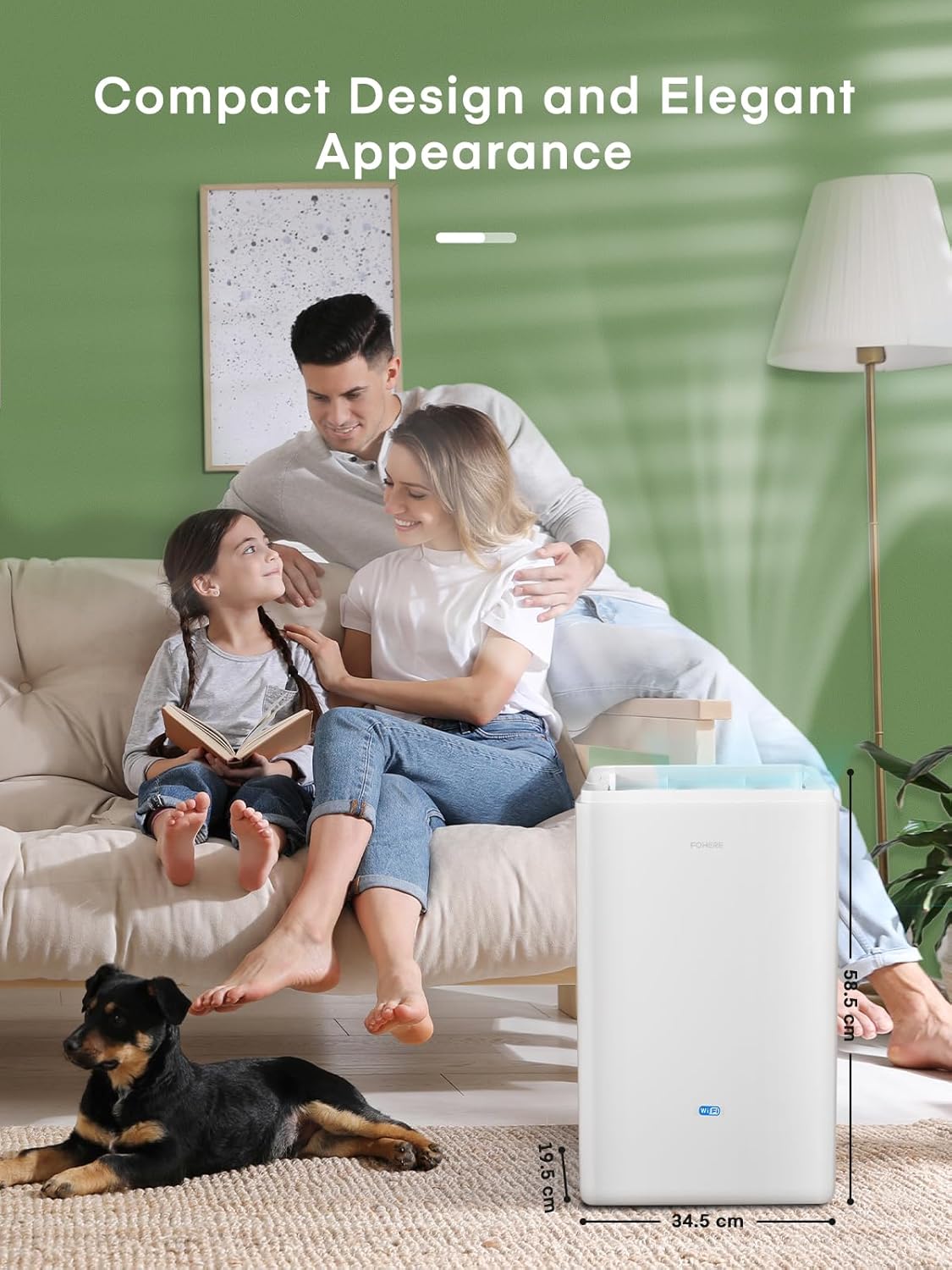
Figure 2.2: The FOHERE DEW 20LEB Dehumidifier with its compact dimensions (20 x 36 x 57 cm) highlighted, demonstrating its suitability for various room sizes.
3. Persediaan
Ikuti langkah-langkah ini untuk persediaan awal penyahlembap anda.
3.1 Membongkar dan Meletakkan
- Keluarkan dehumidifier dengan berhati-hati daripada pembungkusnya.
- Place the unit upright on a flat, stable surface.
- Ensure there is at least 20 cm (8 inches) of space around all sides of the unit for proper airflow.
- Avoid placing the unit near heat sources, in direct sunlight, or in areas prone to freezing temperatures.
3.2 Sambungan Kuasa
- Plug the power cord into a grounded 220-240V / 50Hz electrical outlet.
- Ensure the power outlet is suitable for the dehumidifier's power requirements (445 Watts).
3.3 Drainage Methods
Your dehumidifier offers two ways to remove collected water:
- Saliran Manual (Tangki Air): The unit will collect water in its internal 4.2-liter water tank. When the tank is full, the unit will automatically shut off and indicate that the tank needs to be emptied.
- Saliran Berterusan: For continuous operation without needing to empty the tank, you can connect the included 1-meter drainage hose.
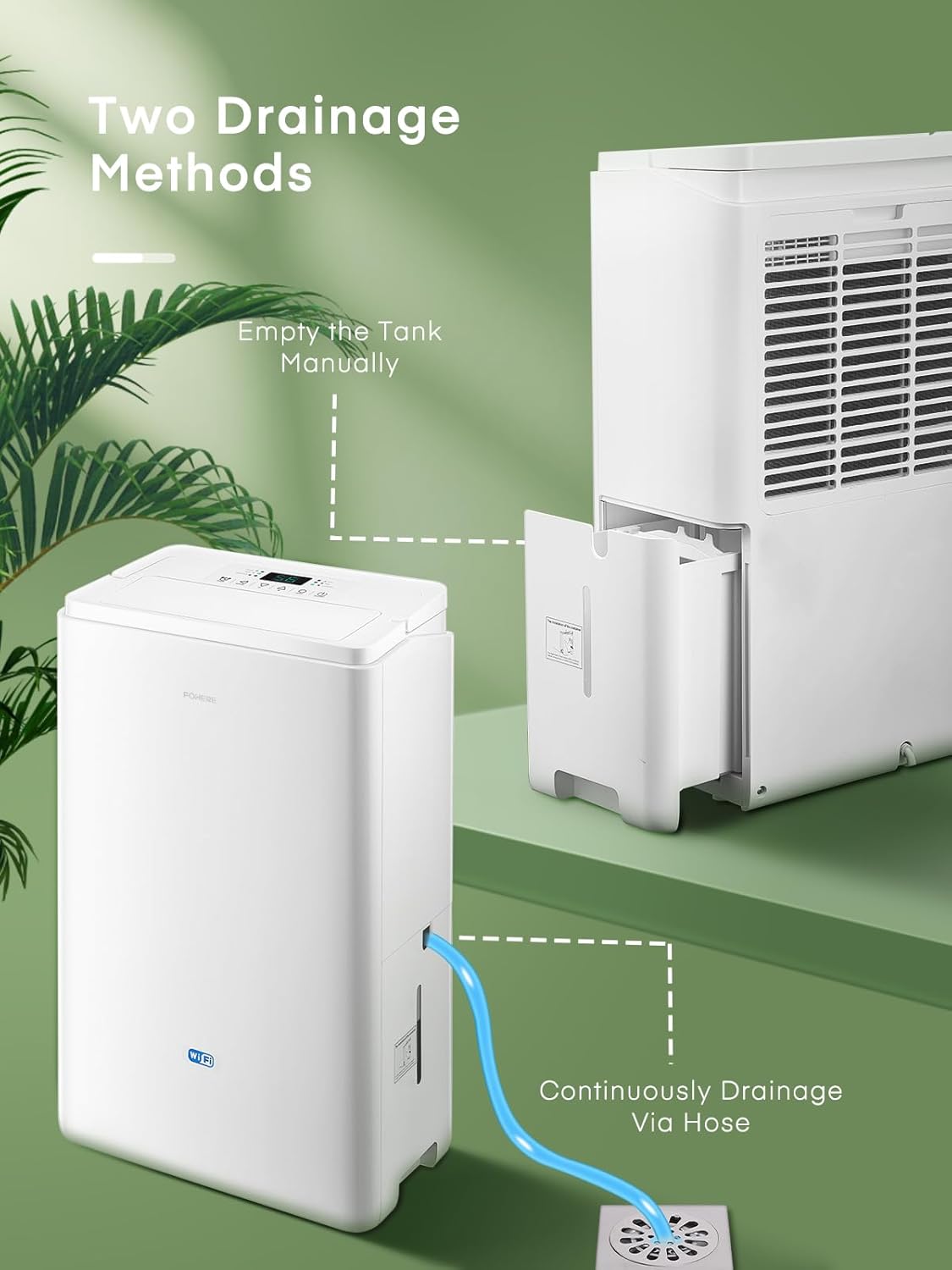
Figure 3.1: Illustration of the two drainage methods: manual emptying of the water tank and continuous drainage via the hose connected to a floor drain.
To set up continuous drainage:
- Locate the drainage outlet on the back of the dehumidifier.
- Tanggalkan penyumbat getah dari saluran keluar saliran.
- Firmly attach one end of the included 1-meter hose to the drainage outlet.
- Direct the other end of the hose to a suitable drain (e.g., floor drain, large bucket), ensuring the hose is sloped downwards to allow gravity drainage.
4. Arahan Operasi
Learn how to operate your FOHERE dehumidifier using the control panel or the smart app.
4.1 Panel Kawalan Selesaiview

Rajah 4.1: Terperinci view of the dehumidifier's simple touch control panel, showing buttons for Timer, Swing, Humidity Adjustment (+/-), Mode, and ON/OFF, along with indicators for WiFi and Tank Full.
- Butang HIDUP/MATI: Tekan untuk menghidupkan atau mematikan unit.
- Butang MOD: Cycle through operating modes: Dehumidification (Dry), Fan, and Laundry Drying.
- +/- Butang: Adjust the target humidity level (from 30% to 80% RH) or set the timer.
- Butang PEMASA: Set the auto-on or auto-off timer (1-24 hours).
- Butang HAyunan: Activate or deactivate the automatic swing function of the air outlet.
- Skrin Paparan: Menunjukkan kelembapan semasa, kelembapan sasaran atau tetapan pemasa.
- Petunjuk: Lights for Timer, WiFi, Tank Full, Dry, Fan, and Laundry modes.
4.2 Mod Pengendalian
- Dehumidification Mode (Dry): The unit will operate to reduce the room's humidity to your set target level.
- Mod Kipas: The fan operates continuously without dehumidification, circulating air.
- Mod Pengeringan Dobi: Designed to quickly dry clothes by continuously running at high fan speed and strong dehumidification.

Figure 4.2: The dehumidifier operating in Laundry Mode, demonstrating its unique swing function to efficiently dry clothes.
4.3 Smart WiFi App Control
Control your dehumidifier remotely using the dedicated smartphone application.

Figure 4.3: An illustration showing the FOHERE DEW 20LEB Dehumidifier integrated into a smart home environment, controlled via a smartphone app to adjust modes, humidity, schedules, and monitor real-time humidity.
To connect to the App:
- Download the FOHERE smart app from your smartphone's app store.
- Daftar atau log masuk ke akaun anda.
- Follow the in-app instructions to add your DEW 20LEB dehumidifier. Ensure your phone and the dehumidifier are connected to the same 2.4GHz WiFi network during setup.
- Once connected, you can power on/off, adjust humidity, change modes, set timers, and create dehumidification schedules from your smartphone.
5. Penyelenggaraan
Penyelenggaraan tetap memastikan prestasi optimum dan memanjangkan jangka hayat penyahlembap anda.
5.1 Mengosongkan Tangki Air
If you are not using continuous drainage, the water tank will need to be emptied when full.
- When the 'Tank Full' indicator lights up, the unit will stop operating.
- Tarik keluar tangki air dari sisi unit dengan berhati-hati.
- Kosongkan air yang terkumpul ke dalam singki atau longkang.
- Luncurkan tangki air kosong kembali ke dalam unit sehingga ia berbunyi pada tempatnya. Unit akan beroperasi semula.
5.2 Membersihkan Penapis Udara
Penapis udara hendaklah dibersihkan setiap dua minggu atau lebih kerap bergantung pada penggunaan dan kualiti udara.

Figure 5.1: A hand removing the washable air filter from the side of the FOHERE DEW 20LEB Dehumidifier for cleaning.
- Matikan penyahlembap dan cabut plagnya dari salur keluar kuasa.
- Locate the air filter cover on the back or side of the unit and remove it.
- Tarik perlahan penapis udara.
- Clean the filter with warm, soapy water. Rinse thoroughly and allow it to air dry completely before reinserting. Alternatively, use a vacuum cleaner to remove dust.
- Once dry, place the filter back into its slot and reattach the cover.
5.3 Pembersihan Am
- Lap bahagian luar unit dengan lembut, damp kain. Jangan gunakan bahan kimia yang keras, bahan pelelas atau pelarut.
- Pastikan tiada air memasuki komponen elektrik.
- For long-term storage, empty the water tank, clean the filter, and store the unit in a cool, dry place, covered to protect from dust.
6. Penyelesaian masalah
Rujuk jadual ini untuk isu biasa dan penyelesaiannya.
| Masalah | Kemungkinan Punca | Penyelesaian |
|---|---|---|
| Dehumidifier tidak dihidupkan. | No power; Power cord not plugged in; Tank full; Temperature too low. | Check power supply; Plug in power cord; Empty water tank; Ensure room temperature is above 5°C (41°F). |
| Tiada air yang terkumpul atau penyahlembapan yang rendah. | Humidity setting too high; Air filter clogged; Room temperature too low; Air inlets/outlets blocked; Room too large. | Lower target humidity; Clean air filter; Ensure room temperature is suitable; Clear obstructions; Use in recommended room size (up to 50 m²). |
| Unit bising. | Unit bukan pada permukaan yang rata; Penapis udara tersumbat; Komponen dalaman bergetar. | Place on a flat, stable surface; Clean air filter; This unit operates at 41 dB, which is normal. |
| Isu sambungan WiFi. | Incorrect WiFi password; Not 2.4GHz network; Router too far; App issues. | Verify password; Ensure 2.4GHz WiFi; Move unit closer to router; Restart app/router; Re-pair device. |
If the problem persists after trying these solutions, please contact FOHERE customer support.
7. Spesifikasi
Technical specifications for the FOHERE DEW 20LEB Dehumidifier.
| Spesifikasi | Nilai |
|---|---|
| Jenama | FOHERE |
| Nombor Model | DEW 20LEB |
| Kapasiti Dehumidifikasi | 20 Liter/24 jam |
| Isipadu Tangki Air | 4.2 Liter |
| Penggunaan Kuasa | 445 Watt |
| Dimensi (L x W x H) | 20 x 36 x 57 cm |
| Berat badan | 13 Kilogram |
| Kawasan Lantai yang Disyorkan | Sehingga 50 m² |
| Tahap Kebisingan | 41 dB |
| Bilangan Kelajuan | 3 |
| Pemadaman Automatik | Yes (Tank Full) |
| Ciri Khas | Smart WiFi App Control, Timer Function, Laundry Drying, Oscillating Mode |
8. Waranti dan Sokongan
For warranty information and customer support, please refer to the warranty card included with your product or contact FOHERE customer service directly.
Please have your model number (DEW 20LEB) and purchase date ready when contacting support.
Maklumat Hubungan:
Refer to the official FOHERE website or your purchase documentation for the most up-to-date contact details.


