1. Pengenalan
Thank you for choosing the ABSOSO Single Din Wireless CarPlay Stereo. This manual provides essential information for the proper installation, operation, and maintenance of your new car stereo system. Please read this manual thoroughly before use to ensure optimal performance and safety.
2. Maklumat Keselamatan
- Sentiasa kendalikan peranti dengan penuh tanggungjawab dan mengikut undang-undang lalu lintas tempatan. Pemanduan yang terganggu boleh mengakibatkan kemalangan.
- Jangan cuba memasang atau membaiki unit sendiri jika anda tidak layak. Pemasangan yang tidak betul boleh menyebabkan kerosakan pada unit atau kenderaan anda.
- Pastikan semua pendawaian disambungkan dengan betul untuk mengelakkan litar pintas atau bahaya elektrik.
- Pastikan skrin bersih dan bebas daripada halangan untuk mengekalkan keterlihatan yang jelas.
- Elakkan daripada mendedahkan unit kepada suhu yang melampau, cahaya matahari langsung untuk tempoh yang lama, atau kelembapan yang berlebihan.
3. Apa yang ada di dalam Kotak
Sahkan bahawa semua komponen hadir sebelum meneruskan pemasangan:
- Single Din CarPlay Stereo Unit
- Dual USB Cable
- Antena GPS
- Kabel Kamera Sandaran
- Wiring Harness & Wires
- Kit Pemasangan
- Manual Pengguna (dokumen ini)
4. Produk Lebihview
The ABSOSO Single Din Wireless CarPlay Stereo features a 10.1-inch rotatable touchscreen designed for enhanced in-car entertainment and navigation. It supports wireless Apple CarPlay and Android Auto, Bluetooth connectivity, AM/FM radio, and includes GPS navigation capabilities.
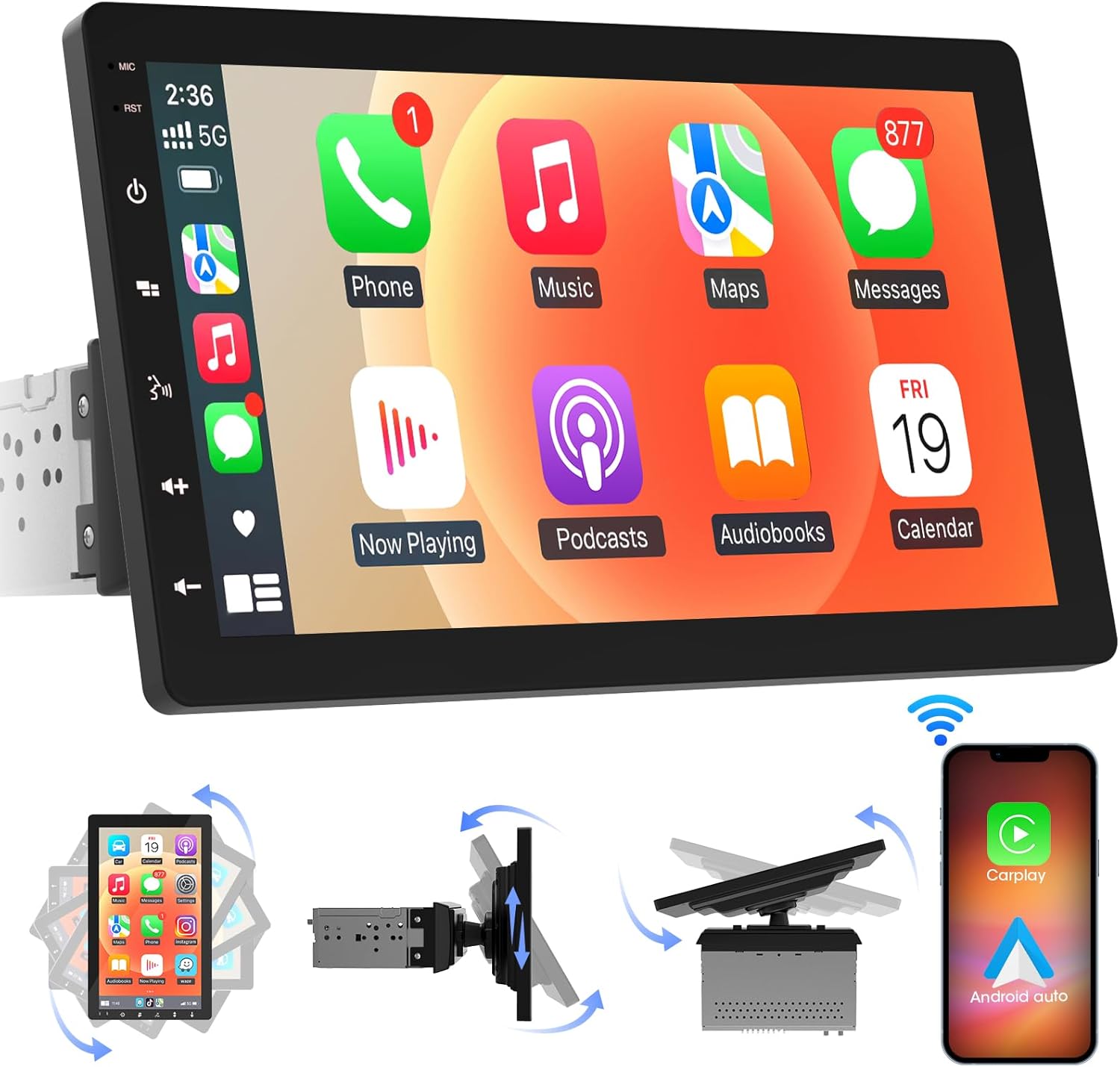
Imej 4.1: Depan view of the ABSOSO Single Din Wireless CarPlay Stereo displaying the Apple CarPlay interface.
5. Persediaan dan Pemasangan
This unit is designed for standard single DIN dash openings. Professional installation is recommended to ensure correct wiring and functionality. Refer to the wiring diagram provided with the unit for specific connections.
5.1 Memasang Unit
The modular design allows for flexible installation. The main unit fits into a single DIN slot, and the 10.1-inch screen can be adjusted for optimal viewing.

Image 5.1: Visual comparison of a car dashboard before and after the installation of the ABSOSO 10.1-inch rotatable car stereo, highlighting the integrated appearance.
5.2 Sambungan Pendawaian
Connect the power, speaker, and accessory wires according to your vehicle's wiring harness and the provided diagram. Ensure the backup camera input cable is routed correctly if you plan to use a rearview kamera.
5.3 Pemasangan Antena GPS
Pasang antena GPS di lokasi yang jelas view of the sky, typically on the dashboard or under the windshield, to ensure accurate satellite reception.
6. Arahan Operasi
6.1 Hidupkan/Mati Kuasa
The unit will power on automatically with the vehicle's ignition. To manually power off, press and hold the power button on the unit.
6.2 CarPlay Tanpa Wayar dan Android Auto
This stereo supports wireless Apple CarPlay and Android Auto. To connect, enable Bluetooth and Wi-Fi on your smartphone and follow the on-screen prompts to pair with the stereo. Once connected, you can access navigation, music, messages, and voice assistants directly from the stereo's display.

Image 6.1: The ABSOSO car stereo showcasing its wireless connectivity features, including Apple CarPlay, Android Auto, and MirrorLink, with various app interfaces.
6.3 HD Touchscreen Operation
The 10.1-inch HD IPS display offers a responsive touch interface. Navigate through menus and applications by tapping, swiping, and pinching. Five capacitive touch buttons are located along the left edge for quick access to common functions.

Image 6.2: The 10.1-inch screen of the ABSOSO car stereo, emphasizing its HD resolution, sleek touch buttons, and 178-degree viewsudut untuk kejelasan optimum.
6.4 Mirrorlink Functionality
Mirrorlink allows you to display your smartphone's screen directly onto the stereo. This feature is useful for viewing navigation, videos, or other content from your phone on a larger display.
6.5 Kesambungan Bluetooth
Pair your smartphone via Bluetooth for hands-free calling and wireless audio streaming. Access your phone's contacts and call history directly from the stereo.
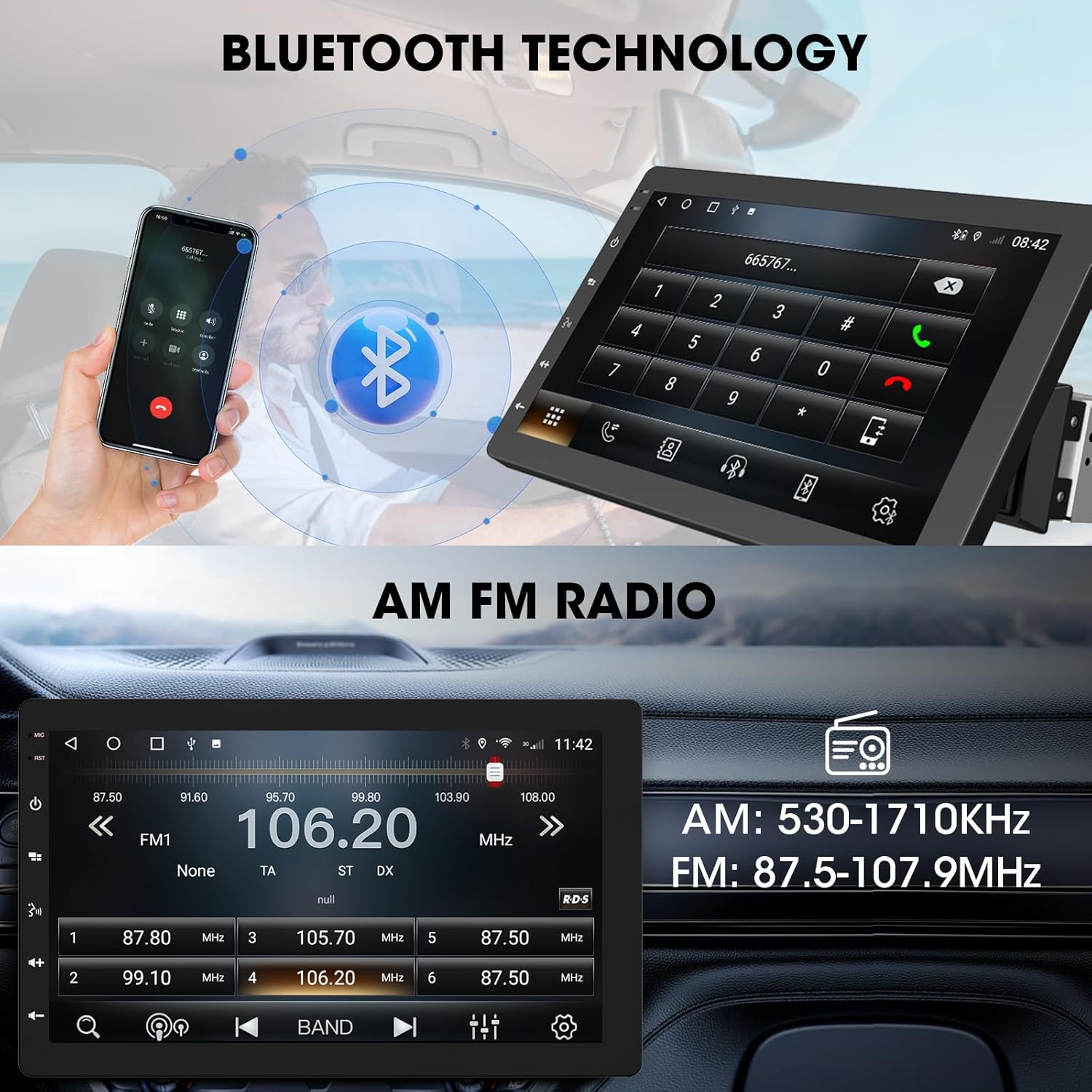
Image 6.3: The ABSOSO car stereo illustrating Bluetooth technology for hands-free calls and the interface for AM/FM radio tuning.
Radio 6.6 FM/AM
Tune into your favorite FM and AM radio stations. The unit features 30 station memory presets for quick access to sports, news, and music.
6.7 GPS Navigation & WiFi Hotspot
The stereo includes built-in GPS navigation with support for offline maps (2G RAM + 64GB ROM storage). Connect to a 2.4 GHz or 5 GHz Wi-Fi hotspot for online navigation and app downloads.
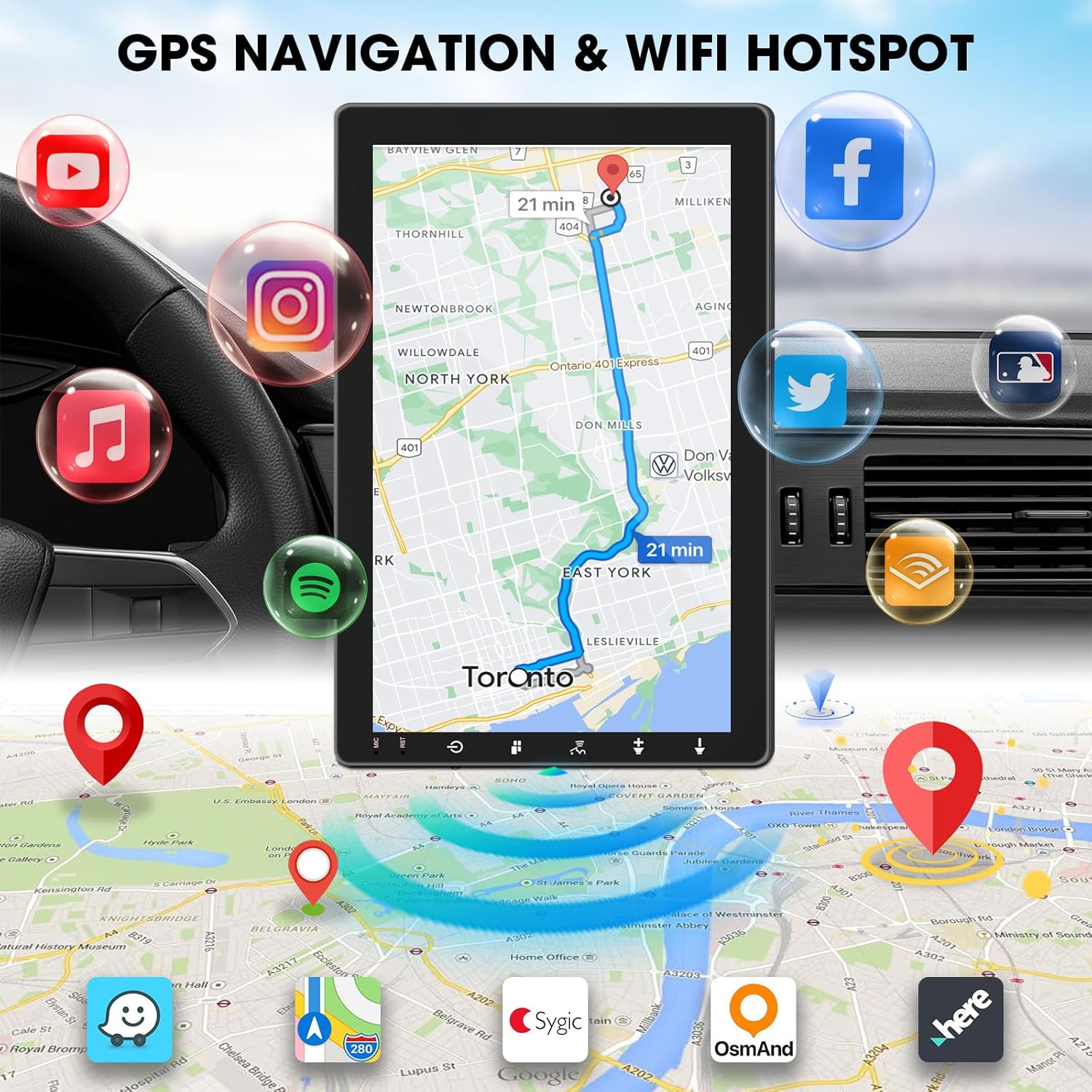
Image 6.4: The ABSOSO car stereo screen showing GPS navigation with a map, surrounded by icons representing various applications accessible via WiFi hotspot.
6.8 Adjustable Floating Screen
The 10.1-inch display is rotatable by 360 degrees and can be adjusted vertically and tilted to achieve optimal viewing angles, reducing glare and improving visibility.
6.9 Sound Tuning
Customize your audio experience with preset equalizer settings. The unit delivers a maximum power output of 200W and includes pre-amp and subwoofer outputs for enhanced sound quality.
6.10 Input Kamera Sandaran
Connect a compatible backup camera (sold separately) to the RCA input. The stereo will automatically display the rearview camera feed when the vehicle is in reverse, aiding in accurate parking and maneuvering.

Image 6.5: Illustration of the backup camera input connection to the ABSOSO car stereo, showing how the camera feed is displayed on the screen when reversing.
7. Penyelenggaraan
7.1 Pembersihan Skrin
Gunakan kain lembut dan tidak berbulu untuk mengelap skrin sentuh dengan lembut. Untuk calitan degil, sedikit dampen kain dengan air atau pembersih selamat skrin. Elakkan bahan yang melelas atau bahan kimia yang keras.
7.2 Penjagaan Am
Keep the unit free from dust and debris. Ensure proper ventilation around the unit to prevent overheating. Do not block any vents or openings.
8. Penyelesaian masalah
- Tiada Kuasa: Periksa semua sambungan kuasa dan fius. Pastikan penyalaan kenderaan dihidupkan.
- Tiada Bunyi: Verify speaker connections. Check volume levels and mute settings. Ensure the correct audio source is selected.
- Isu Sambungan Bluetooth/CarPlay/Android Auto: Ensure your phone's Bluetooth and Wi-Fi are enabled. Try restarting both the stereo and your phone. Forget and re-pair the device.
- Kehilangan Isyarat GPS: Pastikan antena GPS mempunyai jernih view dari langit. Periksa sambungan antena.
- Skrin Tidak Responsif: Cuba mulakan semula unit. Jika masalah berterusan, hubungi khidmat pelanggan.
9. Spesifikasi
- Dimensi Produk: 6.4"D x 9.8"W x 5.9"H
- Berat Barang: 4.73 paun
- paparan: 10.1 Inch HD IPS Touchscreen (1280*720P)
- Ketersambungan: Bluetooth, USB, Wi-Fi (2.4 GHz & 5 GHz)
- Ciri Khas: 360° Rotatable Floating Touchscreen, Wireless Android Auto, Apple CarPlay, Mirrorlink, GPS Navigation (Online/Offline Maps), AM/FM Radio, AV Input, Rearview Camera Input, USB Charging, Voice Control, Preset EQ, Video Output, Amplifier/Subwoofer Output
- Ingatan: 2G RAM + 64GB ROM
- Mod Output Audio: Stereo
- Konfigurasi Saluran Bunyi Sekeliling: 4
- Pengekodan Video: H.264, H.265/HEVC
10. Waranti dan Sokongan
For warranty information and technical support, please refer to the documentation included with your purchase or contact ABSOSO customer service directly. Keep your purchase receipt as proof of purchase for any warranty claims.
For further assistance, visit the official ABSOSO webtapak atau hubungi saluran sokongan mereka.


