pengenalan
The OptiMate 4 Quad Program Premium Edition is an advanced battery charger and maintainer designed for 12V lead-acid and 12.8V LiFePO4 (Lithium) batteries. It features four distinct charging programs, including options for direct battery connection and charging via CAN-bus compatible BMW or Triumph 12V sockets. This manual provides essential information for safe and effective operation, setup, maintenance, and troubleshooting of your OptiMate 4 Quad Program charger.
Maklumat Keselamatan
Always read and understand all safety warnings and instructions before using the OptiMate 4 Quad Program. Failure to do so may result in electric shock, fire, or serious injury.
- Gunakan pengecas hanya di kawasan pengudaraan yang baik.
- Jangan dedahkan pengecas kepada keadaan hujan atau basah.
- Ensure the charger is disconnected from the AC power supply before making or breaking connections to the battery.
- Elakkan mengecas bateri beku.
- Jauhkan daripada kanak-kanak.
- Do not use the charger if it or the cables are damaged.
- Refer to the battery manufacturer's instructions for specific charging requirements.
Kandungan Pakej
Sahkan bahawa semua item terdapat dalam pakej:
- OptiMate 4 Quad Program Charger Unit
- Ring Terminal Harness
- Battery Clip Set
- Kail Gantung
- O-19 Cable Accessory
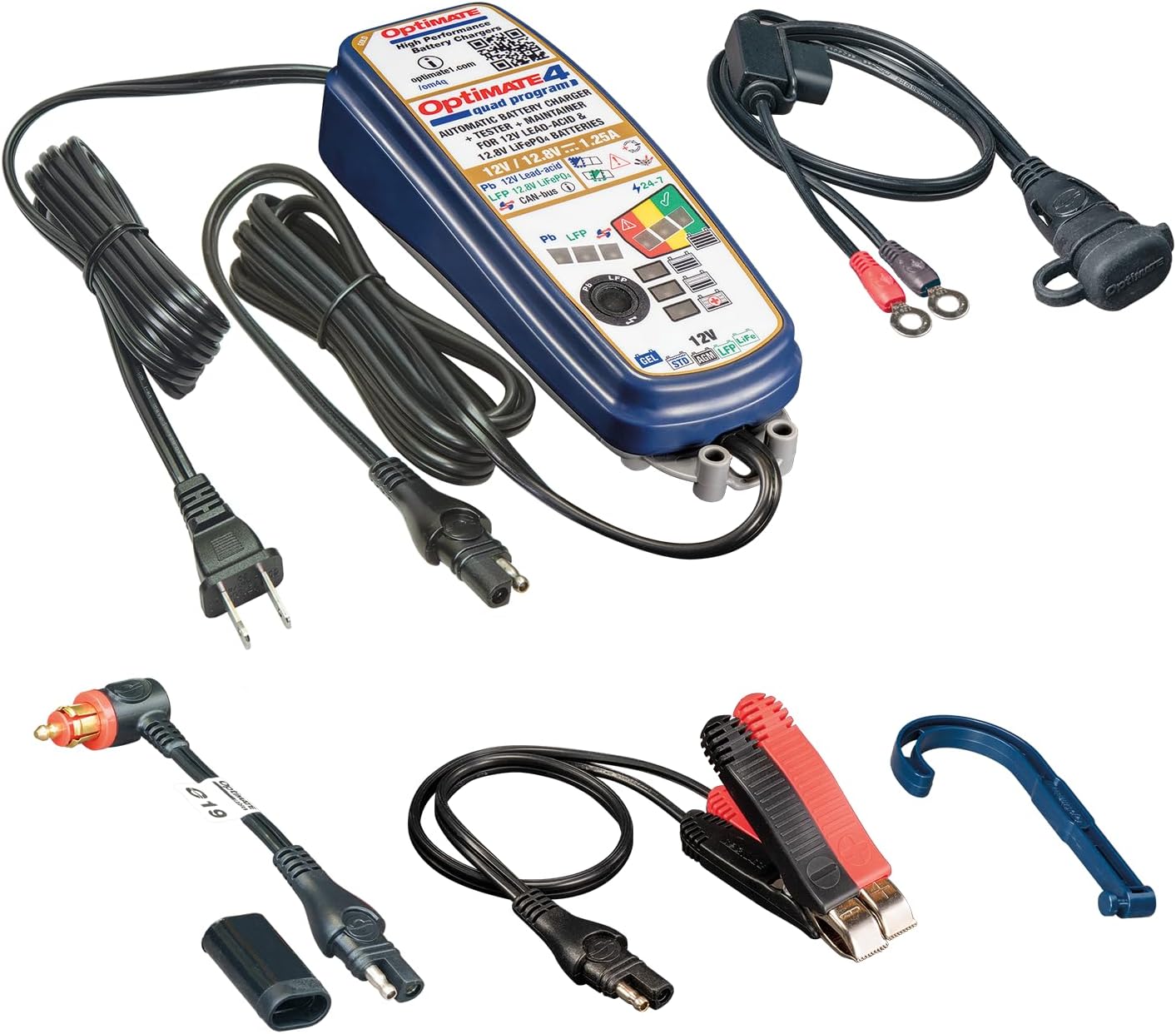
Image: OptiMate 4 Quad Program charger and its complete set of accessories.
Persediaan
Before connecting the charger, ensure the battery type matches the charger's capabilities (12V Lead-Acid or 12.8V LiFePO4). Select the appropriate connection method:
- Sambungan Bateri Terus:
- Sambungkan cl merah (+).amp/ring terminal to the positive (+) battery terminal.
- Sambungkan cl hitam (-).amp/ring terminal to the negative (-) battery terminal.
- Pastikan sambungan selamat.
- CAN-bus or Triumph 12V Socket Connection:
- Use the appropriate accessory cable (e.g., O-19 cable) to connect the charger to the vehicle's 12V socket.
- Ensure the vehicle's ignition is off before connecting.
Once connected to the battery/vehicle, plug the charger's AC power cord into a suitable wall outlet.
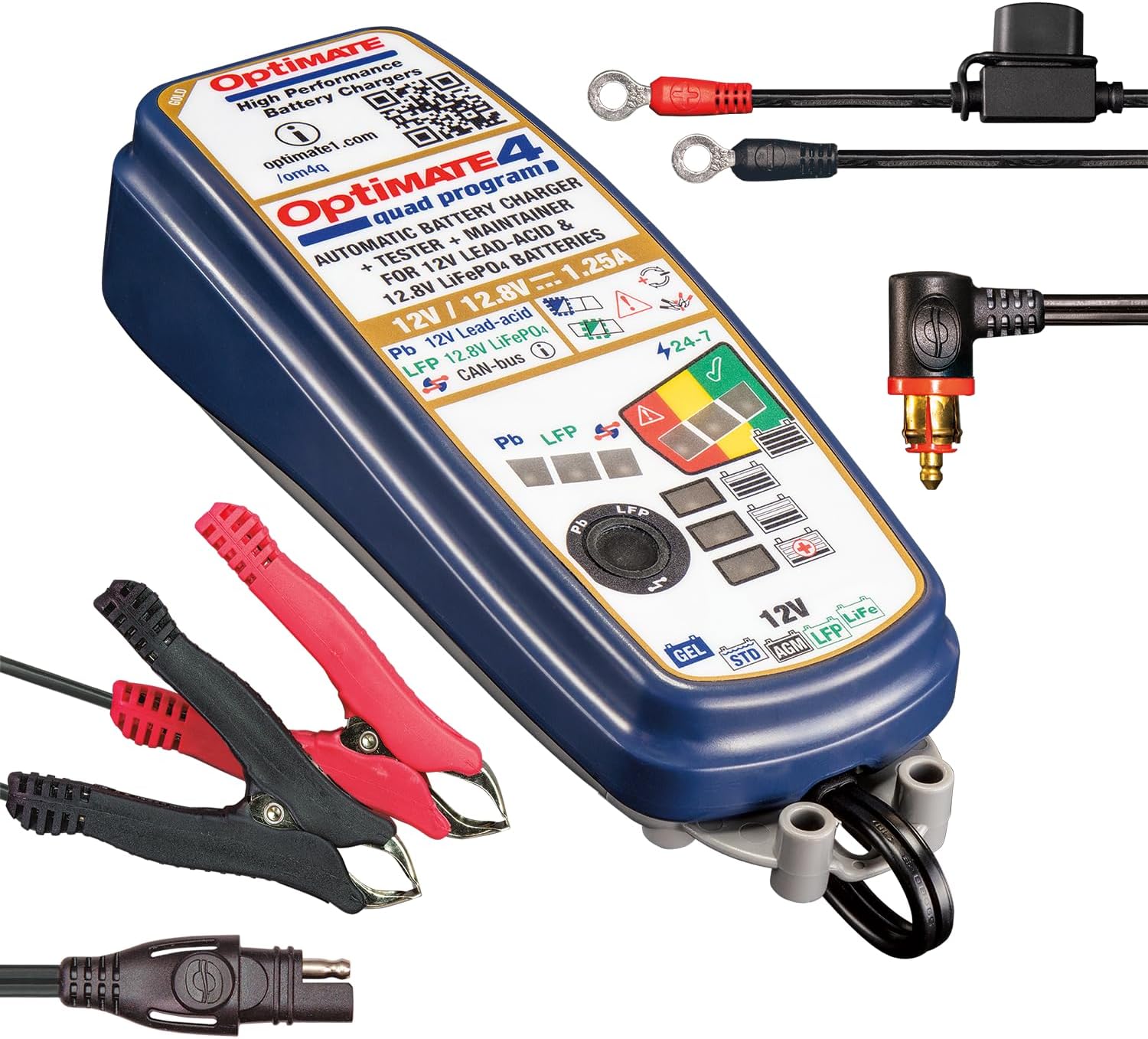
Image: OptiMate 4 Quad Program charger showing connection options.
Arahan Operasi
The OptiMate 4 Quad Program offers four distinct charging programs. The charger automatically detects the battery voltage and type (Lead-Acid or LiFePO4) and initiates the appropriate program. You can manually select programs for CAN-bus or direct charging.
Pemilihan Program:
- Program 1 (Default): For 12V Lead-Acid batteries connected directly to the battery terminals.
- Program 2: For 12V Lead-Acid batteries connected via a compatible BMW CAN-bus controlled 12V socket.
- Program 3: For 12.8V LiFePO4 batteries connected directly to the battery terminals.
- Program 4: For 12.8V LiFePO4 batteries connected via a compatible BMW CAN-bus controlled 12V socket or Triumph 12V live (hot) socket.
To switch programs, refer to the charger's interface or specific instructions on the device itself (often involves pressing a button or sequence). The charger will indicate the active program via LEDs.
9-Step Charging Process (General Overview):
The OptiMate 4 employs a sophisticated 9-step charging and maintenance process to optimize battery health and longevity:
- Permulaan: Memeriksa vol. bateritage dan kekutuban.
- Desulfation/Recovery: Recovers deeply discharged batteries (as low as 0.5V for lead-acid and lithium).
- Caj Pukal: Delivers maximum current to bring the battery to approximately 80% charge.
- Caj Penyerapan: Gradually reduces current to bring the battery to 100% charge.
- Voltage Retention Test: Monitor vol. Bateritage to assess its health.
- Charge Retention Test: Further tests the battery's ability to hold a charge.
- Maintenance Charge (Float): Maintains the battery at optimal voltage.
- Pulse Maintenance: Delivers small pulses to prevent self-discharge and sulfation during long-term storage.
- Mod Penjimatan Bateri: Enters a low-power mode when the battery is fully charged and healthy.
LED indicators on the charger will display the current charging stage dan status bateri.
Penyelenggaraan
Proper maintenance ensures the longevity of your OptiMate 4 charger and the batteries it charges.
- Pastikan pengecas bersih dan kering. Lap dengan kain lembutamp kain.
- Inspect cables and connectors regularly for damage. Do not use if damaged.
- Simpan pengecas di tempat yang sejuk dan kering apabila tidak digunakan.
- Ensure battery terminals are clean and free of corrosion before connecting.
Menyelesaikan masalah
| Masalah | Kemungkinan Punca | Penyelesaian |
|---|---|---|
| Pengecas tidak dihidupkan. | No AC power; faulty connection. | Check wall outlet and charger connections. |
| Pengecasan tidak bermula. | Incorrect battery connection; battery too deeply discharged; wrong program selected. | Verify polarity and secure connections. Allow time for recovery mode. Ensure correct program for battery type and connection method. |
| Ralat LED menyala. | Short circuit; reverse polarity; battery fault. | Disconnect and re-connect. Check for short circuits. If error persists, battery may be faulty. |
For further assistance, please visit the official Tecmate webtapak atau hubungi sokongan pelanggan.
Spesifikasi
| Ciri | Perincian |
|---|---|
| Nombor Model | TM631-PR |
| Keluaran Voltage | 12V (Lead-Acid), 12.8V / 13.2V (LiFePO4) |
| Arus Keluaran | 1.25A |
| Battery Capacity (Lead-Acid) | 4 - 60Ah |
| Battery Capacity (LiFePO4) | 2 - 15Ah |
| Dimensi | 1.97"D x 2.36"W x 7.87"H |
| Berat badan | 2.09 paun |
| Pengeluar | Tecmate Powersport Products, North America Inc |
Waranti dan Sokongan
For warranty information and technical support, please refer to the official Tecmate webtapak atau hubungi bahagian perkhidmatan pelanggan mereka. Simpan bukti pembelian anda untuk tuntutan waranti.
Laman Produk Rasmi: http://www.optimate1.com/om4q
Tecmate Store on Amazon: Visit the Tecmate Store


