pengenalan
This manual provides detailed instructions for the safe and effective use of your PNI PMR R45 PRO portable radio. Please read this manual thoroughly before operating the device to ensure proper functionality and to prevent damage.
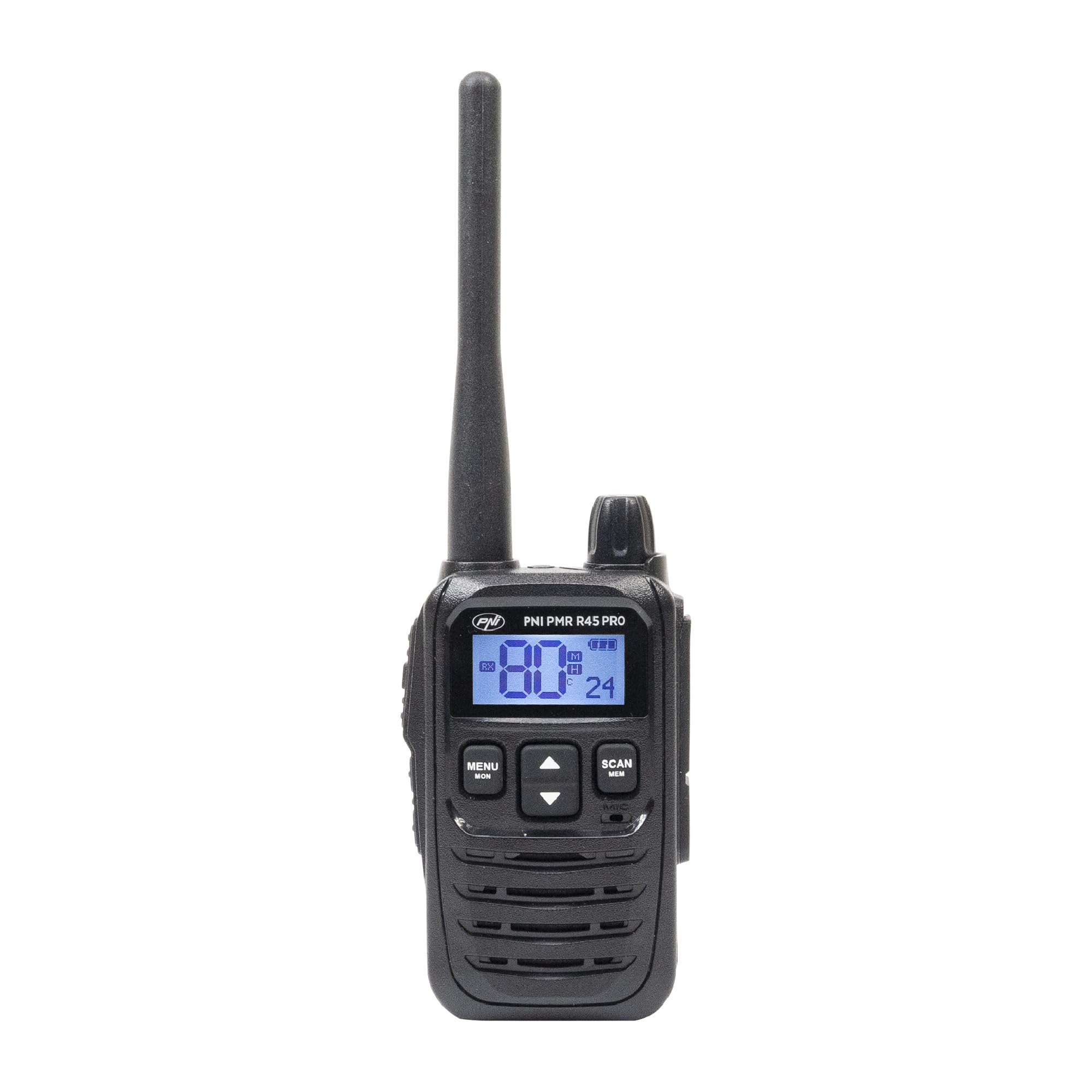
Image: PNI PMR R45 PRO Portable Radio, front view.
Kandungan Pakej
Sahkan bahawa semua item yang disenaraikan di bawah terdapat dalam pakej anda:
- 1 x PNI PMR R45 PRO Radio Station
- 1 x Li-Ion Battery (2000 mAh)
- 1 x Pengecas Desktop
- 1 x Wall Power Supply
- 1 x Kabel USB Jenis C
- 1 x Antena
- 1 x Klip Tali Pinggang
- 1 x Manual Pengguna (dokumen ini)

Image: All components included in the PNI PMR R45 PRO package.
Persediaan
1. Pemasangan Bateri
- Pastikan radio dimatikan.
- Cari penutup petak bateri di belakang radio.
- Slide the cover downwards or unlatch it to open.
- Insert the Li-Ion battery into the compartment, ensuring the contacts align correctly.
- Gantikan penutup petak bateri dan selamatkannya.

Image: Open battery compartment of the PNI PMR R45 PRO radio, showing battery insertion.
2. Mengecas Bateri
- Connect the USB Type C cable to the desktop charger.
- Connect the wall power supply to the USB Type C cable and plug it into a power outlet.
- Place the radio into the desktop charger. Ensure the charging indicator light illuminates.
- Charge the battery fully before first use (approximately 3-4 hours).

Image: PNI PMR R45 PRO radio placed in its desktop charging cradle, connected to a wall adapter via USB-C cable.
3. Memasang Belt Clip
- Selaraskan klip tali pinggang dengan slot yang ditetapkan di belakang radio.
- Slide the belt clip upwards until it clicks securely into place.

Image: A hand demonstrating the attachment of the belt clip to the back of the PNI PMR R45 PRO radio.
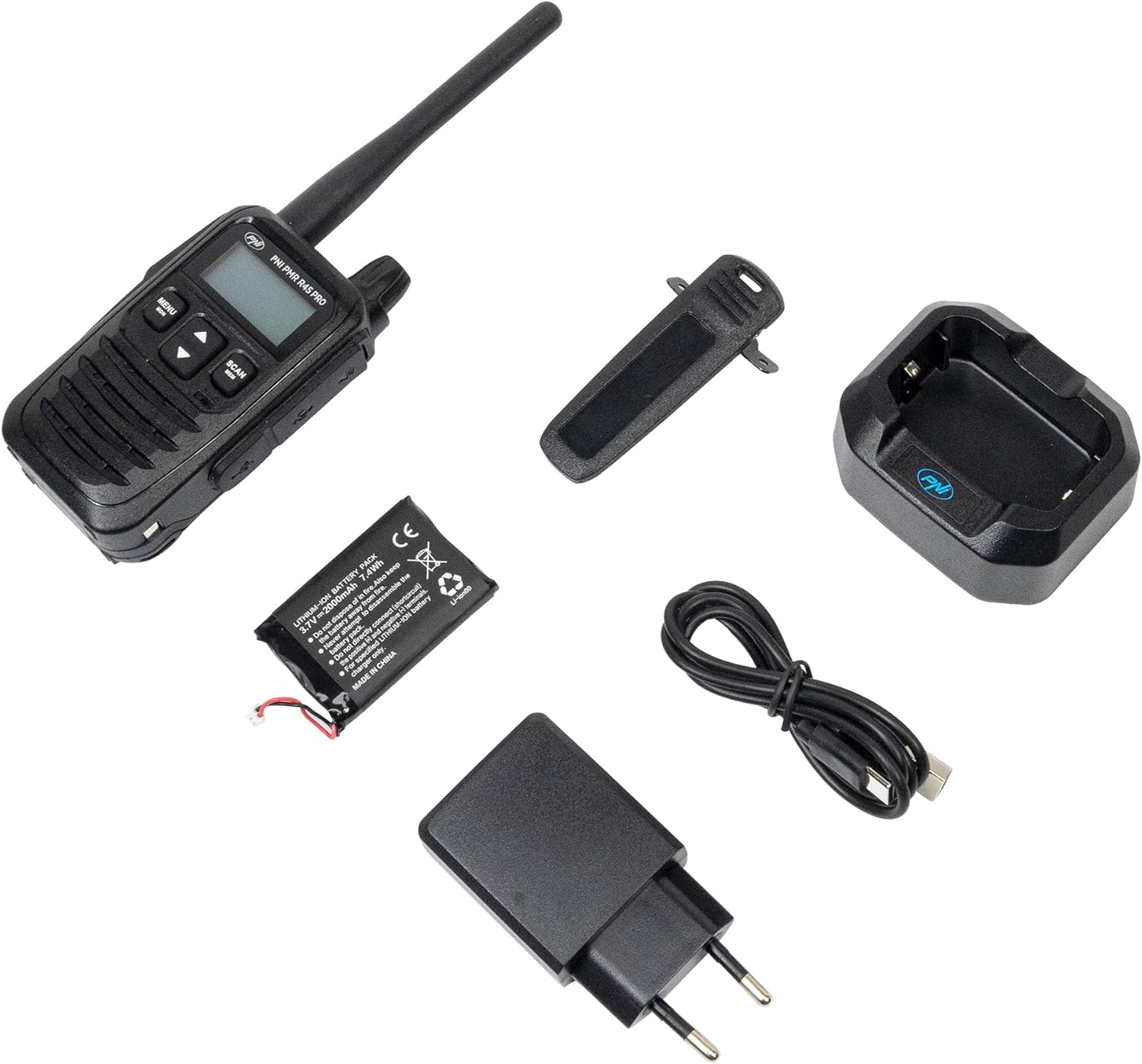
Image: PNI PMR R45 PRO radio with the belt clip securely attached.
Arahan Operasi
Operasi Asas
- Hidupkan/Mati Kuasa: Press and hold the power button (usually combined with volume knob) until the LCD screen illuminates or turns off.
- Pelarasan Kelantangan: Putar tombol kelantangan mengikut arah jam untuk meningkatkan kelantangan, lawan arah jam untuk mengurangkan.
- Pemilihan Saluran: Use the Up/Down arrow buttons to select one of the 99 available channels.
- Tekan untuk Bercakap (PTT): Press and hold the PTT button on the side of the radio to transmit your voice. Release to listen.

Image: A hand holding the PNI PMR R45 PRO radio, with a finger positioned on the Push-to-Talk (PTT) button.

Imej: Sisi view of the PNI PMR R45 PRO radio, highlighting the PTT button and other side controls.
Ciri Lanjutan
- Kod CTCSS/DCS: To ensure private conversations, set the same CTCSS (38 tones) or DCS (104 codes) sub-code on all radios in your group. Refer to the radio's menu for setting these codes.
- Fungsi VOX (Pertukaran Beroperasi Suara): Activates transmission automatically when you speak, without needing to press the PTT button. The PNI PMR R45 PRO offers 3 sensitivity levels for VOX. Activate and adjust in the menu.
- Squelch: Suppresses weak signals and background noise. The radio features 5 squelch levels. Higher levels require stronger signals to open the receiver. Adjust in the menu.
- Fungsi Imbasan: Scans through active channels to find ongoing conversations. Activate by pressing the 'Scan' button or through the menu.
- Bunyi Roger: An audible tone transmitted when the PTT button is released, signaling the end of your transmission. Can be enabled/disabled in the menu.
- Kunci Pad Kekunci: Prevents accidental changes to settings. Activate/deactivate via the menu or a dedicated button.
- Nada Panggilan: Choose from 5 selectable call tones to alert other users.
- Pemasa Tamat Masa (TOT): Limits the duration of a single transmission to prevent accidental continuous transmission and conserve battery.
- Penguncian Saluran Sibuk (BCL): Mencegah penghantaran pada saluran yang telah digunakan.
- Automatic Power Saver: Extends battery life by reducing power consumption during periods of inactivity.
- Penunjuk Bateri Rendah: An icon or audible alert will notify you when the battery level is low.
Penyelenggaraan
- Pembersihan: Gunakan yang lembut, damp kain untuk membersihkan bahagian luar radio. Jangan gunakan bahan kimia yang keras atau pembersih yang kasar.
- Penjagaan Bateri: For optimal battery life, avoid fully discharging the Li-Ion battery frequently. Charge the radio regularly. If storing for extended periods, charge the battery to about 50% and store in a cool, dry place.
- Storan: Simpan radio di persekitaran yang kering, jauh daripada suhu ekstrem dan cahaya matahari langsung.
- Antena: Do not bend or modify the antenna. A damaged antenna can affect performance.
Menyelesaikan masalah
| Masalah | Kemungkinan Punca | Penyelesaian |
|---|---|---|
| Radio tidak dihidupkan. | Bateri habis atau tidak dipasang dengan betul. | Cas bateri atau pasang semula dengan betul. |
| Tidak boleh menghantar atau menerima. | Incorrect channel/sub-code, out of range, or low battery. | Verify channel and CTCSS/DCS settings. Move closer to other radios. Charge battery. |
| Kualiti audio yang lemah atau statik. | Isyarat lemah, tahap squelch yang tinggi atau gangguan. | Laraskan tahap squelch. Beralih ke kawasan yang mempunyai isyarat yang lebih baik. Periksa sumber gangguan. |
| Hayat bateri lebih pendek daripada jangkaan. | Frequent transmissions, high volume, or aging battery. | Utilize power-saving features. Reduce transmission time. Consider replacing the battery if it's old. |
Spesifikasi
| Kod Produk | PNI-R45-PRO |
| taip | PMR446 Portable Radio |
| Frequency (UHF) | 446.00625 ~ 446.19375 MHz |
| Saluran | 99 (16 PMR + 38 CTCSS / 104 DCS) |
| Kekerapan Langkah | 12.5 kHz (PMR) |
| Kod Keselamatan | 38 CTCSS, 104 DCS |
| Kuasa Penghantaran | 0.5W |
| Bekalan Kuasa | Li-Ion Battery (2000 mAh) |
| Battery Life (5/5/90 cycle) | Sehingga 12 jam |
| Suhu Operasi | -26°C ~ +80°C |
| Berat (dengan bateri) | 145 g |
| Dimensi (L x H x D) | 55 x 185 x 30 mm (100 mm without antenna) |
| Panjang Antena | 95 mm |
| Audio Accessory Pins | 2-pin PNI-K |
| Port Pengecasan | USB Jenis C |
| Ciri Khas | VOX (3 levels), Squelch (5 levels), Scan, Roger Beep, Keypad Lock, TOT, BCL, Low Battery Indicator, Automatic Power Saver, Dual Watch, Channel Monitor, Programmable. |
Waranti dan Sokongan
The PNI PMR R45 PRO portable radio comes with a Waranti pengilang selama 2 tahun dari tarikh pembelian. Waranti ini melindungi kecacatan pada bahan dan mutu kerja di bawah penggunaan biasa.
For technical support, warranty claims, or service inquiries, please contact the manufacturer:
- Pengeluar: ONLINESHOP SRL
- e-mel: comenzi@pni.ro
- Alamat: Olteniei 26A, Piatra Neamt, Neamt 610206, Romania

Image: Bottom label of the PNI DCR45 desktop charger, showing manufacturer information and contact details.


