pengenalan
Terima kasih kerana membeliasing the JALL Digital Alarm Clock. This clock features a large, clear LED display, adjustable brightness, dual alarms, snooze function, and two built-in USB charging ports. It is designed for ease of use and provides reliable timekeeping and alarm functions for your bedroom, living room, or office.
Please read this manual carefully to ensure proper setup and operation of your new alarm clock.
Persediaan
1. Sambungan Kuasa
The JALL Digital Alarm Clock is powered by a corded electric connection. A USB cable is included. Please note that a USB adapter is not included and must be provided by the user. Connect the USB cable to the clock and then to a suitable USB power adapter (e.g., a phone charger) plugged into a wall outlet.
The clock also includes a CR2032 battery for backup, which helps memorize settings during power outages.

Image: The JALL Digital Alarm Clock displaying time, with a smartphone connected to one of its USB charging ports, illustrating the power connection and charging capability.
2. Penetapan Masa Awal
Upon first power-up or after a prolonged power disconnection without battery backup, the clock display will show a default time. Refer to the 'Setting Time and Date' section under 'Operation' for detailed instructions on how to set the current time.
Operasi
Display and Brightness Adjustment
The clock features a 7-inch LED display with large, bold numbers for easy readability. The display brightness can be adjusted to 5 levels to suit your preference and ambient light conditions. You can also choose the font color displayed from 8 modes including white, red, green, blue, gradient, magic color, left and right gradient, and up and down gradient.

Image: The JALL Digital Alarm Clock showcasing its large, bold font display, with dimensions indicating its size (6.5 inches wide, 3.2 inches high).

Image: A split image showing the JALL Digital Alarm Clock in a bright room and a dark room, demonstrating its adjustable brightness feature with multiple levels (L1 to L6).
Alarm Functions (Dual Alarm & Snooze)
This digital alarm clock supports two independent alarms, convenient for different schedules. The alarm volume can be adjusted to 5 levels, ranging from quiet for light sleepers to loud (up to 100dB) for heavy sleepers.
When an alarm sounds, press the large SNOOZE/DIMMER button on top to activate the snooze function, which provides an additional 9 minutes of sleep before the alarm sounds again.
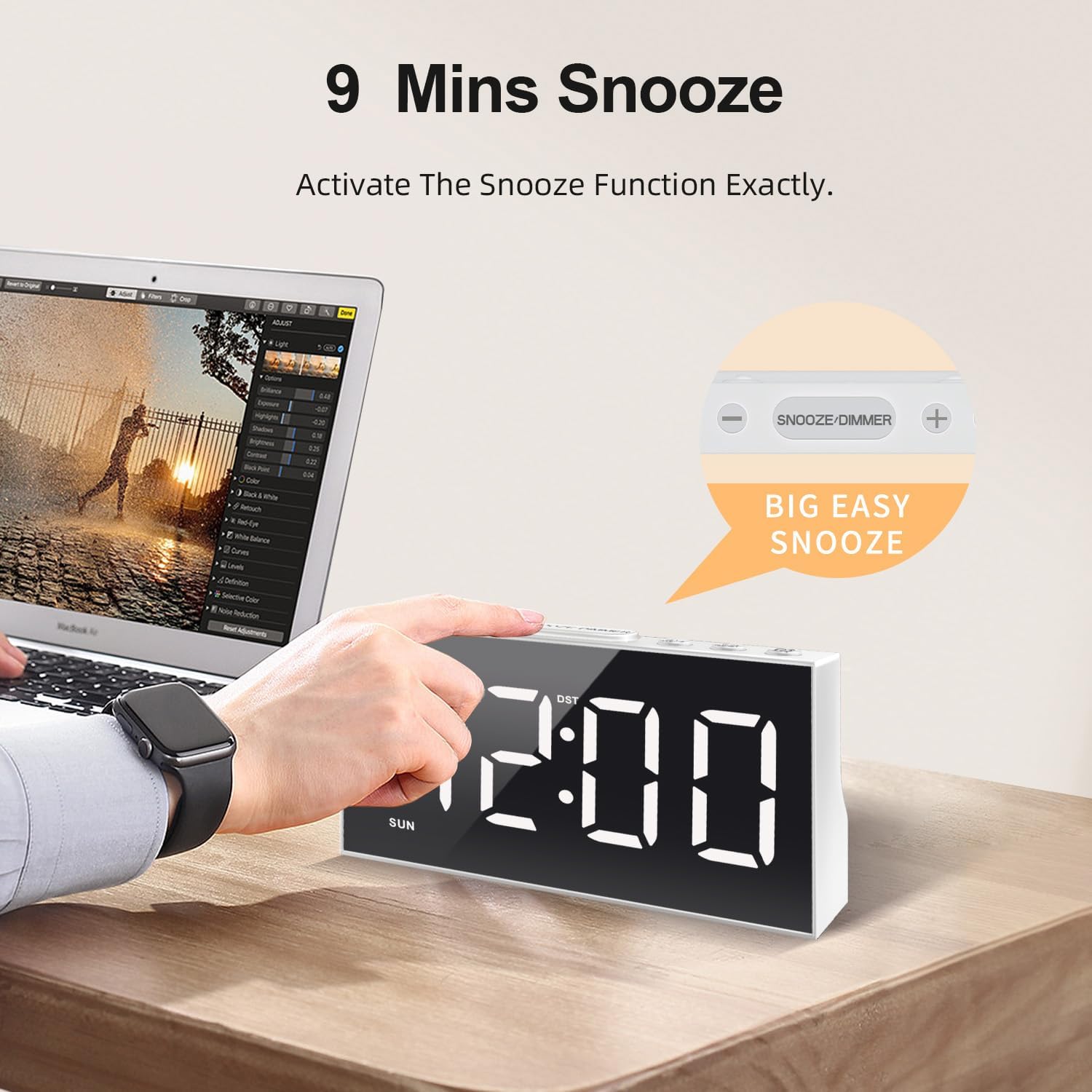
Image: A hand pressing the large SNOOZE/DIMMER button on top of the JALL Digital Alarm Clock, highlighting the 9-minute snooze feature.
12/24 Hour Time Format and DST
The clock supports both 12-hour and 24-hour time formats. It also includes a Daylight Saving Time (DST) switch for easy adjustment during seasonal time changes.
Port Pengecasan USB
The clock is equipped with two USB charging ports, allowing you to conveniently charge your smartphone or other USB-powered devices directly from the alarm clock, simplifying your bedside or desk setup.

Image: The JALL Digital Alarm Clock on a desk, showing its two USB charging ports at the back, with a smartphone connected and charging, illustrating its utility in simplifying a desktop.
Penyelenggaraan
To ensure the longevity and optimal performance of your JALL Digital Alarm Clock, follow these simple maintenance guidelines:
- Pembersihan: Use a soft, dry cloth to wipe the clock's surface. Avoid using abrasive cleaners, solvents, or chemical sprays, as these can damage the finish and electronic components.
- penempatan: Letakkan jam di atas permukaan yang stabil dan rata, jauh daripada cahaya matahari langsung, haba berlebihan atau kelembapan.
- Kuasa: Ensure the power cable is not kinked or damaged. Always unplug the clock from the power source before cleaning or if it will not be used for an extended period.
Menyelesaikan masalah
If you encounter any issues with your JALL Digital Alarm Clock, please refer to the following common problems and solutions:
| Masalah | Kemungkinan Punca | Penyelesaian |
|---|---|---|
| Paparan kosong atau berkelip. | No power or unstable power connection. | Check if the USB cable is securely connected to both the clock and the power adapter. Ensure the power adapter is plugged into a working outlet. |
| Penggera tidak berbunyi. | Alarm is not set, alarm volume is too low, or alarm is set for the wrong day. | Verify alarm settings (time, active/inactive, day selection) and ensure the alarm volume is set to an audible level. |
| Masa tidak betul. | Time was not set correctly or DST switch is incorrect. | Re-set the time following the instructions in the 'Operation' section. Check the DST switch on the back of the clock. |
| Port pengecasan USB tidak berfungsi. | Device not compatible or power supply insufficient. | Ensure the device is compatible with USB charging. Try a different USB cable. Verify the clock is receiving adequate power. |
If the problem persists after attempting these solutions, please contact JALL customer support for further assistance.
Spesifikasi
- Jenama: JALL
- model: CH-05
- warna: putih
- Jenis Paparan: LED digital
- Sumber Kuasa: Elektrik Bertali (berkuasa USB)
- Dimensi Produk: 6.3"W x 3"H
- Berat Barang: 3.2 auns
- Bateri tambahan: 1 bateri CR2032 (termasuk)
- Ciri Khas: Large Display, Adjustable Dimmer (5 levels), RGB Color Changing Numbers (8 modes), Dual Alarm, Snooze (9 mins), 12/24 Hour Format, DST, 2 USB Charging Ports
- Bahan: plastik
- Jenis Bilik: Bedroom, Living Room, Dining Room, Nursery, Home, Office
Waranti & Sokongan
The JALL Digital Alarm Clock comes with a Jaminan Produk Sepanjang Hayat. For any warranty claims, technical support, or inquiries, please contact JALL customer service through the retailer's platform or the official JALL webtapak.
Sila simpan bukti pembelian anda untuk tujuan waranti.


