Fachixy FC300 Wireless Gaming Headset User Manual
Model: FC-300
pengenalan
Thank you for choosing the Fachixy FC300 Wireless Gaming Headset. This manual provides detailed instructions for setting up, operating, and maintaining your headset to ensure optimal performance and longevity. The FC300 offers a seamless gaming experience with its 2.4GHz lossless wireless and Bluetooth connectivity, long-lasting battery, and immersive audio.
Maklumat Keselamatan
- Do not expose the headset to extreme temperatures, humidity, or liquids.
- Elakkan daripada menjatuhkan atau meletakkan set kepala kepada kesan yang kuat.
- Jangan cuba membuka atau mengubah suai alat dengar. Ini akan membatalkan jaminan.
- Dengar pada tahap kelantangan sederhana untuk mengelakkan kerosakan pendengaran.
- Jauhkan daripada kanak-kanak.
Kandungan Pakej
Sila semak pakej untuk item berikut:
- Fachixy FC300 Wireless Gaming Headset
- Dongle USB 2.4GHz
- Kabel Pengecas USB-C
- Manual Pengguna (dokumen ini)

Image: The Fachixy FC300 Wireless Gaming Headset in white and purple, shown with its accompanying USB dongle.
Produk Selesaiview
Familiarize yourself with the various components and controls of your FC300 headset.

Image: A detailed diagram highlighting the control buttons on the left earcup of the Fachixy FC300 headset, including power, volume, mic, and RGB controls.
- Butang Kuasa/Pelbagai Fungsi: Turn on/off, play/pause, answer/reject calls.
- Turunkan Volume / Lagu Sebelumnya: Decrease volume, skip to previous track.
- Jilid Naik / Laluan Seterusnya: Tingkatkan kelantangan, langkau ke trek seterusnya.
- Microphone Mute/Bluetooth Pairing: Mute/unmute microphone, initiate Bluetooth pairing.
- Kawalan Cahaya RGB: Turn RGB lights on/off.
Persediaan
1. Mengecas Alat Dengar
Before first use, fully charge the headset. Connect the USB-C charging cable to the headset's charging port and the other end to a USB power source (e.g., computer USB port, wall adapter). The LED indicator will show charging status.
- Kapasiti Bateri: 1200mAh
- Masa Pengecasan Penuh: Kira-kira 2.5 jam
- Playtime: Up to 50 hours (without RGB), 40 hours (with RGB)

Image: Visual representation of the headset's 1200mAh battery capacity and up to 50 hours of playtime on a 2.5-hour charge.
2. Connecting via 2.4GHz Wireless (for PC, PS5, PS4, Switch, Mac, Laptops)
- Insert the 2.4GHz USB dongle into an available USB port on your device.
- Power on the headset by long-pressing the Power button (1) for 3 seconds.
- The headset will automatically connect to the dongle. A stable connection is indicated by the LED light on the headset.
- Ensure the headset is selected as the audio output/input device in your system settings.

Image: A user wearing the headset connected wirelessly to a gaming PC via the 2.4GHz USB dongle, illustrating low-latency connectivity.
3. Connecting via Bluetooth (for Mobile Phones, Tablets, iPad)
Note: Bluetooth mode is not compatible with PS4 or PS5.
- Pastikan alat dengar dihidupkan.
- Long-press the Microphone Mute/Bluetooth Pairing button (4) for 3 seconds to enter Bluetooth pairing mode. The LED indicator will flash rapidly.
- On your device, enable Bluetooth and search for "Fachixy FC300" in the list of available devices.
- Select "Fachixy FC300" to connect. The LED indicator will become solid once connected.
Arahan Operasi
Hidupkan/Mati Kuasa
- Hidupkan kuasa: Long-press the Power button (1) for 3 seconds.
- Matikan: Long-press the Power button (1) for 3 seconds.
Kawalan Kelantangan
- Kelantangan: Single click the Volume Up button (3).
- Perlahankan suara: Single click the Volume Down button (2).
Kawalan Mikrofon
- Redam/Nyahredam Mikrofon: Single click the Microphone Mute button (4).
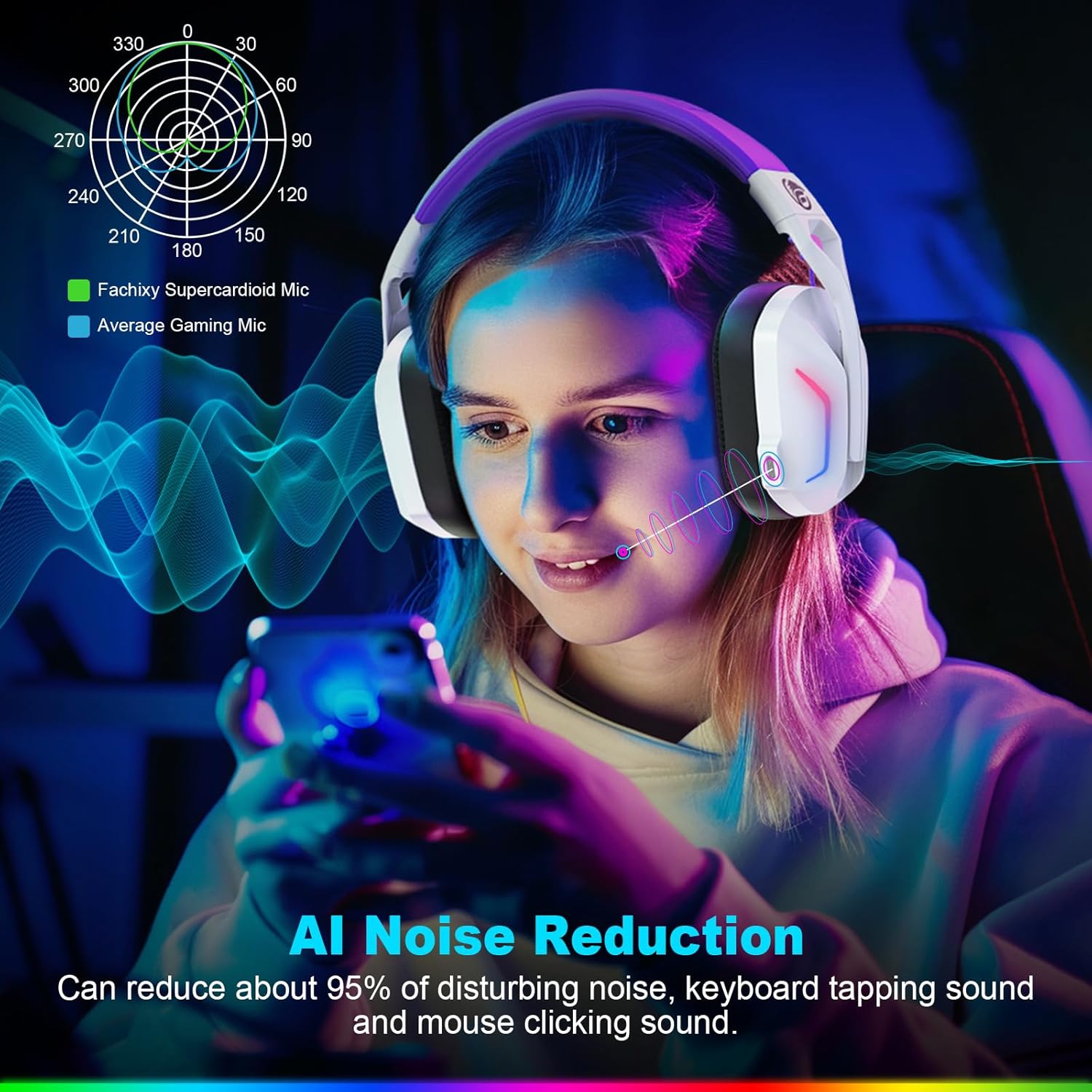
Image: A graphic illustrating the AI Noise Reduction capability of the Fachixy Supercardioid Mic, showing reduction of background noise like keyboard tapping and mouse clicking.
Kawalan Pencahayaan RGB
- Turn RGB On/Off: Single click the RGB Light Control button (5).

Image: A person wearing the Fachixy FC300 headset, showcasing its vibrant RGB lighting effects on the earcups.
Call Management (in Bluetooth mode)
- Jawab/Tutup Panggilan: Single click the Power button (1).
- Tolak Panggilan: Long-press the Power button (1) for 2 seconds.
Music Playback Control (in Bluetooth mode)
- Main/Jeda: Single click the Power button (1).
- Lagu Seterusnya: Long-press the Volume Up button (3) for 2 seconds.
- Trek Sebelumnya: Long-press the Volume Down button (2) for 2 seconds.
- Traceback (Redial last number): Double click the Power button (1).

Imej: Meletup view diagram illustrating the 50mm Neodymium magnet driver and Titanium Coat Diaphragm responsible for the headset's immersive 3D surround sound quality.
Penyelenggaraan
- Pembersihan: Gunakan kain lembut dan kering untuk membersihkan set kepala. Jangan gunakan pembersih atau pelarut yang melelas.
- Storan: Simpan alat dengar di tempat yang sejuk dan kering jauh dari cahaya matahari langsung dan suhu yang melampau.
- Penjagaan Bateri: Untuk memanjangkan hayat bateri, elakkan daripada menyahcas sepenuhnya bateri dengan kerap. Mengecasnya dengan kerap, walaupun tidak digunakan untuk tempoh yang lama.

Image: A close-up of the headset's earcup and headband, highlighting features like soft protein earmuffs, memory foam, foldable structure, and adjustable slider for all-day comfort.
Menyelesaikan masalah
| Masalah | Kemungkinan Punca | Penyelesaian |
|---|---|---|
| Alat dengar tidak dihidupkan. | Bateri lemah. | Caskan set kepala sepenuhnya. |
| Tiada bunyi atau kualiti bunyi yang buruk. | Incorrect audio output selected; headset not connected; volume too low. | Check system audio settings; ensure headset is properly connected (2.4GHz dongle or Bluetooth); increase volume. |
| Mikrofon tidak berfungsi. | Mikrofon diredamkan; peranti input yang salah dipilih. | Unmute microphone (single click button 4); check system audio input settings. |
| Tidak boleh menyambung melalui wayarles 2.4GHz. | Dongle not properly inserted; interference. | Ensure dongle is fully inserted; try a different USB port; move closer to the dongle. |
| Tidak dapat menyambung melalui Bluetooth. | Headset not in pairing mode; device Bluetooth off; incompatible device. | Long-press button 4 to enter pairing mode; enable Bluetooth on your device; note that Bluetooth is not compatible with PS4/PS5. |
| Lampu RGB tidak berfungsi. | RGB lights turned off. | Single click button 5 to turn RGB lights on. |
Clear All Devices (Reset Pairing): Press Volume Up (3) and Volume Down (2) buttons together for 6 seconds while in Bluetooth mode. The headset will auto turn off after this operation.
Spesifikasi
| Ciri | Perincian |
|---|---|
| Jenama | Fachixy |
| Nombor Model | FC-300 |
| warna | Putih / ungu |
| Jenis Alat dengar | Atas Telinga |
| Ketersambungan | Wayarles 2.4GHz, Bluetooth |
| Ciri Khas | Fast Charge, RGB Lighting, AI Noise Reduction Mic |
| Komposisi Bateri | Litium-ion |
| Kapasiti Bateri | 1200 mAh |
| Masa Mengecas | lebih kurang 2.5 jam |
| Playtime (without RGB) | Sehingga 50 jam |
| Playtime (with RGB) | Sehingga 40 jam |
| Berat badan | lebih kurang 360g |
| Saiz Pemandu | 50mm Neodymium |
| Keserasian | 2.4GHz: PS5, PC, PS4, Switch, Mac, Laptops. Bluetooth: Mobile phones, tablets, iPad. |
Waranti dan Sokongan
Fachixy products are designed and manufactured to the highest quality standards. For warranty information or technical support, please refer to the contact details provided on the product packaging or the official Fachixy webtapak. Sila simpan bukti pembelian anda untuk tuntutan waranti.


