Apa yang ada dalam Kotak
The AVIOT TE-Q3 earbuds come with the following components:
- Earbud (L / R)
- Kes Pengecasan
- Silicone Ear Tips (XS/S/M/L sizes, M pre-installed)
- Kabel Pengecasan USB Jenis-C
- Manual Pengguna

Image: Contents of the AVIOT TE-Q3 package, showing the earbuds, charging case, various sized ear tips, a USB Type-C cable, and the user manual.
Persediaan
1. Memilih Petua Telinga yang Betul
Choosing the correct ear tip size is crucial for optimal sound quality and noise cancellation. Experiment with the included XS, S, M, and L silicone ear tips to find the best fit for your ears. A snug fit ensures proper seal and comfort.

Image: A selection of silicone ear tips in different sizes, from extra small to large, designed to provide a comfortable and secure fit for various ear canal sizes.
2. Gandingan Awal
- Buka bekas pengecas. Fon telinga akan memasuki mod berpasangan secara automatik.
- Pada peranti anda (telefon pintar, tablet, dll.), pergi ke tetapan Bluetooth.
- Select "AVIOT TE-Q3" from the list of available devices.
- Sebaik sahaja disambungkan, anda akan mendengar gesaan audio yang mengesahkan pasangan yang berjaya.
3. Sambungan Berbilang Titik
The TE-Q3 supports multipoint connection, allowing you to connect to two devices simultaneously. To set this up:
- Connect the earbuds to your first device as described in "Initial Pairing."
- Lumpuhkan Bluetooth pada peranti pertama. Fon telinga akan memasuki semula mod berpasangan.
- Sambungkan fon telinga ke peranti kedua anda.
- Re-enable Bluetooth on your first device. The earbuds should now be connected to both devices.
The earbuds will intelligently switch audio playback between the two connected devices.
Arahan Operasi
Kawalan Sentuh
The AVIOT TE-Q3 earbuds feature intuitive touch controls for managing playback, calls, and ambient sound modes. The touch-sensitive area is located on the stem of each earbud.
- Ketuk tunggal: Main/Jeda muzik, Jawab/Tamatkan panggilan.
- Tekan dua kali: Langkau ke trek seterusnya.
- Ketuk Tiga Kali: Aktifkan pembantu suara.
- Ketik dan Tahan: Toggle between Active Noise Cancellation (ANC) and Transparency Mode.
- Leret ke atas/bawah: Adjust volume (up on right earbud, down on left earbud).
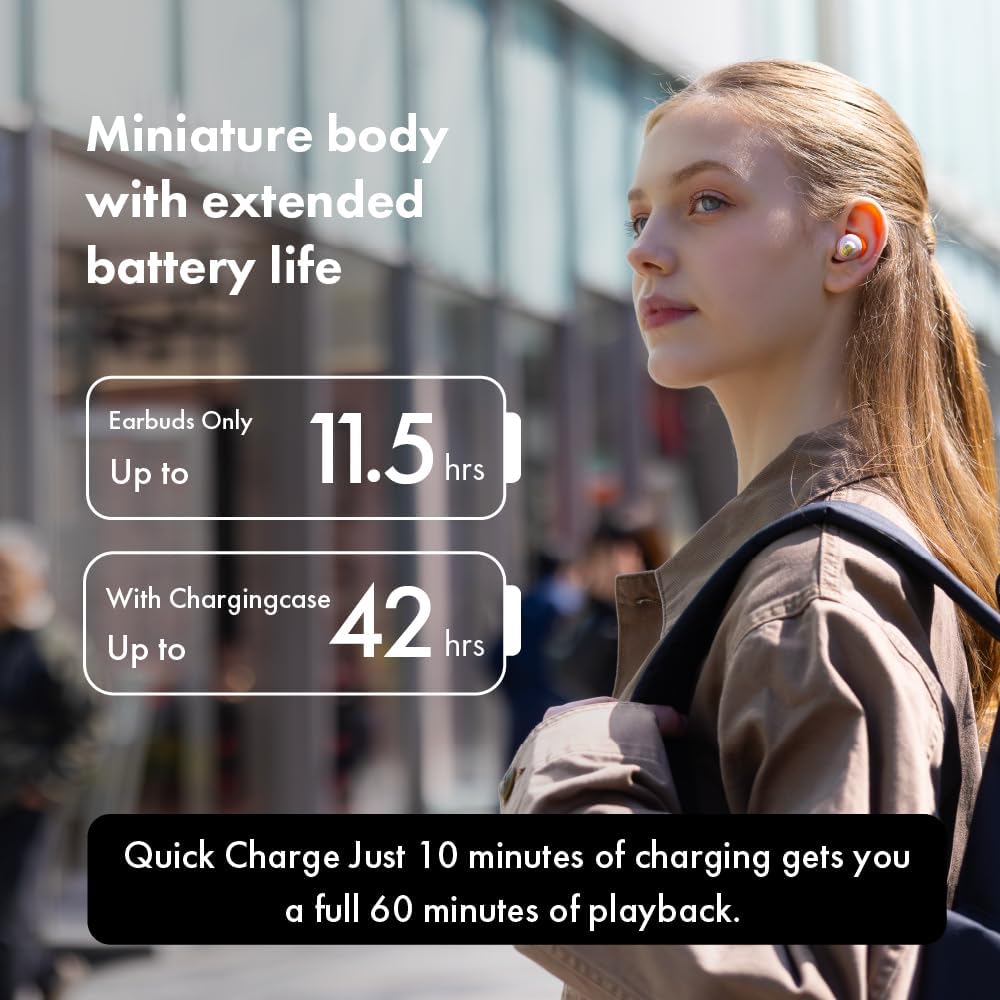
Image: A person demonstrating how to adjust the earbud in their ear, highlighting the touch control functionality on the stem.
Mod Bunyi Ambien
The earbuds offer various ambient sound modes to suit your environment:
- Pembatalan Bunyi Aktif (ANC): Mengurangkan hingar luaran untuk pengalaman mendengar yang mengasyikkan.
- Mod Ketelusan: Membolehkan anda mendengar persekitaran anda sambil mendengar audio, meningkatkan kesedaran situasi.
- Mod Biasa: Main balik audio standard tanpa pembatalan hingar atau ketelusan.
Toggle between these modes using the touch controls or the dedicated AVIOT Sound Me app.
AVIOT Sound Me App
Download the "AVIOT Sound Me" app for advanced customization and features:
- Penyesuaian EQ: Laraskan bunyi profiles to your preference.
- Kemas kini Firmware: Pastikan fon telinga anda dikemas kini dengan ciri dan penambahbaikan terkini.
- Cari Earbud Saya: Locate misplaced earbuds by emitting a sound.
- Sembang Mudah: Automatically lowers music volume and enhances vocals for conversations.
Penyelenggaraan
Pembersihan
Regularly clean your earbuds and charging case to maintain optimal performance and hygiene. Use a soft, dry cloth to wipe down the surfaces. For ear tips, remove them from the earbuds and clean with mild soap and water, then dry thoroughly before reattaching.
Tahan Air
The AVIOT TE-Q3 earbuds are IPX4 waterproof, meaning they are resistant to splashing water from any direction. They are suitable for workouts and light rain, but should not be submerged in water.
Menyelesaikan masalah
Isu Sambungan
- Fon telinga tidak berpasangan: Ensure the earbuds are fully charged and in pairing mode (blinking indicator light). Turn off and on Bluetooth on your device.
- Sambungan terputus-putus: Move closer to your device. Avoid obstacles between the earbuds and your device.
Masalah Kualiti Audio
- Kelantangan rendah atau bunyi yang lemah: Ensure ear tips are properly sealed in your ear canal. Clean any debris from the earbud nozzles.
- Sound is tinny or strange: This might be related to the "Adaptive Sound Leakage Compensation" feature. Try disabling it in the AVIOT Sound Me app settings.
Wearing Detection Malfunction
If wearing detection (auto-pause/play) stops working, try placing the affected earbud back into the charging case, closing it for a few seconds, and then taking it out again. This often resolves the issue.
Spesifikasi
| Ciri | Perincian |
|---|---|
| Nama Model | TE-Q3 |
| Teknologi Ketersambungan | Wayarles (Bluetooth 5.3) |
| Julat Tanpa Wayar | 10 Meter |
| Kawalan Bunyi | Pembatalan Bunyi Aktif |
| Jenis Pemandu | Pemacu Dinamik 10mm |
| Hayat Bateri (Earbud) | Sehingga 11.5 jam (ANC off) |
| Hayat Bateri (dengan Sarung Pengecasan) | Sehingga 42 jam (ANC off) |
| Pengecasan Cepat | 10 minit cas selama 60 minit main balik |
| Tahap Ketahanan Air | IPX4 |
| Kaedah Kawalan | Sentuh |
| Mikrofon | Mic terbina dalam |
| Berpasangan Pelbagai Titik | ya |
| bahan | Silikon (hujung telinga) |
Waranti & Sokongan
For warranty information and customer support, please refer to the official AVIOT webtapak atau hubungi peruncit anda. Simpan bukti pembelian anda untuk tuntutan waranti.
Untuk bantuan tambahan, anda boleh layari AVIOT Store on Amazon.
Video Produk Rasmi
AVIOT TE-Q3 Wireless Noise Cancelling Earbuds - Overview
Video: Seorang pegawai tamatview of the AVIOT TE-Q3 Wireless Noise Cancelling Earbuds, showcasing their design and key features.
AVIOT TE-Q3 Wireless Noise Cancelling Earbuds - Features Highlight
Video: A short video highlighting the main features of the AVIOT TE-Q3 earbuds, including noise cancellation and compact design.