1. Pengenalan
Thank you for choosing the Chuboor PJ01 Air Purifier. This device is designed to improve indoor air quality by filtering out various airborne particles and odors. It features a 3-in-1 filtration system, real-time PM2.5 display, multiple operating modes, and smart control options. Please read this manual thoroughly before use to ensure proper operation and maintenance.
2. Arahan Keselamatan
Untuk mengurangkan risiko kebakaran, renjatan elektrik atau kecederaan, sila patuhi langkah berjaga-jaga keselamatan berikut:
- Sentiasa cabut plag penulen udara sebelum mengalihkan, membersihkan atau melakukan sebarang penyelenggaraan.
- Jangan kendalikan perkakas dengan kord atau palam yang rosak.
- Jauhkan kord kuasa daripada permukaan yang dipanaskan.
- Jangan gunakan penulen udara dalam keadaan basah atau damp persekitaran, seperti bilik mandi.
- Jangan masukkan jari atau objek asing ke dalam saluran masuk atau alur keluar udara.
- Pastikan saluran masuk dan keluar udara tidak tersumbat.
- Perkakas ini tidak dimaksudkan untuk digunakan oleh orang (termasuk kanak-kanak) yang kurang keupayaan fizikal, deria, atau mental, atau kurang pengalaman dan pengetahuan, melainkan mereka telah diberi pengawasan atau arahan mengenai penggunaan perkakas oleh orang yang bertanggungjawab untuk keselamatan mereka .
- Kanak-kanak harus diawasi untuk memastikan bahawa mereka tidak bermain dengan perkakas.
- Use only original Chuboor replacement filters.
3. Kandungan Pakej
Sila tandai kotak untuk item berikut:
- Chuboor PJ01 Air Purifier (with 3-in-1 filter pre-installed)
- Penyesuai Kuasa
- Manual Pengguna
4. Produk Lebihview dan Komponen
Familiarize yourself with the main parts of your Chuboor PJ01 Air Purifier.

Rajah 1: Depan view of the Chuboor PJ01 Air Purifier, showing the main unit, air intake vents, and top control panel with air outlet. Green leaves illustrate air purification.

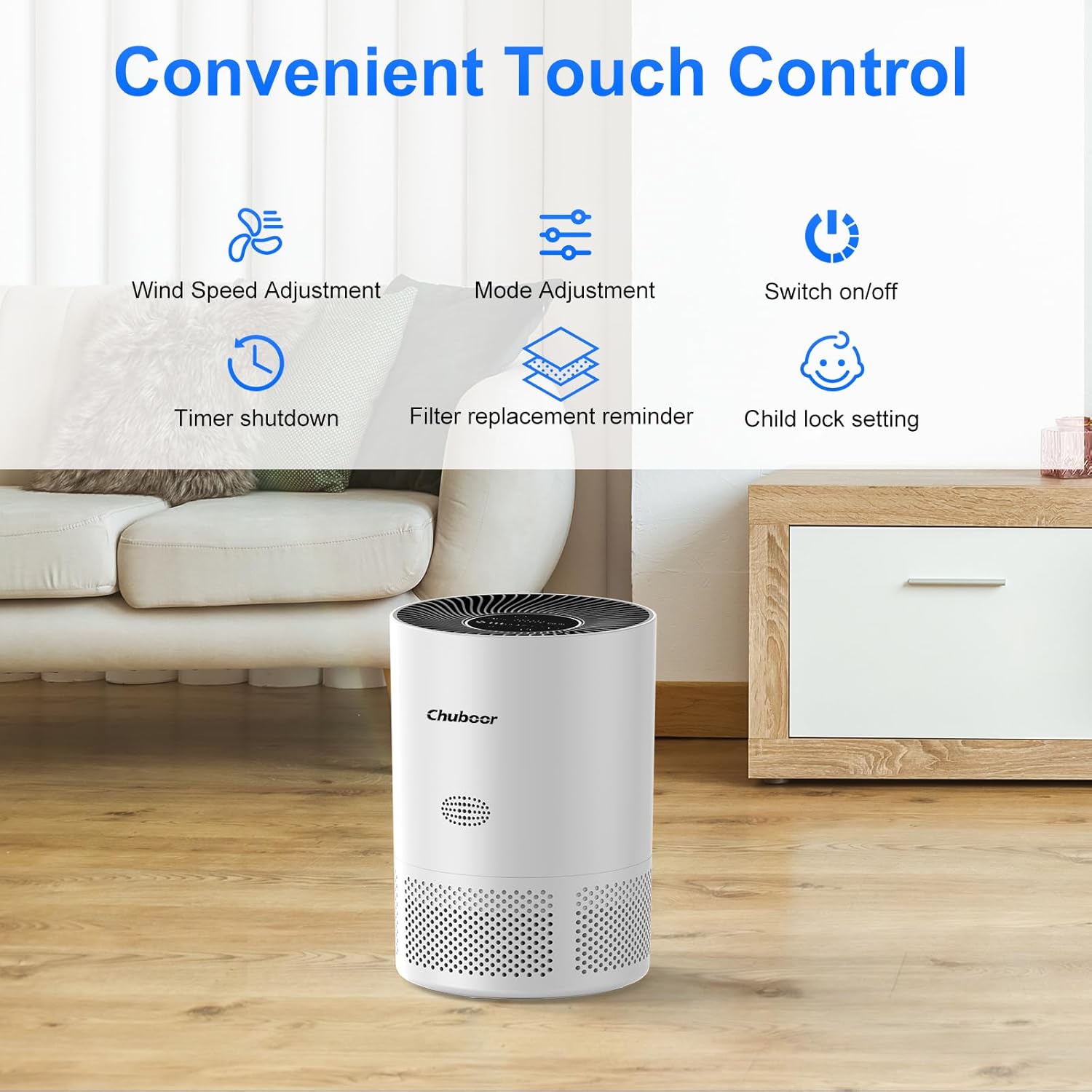
Rajah 2: Close-up of the intuitive touch control panel on the Chuboor PJ01 Air Purifier, displaying icons for wind speed adjustment, mode adjustment, power on/off, timer shutdown, filter replacement reminder, and child lock setting.
Rajah 3: Terperinci view of the real-time PM2.5 air quality indicator on the control panel. It shows numerical PM2.5 values and a color-coded ring (green for good, yellow for general, red for poor air quality).
5. Persediaan
- Buka Pek Penulen Udara: Keluarkan penulen udara dengan berhati-hati daripada pembungkusnya.
- Keluarkan Pembungkusan Penapis: Before first use, the 3-in-1 filter inside the unit is typically sealed in plastic.
- Terbalikkan penulen udara.
- Putar penutup tapak lawan jam untuk membuka kunci dan mengeluarkannya.
- Take out the filter and remove all plastic packaging.
- Letakkan penapis kembali ke dalam unit, pastikan ia diletakkan dengan betul.
- Gantikan penutup tapak dan putar mengikut arah jam untuk menguncinya dengan selamat.

Rajah 4: Diagram illustrating the three layers of the Chuboor PJ01 filter: Pre-Filter (for dust, fibers, lint, pet fur), High Efficiency Activated Carbon Filters (for smoke, fumes, VOCs, odors), and True H13 HEPA Filter (for smoke particles, pollen, pet dander, and particles >0.3 microns).
- Letakkan Penulen Udara: Place the air purifier on a flat, stable surface, ensuring there is at least 15 cm (6 inches) of space around all sides for optimal air circulation.
- Sambungkan Kuasa: Palamkan penyesuai kuasa ke dalam penulen udara dan kemudian ke soket elektrik standard.
6. Arahan Operasi
6.1 Operasi Asas
- Hidupkan/Mati Kuasa: Sentuh pada kuasa butang pada panel kawalan untuk menghidupkan atau mematikan unit.
- Pelarasan Kelajuan Kipas: Sentuh pada Kelajuan Kipas button to cycle through fan speeds (Level 1, Level 2, Level 3).
- Mod tidur: Sentuh pada Mod button to activate Sleep Mode. In this mode, the fan operates at its lowest speed (24 dB) and display lights dim for a quiet environment.

Rajah 5: The Chuboor PJ01 Air Purifier operating in a bedroom, illustrating its quiet Sleep Mode (24dB) for undisturbed rest. The image highlights the 360° air intake.
- Fungsi Pemasa: Sentuh pada Pemasa button to set the operating time for 2, 4, or 8 hours. The unit will automatically turn off after the set time.
- Kunci Kanak-kanak: Sentuh dan tahan Kunci Kanak-kanak button for a few seconds to activate or deactivate the child lock. When active, the control panel buttons will not respond to touches.
6.2 Automatic Mode and Air Quality Display
The air purifier features an intelligent automatic mode that adjusts fan speed based on real-time air quality.
- Paparan PM2.5: The display shows the current PM2.5 concentration in µg/m³.
- Penunjuk Warna: A color ring around the display indicates air quality:
- hijau: Kualiti udara yang baik
- Kuning: General air quality
- merah: Kualiti udara yang teruk
- Mod Auto: When in Auto Mode, the fan speed will automatically adjust to maintain optimal air quality.

Rajah 6: Diagram illustrating the Auto Mode functionality. The air purifier automatically adjusts fan speed (low, medium, high) based on detected air quality (good, moderate, poor).
6.3 Smart Control (WiFi & Voice Control)
The Chuboor PJ01 can be controlled remotely via the "pjrobot" app and integrated with voice assistants.
- Sambungan WiFi: Download the "pjrobot" app from your smartphone's app store. Follow the in-app instructions to connect your air purifier to your home WiFi network.
- Kawalan Apl: Once connected, you can control all functions of the air purifier (power, fan speed, mode, timer, child lock) from anywhere using the app.
- Kawalan Suara: The device is compatible with Google Assistant and Amazon Alexa. Link your "pjrobot" account within the respective voice assistant app to enable voice commands for your air purifier.
7. Penyelenggaraan
7.1 Penggantian Penapis
The air purifier features a filter replacement reminder. When the filter needs to be replaced, an indicator light will illuminate on the control panel.
- Matikan dan Cabut plag: Sentiasa matikan dan cabut plag penulen udara sebelum menggantikan penapis.
- Keluarkan Penapis Lama: Turn the unit upside down, twist the base cover counter-clockwise, and remove the used filter.
- Pasang Penapis Baharu: Remove all packaging from the new Chuboor 3-in-1 replacement filter. Insert the new filter into the unit, ensuring proper orientation.
- Gantikan Penutup: Secure the base cover by twisting it clockwise until locked.
- Tetapkan Semula Kehidupan Penapis: After replacing the filter, plug in the unit and turn it on. Press and hold the Peringatan Penggantian Penapis button for 3-5 seconds until the indicator light turns off, resetting the filter life counter.
Nota: The filter life depends on air quality and usage frequency. It is generally recommended to replace the filter every 6-8 months.
7.2 Cleaning the Air Purifier
- Luaran: Wipe the exterior surface of the air purifier with a soft, dry cloth. Do not use abrasive cleaners or solvents.
- Saluran Masuk/Alir Keluar Udara: Use a soft brush or vacuum cleaner with a brush attachment to gently clean dust from the air inlets and outlets.
- Jangan basuh penapis. The filter is not washable and should be replaced when indicated.
8. Penyelesaian masalah
| Masalah | Kemungkinan Punca | Penyelesaian |
|---|---|---|
| Penapis udara tidak dihidupkan. |
|
|
| Weak airflow or poor purification. |
|
|
| Bunyi yang tidak biasa. |
|
|
| Isu sambungan WiFi. |
|
|
9. Spesifikasi
| Jenama | Chuboor |
| Nombor Model | PJ01 |
| Dimensi (L x W x H) | 24 x 30 x 24 cm (9.45 x 11.81 x 9.45 inci) |
| Berat Barang | 2.36 Kilogram (5.2 lbs) |
| CADR (Kadar Penghantaran Udara Bersih) | 185 m³/j |
| Kawasan Liputan | Sehingga 40 m² (430 kaki persegi) |
| Jenis Penapis | 3-in-1 (Pre-filter, Activated Carbon, H13 HEPA) |
| Tahap Kebisingan | 24-48 dB (24 dB in Sleep Mode) |
| Kaedah Kawalan | Touch Control, App Control (pjrobot), Voice Control (Google Assistant, Amazon Alexa) |
| Sumber Kuasa | Elektrik Bertali |
| Penggunaan Kuasa Maks | 24 W |
10. Waranti dan Sokongan
For warranty information and customer support, please refer to the documentation provided with your purchase or contact Chuboor customer service.
You can typically find support contact details on the official Chuboor webtapak atau melalui peruncit anda.