1. Produk Lebihview
The Oster Craftsman Adjustable Magnetic Motor Hair Clippers are designed for precise and efficient hair cutting. This manual provides essential information for safe operation, maintenance, and optimal performance of your new clippers.

Imej 1.1: Depan view of the Oster Craftsman Adjustable Magnetic Motor Hair Clippers. This image shows the main body of the clipper, the blade assembly, and the "Oster Craftsman" branding.
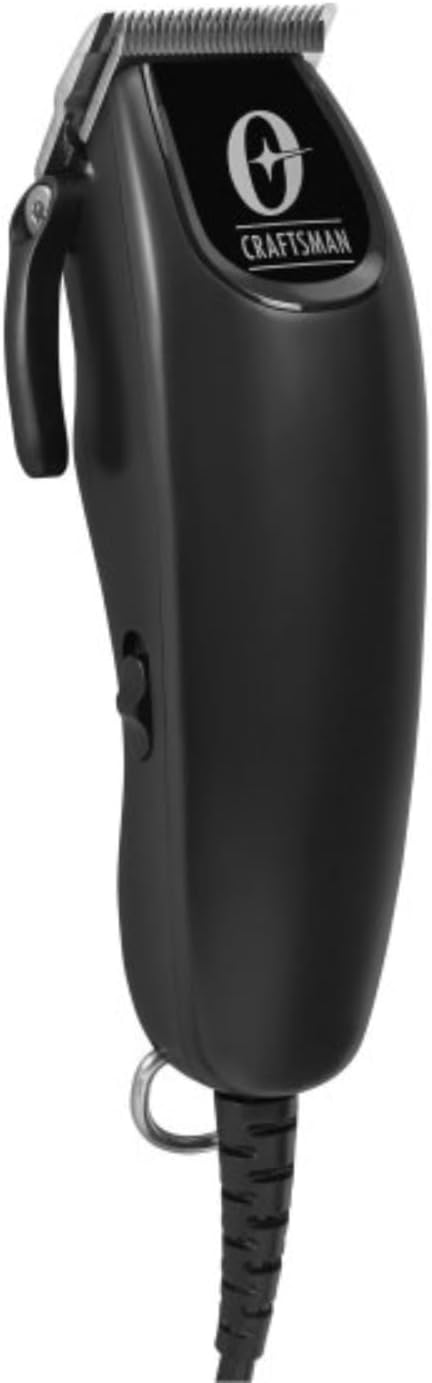
Imej 1.2: Bersudut view of the Oster Craftsman Hair Clippers. This perspective highlights the ergonomic shape and the side power switch.

Imej 1.3: Belakang view of the Oster Craftsman Hair Clippers. This view shows the product's regulatory markings and the sturdy power cord connection.
2. Maklumat Keselamatan
Please read all safety instructions before using the clippers to prevent injury or damage.
- Always unplug the clipper before cleaning, performing maintenance, or storing.
- Avoid direct contact of the blades with skin and eyes.
- Jauhkan penggunting rambut daripada sumber air dan jangan gunakannya dalam persekitaran basah.
- Clean the clipper after each use with the included cleaning brush and blade oil.
- Jangan gunakan pada bayi atau kanak-kanak tanpa pengawasan orang dewasa.
- Always follow the manufacturer's instructions for proper use and care.
- Do not attempt to disassemble or repair the clipper yourself. Contact qualified service personnel.
- Ensure the power cord is not damaged or tangled during use.
3. Kandungan Pakej
Sahkan bahawa semua item terdapat dalam pakej:

Image 3.1: Included accessories for the Oster Craftsman Hair Clippers. This image displays various comb attachments (guards), a small cleaning brush, and a bottle of blade oil.
- Oster Craftsman Adjustable Magnetic Motor Hair Clipper
- Multiple Comb Attachments (various sizes)
- Berus Pembersih
- Minyak Bilah
- Manual Arahan (dokumen ini)
4. Persediaan
Before first use, ensure the clipper is clean and properly lubricated.
- Bongkar: Keluarkan semua komponen dari pembungkusan dengan berhati-hati.
- Periksa: Check the clipper and accessories for any signs of damage. Do not use if damaged.
- Bilah Bersih: Use the cleaning brush to remove any debris from the blades.
- Pelincir Bilah: Apply a few drops of the included blade oil across the teeth of the blades. Turn the clipper on for a few seconds to distribute the oil, then wipe off any excess. This ensures smooth operation and prolongs blade life.
- Sambungan Kuasa: Plug the clipper into a suitable electrical outlet.
5. Arahan Operasi
Ikuti langkah-langkah ini untuk menggunting rambut yang berkesan:

Image 5.1: Proper grip for the Oster Craftsman Hair Clippers. This image shows a hand comfortably holding the clipper, illustrating its ergonomic design for ease of use.
- Sediakan Rambut: Ensure hair is clean, dry, and combed to remove tangles.
- Pilih Panjang:
- Adjustable Lever: The clipper features an adjustable lever on the side, allowing for fine-tuning of cutting length from #000 (closest cut) to #1 (longer cut). Move the lever up or down to select the desired blade length.
- Lampiran Sisir: For longer hair lengths, select the appropriate comb attachment (also known as a guard) from the included set. These attachments snap onto the clipper blades. Refer to the markings on each comb for its corresponding length (e.g., #1, #2, #3, etc.).
- Hidupkan kuasa: Flip the power switch to the "ON" position. The clipper will begin to vibrate and the blades will move.
- Mula Memotong:
- Start cutting from the bottom of the head, moving upwards against the direction of hair growth.
- Gunakan pukulan yang licin dan bertindih.
- For an even cut, maintain a consistent angle and pressure.
- Periodically brush away cut hair from the blades to ensure optimal performance.
- Matikan: Once finished, flip the power switch to the "OFF" position and unplug the clipper from the electrical outlet.
6. Penyelenggaraan dan Pembersihan
Regular cleaning and maintenance will extend the life of your clippers and ensure consistent performance.
- Cabut plag: Always ensure the clipper is unplugged before cleaning.
- Buang Rambut: Use the cleaning brush to remove all loose hair from the blades and the clipper housing. Pay special attention to the area between the blades.
- Bilah Minyak: Apply 2-3 drops of blade oil across the top of the blades and 1 drop on each side of the blade set. Turn the clipper on for a few seconds to allow the oil to penetrate. This lubricates the blades, reduces friction, and prevents rust.
- Lap ke bawah: Use a soft, dry cloth to wipe the exterior of the clipper. Do not use harsh chemicals or abrasive cleaners.
- Storan: Store the clipper in a dry, cool place, away from direct sunlight and moisture. Keep the blade guard on when not in use to protect the blades.
7. Penyelesaian masalah
If you encounter issues with your Oster Craftsman Hair Clippers, refer to the following common solutions:
| Masalah | Kemungkinan Punca | Penyelesaian |
|---|---|---|
| Clipper tidak dihidupkan. | Tidak dipasang; masalah soket kuasa; kord rosak. | Ensure clipper is securely plugged into a working outlet. Check for visible damage to the power cord. |
| Blades pull or snag hair. | Blades are dull; blades are not oiled; hair buildup. | Clean and oil blades thoroughly. If problem persists, blades may need replacement or professional sharpening. |
| Clipper runs loudly or vibrates excessively. | Lack of lubrication; loose blade screws. | Apply blade oil. Check if blade screws are tightened appropriately (do not overtighten). |
| Potongan tidak rata. | Improper comb attachment; inconsistent cutting angle. | Ensure comb attachment is securely fastened. Maintain a consistent angle and overlap strokes during cutting. |
If these solutions do not resolve the issue, please contact Oster customer support.
8. Spesifikasi Produk
| Ciri | Perincian |
|---|---|
| Jenama | Oster |
| Nombor Model | tukang |
| warna | Hitam |
| Bahan Bilah | Keluli Aloi |
| Panjang Pemotongan Maksimum | 1 Inch (with comb attachments) |
| Panjang Bilah Boleh Laras | #000 to #1 (without comb attachments) |
| Bateri Diperlukan | No (corded operation) |
| Pengeluar | Oster |
| Dimensi Pakej | 10 x 7.01 x 3.7 inci |
| Berat Barang | 2.07 paun |
9. Waranti dan Sokongan
For warranty information, technical support, or service inquiries, please contact Oster customer service. Keep your purchase receipt as proof of purchase.
- Sokongan dalam talian: Lawati Oster rasmi webtapak untuk Soalan Lazim dan sumber sokongan.
- Maklumat Hubungan: Refer to the product packaging or the official Oster webtapak untuk butiran hubungan perkhidmatan pelanggan semasa.


