Deeyaple S207

Deeyaple S207 Cell Phone Stand with Wireless Bluetooth Speaker and 12H Time Display User Manual

pengenalan

This manual provides comprehensive instructions for the Deeyaple S207 Cell Phone Stand with Wireless Bluetooth Speaker and 12H Time Display. Please read this manual thoroughly before using the product to ensure proper operation and to maximize its features. Keep this manual for future reference.

Deeyaple S207 Cell Phone Stand with Wireless Bluetooth Speaker and 12H Time Display in black.

Rajah 1: The Deeyaple S207 multi-functional device.

Produk Selesaiview

The Deeyaple S207 is a versatile device combining a cell phone stand, a wireless Bluetooth speaker, and a 12-hour time display. It is designed for convenience and enhanced audio experience.

Image illustrating the 3-in-1 functionality of the Deeyaple S207 as a stand, speaker, and digital clock.

Rajah 2: The Deeyaple S207 functions as a stand, speaker, and digital clock.

Ciri-ciri Utama:

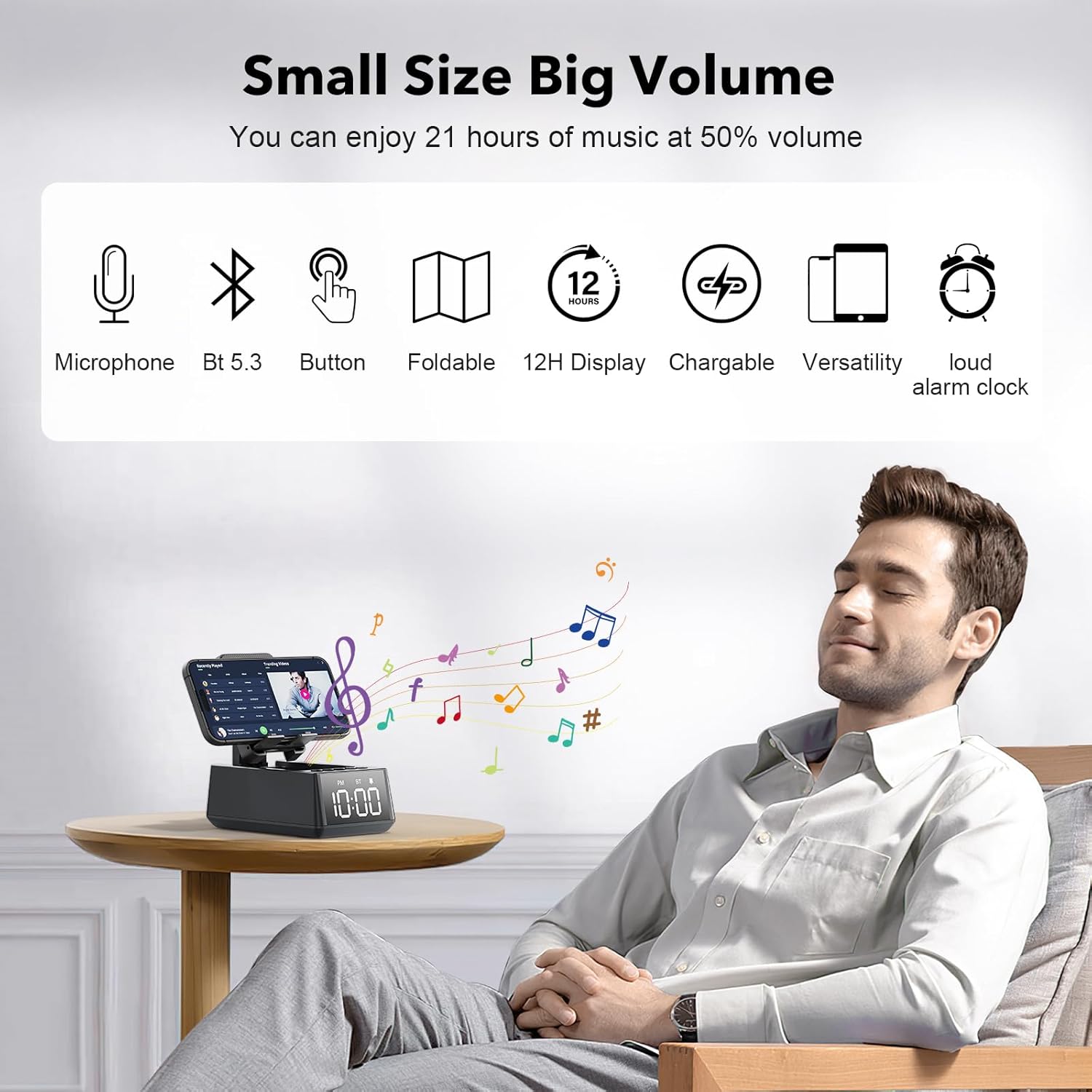
Deeyaple S207 features including 1200mAh battery, Type-C interface, TF card reader, loud alarm clock, built-in microphone, foldable stand, and HD surround sound.

Rajah 3: Berakhirview of Deeyaple S207 features, including battery capacity, charging ports, audio capabilities, and stand design.

Kandungan Pakej

Sila semak pakej untuk item berikut:

Kawalan dan Penunjuk

Familiarize yourself with the device's buttons and display:

Terperinci view of Deeyaple S207 controls, showing the bracket, base, and non-slip mat.

Rajah 4: Terperinci view of the device's adjustable bracket, base, and non-slip mat.

Persediaan

Mengecas Peranti:

  1. Connect the provided USB charging cable to the Type-C port on the side of the Deeyaple S207.
  2. Sambungkan hujung kabel USB yang satu lagi ke penyesuai kuasa USB yang serasi (tidak disertakan) atau port USB komputer.
  3. The LED display will indicate charging status. A full charge typically takes approximately 2-3 hours.

Video 1: Demonstration of the Deeyaple S207 speaker's display and basic operation, including volume adjustment and mode switching.

Operasi

Pairing Bluetooth:

  1. Turn on the Deeyaple S207 by pressing and holding the Power button. The device will enter Bluetooth pairing mode, indicated by a flashing "BT" on the display.
  2. Pada telefon pintar, tablet atau komputer riba anda, dayakan Bluetooth dan cari peranti yang tersedia.
  3. Select "Deeyaple S207" from the list of devices.
  4. Once paired, the "BT" indicator will stop flashing and remain solid. You can now play audio through the speaker.
Image showing a smartphone connected via Bluetooth to the Deeyaple S207 speaker.

Rajah 5: Bluetooth 5.3 technology allows quick and easy connection to smart devices.

Menetapkan Masa dan Penggera:

Close-up of the Deeyaple S207's LED time display.

Rajah 6: The LED digital display shows the current time.

Using as a Phone/Tablet Stand:

Image showing various mobile phones and tablets placed on the Deeyaple S207 stand, demonstrating its high adaptability.

Rajah 7: The stand is highly adaptable for various mobile phones and tablets.

Close-up of a smartphone charging while on the Deeyaple S207 stand.

Rajah 8: A small hole at the base of the stand allows for charging your phone while in use.

Main balik Kad TF:

Panggilan Bebas Tangan:

Spesifikasi

CiriPerincian
Nama ModelS207
JenamaDeeyaple
Teknologi KetersambunganBluetooth 5.3
Jenis Pembesar SuaraBunyi Sekeliling
Ciri KhasBuilt-in Microphone, 12H Time Display, Foldable Stand, TF Card Reader
Dimensi Produk6.61"D x 2.46"W x 3.54"H
Berat Barang15.8 auns (0.45 Kilogram)
Bateri1 bateri Litium Ion (termasuk), 1200mAh
Hayat Bateri12-21 jam pada volum 50%.
Peranti SerasiSmartphones (iPhone 4S to 15 Pro Max), Tablets (iPad, iPad Air, iPad Mini, iPad Pro, Microsoft Surface series), e-readers (Kindle)
UPC728990656310

Menyelesaikan masalah

MasalahPenyelesaian yang Mungkin
Peranti tidak dihidupkan.Ensure the device is fully charged. Connect to a power source using the USB charging cable.
Tidak boleh berpasangan melalui Bluetooth.Make sure the device is in Bluetooth pairing mode (flashing "BT"). Ensure your phone's Bluetooth is enabled and within range. Forget previous pairings on your phone and try again.
Tiada bunyi atau kelantangan rendah.Check the volume levels on both the Deeyaple S207 and your connected device. Ensure the device is not muted.
Paparan masa tidak betul.For iPhones, ensure Bluetooth is connected for automatic sync. Manual adjustment steps are not detailed in product information, refer to device buttons for potential setting options.
Sambungan Bluetooth kerap terputus.Ensure there are no obstructions between the speaker and your device. Move closer to the speaker. Reduce interference from other wireless devices.

Penyelenggaraan

Waranti dan Sokongan

For warranty information or technical support, please contact Deeyaple customer service through the retailer where the product was purchased. Please retain your proof of purchase for warranty claims.

Dokumen Berkaitan - S207

Praview Panduan Permulaan Pantas Deeyaple Magic Arm: Pembesar Suara Tanpa Wayar dan Penyangga Telefon
Panduan permulaan ringkas untuk Deeyaple Magic Arm, pembesar suara Bluetooth tanpa wayar dan penyangga telefon. Ketahui tentang ciri, spesifikasi, kawalan, lampu penunjuk, gandingan dan jaminannya.
Praview Manual Pengguna Pembesar Suara Bluetooth Tanpa Wayar P1S
Manual pengguna untuk Pembesar Suara Bluetooth Tanpa Wayar P1S oleh deeyaple, merangkumi persediaan, operasi, arahan keselamatan, spesifikasi dan ciri. Termasuk kandungan berbilang bahasa.
Praview Manual Servis Pemain Cakera Padat Sony CDP-S37/S207
Manual servis yang komprehensif untuk Pemain Cakera Kompak Sony CDP-S37 dan CDP-S207, spesifikasi terperinci, prosedur keselamatan, pelarasan elektrik, gambar rajah litar, meletup views, dan senarai alat ganti elektrik yang lengkap untuk juruteknik servis.
Praview Panduan Lokasi Fius dan Geganti Volkswagen Phaeton
Panduan terperinci tentang lokasi dan fungsi fius dan geganti dalam model Volkswagen Phaeton, berfungsi sebagai rujukan teknikal untuk memahami seni bina sistem elektrik kenderaan.