1. Pengenalan
The Feit Electric UCL24/CCTCA/AG Under Cabinet Lighting fixture is a smart LED light designed to enhance your kitchen or workspace. This 20-watt fixture features integrated LEDs, eliminating the need for bulb replacements. It provides bright 1500-lumen light and offers a tunable white feature, allowing you to select color temperatures from 2700K (soft white) to 6500K (daylight). Control is versatile, with options including a button on the fixture, an included remote control, the Feit Electric mobile app, and voice commands via Google Home and Alexa. Its ultra-slim, low-profile design ensures even light distribution and seamless integration. With a high 90+ Color Rendering Index (CRI), colors appear more vibrant and natural. This energy-efficient light is designed for long-term use, with an average lifespan of 25,000 hours (approximately 22.8 years). It can be powered by plugging into a standard outlet or by direct hardwiring.

Figure 1.1: Feit Electric UCL24/CCTCA/AG Under Cabinet Light.
2. Ciri-ciri Utama
- Reka Bentuk Anggun: Streamlined and low-profile, seamlessly integrates with your kitchen or workspace.
- Kecerahan boleh laras: Customize lighting with adjustable brightness levels for various tasks.
- Putih boleh merdu: Select color temperatures from 2700K (Soft White) to 6500K (Daylight).
- Kawalan Jauh Wayarles: Adjust brightness and turn the light on/off from a distance.
- Kawalan Pintar: Works with the Feit Electric app, Amazon Alexa, and Google Home for voice and app control.
- Boleh dipautkan: Connect up to 8 units for extended lighting coverage.
- Penjimatan Ruang: Compact design maximizes available countertop or workspace.
- LED Cekap Tenaga: Provides bright illumination while minimizing electricity consumption.
- CRI tinggi: 90+ Color Rendering Index makes colors more vibrant and skin tones natural.
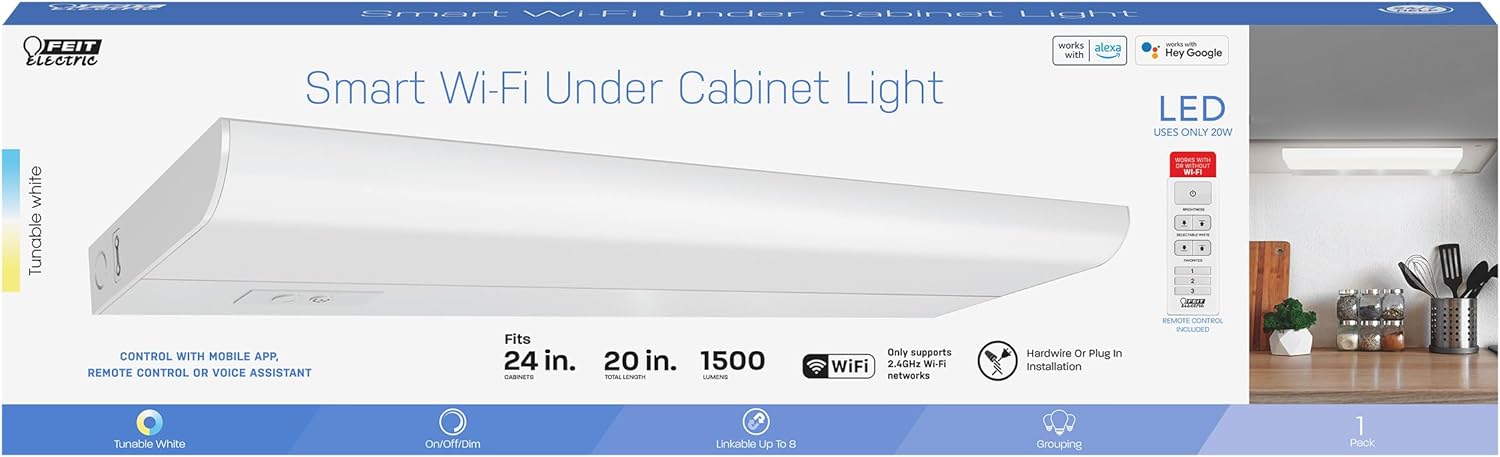
Gambar 2.1: Lebihview of smart features and specifications.
3. Persediaan dan Pemasangan
The Feit Electric Under Cabinet Light offers flexible installation options: plug-in or hardwire. Mounting hardware is included for secure placement.
3.1 Sebelum Pemasangan
- Buka bungkusan semua komponen dan pastikan semua bahagian ada.
- Turn off power at the circuit breaker before beginning any electrical work.
- Determine your preferred installation method: plug-in for easy setup or hardwire for a more permanent, concealed installation.
3.2 Memasang Lekapan
- Identify the desired location under your cabinet. Ensure there is sufficient space and a power source nearby.
- Using the included mounting hardware (screws and clips), secure the light fixture to the underside of the cabinet. Ensure it is firmly attached.
- If linking multiple units, connect them using the provided linking cables.
3.3 Sambungan Kuasa
- Pemasangan Pemalam: Simply plug the power cord into a standard 120V outlet.
- Pemasangan wayar keras: For hardwiring, consult a qualified electrician. Connect the fixture's wires directly to your home's electrical wiring according to local electrical codes.
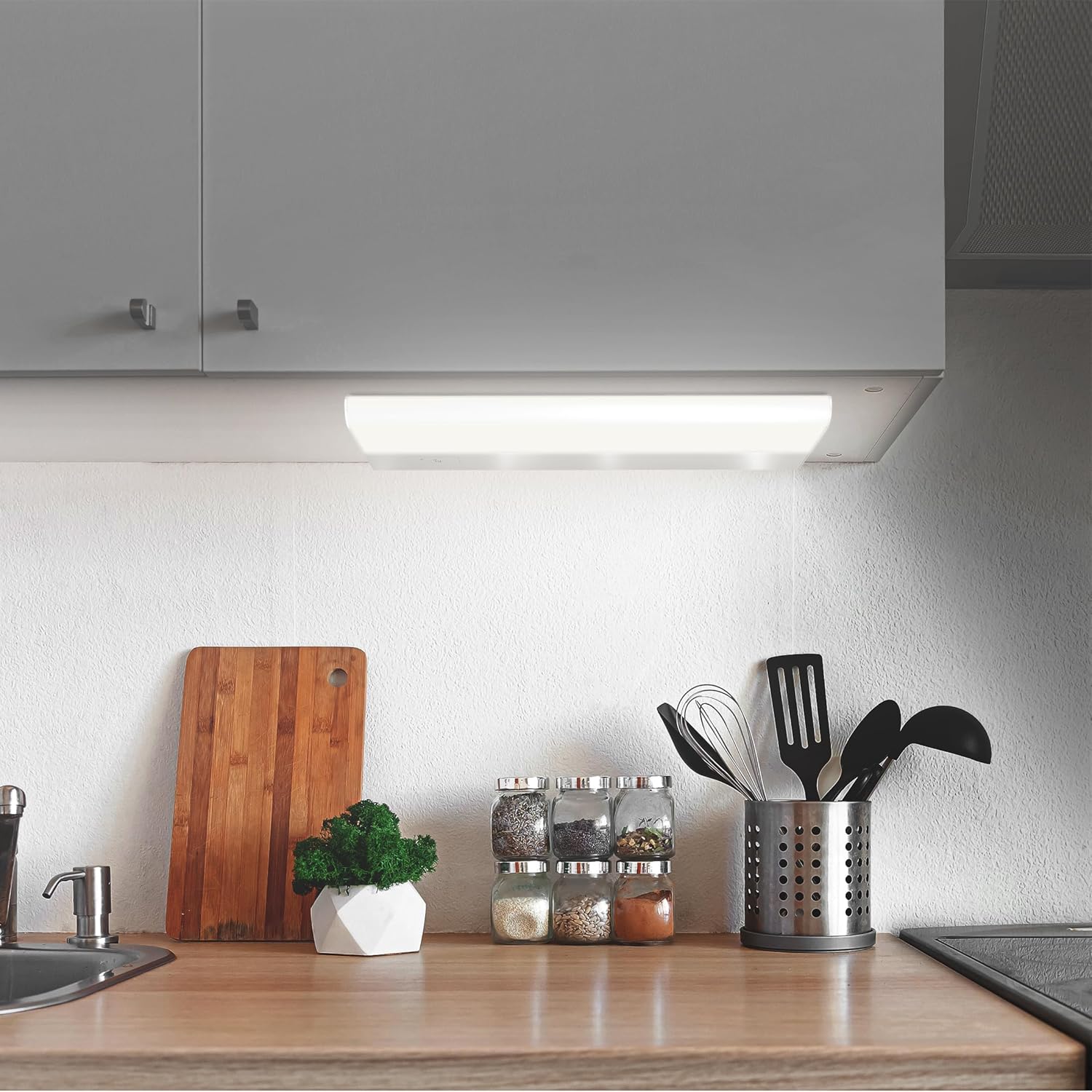
Figure 3.1: The under cabinet light installed in a kitchen setting.
4. Arahan Operasi
The Feit Electric Under Cabinet Light offers multiple ways to control its functions.
4.1 Manual Control (Fixture & Remote)
- Butang Hidup/Mati: Press the button on the fixture to turn the light on or off.
- Pelarasan Kecerahan: Use the dimmer buttons on the fixture or the included remote control to adjust the light's brightness.
- Pemilihan Suhu Warna: Use the CCT (Correlated Color Temperature) button on the fixture or remote to cycle through preset white light temperatures (e.g., Soft White, Cool White, Daylight).
4.2 Smart Control (Feit Electric App)
For full functionality, including tunable white control (2700K-6500K), scheduling, grouping, and voice control integration, download the Feit Electric app.
- Muat turun Apl: Cari untuk "Feit Electric" in the Apple App Store or Google Play Store and download the free app.
- Buat Akaun: Ikut arahan dalam aplikasi untuk membuat akaun pengguna baharu atau log masuk jika anda sudah mempunyainya.
- Sambung ke Wi-Fi: Ensure your mobile device is connected to a 2.4GHz Wi-Fi network. The light only supports 2.4GHz networks.
- Tambah Peranti: In the Feit Electric app, tap the "+" icon to add a new device. Select your under cabinet light from the list of available devices.
- Berpasangan: Follow the on-screen prompts to put the light into pairing mode and complete the connection process.
- Kawalan: Once connected, you can control brightness, color temperature, set schedules, create groups with other Feit Electric smart devices, and enable remote access from anywhere.

Figure 4.1: Controlling the light with the Feit Electric mobile app.
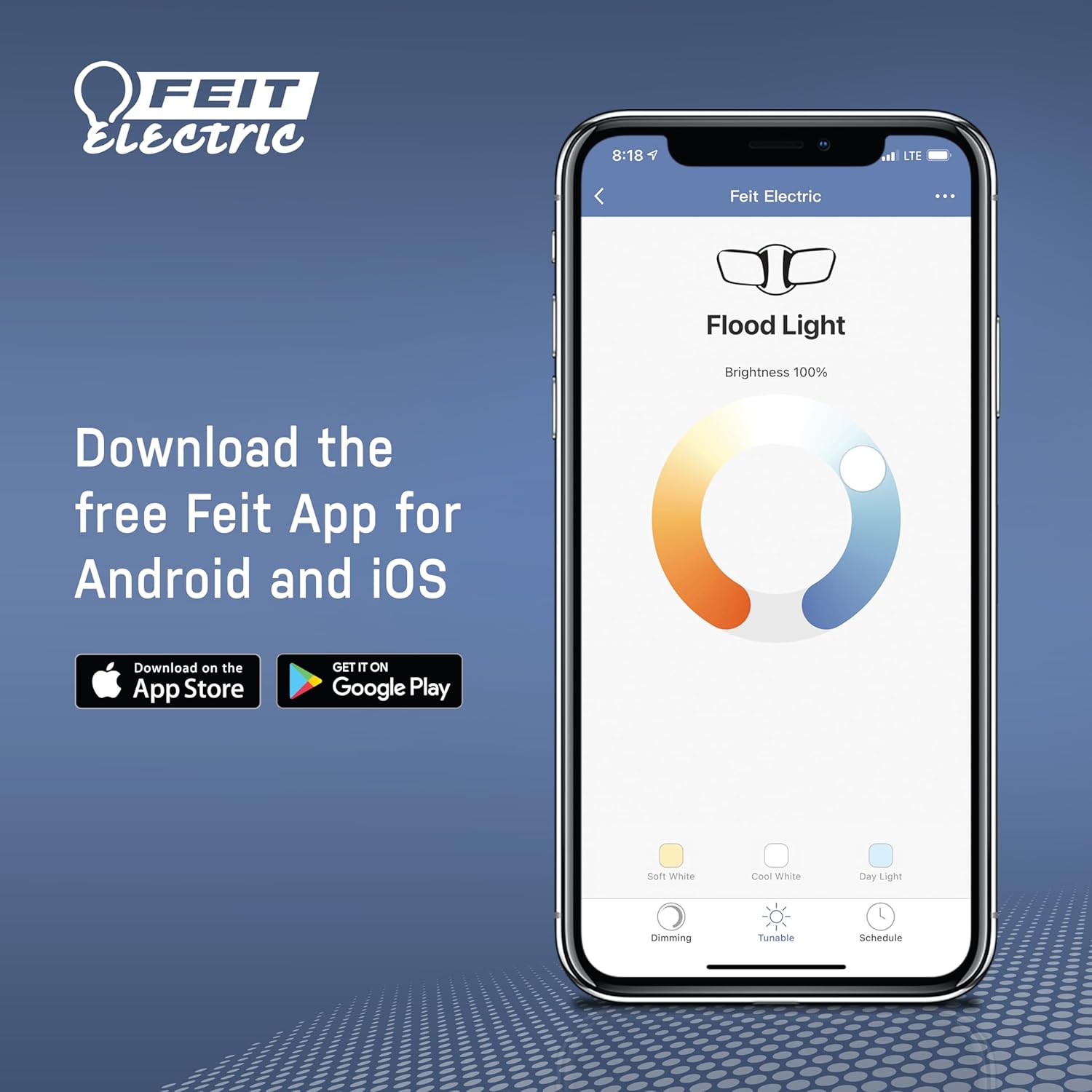
Figure 4.2: Download the Feit Electric app for full smart control.
4.3 Kawalan Suara (Alexa & Google Home)
After connecting your light to the Feit Electric app, you can link your Feit Electric account to Amazon Alexa or Google Home for voice control.
- Buka apl Alexa atau Google Home.
- Navigasi ke bahagian 'Kemahiran' (Alexa) atau 'Berfungsi dengan Google' (Laman Utama Google).
- Cari untuk and enable the "Feit Electric" skill/service.
- Pautkan akaun Feit Electric anda apabila digesa.
- Discover devices. You can now control your light using voice commands (e.g., "Alexa, turn on the kitchen light," "Hey Google, dim the under cabinet light to 50%").
5. Penyelenggaraan
The Feit Electric Under Cabinet Light is designed for minimal maintenance.
- Pembersihan: To clean the fixture, ensure it is turned off and unplugged (if applicable). Wipe the surface with a soft, dry, or slightly damp kain. Jangan gunakan pembersih atau pelarut yang melelas.
- LED: The light features integrated LEDs, meaning there are no bulbs to replace. The LEDs are designed to last for the lifetime of the fixture.
- Pemeriksaan: Periodically inspect the power cord and fixture for any signs of damage. If damage is found, discontinue use and contact customer support.
6. Penyelesaian masalah
If you encounter issues with your Feit Electric Under Cabinet Light, try the following troubleshooting steps:
- Lampu tidak menyala:
- Check if the power cord is securely plugged into the outlet or if the hardwire connection is secure.
- Sahkan bahawa pemutus litar tidak terpelantik.
- Ensure the light is turned on via the fixture button, remote, or app.
- Cahaya berkelip atau malap:
- Check the brightness setting in the app or with the remote.
- Pastikan bekalan kuasa stabil.
- Tidak dapat menyambung ke Wi-Fi/Apl:
- Ensure your Wi-Fi network is 2.4GHz. The light does not support 5GHz networks.
- Check your Wi-Fi signal strength at the light's location.
- Restart your Wi-Fi router and the light fixture.
- Pastikan anda memasukkan kata laluan Wi-Fi yang betul.
- Try resetting the light to factory settings (refer to app instructions for specific reset procedure).
- Alat kawalan jauh tidak berfungsi:
- Periksa dan gantikan bateri alat kawalan jauh jika perlu.
- Ensure there are no obstructions between the remote and the light fixture.
If these steps do not resolve the issue, please contact Feit Electric customer support.
7. Spesifikasi
| Spesifikasi | Nilai |
|---|---|
| Nombor Model | UCL24/CCTCA/AG |
| Jenis Cahaya | LED |
| Wattage | 20 Watt |
| Kecerahan | 1500 Lumen |
| Voltage | 120 Volt |
| Suhu Warna (CCT) | 2700K - 6500K (Putih Boleh Diputar) |
| Indeks Paparan Warna (CRI) | 90+ |
| bahan | aluminium |
| Dimensi Produk | 20 x 2.6 x 5 inci |
| Berat Barang | 1.4 paun |
| Protokol Ketersambungan | Wi-Fi (2.4GHz sahaja) |
| Kaedah Kawalan | App, Remote, Voice (Alexa, Google Assistant) |
| Kaedah Pemasangan | Plug-in or Hardwire |
| Purata Jangka Hayat | 25,000 Hours / 22.8 Years |
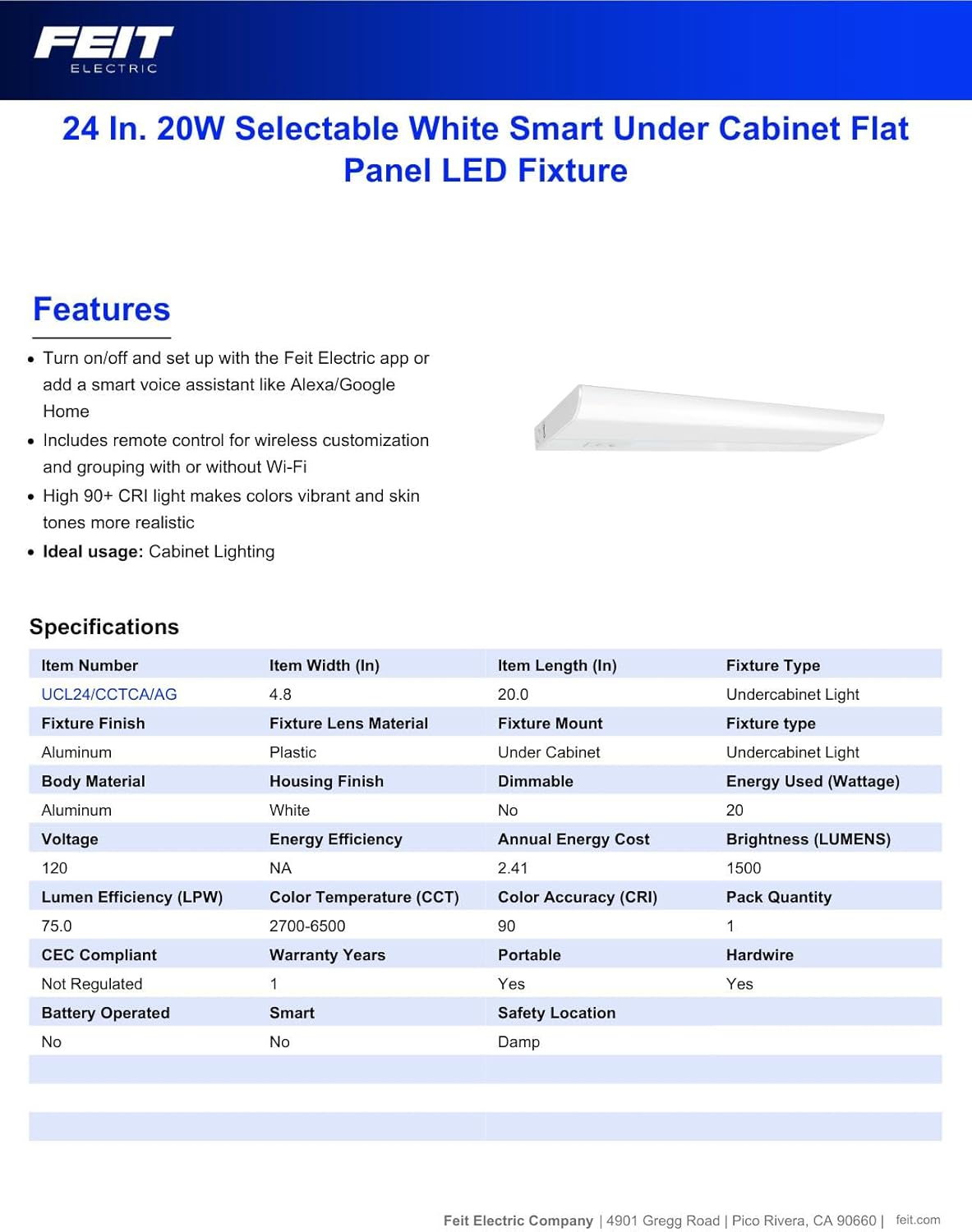
Figure 7.1: Manufacturer's specifications for the under cabinet light.
8. Maklumat Waranti
This Feit Electric Under Cabinet Lighting fixture is covered by a Waranti pengilang selama 3 tahun dari tarikh pembelian. Waranti ini meliputi kecacatan bahan dan mutu kerja di bawah penggunaan biasa. Untuk tuntutan waranti atau butiran lanjut, sila hubungi khidmat pelanggan Feit Electric.
9. Sokongan
For 24/7 customer support and additional assistance, please visit the Feit Electric Help Center:
https://help.feit.com/hc/en-us

Figure 9.1: Feit Electric customer support contact information.


