Arahan Keselamatan Penting
Please read and save these important safety instructions before using this fan. Failure to follow these instructions may result in electric shock, fire, or serious personal injury.
- Always unplug the fan before cleaning, assembling, or disassembling parts.
- Jangan kendalikan mana-mana kipas dengan kord atau palam yang rosak. Buang kipas atau kembalikan ke kemudahan servis yang dibenarkan untuk pemeriksaan dan/atau pembaikan.
- Jangan gunakan tali di bawah permaidani. Jangan tutup tali dengan permaidani lempar, pelari, atau penutup yang serupa. Susun kord jauh dari kawasan lalu lintas dan di mana ia tidak akan tersandung.
- Jangan masukkan atau benarkan jari atau objek asing memasuki sebarang pengudaraan atau bukaan ekzos kerana ini boleh menyebabkan kejutan elektrik atau kebakaran, atau merosakkan kipas.
- Do not use outdoors. This fan is intended for indoor use only.
- Letakkan kipas di atas permukaan yang stabil dan rata untuk mengelakkannya daripada terbalik.
- Jauhkan kanak-kanak dan haiwan peliharaan dari kipas semasa operasi.
Produk Selesaiview
The PELONIS 16'' Oscillating Pedestal Standing Fan is designed to provide powerful and quiet air circulation for various indoor spaces. It features a durable AC motor, three-speed settings, 90° oscillation, adjustable height, and a convenient remote control with a timer function.
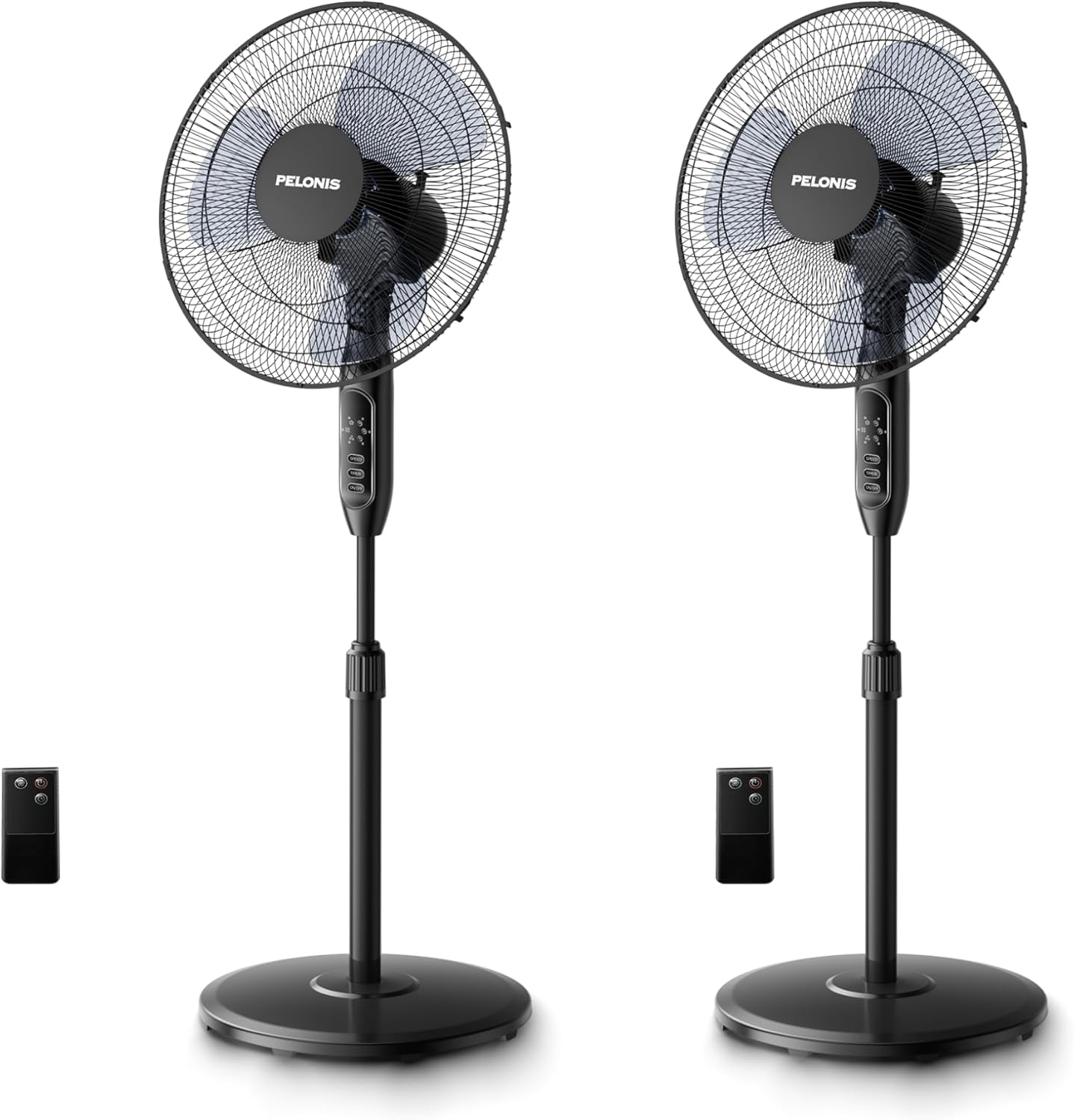
Image: Two PELONIS 16-inch oscillating pedestal fans, black in color, shown with their respective remote controls. The fans feature a round base, an adjustable pole, and a circular fan head with a protective grille.
Perhimpunan dan Persediaan
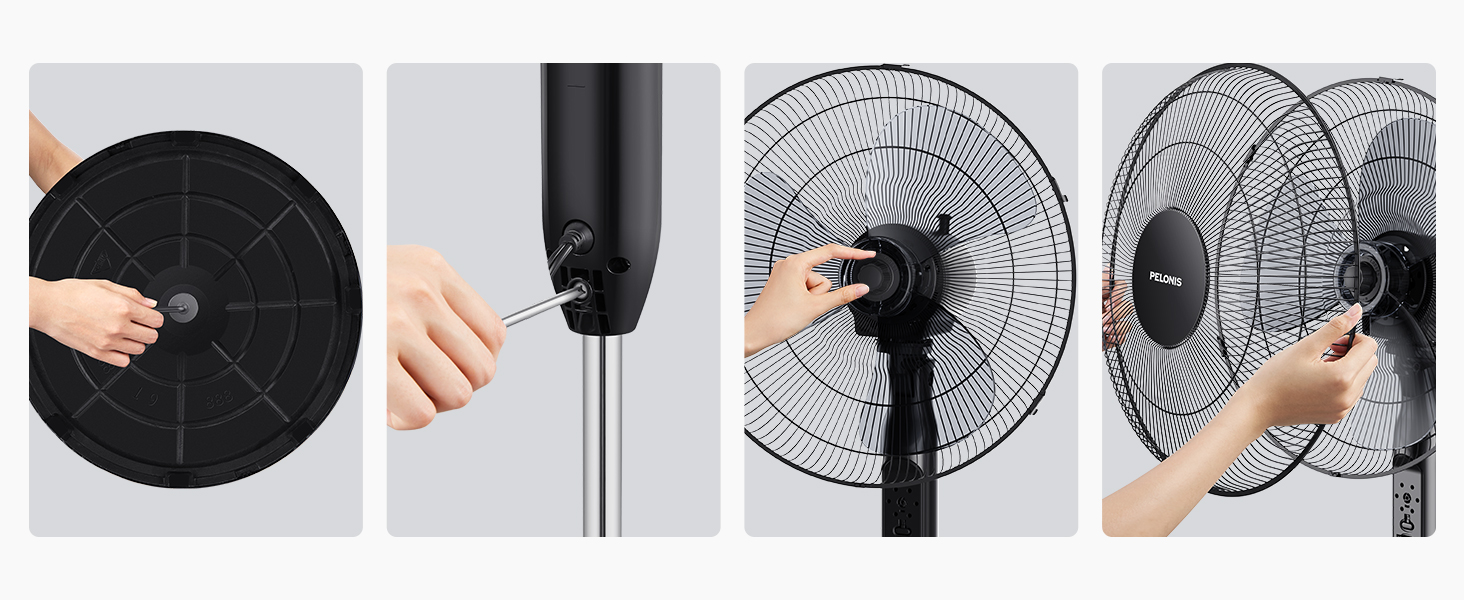
Ikuti langkah-langkah ini untuk memasang Kipas Pedestal PELONIS anda:
- Step 1: Attach the Base. Secure the fan pole to the round base using the provided screw and washer. Ensure it is firmly tightened for stability.

Image: A hand securing the fan pole into the circular base from underneath.
- Step 2: Connect the Pole to the Motor Housing. Insert the top part of the pole into the motor housing unit. Tighten the securing screw on the motor housing to fix it in place.
Image: A hand inserting the pole into the fan's main body and tightening a screw.
- Step 3: Install the Rear Grille. Place the rear grille onto the motor housing, aligning the notches. Secure it with the provided locking nut.
Image: A hand attaching the rear protective grille to the fan motor housing.
- Step 4: Attach the Fan Blades. Slide the fan blades onto the motor shaft, ensuring they are properly seated. Secure them with the blade cap.
Image: A hand securing the fan blades onto the motor shaft.
- Step 5: Install the Front Grille. Place the front grille over the rear grille, aligning the clips. Secure the two grilles together using the clips or screws provided.
Image: A hand attaching the front protective grille to the fan assembly.
- Step 6: Power Connection. Palamkan kipas ke soket elektrik standard.
Arahan Operasi
Your PELONIS Pedestal Fan can be operated using the control panel on the fan unit or the included remote control.
Panel Kawalan dan Fungsi Jauh:
Imej: A terperinci view of the fan's control panel with buttons for Speed, Timer, and On/Off, alongside the remote control.
- Butang HIDUP/MATI: Tekan untuk menghidupkan atau mematikan kipas.
- Butang SPEED: Press repeatedly to cycle through the three speed settings: Low, Medium, and High.
- Butang PEMASA: Press repeatedly to set the automatic shut-off timer for 1 hour, 2 hours, 4 hours, or a combined 7 hours.
- Pengayun: The fan features a 90° wide-range oscillation. To activate or deactivate oscillation, press the dedicated oscillation button on the control panel (if available) or use the remote control.
- Tinggi boleh laras: Loosen the height-adjustable knob on the pole, adjust the fan to your desired height, and then tighten the knob securely.
- Kecondongan boleh laras: Manually adjust the fan head up or down to direct airflow.
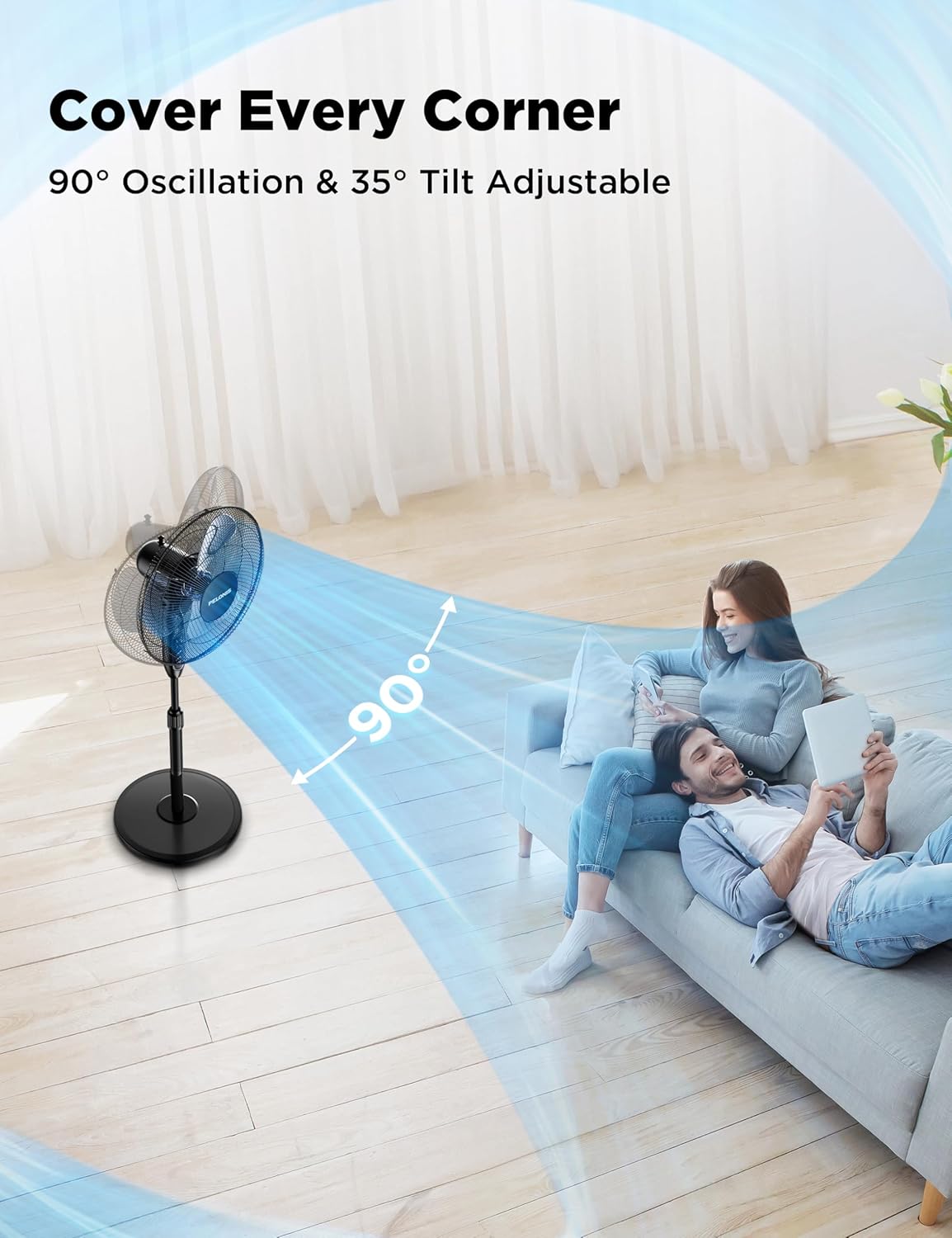
Image: A PELONIS fan illustrating its 90-degree horizontal oscillation and 35-degree vertical tilt capabilities, showing airflow covering a wide area.

Image: A PELONIS fan demonstrating its three adjustable speed settings, visually representing the airflow for Low, Medium, and High.
Penyelenggaraan
Penyelenggaraan berkala membantu memastikan jangka hayat dan prestasi optimum kipas anda.
- Pembersihan: Always unplug the fan from the power outlet before cleaning. Use a soft, damp cloth to wipe the exterior surfaces. Do not use abrasive cleaners or harsh chemicals, as they may damage the fan's finish.
- Pembersihan gril: The front and rear grilles can accumulate dust. Periodically remove the front grille (refer to assembly instructions in reverse) and gently wipe the blades and grilles with a soft cloth or use a vacuum cleaner with a brush attachment.
- Storan: Apabila tidak digunakan untuk tempoh yang lama, simpan kipas di tempat yang sejuk dan kering, sebaik-baiknya di dalam pembungkusan asalnya untuk melindunginya daripada habuk dan kerosakan.
Menyelesaikan masalah
If your fan is not operating correctly, please check the following common issues and solutions:
| Masalah | Kemungkinan Punca | Penyelesaian |
|---|---|---|
| Kipas tidak dihidupkan. | No power supply; Fan not plugged in; Power outlet not working. | Pastikan kipas dipasang dengan selamat pada salur keluar elektrik yang berfungsi. Periksa pemutus litar. |
| Aliran udara lemah atau tiada. | Fan speed set too low; Obstruction in front/rear grille; Dirty blades. | Increase the fan speed setting. Remove any obstructions. Clean the fan blades and grilles. |
| Fan is noisy during operation. | Bahagian longgar; Kipas tidak berada di atas permukaan yang stabil; Halangan. | Check that all assembly screws are tightened. Place the fan on a flat, stable surface. Ensure no objects are interfering with the blades. |
| Alat kawalan jauh tidak berfungsi. | Bateri mati atau salah dimasukkan; Alat jauh tidak dihalakan ke penerima. | Replace the batteries (2x AAA, not included). Ensure the remote is pointed directly at the fan's control panel. |
Spesifikasi
| Ciri | Perincian |
|---|---|
| Jenama | PELONIS |
| Nama Model | PFS16R0APK2 |
| Dimensi Produk | 17.9"D x 15"W x 48.4"H |
| Berat Barang | 28.1 paun |
| warna | Hitam |
| Sumber Kuasa | AC |
| Bilangan Tahap Kuasa | 3 (Rendah, Sederhana, Tinggi) |
| Tahap Kebisingan | 45 dB |
| Ciri Khas | Adjustable Height, Adjustable Tilt, Remote Controlled, Timer (7H) |
| Kaedah Kawalan | Remote, Manual Buttons |
| Bahan Bilah | plastik |
| Penggunaan Dalaman/Luar | Dalaman |
| Komponen yang Disertakan | Kord, Jauh |


