1. Pengenalan
This manual provides comprehensive instructions for the installation, operation, and maintenance of your Geniatech APC Android 11 Smart TV Box. Please read this manual thoroughly before using the device to ensure proper functionality and to maximize its capabilities. This device is designed for various applications, including digital signage, media playback, and industrial communication.
2. Produk Lebihview
The Geniatech APC is a compact and powerful Android 11-based mini PC designed for robust performance in demanding environments. It features a durable construction with a metal bottom shell and a plastic top shell, engineered for efficient heat dissipation.
2.1 Komponen Peranti

The Geniatech APC device, showcasing its compact design and various ports on the side.
2.2 Port dan Penyambung
The device is equipped with a variety of connectors to support diverse applications and peripherals.

A terperinci view highlighting the connectivity options: USB 2.0, USB 3.0, TF Slot, Power input, Network port, IR receiver, DC power input, RS232 serial port, HDMI output, and LAN port.
- Port USB 2.0: For connecting standard USB devices such as keyboards, mice, or storage.
- Port USB 3.0: For high-speed data transfer with compatible USB 3.0 devices.
- Slot TF: For inserting a TransFlash (MicroSD) card to expand storage.
- NET (Ethernet) Port: Untuk sambungan rangkaian berwayar.
- Penerima IR (Inframerah): Untuk menerima isyarat daripada alat kawalan jauh.
- Input Kuasa DC: Untuk menyambungkan penyesuai kuasa.
- Pelabuhan RS232: An industrial serial port for communication with industrial machines and network equipment.
- Port HDMI OUT: For connecting to a display device (TV, monitor) to output video and audio.
- Port LAN: Another name for the Ethernet port, for wired network connectivity.
3. Persediaan
Follow these steps to set up your Geniatech APC device.
- Sambung ke Paparan: Sambungkan satu hujung kabel HDMI ke HDMI KELUAR port on the Geniatech APC and the other end to an HDMI input on your television or monitor.
- Sambung ke Kuasa: Plug the provided power adapter into the Input Kuasa DC port on the device, then plug the adapter into a wall outlet.
- Sambungan Rangkaian (Pilihan):
- Berwayar: Connect an Ethernet cable from your router or network switch to the NET (LAN) port pada peranti.
- wayarles: The device supports dual-band Wi-Fi. You will configure Wi-Fi settings after initial boot-up through the Android interface.
- Sambungkan Peranti Periferal (Pilihan): Connect a USB keyboard, mouse, or other USB devices to the USB 2.0 or USB 3.0 pelabuhan.
- Hidupkan kuasa: The device should power on automatically once connected to power. If not, press the power button located near the IR receiver.
- Konfigurasi Awal: Follow the on-screen prompts to complete the initial Android setup, including language selection, network configuration, and Google account login (if desired).
4. Arahan Operasi
4.1 Menavigasi Antara Muka Android
The Geniatech APC runs on Android 11, providing a familiar and intuitive user experience. You can navigate using the included remote control or by connecting a USB mouse and keyboard.
- Skrin Utama: Displays your installed applications, widgets, and quick access shortcuts.
- Laci Apl: Akses semua aplikasi yang dipasang.
- tetapan: Configure network, display, sound, storage, applications, and system preferences.
4.2 Menggunakan Alat Kawalan Jauh
Point the remote control towards the IR receiver on the front of the device. The remote allows you to navigate menus, select items, adjust volume, and control media playback.
4.3 Memasang dan Mengurus Aplikasi
You can install applications from the Google Play Store (if configured) or by sideloading APK files. To manage applications, go to Tetapan > Apl.
4.4 Main Semula Media
The device supports 4K2K Ultra HD and 1080p resolution playback. Use pre-installed media players or download your preferred applications for video and audio content. Connect external storage via USB or TF card for local media files.
4.5 Kefungsian Papan Tanda Digital
For digital signage applications, the device supports a Remote Device Management System (MDM). This allows for remote control of online devices, content distribution, application deployment, and service push, making it suitable for commercial advertising and menu displays.
5. Ciri-ciri Utama
- Sistem pengendalian: Android 11.
- Pemproses: Amlogic S905X4 64-bit quad-core ARM Cortex-A55.
- Memori & Storan: 2GB RAM and 8GB ROM.
- Output Video: 4K2K Ultra HD playback and real-time decoding, supporting 4K and 1080p resolutions.
- Audio: Dolby Surround Sound (Dolby AC-4) for enhanced audio experience.
- Ketersambungan: Dual-band Wi-Fi, Ethernet (LAN), Bluetooth, USB 2.0, USB 3.0, TF Card Slot, HDMI OUT, RS232.
- Industrial Communication: RS232 port for easy communication with industrial machines and network equipment.
- Pengurusan Jauh: Support for Remote Device Management System (MDM) for centralized control and content deployment.
- Pelesapan Haba: Excellent heat dissipation performance with a metal bottom shell and plastic top shell featuring vents for internal ventilation.
- Kebolehpercayaan: Built-in hardware watchdog to monitor system status in real-time, ensuring stable and continuous operation (7x24h).

An image illustrating the Dolby Surround Sound feature (Dolby AC-4) of the device, enhancing the audio experience for users.

An illustration demonstrating the excellent heat dissipation performance of the device, achieved through vents on both sides of its metal and plastic casing, ensuring stable operation.
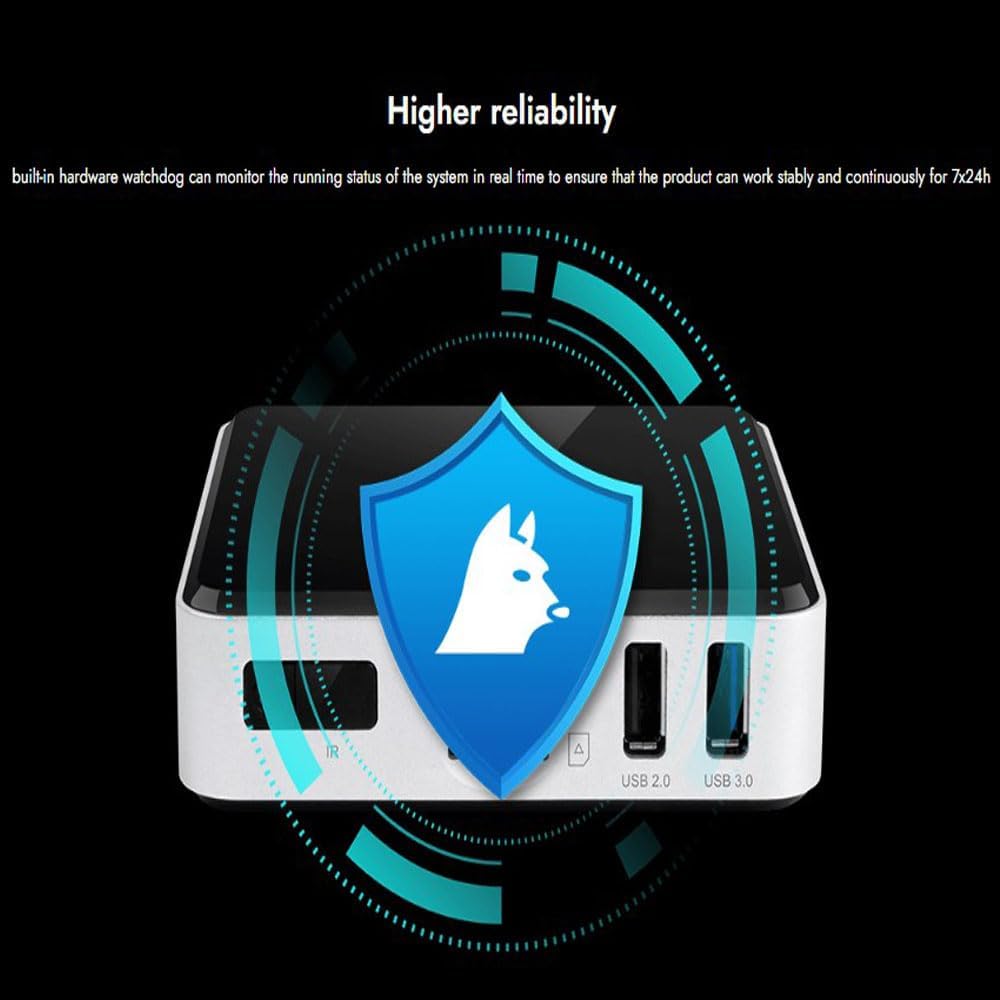
A graphic depicting the built-in hardware watchdog, which monitors the system's running status in real-time to ensure stable and continuous operation for 24/7.
6. Aplikasi
The Geniatech APC is versatile and suitable for a wide range of applications:
- Papan Tanda Digital: Ideal for advertising screen displays, commercial advertising, and menu displays.
- Hotel Intelligent Interactive TV: Enhances guest experience with interactive content.
- IPTV DVB OTT Integration: Supports various streaming and broadcast integration needs.
- Network Video Calling: Facilitates video communication.
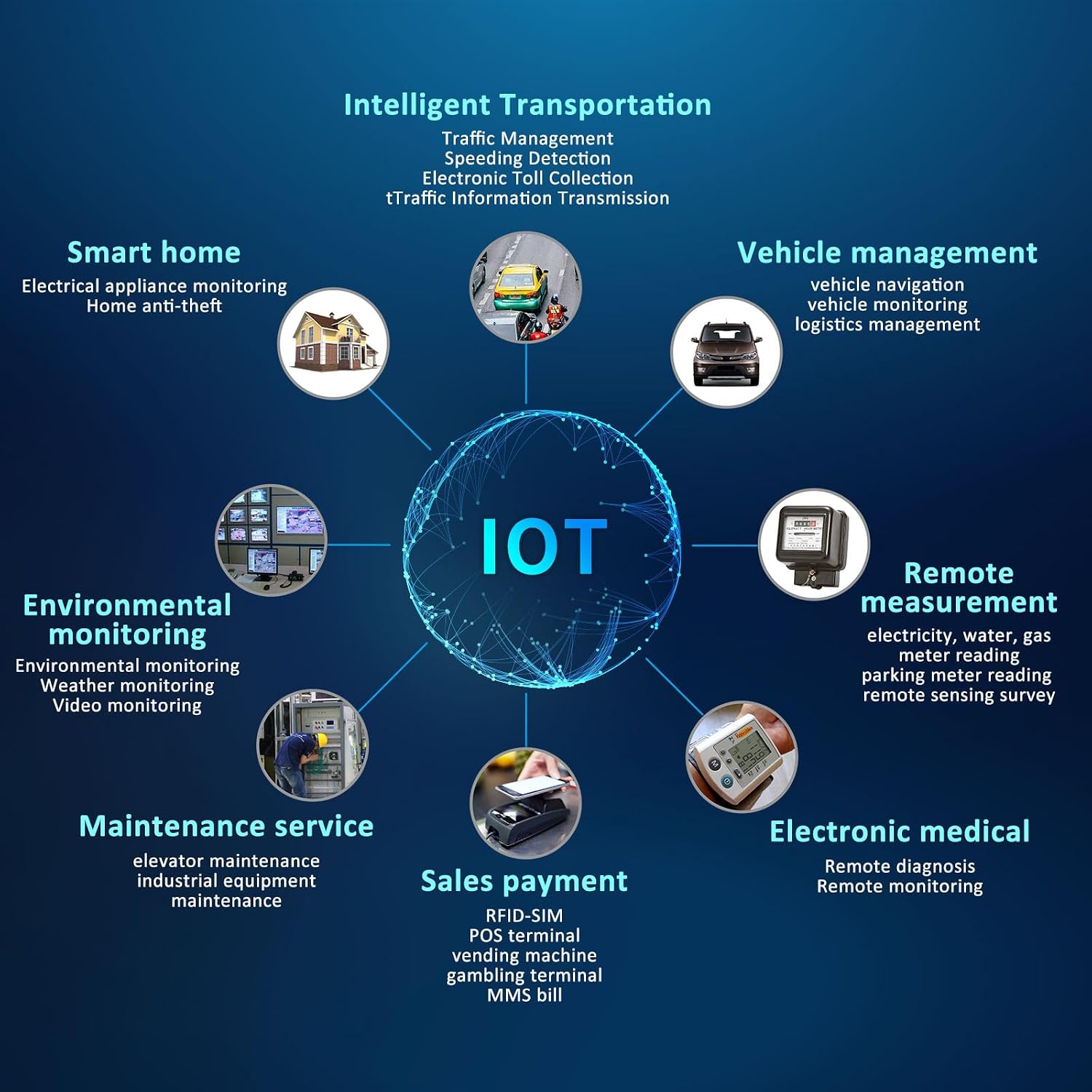
- Internet Perkara (IoT): Applicable in various IoT scenarios including:
- Smart home (electrical appliance monitoring, home anti-theft)
- Vehicle management (vehicle navigation, vehicle monitoring, logistics management)
- Remote measurement (electricity, water, gas meter reading, parking meter reading, remote sensing survey)
- Maintenance service (elevator maintenance, industrial equipment maintenance)
- Sales payment (RFID-SIM, POS terminal, vending machine, gambling terminal, MMS bill)
- Electronic medical (remote diagnosis, remote monitoring)
- Intelligent Transportation (traffic management, speeding detection, electronic toll collection, traffic information transmission)
Various scenarios where the Geniatech APC can be utilized, such as advertising screens, hotel interactive TVs, and menu displays in commercial settings.

Gambar rajah menunjukkanasing the diverse applications of the device within the Internet of Things (IoT), including smart home, vehicle management, remote measurement, maintenance, sales payment, electronic medical, and intelligent transportation.
7. Penyelenggaraan
Regular maintenance helps ensure the longevity and optimal performance of your Geniatech APC.
- Pembersihan: Use a soft, dry cloth to clean the exterior of the device. Avoid using liquid cleaners or abrasive materials. Ensure vents are free from dust accumulation.
- Kemas Kini Perisian: Periodically check for system updates in the Android settings (Settings > About device > System update) to ensure you have the latest features and security patches.
- Pengudaraan: Ensure the device is placed in a well-ventilated area, away from direct sunlight or heat sources, to maintain optimal operating temperature and prevent overheating. Do not block the side vents.
- Pengurusan Storan: Bersihkan secara kerap yang tidak perlu files and uninstall unused applications to free up internal storage and maintain performance.
8. Penyelesaian masalah
If you encounter issues with your Geniatech APC, refer to the following common problems and solutions.
| Masalah | Kemungkinan Punca | Penyelesaian |
|---|---|---|
| Peranti tidak dihidupkan | Penyesuai kuasa tidak disambungkan atau rosak; isu salur keluar kuasa. | Pastikan penyesuai kuasa disambungkan dengan selamat ke peranti dan soket kuasa yang berfungsi. Cuba soket lain. |
| No display on TV/monitor | HDMI cable loose or faulty; incorrect input selected on TV; device not powered on. | Check HDMI cable connections. Ensure TV is set to the correct HDMI input. Verify the device is powered on. Try a different HDMI cable or port on the TV. |
| Isu sambungan Wi-Fi | Incorrect Wi-Fi password; out of range; router issue. | Verify Wi-Fi password in Tetapan > Rangkaian & Internet > Wi-Fi. Move device closer to router. Restart router. |
| Alat kawalan jauh tidak bertindak balas | Batteries low or depleted; IR receiver blocked; remote not pointed correctly. | Replace remote control batteries. Ensure no obstructions between remote and device's IR receiver. Point remote directly at the device. |
| Aplikasi ranap atau beku | Insufficient memory; app conflict; outdated app version. | Close background applications. Clear app cache (Tetapan > Apl > [Nama Apl] > Storan > Kosongkan cache). Update the application. Restart the device. |
9. Spesifikasi
| Ciri | Penerangan |
|---|---|
| Jenama | Geniatech |
| Nama Model | APC |
| Sistem Operasi | Android 11 |
| Pemproses | Amlogic S905X4 64-bit Quad-core ARM Cortex-A55 |
| RAM | 2GB |
| ROM | 8GB |
| Sokongan Resolusi | 4K2K Ultra HD playback / real time decoding, 1080p |
| Teknologi Ketersambungan | Wireless (Dual-band Wi-Fi), Bluetooth, Ethernet |
| Jenis Penyambung | USB 2.0, USB 3.0, TF Slot, HDMI OUT, RS232, DC Power Input, LAN |
| Ciri Audio | Dolby Surround Sound (Dolby AC-4) |
| Jenis Pengawal | Alat Kawalan Jauh |
| Faktor Bentuk | TV Box / Mini PC |
| warna | Hitam |
| Ciri Khas | Android OS, HDMI-out, Digital Signage Player, MDM Support, Hardware Watchdog, Excellent Heat Dissipation |
10. Waranti dan Sokongan
For warranty information and technical support, please refer to the documentation included with your purchase or visit the official Geniatech webtapak. Simpan resit pembelian anda sebagai bukti pembelian untuk tuntutan waranti.
For further assistance, you may contact Geniatech customer support through their official channels.


