1. Pengenalan
Terima kasih kerana membeliasing the amazon basics 90W RMS 2.1 Channel Soundbar with Wired Subwoofer. This manual provides essential information for setting up, operating, and maintaining your new audio system. Please read it thoroughly before use and retain it for future reference.
2. Maklumat Keselamatan
- Jangan dedahkan unit kepada hujan, kelembapan atau suhu yang melampau.
- Pastikan pengudaraan yang betul di sekitar bar bunyi dan subwoofer.
- Jangan sekat sebarang bukaan pengudaraan.
- Gunakan hanya penyesuai kuasa yang dibekalkan dengan unit.
- Jangan buka casing; merujuk semua perkhidmatan kepada kakitangan yang berkelayakan.
- Jauhkan produk daripada medan magnet yang kuat.
- Bersihkan hanya dengan kain kering.
3. Kandungan Pakej
Sahkan bahawa semua item terdapat dalam pakej:
- amazon basics Soundbar
- Subwufer Berwayar
- Alat Kawalan Jauh
- Manual Pengguna (dokumen ini)
- Kabel Kuasa boleh tanggal

Image: The soundbar, wired subwoofer, and remote control included in the package.
4. Ciri-ciri Produk
- 90W RMS Power: Delivers powerful and clear audio.
- 2.1 Channel System: Soundbar with a dedicated wired subwoofer for enhanced bass.
- Pelbagai Pilihan Kesambungan: Bluetooth v5.3, HDMI (ARC), Optical, AUX, and USB.
- Kawalan Jauh: Alat kawalan jauh fungsi penuh untuk operasi yang mudah.
- Reka bentuk langsing dan ringan: Space-saving and easy to integrate into any setup.
- Multiple EQ Modes: Pro bunyi yang dioptimumkanfiles for Music, Movies, and News.

Image: Graphic highlighting the 90W RMS power for an immersive sound experience.
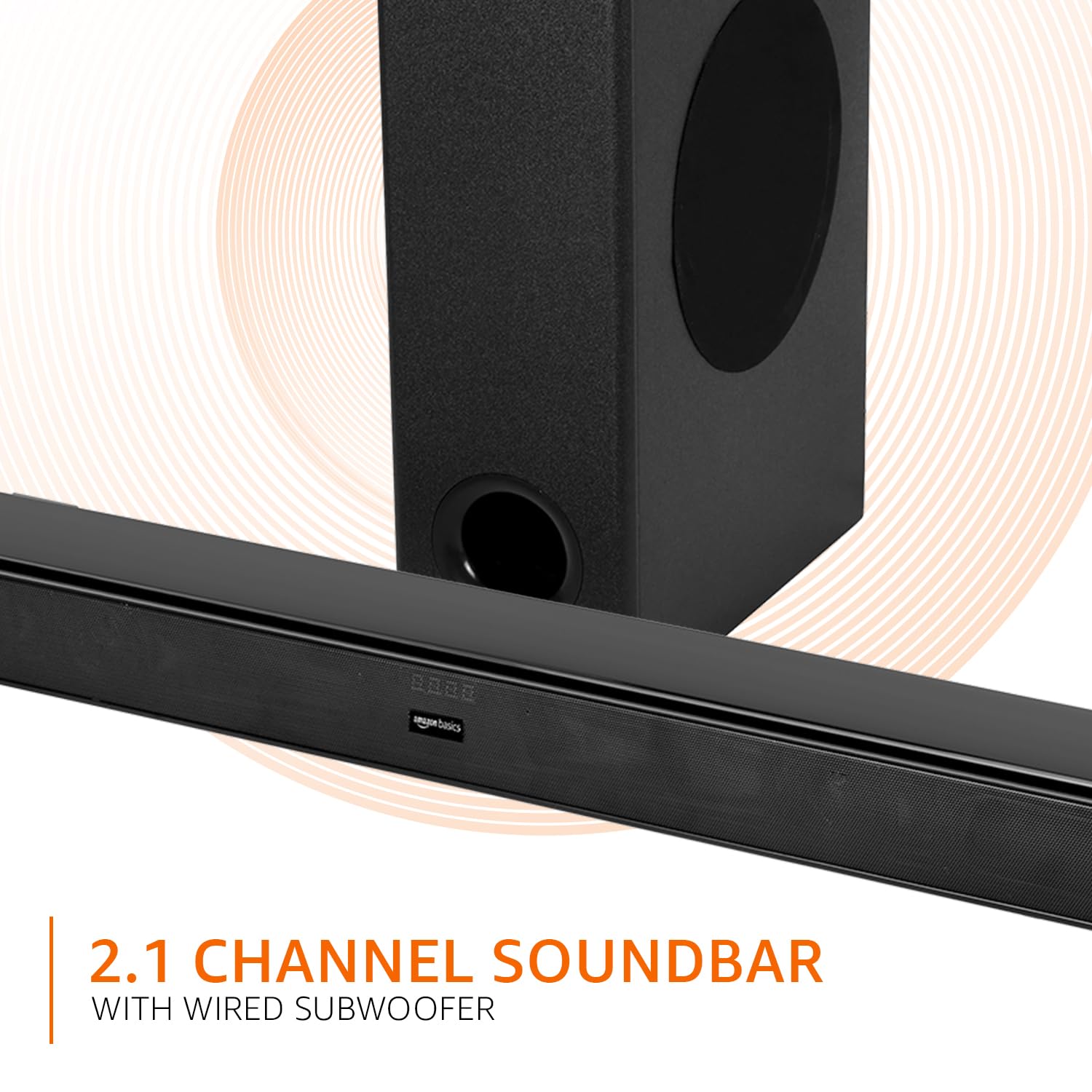
Image: Graphic illustrating the 2.1 channel soundbar system with a wired subwoofer.

Imej: Jarak dekat view of the soundbar, emphasizing its slim and space-saving design.
5. Panduan Persediaan
5.1 Penempatan
- Bar bunyi: Place the soundbar on a stable, flat surface directly in front of your TV, or mount it on the wall below your TV. Ensure it is not obstructing the TV's remote sensor.
- subwufer: Position the wired subwoofer on the floor near the soundbar. For optimal bass, experiment with different locations in the room.
5.2 Sambungan
Before making any connections, ensure both the soundbar and your audio source (TV, PC, etc.) are powered off.
- Wired Subwoofer Connection: Connect the subwoofer cable from the subwoofer to the dedicated subwoofer output port on the soundbar.
- Input Audio: Pilih salah satu daripada kaedah berikut untuk menyambungkan sumber audio anda:
- HDMI (ARC): Connect an HDMI cable from the HDMI ARC port on the soundbar to the HDMI ARC port on your TV. This allows audio to be sent from the TV to the soundbar and often enables TV remote control of the soundbar volume.
- Optik: Connect an optical cable from the OPTICAL port on the soundbar to the optical output port on your TV or other audio device.
- AUX: Connect a 3.5mm audio cable from the AUX port on the soundbar to the headphone jack or audio output port on your device.
- USB: Insert a USB drive into the USB port on the soundbar for direct audio playback.
- Sambungan Kuasa: Connect the detachable power cable to the soundbar's power input, then plug it into a wall outlet.

Image: An illustration showing the soundbar and subwoofer positioned in front of a television, demonstrating a typical setup.
6. Arahan Operasi
6.1 Hidupkan/Mati Kuasa
Tekan ke kuasa butang pada bar bunyi atau alat kawalan jauh untuk menghidupkan atau mematikan unit.
6.2 Pemilihan Input
Tekan ke Input button on the soundbar or the remote control repeatedly to cycle through available input sources: HDMI (ARC), Optical, AUX, USB, and Bluetooth.
6.3 Kawalan Kelantangan
Gunakan Jilid + dan Isipadu - butang pada bar bunyi atau alat kawalan jauh untuk melaraskan kelantangan induk.
6.4 Mod Penyama (EQ)
Tekan ke BERITA, FILEM, atau MUZIK buttons on the remote control to select the desired sound mode. Each mode optimizes audio for specific content.

Image: Graphic showing the soundbar and subwoofer with text indicating 'Multiple EQ Modes: Music, Movies & News'.
6.5 Berpasangan Bluetooth
- Turn on the soundbar and select the Bluetooth input mode. The LED indicator will flash, indicating pairing mode.
- Dayakan Bluetooth pada peranti mudah alih anda (telefon pintar, tablet, dll.).
- Cari untuk "amazon basics" in your device's Bluetooth list and select it to pair.
- Once paired, the LED indicator on the soundbar will stop flashing and remain solid.
7. Pilihan Kesambungan
The soundbar offers various ways to connect to your audio sources:
- Bluetooth v5.3: For wireless audio streaming from compatible devices within a 10-meter range.
- HDMI (ARC): Audio Return Channel for simplified connection with ARC-enabled TVs.
- Optik: Digital audio input for high-quality sound from TVs, gaming consoles, etc.
- AUX: Analog audio input for connecting devices with a 3.5mm audio output.
- USB: Untuk memainkan audio files terus dari peranti storan USB.

Imej: A terperinci view of the soundbar's rear panel, highlighting the HDMI (ARC), USB, AUX, and Optical input ports.
8. Fungsi Alat Kawalan Jauh
The included remote control provides full command over your soundbar. Ensure batteries are correctly inserted.

Image: A close-up of the remote control, showing all buttons and their labels.
| Butang | Fungsi |
|---|---|
| kuasa | Menghidupkan atau mematikan bar bunyi. |
| bisu | Membisukan atau menyahredamkan bunyi. |
| Input (H-ARC, OPTICAL, BT, AUX, USB) | Memilih sumber input audio. |
| Isipadu + / - | Melaraskan tahap kelantangan induk. |
| Sebelumnya / Seterusnya | Skips to the previous or next track (USB/Bluetooth mode). |
| Main / Jeda | Plays or pauses audio playback (USB/Bluetooth mode). |
| BERITA | Activates News EQ mode. |
| FILEM | Activates Movie EQ mode. |
| MUZIK | Activates Music EQ mode. |
9. Penyelenggaraan
- Pembersihan: Wipe the surfaces of the soundbar and subwoofer with a soft, dry cloth. Do not use liquid cleaners or aerosols.
- Storan: Jika menyimpan unit untuk tempoh yang lama, cabut sambungannya daripada salur keluar kuasa dan simpan di tempat yang sejuk dan kering.
- Pengudaraan: Ensure that the ventilation openings are not blocked by dust or debris.
10. Penyelesaian masalah
| Masalah | Penyelesaian yang Mungkin |
|---|---|
| Tiada kuasa | Periksa sama ada kabel kuasa disambungkan dengan kukuh pada bar bunyi dan soket dinding. Pastikan soket berfungsi. |
| Tiada bunyi | Verify the correct input source is selected. Check volume levels on both the soundbar and the connected device. Ensure cables are properly connected. If using HDMI ARC, confirm ARC is enabled on your TV. |
| Alat kawalan jauh tidak berfungsi | Check and replace batteries. Ensure there are no obstructions between the remote and the soundbar's sensor. |
| Isu berpasangan Bluetooth | Ensure the soundbar is in Bluetooth pairing mode. Disable and re-enable Bluetooth on your device. Move your device closer to the soundbar. |
| Bunyi herot | Reduce the volume. Check audio source quality. Ensure cables are not damaged. |
11. Spesifikasi
| Ciri | Spesifikasi |
|---|---|
| Nama Model | AB-SBW-090 |
| Jenis Pembesar Suara | Bar bunyi dengan Subwufer Berwayar |
| Jumlah Kuasa Keluaran | 90W RMS |
| Saluran | 2.1 |
| Ketersambungan | Bluetooth v5.3, HDMI (ARC), Optical, AUX, USB |
| Julat Bluetooth | 10 Metres (approx. 33 feet) |
| Diameter Subwoofer | 5.25 Inci |
| Dimensi Produk (Bar Bunyi) | 7.3D x 82W x 6.8H Sentimeter |
| Berat Barang | 4.9 Kilogram |
| Sumber Kuasa | Elektrik Bertali |
| Nisbah Isyarat-ke-Bunyi | 70 dB |
| Impedans | 4 Ohm |
| bahan | plastik |
12. Waranti dan Sokongan
This amazon basics soundbar comes with a Waranti Terhad 1 Tahun dari tarikh pembelian. Waranti ini meliputi kecacatan pembuatan dan mutu kerja di bawah penggunaan biasa. Ia tidak meliputi kerosakan yang disebabkan oleh salah guna, kemalangan, pengubahsuaian tanpa kebenaran atau punca luaran.
For warranty claims, technical support, or service inquiries, please contact amazon basics customer support through your purchase platform or visit the official amazon basics webtapak.
Untuk maklumat lanjut, layari: Kedai asas amazon