1. Pengenalan
This manual provides instructions for the Goobay 41074 USB-C Sync & Charge Cable. This cable is designed for high-speed data transfer, fast charging, and video/audio transmission between compatible USB-C enabled devices.

Image 1.1: The Goobay 41074 USB-C Sync & Charge Cable, featuring a USB-A connector on one end and a USB-C connector on the other. The image also highlights key specifications such as USB-C compatibility, 1-meter length, 60W power delivery, and 20x faster speed than USB 2.0.
2. Ciri-ciri Produk
- Pengecasan Cepat: Supports power delivery up to 60 W (20 V / 3 A) for rapid charging of compatible USB-C devices.
- SuperSpeed+ Data Transfer: Achieves data transfer rates up to 10 Gbit/s, which is 20 times faster than USB 2.0.
- USB 3.2 Gen 2 Standard: Utilizes the latest USB 3.2 Gen 2x2 standard for efficient data handling.
- Reversible USB-C Connector: The USB-C plug can be inserted in either orientation.
- Video & Audio Transmission: Capable of transmitting video and audio content to external displays with a USB-C input.
- Penggunaan Serbaguna: Suitable for transferring movies, music, videos, and various files.

Imej 2.1: Perincian view of the Goobay USB-C cable, highlighting its USB-A and USB-C connectors and indicating its 1-meter length, 60W power delivery, and 10 Gbps data transfer speed.
3. Kandungan Pakej
Pakej mengandungi item berikut:
- 1x Goobay 41074 USB-C Sync & Charge Cable (1 meter)
4. Persediaan
To set up your Goobay 41074 USB-C cable, follow these general steps:
- Kenal pasti Pelabuhan: Locate the appropriate USB-A and USB-C ports on your devices (e.g., computer, charger, smartphone, monitor).
- Sambungkan Peranti: Insert the USB-A end of the cable into a compatible USB-A port on your host device (e.g., computer, wall charger).
- Sambungkan Peranti USB-C: Insert the USB-C end of the cable into the USB-C port of your target device (e.g., smartphone, tablet, laptop, monitor). The USB-C connector is reversible, allowing for easy connection in either direction.
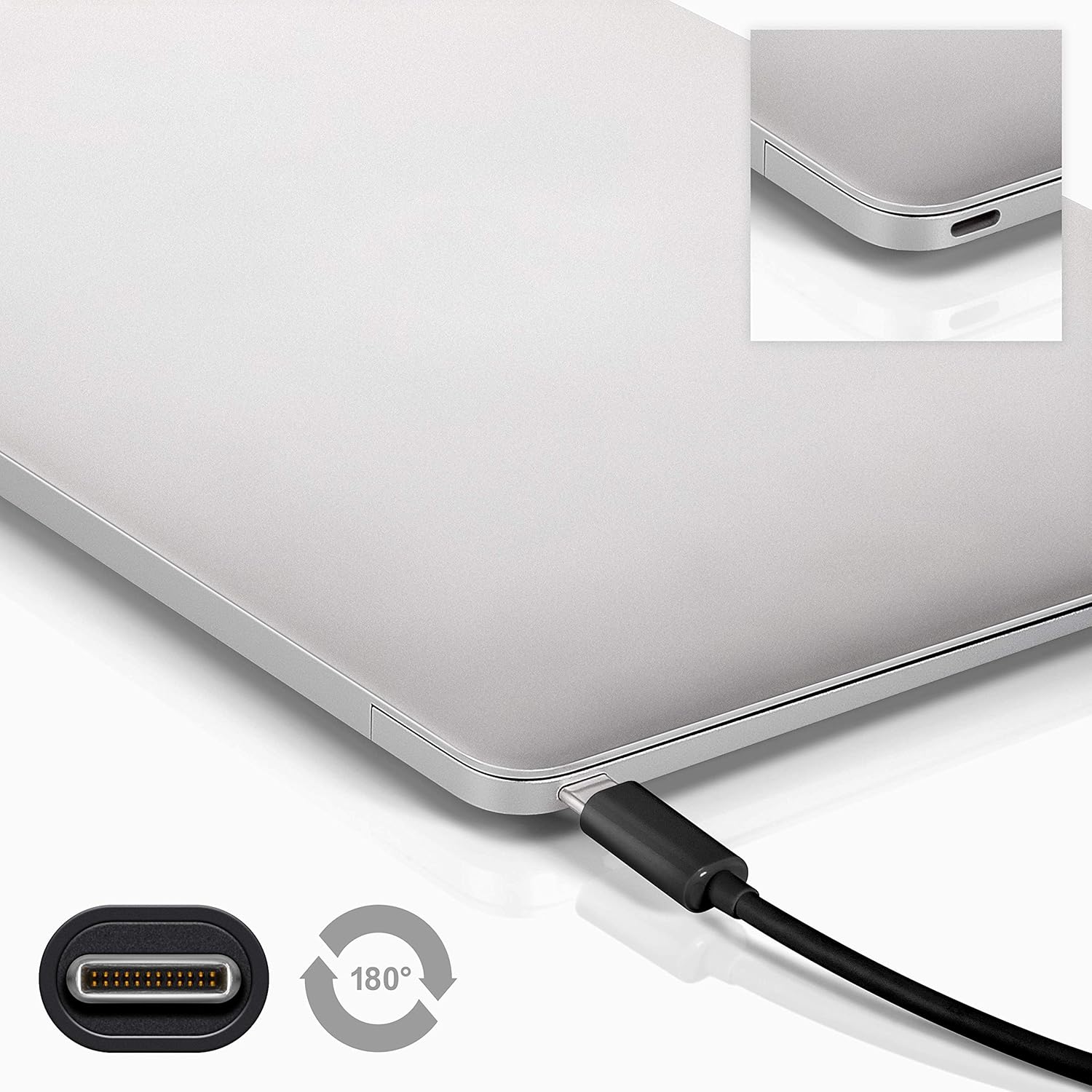
Image 4.1: A Goobay USB-C cable connected to a laptop, demonstrating the reversible nature of the USB-C connector and its ease of use. A close-up of the USB-C port is also shown.
5. Arahan Operasi
5.1. Mengecas Peranti
To charge a USB-C enabled device:
- Connect the USB-A end of the cable to a compatible USB wall charger or power adapter.
- Connect the USB-C end of the cable to your USB-C device (e.g., smartphone, tablet, laptop).
- Ensure the power adapter is plugged into a working power outlet. Your device should begin charging.
5.2. Pemindahan Data
To transfer data between a computer and a USB-C device:
- Sambungkan hujung kabel USB-A ke port USB-A yang tersedia pada komputer anda.
- Sambungkan hujung USB-C kabel ke peranti USB-C anda.
- Your computer should recognize the connected device. Follow the on-screen prompts on your computer and device to manage data transfer (e.g., select 'File Transfer' mode on your smartphone).

Image 5.1: A Goobay USB-C cable connecting a smartphone to a laptop, illustrating its use for data transfer between devices.
5.3. Video and Audio Output
To transmit video and audio to an external display:
- Connect the USB-A end of the cable to your source device (e.g., laptop with a USB-A port that supports video output via an adapter, or a docking station).
- Connect the USB-C end of the cable to a compatible monitor or television with a USB-C input that supports video.
- Ensure your source device and display are configured correctly for video output.
6. Penyelenggaraan
- Storan: Simpan kabel di tempat yang sejuk dan kering, jauh daripada cahaya matahari langsung dan suhu yang melampau. Elakkan daripada menggulung atau membengkokkan kabel dengan ketat pada sudut tajam untuk mengelakkan kerosakan dalaman.
- Pembersihan: Disconnect the cable from all devices and power sources before cleaning. Use a soft, dry, lint-free cloth to gently wipe the cable and connectors. Avoid using liquid cleaners or abrasive materials.
- Pengendalian: Always grasp the connector head when plugging or unplugging the cable. Avoid pulling on the cable itself, as this can damage the internal wires or the connector.
- Pemeriksaan: Periodically inspect the cable and connectors for any signs of wear, fraying, or damage. If damage is observed, discontinue use and replace the cable.
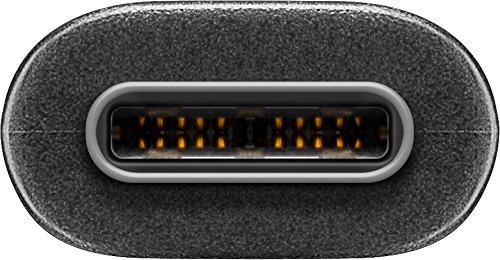
Imej 6.1: Gambar jarak dekat view of the USB-C connector, showing its internal pins. Regular inspection of connectors helps ensure proper function and longevity.
7. Penyelesaian masalah
7.1. Peranti Tidak Mengecas
- Semak Sambungan: Pastikan kedua-dua hujung kabel dipasang dengan kukuh pada peranti dan sumber kuasa.
- Sahkan Sumber Kuasa: Confirm that the wall outlet or power adapter is functioning correctly. Try another power source if available.
- Keserasian Peranti: Ensure your device supports charging via USB-C and that the power adapter provides sufficient wattage.
- Try Another Cable/Port: If possible, test with a different USB-C cable or a different port on your power source/device to isolate the issue.
7.2. No Data Transfer
- Semak Sambungan: Ensure the cable is firmly connected to both the computer and the USB-C device.
- Tetapan peranti: On your USB-C device (e.g., smartphone), check if it's set to 'File Transfer' or 'MTP' mode after connecting to the computer.
- Pengecaman Komputer: Verify that your computer's operating system recognizes the connected device. You may need to install specific drivers for your device.
- Fungsi Pelabuhan: Test the USB-A port on your computer with another known working device/cable.
7.3. No Video/Audio Output
- Keserasian: Ensure both your source device (e.g., laptop) and the external display support video output over USB-C. Not all USB-C ports support this feature.
- Input Paparan: Select the correct input source on your monitor or television.
- Tetapan Sistem: Check your computer's display settings to ensure the external monitor is detected and configured correctly (e.g., extended display, duplicate display).
8. Spesifikasi
| Ciri | Spesifikasi |
|---|---|
| Jenama | Goobay |
| Nombor Model | 41074 |
| Jenis Penyambung 1 | USB Type-A (Male) |
| Jenis Penyambung 2 | USB Jenis-C (Lelaki) |
| Jenis Kabel | USB |
| Piawai USB | USB 3.2 Gen 2 (SuperSpeed+) |
| Kadar Pemindahan Data | Sehingga 10 Gbit/s |
| Penghantaran Kuasa | Up to 60 W (20 V / 3 A) |
| Panjang Kabel | 1 Meter |
| warna | Hitam |
| Peranti Serasi | Monitors, Televisions, USB-C enabled devices |
| Ciri Khas | Fast Charging, Video & Audio Transmission |
9. Waranti dan Sokongan
For warranty information and technical support, please refer to the documentation provided with your purchase or visit the official Goobay webtapak. Simpan bukti pembelian anda untuk tuntutan waranti.