pengenalan
Welcome to the user manual for your Baseus Bowie EZ10 Wireless Bluetooth Earbuds. This guide provides detailed instructions on how to set up, operate, and maintain your earbuds to ensure optimal performance and a seamless audio experience. Please read this manual carefully before using your device.
Produk Selesaiview
Kandungan Pakej

Image: The package contents for the Baseus Bowie EZ10, including the two earbuds, the charging case, a USB charging cable, and multiple pairs of silicone ear tips in various sizes.
- Baseus Bowie EZ10 Wireless Earbuds (Left and Right)
- Kes Pengecasan
- Kabel Pengecas USB
- Multiple Pairs of Ear Tips (various sizes)
- Manual Pengguna (dokumen ini)
Ciri-ciri Utama
- Adaptive Noise Cancellation (ANC) up to -42dB: Experience high-quality, immersive audio regardless of your environment.
- ENC Noise Cancellation with 4 Microphones: Ensures clear and high-quality calls even in noisy surroundings.
- Latensi Sangat Rendah (0.038s): Guarantees audio and video synchronization for an immersive experience, especially for gaming and video playback.
- Jangka Hayat Bateri: Up to 30 hours of total playback with the charging case, and 5 hours on a single charge.
- Simultaneous Device Connection: Connect to two devices at the same time for seamless switching.
- Customizable App Support: Personalize your audio experience and controls via the dedicated Baseus application.
Gambarajah Produk
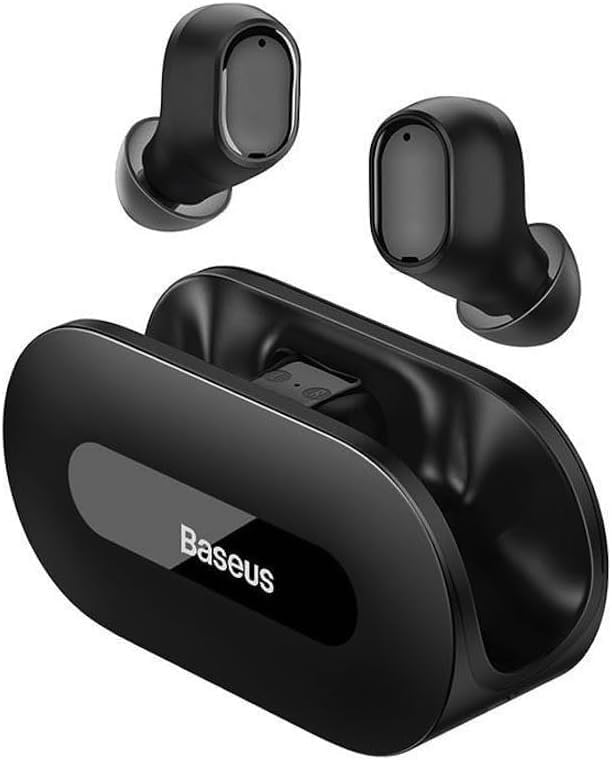
Imej: A jelas view of the Baseus Bowie EZ10 wireless earbuds and their sleek black charging case, showcasing reka bentuk kompak mereka.
The Baseus Bowie EZ10 earbuds feature a compact in-ear design for a comfortable and secure fit. The charging case is designed for easy portability and secure storage, with magnetic slots to hold the earbuds in place.
Persediaan
Mengecas Fon telinga dan Sarung

Image: A graphic illustrating the long battery life of the Baseus Bowie EZ10 earbuds, indicating extended listening time with the charging case and quick charging capabilities.
- Caj Permulaan: Before first use, fully charge both the earbuds and the charging case. Place the earbuds into the charging case.
- Sambungkan Pengecas: Connect the USB charging cable to the charging port on the case and plug the other end into a compatible USB power source (e.g., wall adapter, computer USB port).
- Penunjuk Pengecasan: The LED indicators on the charging case will show the charging status. Refer to the specific light patterns in your quick start guide for detailed information.
- Pengecasan Cepat: The earbuds support fast charging, providing significant playback time with a short charge.
Berpasangan dengan Peranti Anda
Image: A visual representation of Bluetooth 5.3 technology, highlighting its role in providing a fast and stable wireless connection for the Baseus Bowie EZ10 earbuds.
- Hidupkan kuasa: Buka bekas pengecas. Fon telinga akan dihidupkan secara automatik dan memasuki mod berpasangan.
- Aktifkan Bluetooth: Pada peranti anda (telefon pintar, tablet, komputer), dayakan Bluetooth.
- Cari untuk Peranti: Dalam tetapan Bluetooth peranti anda, cari peranti yang tersedia.
- Select 'Baseus Bowie EZ10': From the list of found devices, select 'Baseus Bowie EZ10' to connect.
- Pengesahan: Once connected, you will hear an audio prompt from the earbuds, and the device's Bluetooth settings will show them as connected.
- Sambungan Berbilang Peranti: The earbuds can connect to two devices simultaneously. After pairing with the first device, disable Bluetooth on it, then pair with the second device. Re-enable Bluetooth on the first device, and the earbuds should connect to both.
Arahan Operasi
Memakai Earbud
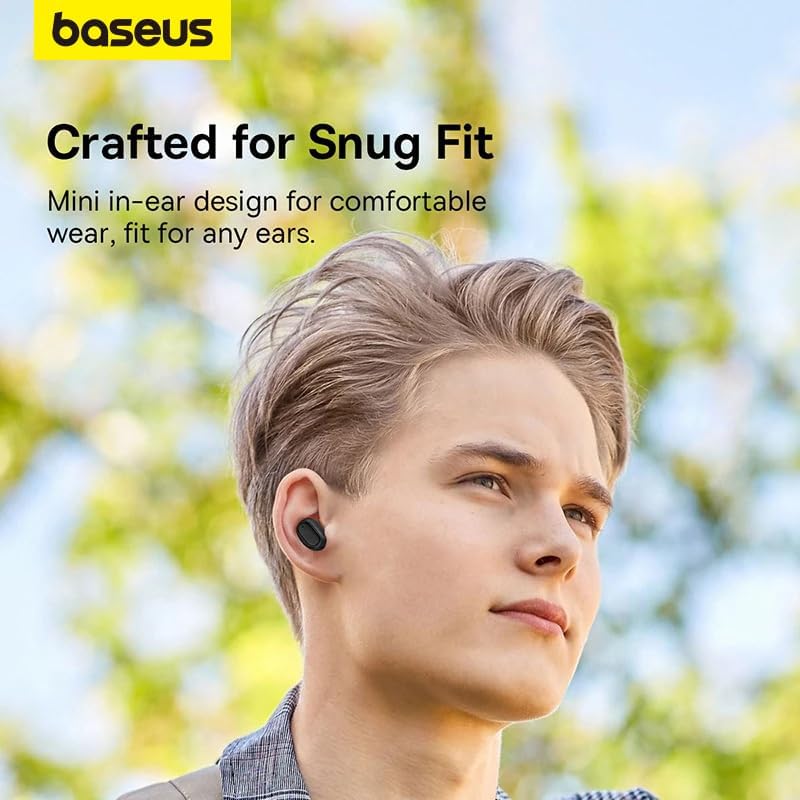
Image: A person wearing a Baseus Bowie EZ10 earbud, illustrating the comfortable and snug fit of the mini in-ear design.
- Choose Right Ear Tips: Select the ear tips that provide the best seal and comfort for your ears.
- Sisipkan Earbud: Masukkan perlahan-lahan setiap fon telinga ke dalam saluran telinga anda.
- Laraskan untuk Fit: Rotate the earbuds slightly until they feel secure and comfortable, ensuring a good seal for optimal sound quality and noise cancellation.
Kawalan Sentuh
The Baseus Bowie EZ10 earbuds feature intuitive touch controls on each earbud. Specific functions may vary or be customizable via the Baseus app.
- Main/Jeda: Ketik sekali pada salah satu fon telinga.
- Lagu Seterusnya: Ketik dua kali pada fon telinga kanan.
- Trek Sebelumnya: Ketik dua kali pada fon telinga kiri.
- Jawab/Tamatkan Panggilan: Ketik sekali pada salah satu fon telinga.
- Tolak Panggilan: Tekan dan tahan pada salah satu fon telinga.
- Aktifkan Pembantu Suara: Ketik tiga kali pada salah satu fon telinga.
- Kawalan Kelantangan: Specific gestures for volume control can often be set up in the Baseus app.
Noise Cancellation (ANC/ENC)
The Baseus Bowie EZ10 earbuds offer advanced noise cancellation features:
- Adaptive Noise Cancellation (ANC): Reduces ambient noise for an immersive listening experience. This mode can often be toggled on/off or adjusted via the touch controls or the Baseus app.
- ENC Noise Cancellation for Calls: The 4-microphone ENC system automatically works during calls to ensure your voice is clear and background noise is minimized for the person on the other end.
Mod Kependaman Rendah
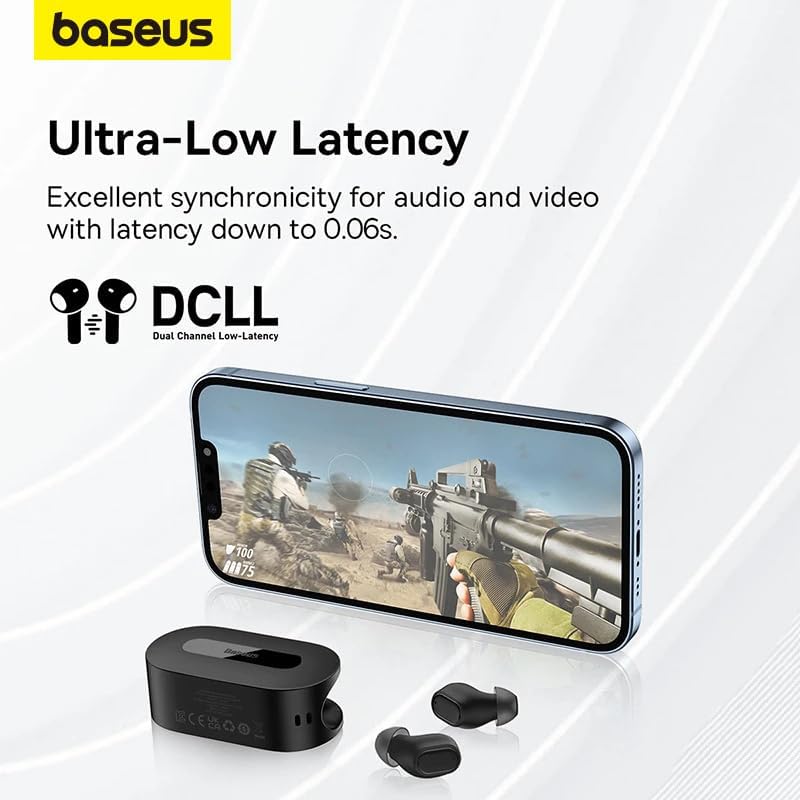
Image: The Baseus Bowie EZ10 earbuds and charging case positioned next to a smartphone displaying a gaming scene, emphasizing the ultra-low latency feature for synchronized audio and video.
For gaming or watching videos, activate the ultra-low latency mode to ensure perfect synchronization between audio and video. This mode can typically be activated via a specific touch gesture or through the Baseus app.
Menggunakan Aplikasi Baseus
Download the official Baseus app from your device's app store. The app allows you to:
- Sesuaikan kawalan sentuh.
- Laraskan tetapan EQ.
- Toggle noise cancellation modes.
- Semak tahap bateri.
- Kemas kini perisian tegar.
Penyelenggaraan
Pembersihan
- Earbud: Use a soft, dry, lint-free cloth to wipe the earbuds. For earwax or debris, gently clean with a small, soft brush or cotton swab. Do not use liquids or abrasive cleaners.
- Petua Telinga: Remove the silicone ear tips and wash them with mild soap and water. Rinse thoroughly and allow them to dry completely before reattaching.
- Sarung Pengecasan: Wipe the case with a soft, dry cloth. Ensure the charging contacts inside the case are clean and free of debris.
Penyimpanan
- Sentiasa simpan fon telinga dalam bekas pengecas apabila tidak digunakan untuk melindunginya dan memastikan ia dicas.
- Simpan peranti di tempat yang sejuk dan kering, jauh dari suhu yang melampau dan cahaya matahari langsung.
Menyelesaikan masalah
| Masalah | Kemungkinan Punca | Penyelesaian |
|---|---|---|
| Fon telinga tidak berpasangan | Fon telinga tidak dalam mod berpasangan; Bluetooth dimatikan pada peranti; peranti yang dipasangkan sebelum ini mengganggu. | Ensure earbuds are in pairing mode (open case); turn on Bluetooth on your device; forget previous connections on your device and try again. |
| Tiada bunyi dari satu fon telinga | Low battery; earbud not properly connected; earbud dirty. | Place both earbuds in the case to charge; ensure they are properly seated; clean earbud and charging contacts. |
| Isu pengecasan | Cable or adapter faulty; charging contacts dirty; case battery empty. | Try a different USB cable and power adapter; clean charging contacts on earbuds and case; ensure charging case is charged. |
| Kualiti bunyi yang lemah | Improper fit; ear tips dirty; interference. | Adjust earbud fit and try different ear tips; clean ear tips and earbuds; move closer to your device or away from sources of interference. |
Spesifikasi
| Ciri | Perincian |
|---|---|
| Nama Model | Bowie EZ10 |
| Teknologi Ketersambungan | Wayarles (Bluetooth 5.3) |
| Penempatan Telinga | Dalam Telinga |
| Kawalan Bunyi | Adaptive Noise Cancellation, ENC for calls |
| Latensi | 0.038s (Ultra-Low Latency Mode) |
| Hayat Bateri (Earbud) | Sehingga 5 jam (caj tunggal) |
| Hayat Bateri (dengan Sarung) | Sehingga 30 jam |
| Jenis Kawalan | Media Control, Volume Control (customizable) |
| bahan | Plastic, Silicone/Memory Foam (ear tips) |
| warna | Hitam |
| Pengeluar | Baseus_Inc |
| Pensijilan | CE |
Waranti dan Sokongan
The Baseus Bowie EZ10 Wireless Bluetooth Earbuds come with a manufacturer's warranty. Please refer to the warranty card included in your package or visit the official Baseus webtapak untuk terma dan syarat jaminan terperinci.
For technical support, troubleshooting assistance, or any product-related inquiries, please contact Baseus customer service through their official webtapak atau maklumat hubungan yang diberikan dalam pembungkusan produk anda.




