pengenalan
The Rokform Universal Adapter V2 is designed to enhance the functionality of your smartphone, tablet, or other flat-surfaced devices by integrating Rokform's signature Twist Lock and Mag Safe compatible magnetic mounting systems. This adapter utilizes a strong 3M VHB adhesive for secure attachment to almost any smooth, flat surface, providing versatile mounting options.
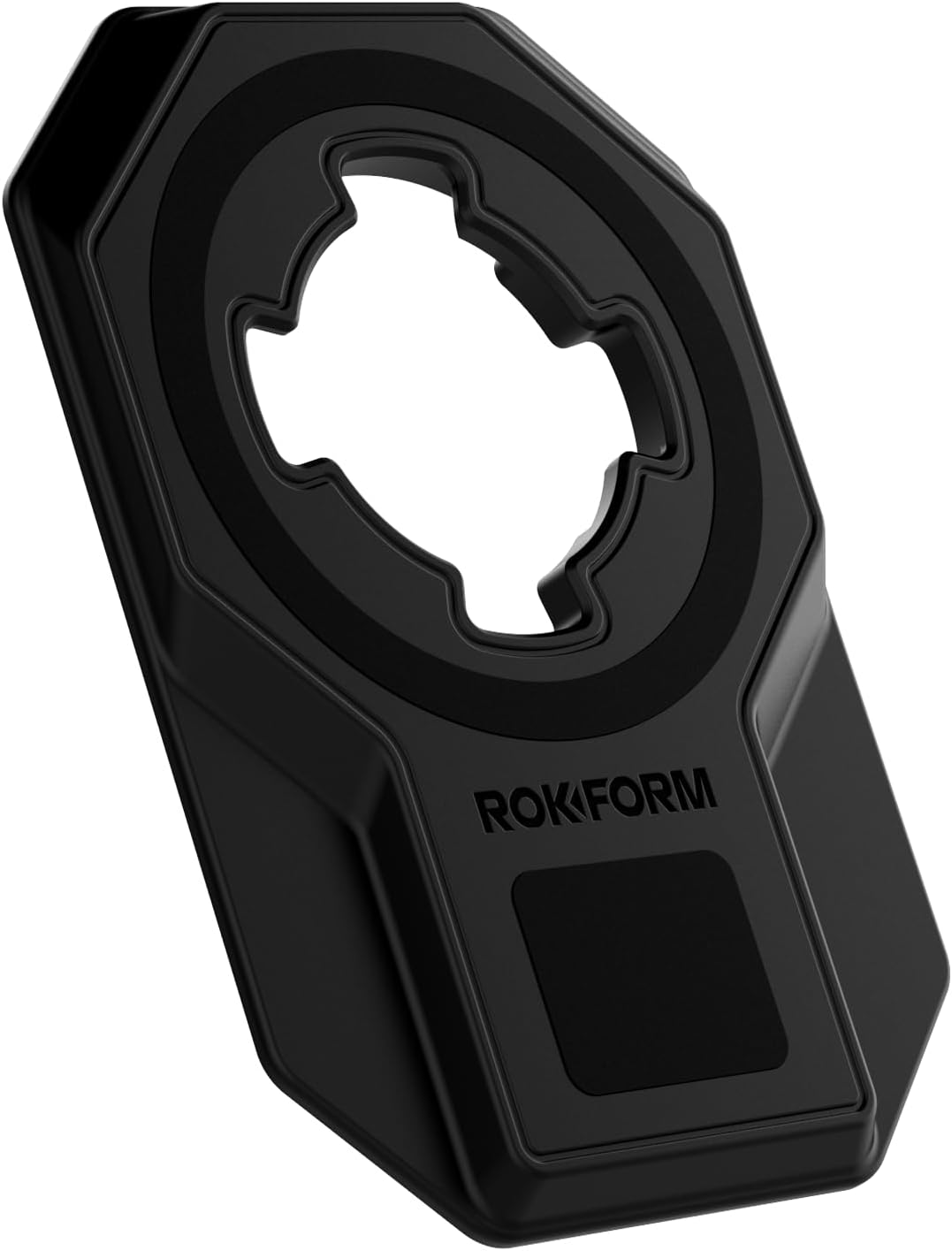
Image: The Rokform Universal Adapter V2, showcasing reka bentuk dan ciri-cirinya.
Ciri-ciri Produk
- Twist Lock System: Compatible with a wide range of Rokform accessories and mounts, allowing for secure, mechanical attachment.
- 3M VHB Adhesive: Provides a strong, permanent bond to any smooth, flat, non-porous surface.
- Extra-Strength MagMax: Features a MagSafe compatible magnetic ring for attachment to magnetic surfaces, Rokform magnetic mounts, and other MagSafe accessories.
- Lower Magnets: Additional magnets for enhanced compatibility with Rokform magnetic mounts.
- Rekaan Langsing & Bergaya: With a thickness of less than 5mm (0.2 inches), it adds minimal bulk to your device.
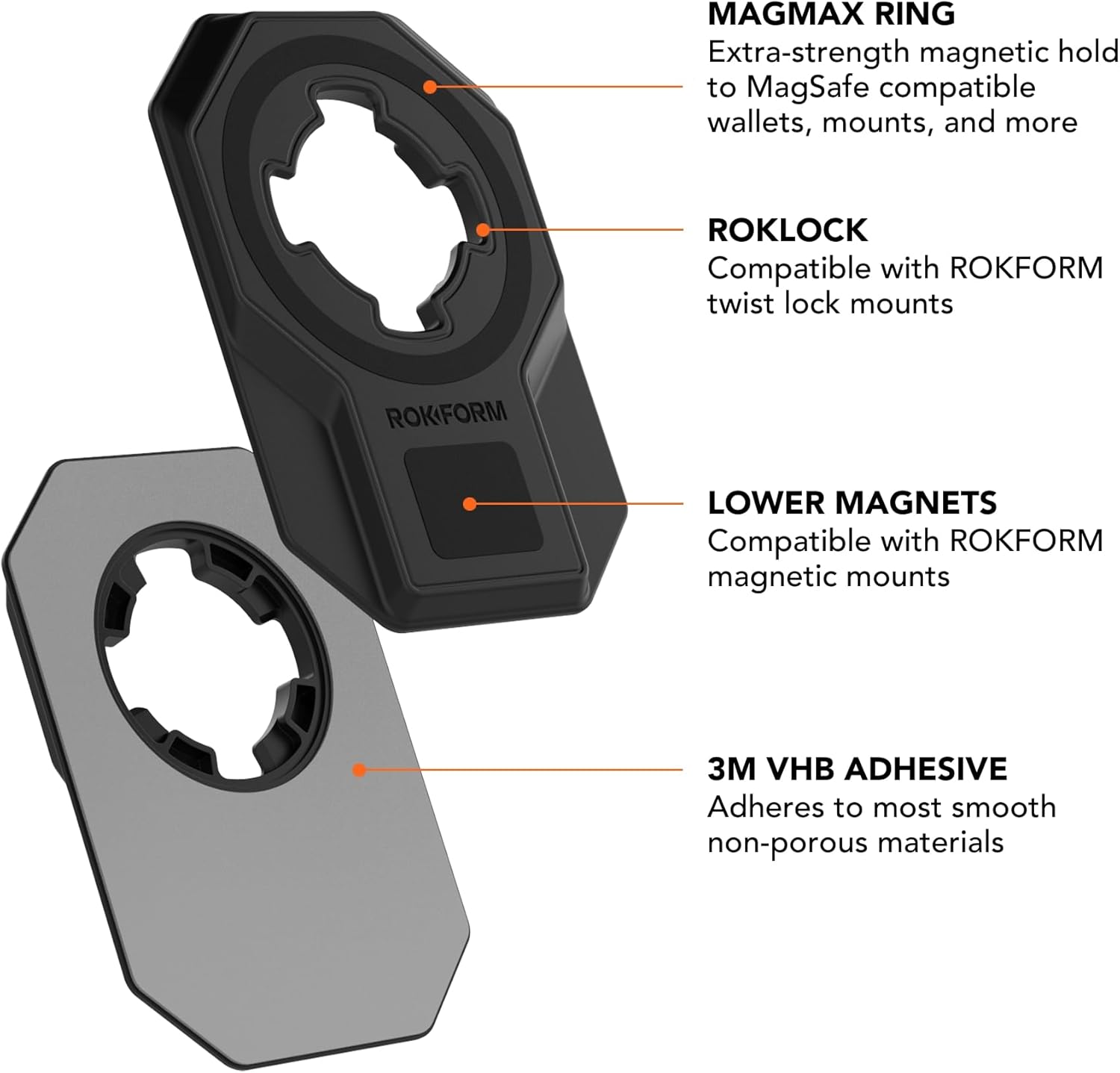
Imej: Terperinci view of the adapter's components, including the MagMax ring, RokLock, lower magnets, and 3M VHB adhesive layer.
Arahan Persediaan
- Sediakan Permukaan: Ensure the surface where the adapter will be applied (e.g., phone case, tablet back) is clean, dry, and free of dust, oils, or residues. Use an alcohol wipe for best results and allow it to dry completely. The surface must be smooth and flat for optimal adhesion.
- Letakkan Penyesuai: Carefully determine the desired placement of the adapter on your device. Once the 3M VHB adhesive is applied, it is extremely difficult to reposition without damaging the adhesive.
- Apply the Adapter: Peel off the protective backing from the 3M VHB adhesive on the back of the adapter. Align the adapter precisely with your chosen position and press firmly for at least 30 seconds. Apply consistent pressure across the entire surface of the adapter.
- Masa Penyembuhan: For maximum bond strength, allow the adhesive to cure for 24-72 hours before subjecting it to heavy use, twisting, or magnetic forces. This allows the adhesive to fully bond to the surface.

Image: The adapter shown next to a smartphone, indicating its compact size and how it would appear before attachment.

Image: The adapter successfully applied to the back of a smartphone, ready for use.
Arahan Operasi
Using the Twist Lock System
To attach your device to a compatible Rokform Twist Lock mount:
- Align the four tabs of the adapter's Twist Lock mechanism with the corresponding slots on the Rokform mount.
- Insert the adapter into the mount.
- Twist your device clockwise until you feel and hear a click, indicating a secure lock.
To detach your device, twist counter-clockwise until the lock disengages, then pull your device away from the mount.
Using the Magnetic Mounting System
The adapter features both a MagSafe compatible ring and lower magnets for versatile magnetic attachment:
- Keserasian MagSafe: The central MagMax ring allows for strong magnetic attachment to MagSafe compatible accessories, chargers, and mounts.
- Rokform Magnetic Mounts: The lower magnets provide additional holding power and compatibility with various Rokform magnetic mounts.
- Simply place your device with the adapter onto any compatible magnetic surface or mount. The strong magnets will hold it in place.
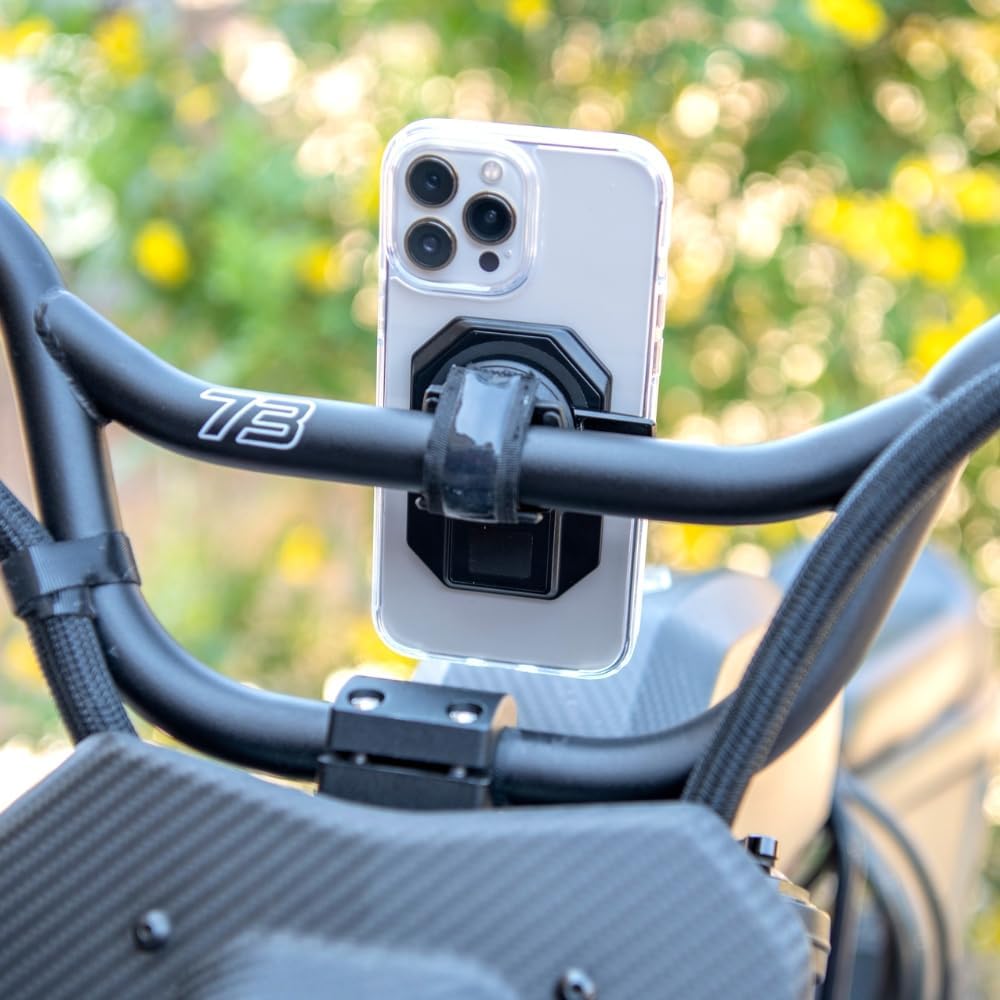
Image: A smartphone securely mounted on a bicycle handlebar, demonstrating the Twist Lock system in action.

Image: The adapter's magnetic strength is shown as a phone is pulled away from a magnetic mount.
Penyelenggaraan
The Rokform Universal Adapter V2 requires minimal maintenance. To ensure optimal performance and longevity:
- Pembersihan: Wipe the adapter periodically with a soft, damp cloth to remove dust and grime. Avoid harsh chemicals or abrasive cleaners, as these can damage the surface or adhesive.
- Adhesive Integrity: Once applied, avoid attempting to peel off or reposition the adapter, as this will compromise the 3M VHB adhesive bond.
- Permukaan Magnetik: Keep the magnetic surfaces of the adapter clean and free of metallic debris to ensure a strong and consistent magnetic connection.
Menyelesaikan masalah
- Adapter Not Sticking:
- Ensure the application surface was thoroughly cleaned and dry before application.
- Verify the surface is smooth and flat. Textured or uneven surfaces will prevent proper adhesion.
- Allow the full 24-72 hour cure time for the adhesive to reach maximum strength.
- Avoid applying the adapter to silicone or rubberized cases, as 3M VHB adhesive may not bond effectively with these materials.
- Twist Lock Not Engaging/Disengaging:
- Check for any obstructions in the Twist Lock mechanism on both the adapter and the mount.
- Ensure proper alignment before twisting.
- Magnetic Hold is Weak:
- Ensure the magnetic surface of the mount is clean and free of debris.
- Confirm the mount itself is a Rokform magnetic mount or a MagSafe compatible accessory.
Spesifikasi
| Ciri | Perincian |
|---|---|
| Dimensi Produk | 3.36 x 2.33 x 0.19 inci (85.3 x 59.1 x 4.8 mm) |
| Berat Barang | 3.2 auns |
| Nombor Model Item | 334601P-MAG |
| Jenis Pemasangan | 3M VHB Adhesive |
| Ciri Khas | Magnetic, RokLock Twist Lock, Secure Hold, Slim Fit, Universal |
| warna | Hitam |
| Peranti Serasi | Universal (Smartphones, Tablets, Flat Surfaces) |

Image: Technical drawing illustrating the precise dimensions of the adapter.
Maklumat Waranti
For detailed warranty information regarding your Rokform Universal Adapter V2, please refer to the official Rokform website or contact Rokform customer support directly. Warranty terms and conditions may vary.
Sokongan
If you encounter any issues or have questions not covered in this manual, please visit the official Rokform support page or contact their customer service for assistance. Contact details can typically be found on the Rokform webtapak.


