1. Pengenalan
Terima kasih kerana membeliasing the MUSE M-15 Alarm Clock Radio. This manual provides essential information for the safe and efficient operation of your device. Please read it thoroughly before use and retain it for future reference.
2. Maklumat Keselamatan
- Sumber Kuasa: Use only the specified battery type (1 AA battery). Ensure correct polarity when inserting batteries.
- Air dan Kelembapan: Do not expose the device to water, rain, or excessive moisture. Avoid placing it near liquids.
- haba: Jauhkan peranti ini daripada sumber haba seperti radiator, daftar haba, dapur atau peralatan lain (termasuk amppenghidup) yang menghasilkan haba.
- Pembersihan: Bersihkan hanya dengan kain kering. Jangan gunakan pembersih cecair atau pembersih aerosol.
- Servis: Jangan cuba servis produk ini sendiri. Rujuk semua perkhidmatan kepada pegawai perkhidmatan yang berkelayakan.
- Pelupusan: Dispose of batteries and the device according to local regulations. Do not dispose of batteries in fire.
3. Produk Lebihview
Familiarize yourself with the components of your MUSE M-15 Alarm Clock Radio.
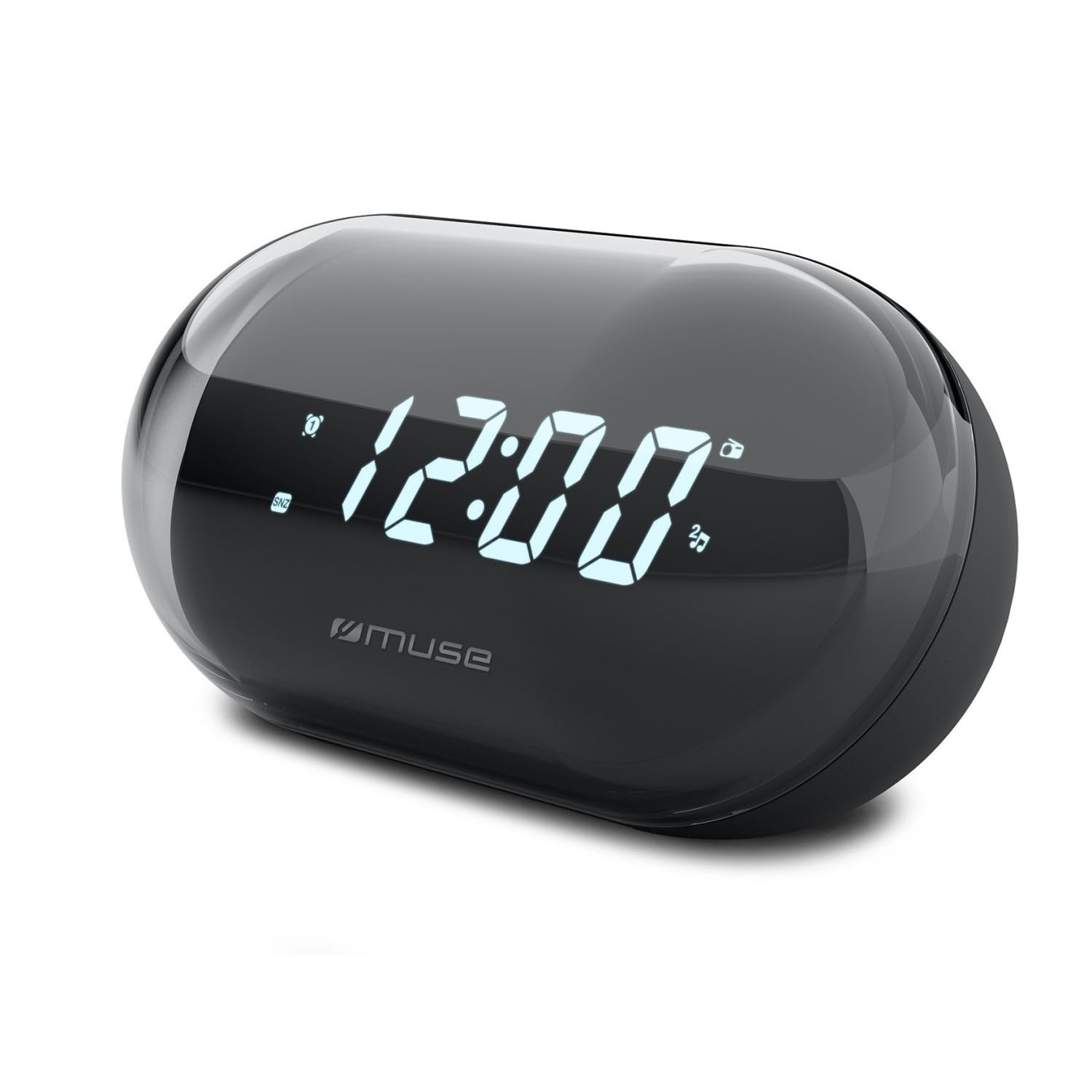
Imej: Depan view of the MUSE M-15 Alarm Clock Radio, showing the digital display and control buttons.
Kawalan dan Ciri:
- Paparan Digital: Menunjukkan masa, status penggera dan frekuensi radio.
- Butang Tetapan Masa: Digunakan untuk melaraskan masa semasa.
- Alarm Set Button: Digunakan untuk menetapkan dan mengaktifkan/menyahaktifkan penggera.
- Tuning Buttons (+/-): Used to adjust radio frequency.
- Kawalan Kelantangan: Melaraskan tahap output audio.
- Butang Kuasa / Mod: Turns the device on/off and switches between radio and clock modes.
- Butang Tunda: Membisukan penggera buat sementara waktu.
- Petak Bateri: Located on the back, for 1 AA battery.
4. Persediaan
4.1 Pemasangan Bateri
- Cari penutup petak bateri di bahagian belakang unit.
- Luncurkan atau angkat penutup untuk membuka petak.
- Insert one (1) AA battery, ensuring the correct polarity (+ and -) matches the diagram inside the compartment.
- Gantikan penutup petak bateri dengan selamat.
Note: The MUSE M-15 is battery-powered and does not require an external power adapter.
5. Arahan Operasi
5.1 Menetapkan Masa
- Dalam mod jam, tekan dan tahan Butang Tetapan Masa sehingga angka jam mula berkelip.
- Gunakan Tuning Buttons (+/-) untuk melaraskan jam. Tekan butang Butang Tetapan Masa again to confirm the hour and move to minutes.
- Gunakan Tuning Buttons (+/-) untuk melaraskan minit. Tekan butang Butang Tetapan Masa one more time to save the time and exit time setting mode.
5.2 Menetapkan Penggera
- Tekan dan tahan butang Butang Set Penggera until the alarm hour digits begin to flash.
- Gunakan Tuning Buttons (+/-) untuk melaraskan jam penggera. Tekan butang Butang Set Penggera sekali lagi untuk mengesahkan dan beralih ke minit.
- Gunakan Tuning Buttons (+/-) untuk melaraskan minit penggera. Tekan butang Butang Set Penggera one more time to save the alarm time.
- Untuk mengaktifkan atau menyahaktifkan penggera, tekan sebentar Butang Set Penggera. An alarm icon will appear on the display when activated.
5.3 Using the Radio
- Tekan ke Butang Kuasa/Mod to switch to radio mode. The display will show the radio frequency.
- Gunakan Tuning Buttons (+/-) untuk menala secara manual ke stesen radio yang anda inginkan.
- Laraskan kelantangan menggunakan Kawalan Kelantangan.
- Untuk mematikan radio, tekan butang Butang Kuasa/Mod again to return to clock mode or turn off the device.
5.4 Fungsi Tunda
Apabila penggera berbunyi, tekan Butang Tunda to temporarily silence the alarm for a few minutes. The alarm will sound again after the snooze period ends.
6. Penyelenggaraan
6.1 Pembersihan
Wipe the exterior of the device with a soft, dry cloth. Do not use abrasive cleaners, waxes, or solvents as they may damage the finish.
6.2 Penggantian Bateri
When the display dims or the device functions become erratic, it is time to replace the battery. Follow the battery installation steps in Section 4.1.
7. Penyelesaian masalah
| Masalah | Kemungkinan Punca | Penyelesaian |
|---|---|---|
| Peranti tidak dihidupkan. | Bateri mati atau salah dimasukkan. | Replace the AA battery or check its polarity. |
| Penggera tidak berbunyi. | Penggera tidak diaktifkan atau kelantangan terlalu rendah. | Ensure the alarm icon is visible on the display. Increase the volume. |
| Penerimaan radio yang lemah. | Isyarat atau gangguan yang lemah. | Reposition the device or extend the antenna (if applicable). Try tuning to a stronger station. |
| Time/Alarm settings reset. | Kuasa bateri terlalu rendah. | Gantikan bateri AA. |
8. Spesifikasi
- model: MUSE M-15
- Dimensi Produk (L x W x H): 15 x 3.81 x 10 cm (5.9 x 1.5 x 3.9 inci)
- Berat: 300 gram (0.66 lbs)
- Sumber Kuasa: 1 x Bateri AA (tidak termasuk)
- Jenis Paparan: digital
- ciri-ciri: Alarm, Radio, Digital Time Display
- Jenis Pemasangan: Lekap Meja
9. Waranti dan Sokongan
This product is covered by a standard manufacturer's warranty. For detailed warranty information, please refer to the warranty card included with your purchase or visit the official MUSE webtapak.
For technical support, troubleshooting assistance, or spare parts inquiries, please contact MUSE customer service through their official webtapak atau maklumat hubungan yang diberikan dalam pembungkusan produk anda.
Please have your model number (M-15) and purchase date available when contacting support.


