pengenalan
This manual provides detailed instructions for the VTech ES2000 DECT Cordless Phone. Please read this manual thoroughly before using your new phone to ensure proper operation and to take full advantage of its features. Keep this manual for future reference.

Image: The VTech ES2000 DECT Cordless Phone, showing the handset docked in its base unit.
Kandungan Pakej
Pastikan pakej anda mengandungi item berikut:
- VTech ES2000 Handset
- VTech ES2000 Base Unit
- Penyesuai Kuasa untuk Unit Pangkalan
- Tali Talian Telefon
- Rechargeable NiMH Batteries (2x AAA size)
- Manual Pengguna (dokumen ini)
Persediaan
1. Pemasangan Bateri
- Cari penutup petak bateri di belakang telefon bimbit.
- Luncurkan penutup ke bawah untuk mengeluarkannya.
- Insert the two supplied NiMH rechargeable batteries, observing the correct polarity (+ and -).
- Gantikan penutup petak bateri, gelongsorkannya ke atas sehingga ia berbunyi klik pada tempatnya.
2. Sambungan Unit Pangkalan
- Connect the small end of the power adapter to the 'POWER' jack on the back of the base unit.
- Palamkan hujung besar penyesuai kuasa ke dalam salur keluar elektrik standard.
- Connect one end of the telephone line cord to the 'LINE' jack on the back of the base unit.
- Palamkan hujung satu lagi kord talian telefon ke dalam bicu dinding telefon.
3. Pengecasan Awal
Place the handset on the base unit cradle. The charging indicator on the handset display will show that it is charging. For optimal battery performance, allow the handset to charge continuously for at least 16 hours before its first use, even if the display indicates a full charge sooner.
Arahan Operasi
Membuat dan Menerima Panggilan
- Untuk Membuat Panggilan: Tekan ke BICARA / FLASH button, then dial the number. Alternatively, dial the number first and then press BICARA / FLASH.
- Untuk Menerima Panggilan: Apabila telefon berdering, tekan butang BICARA / FLASH butang.
- Untuk Menamatkan Panggilan: Tekan ke END/POWER butang atau letakkan semula telefon bimbit pada unit asas.
Pelarasan Kelantangan
Semasa panggilan, tekan ▲ (Naik) atau ▼ (Down) navigation buttons to adjust the earpiece volume. The handset also features a volume booster for enhanced clarity.
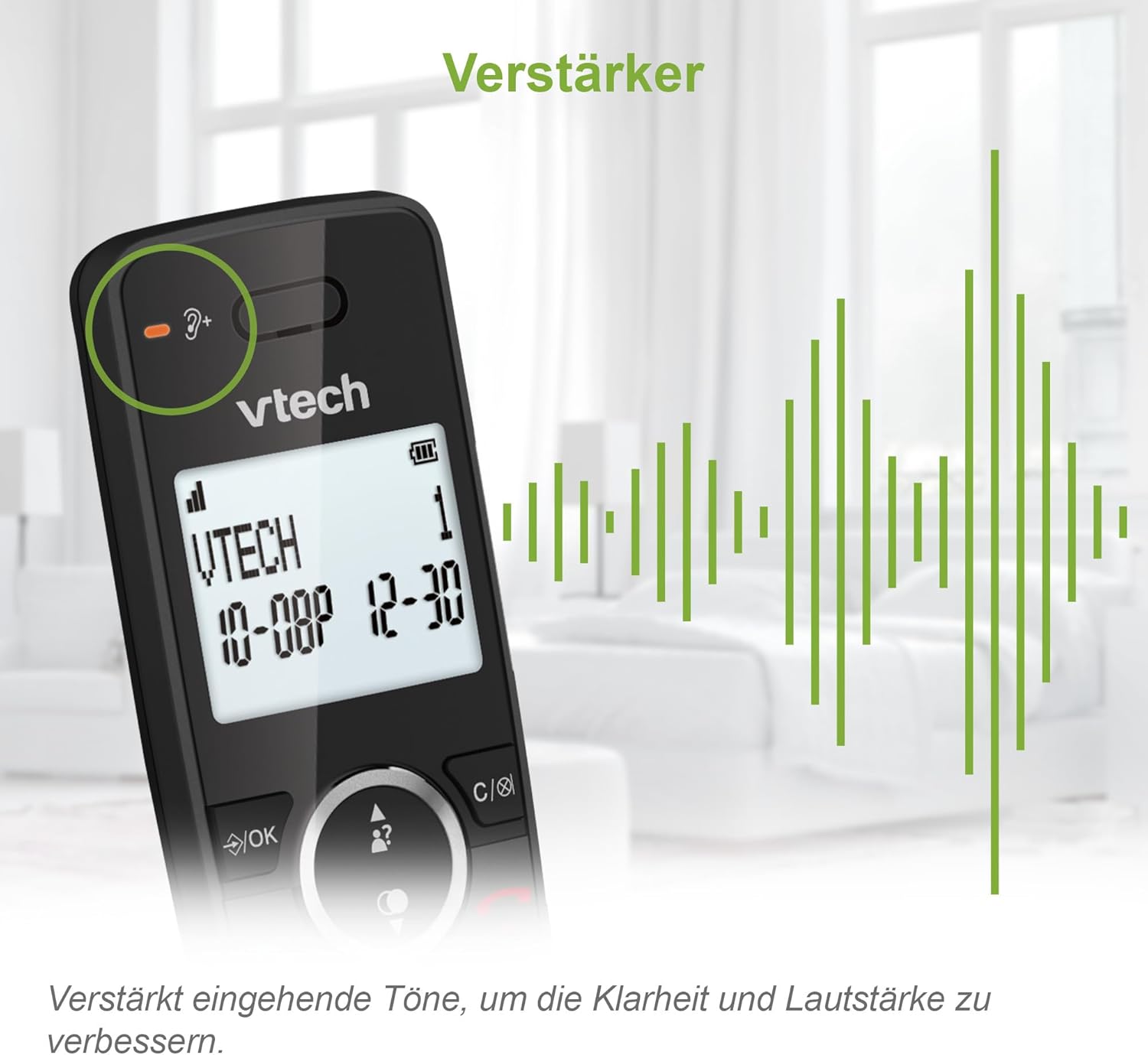
Image: Close-up of the VTech ES2000 handset, highlighting the volume booster icon and sound waves indicating ampaudio yang dikuatkan.
ID pemanggil
The phone displays the name and number of incoming calls (if available from your service provider). Up to 20 incoming call records are stored. Use the ▲ (Naik) atau ▼ (Down) navigation buttons to scroll through the Caller ID list.
Buku telefon
Store up to 100 names and numbers in the phonebook for quick dialing.
- Untuk Menambah Kenalan: Tekan ke MENU / OK button, navigate to 'Phonebook', select 'Add New Entry', and follow the on-screen prompts to enter the name and number.
- To Dial from Phonebook: Tekan ke BUKU TELEFON button, scroll to the desired contact, and press BICARA / FLASH.
Penyekatan Panggilan
The VTech ES2000 allows you to block up to 100 unwanted numbers. This feature helps prevent nuisance calls.
- To Block a Number from Caller ID: manakala viewing a Caller ID entry, press the BLOK button (often represented by a shield icon) and confirm.
- To Manually Block a Number: Access the 'Call Block' menu via MENU / OK, select 'Add Number', and enter the number you wish to block.

Image: A family relaxing, with the VTech ES2000 handset in the foreground, illustrating the benefit of the call blocking feature.
Hands-Free (Speakerphone)
Semasa panggilan, tekan PENCERAMAH button to activate the speakerphone function. Press it again to switch back to the earpiece.
Ciri-ciri lain
- Panggil semula: Tekan ke REDIAL butang ke view the last 10 dialed numbers. Select a number and press BICARA / FLASH untuk memanggil semula.
- Redam: Semasa panggilan, tekan HILANGKAN button to temporarily disable your microphone. Press again to unmute.
- penggera: Set an alarm through the handset menu.
- Mod ECO: The handset automatically adjusts radio frequency power based on its distance from the base unit, reducing energy consumption.
- Backlit Display and Keypad: The LCD display and keypad are backlit for easy readability in low-light conditions.
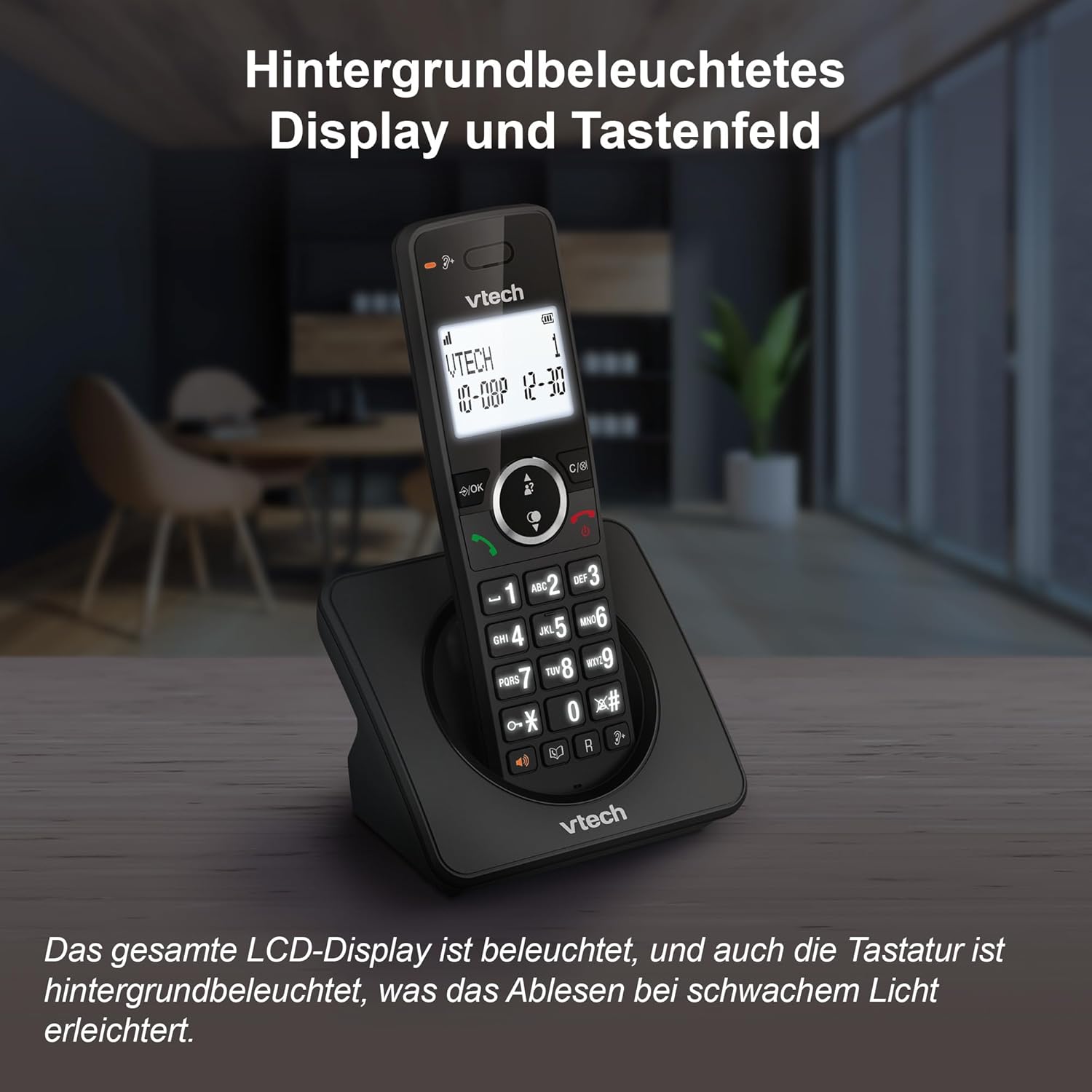
Image: The VTech ES2000 handset showcasing its illuminated display and keypad, enhancing visibility.
Penyelenggaraan
Pembersihan
Lap telefon dan unit asas dengan lembut, damp cloth. Do not use cleaning sprays or harsh chemicals, as these can damage the finish or electrical components.
Penjagaan Bateri
Use only the specified rechargeable NiMH batteries. Non-rechargeable batteries or other battery types may cause damage or explosion. If the phone will not be used for an extended period, remove the batteries to prevent leakage.
Menyelesaikan masalah
- Tiada Nada Dail:
- Pastikan kord talian telefon disambungkan dengan selamat pada kedua-dua unit asas dan bicu dinding.
- Check if the power adapter is properly connected to the base unit and a working electrical outlet.
- Tidak Boleh Membuat/Terima Panggilan:
- Sahkan bahawa bateri telefon bimbit telah dicas.
- Ensure the handset is within range of the base unit.
- Temporarily disconnect the base unit power adapter and telephone line cord, then reconnect them.
- Kualiti Bunyi Lemah:
- Gerakkan telefon bimbit lebih dekat ke unit asas.
- Avoid placing the base unit near other electrical appliances (e.g., microwaves, Wi-Fi routers) that may cause interference.
- Telefon bimbit Tidak Mengecas:
- Ensure the handset is correctly seated in the base unit cradle.
- Bersihkan sesentuh pengecasan pada kedua-dua telefon bimbit dan unit asas dengan kain kering.
- Check the power adapter connection.
Spesifikasi
| Ciri | Spesifikasi |
|---|---|
| Jenama | VTech |
| Nombor Model | ES2000 |
| Jenis Telefon | Tanpa wayar (DECT) |
| warna | Hitam |
| Jenis Bateri | NiMH (2x AAA included) |
| Masa Berbual | Sehingga 18 jam |
| Masa Tunggu Sedia | Sehingga 250 jam |
| Kapasiti Buku Telefon | 100 penyertaan (Nama & Nombor) |
| Kapasiti Blok Panggilan | Hingga 100 nombor |
| Memori ID Pemanggil | 20 penyertaan |
| Dail Semula Memori | 10 last numbers |
| Paparan | LCD bercahaya belakang |
| Papan kekunci | Lampu belakang |
| Berat badan | 400 Gram |
| bahan | plastik |
Sokongan
For technical assistance or warranty inquiries, please contact VTech customer service:
- Telefon Perkhidmatan Pelanggan: +49 (0)461-95775-415
- Please have your product model (ES2000) and purchase information ready when contacting support.


