pengenalan
This manual provides detailed instructions for the assembly, operation, maintenance, and troubleshooting of your Pamray 39 Inch Computer Desk with Monitor Stand, Model A6-100. Please read this manual thoroughly before assembly and use to ensure proper function and longevity of your product.
Maklumat Keselamatan
Patuhi garis panduan keselamatan berikut untuk mengelakkan kecederaan dan kerosakan pada produk:
- Jangan melebihi had berat maksimum 150 paun (68.039 kilogram) pada permukaan meja.
- Pastikan semua skru dan pengikat diketatkan dengan selamat sebelum digunakan. Periksa dan ketatkan semula secara berkala jika perlu.
- Jauhkan bahagian kecil daripada kanak-kanak semasa pemasangan.
- Pasang meja pada permukaan yang lembut dan bersih untuk mengelakkan calar.
- Use the desk only for its intended purpose in an office or study environment.
Kandungan Pakej
Before beginning assembly, verify that all components are present. Refer to the included parts list in the PDF installation manual for a complete inventory.
Komponen yang Disertakan:
- Panel Atas Meja
- Papan Monitor
- Komponen Rangka Logam
- Non-woven Storage Drawer
- Computer Case Stand
- Cangkuk Gantung (2)
- Perkakasan Pemasangan (skru, sepana Allen)
- Adjustable Foot Pads (6)
Jika mana-mana bahagian hilang atau rosak, sila hubungi khidmat pelanggan untuk mendapatkan bantuan.
Persediaan dan Perhimpunan
Assembly is required for this product. An installation video and a detailed PDF manual are provided to guide you through the process.
- Penyediaan: Unpack all components and lay them out on a clean, soft surface to prevent damage. Identify each part by referring to the parts list in the manual.
- Pemasangan Bingkai: Connect the metal frame components using the provided screws and Allen wrench. Ensure all connections are secure but do not overtighten until the entire frame is assembled.
- Desk Top Attachment: Carefully place the desk top panel onto the assembled frame and secure it with the designated screws.
- Pemasangan Penyangga Monitor: Position the monitor stand on the desk top as desired. It is designed to be removable.
- Komponen Storan: Install the non-woven storage drawer into its designated slot. Attach the computer case stand and hanging hooks to the frame as shown in the instructions.
- meratakan: Adjust the six foot pads at the bottom of the desk to ensure stability on uneven surfaces.
For a visual guide, refer to the official installation video or the PDF manual:
Download PDF Installation Manual

Image: Fully assembled Pamray 39 Inch Computer Desk, showcasing the monitor stand, storage drawer, and computer case stand.

Image: Diagram illustrating the dimensions and storage capacities of the desk, including the monitor stand, drawer, and PC space.
Arahan Operasi
Your Pamray computer desk is designed for optimal functionality and organization in your workspace.
Monitor Stand Usage
The integrated monitor stand elevates your display to an ergonomic height, promoting better posture and reducing neck strain during extended use. Place your monitor directly on the stand. The space underneath can be used for storing a keyboard, mouse, or other small accessories when not in use.
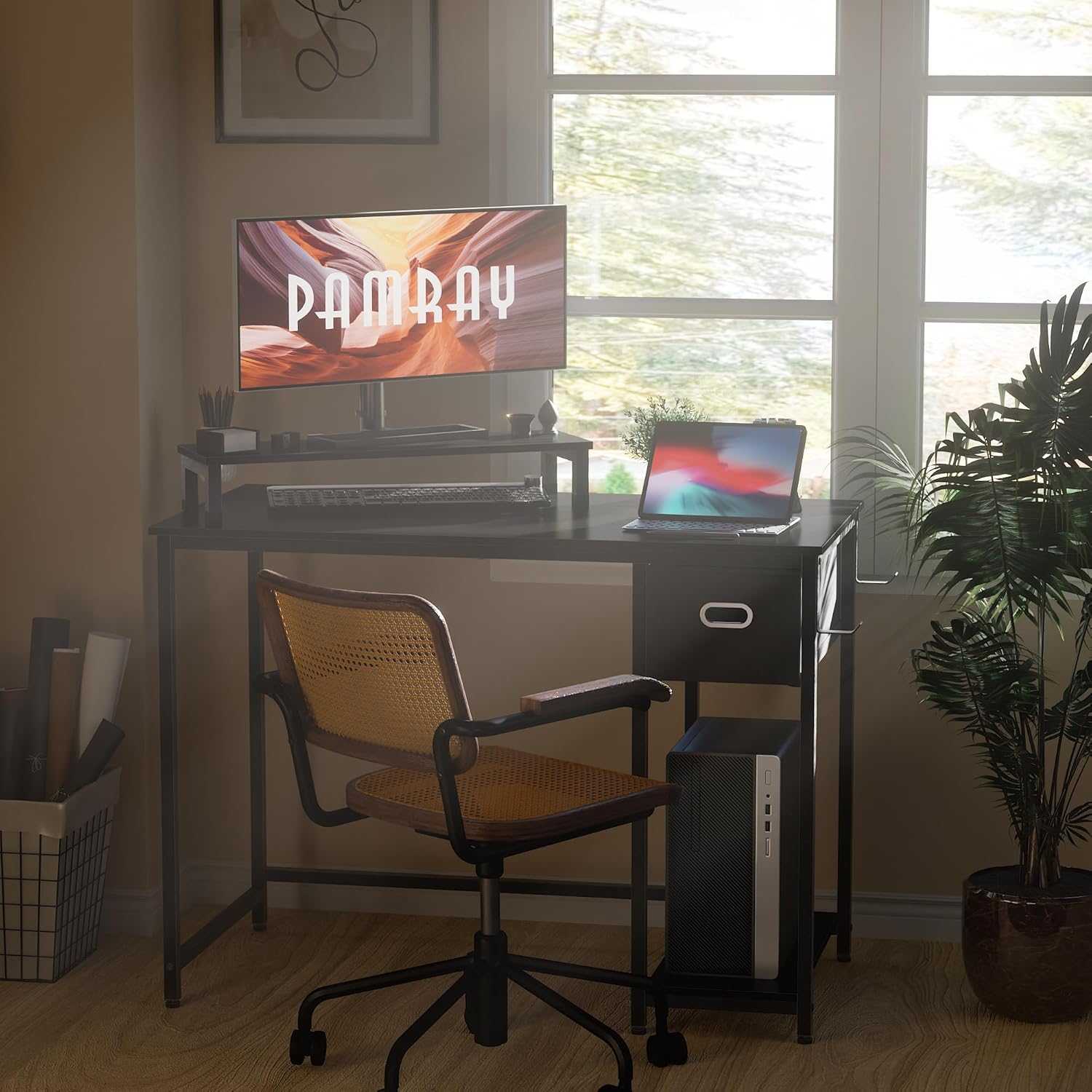
Image: Illustration of a user maintaining correct ergonomic posture while working at the desk with the monitor stand.
Laci Storan
Utilize the non-woven storage drawer for organizing office supplies, documents, or personal items. The drawer is designed for easy access and helps keep your desktop clutter-free.
Computer Case Stand
The dedicated computer case stand provides a stable and elevated platform for your PC tower, protecting it from dust on the floor and optimizing airflow. This also frees up valuable desktop space.

Imej: Jarak dekat view of the computer case stand, showing a PC tower positioned on it.
Cangkuk Gantung
The two integrated hanging hooks are convenient for storing headphones, backpacks, or other items, keeping them within reach and off the desk surface.

Imej: Jarak dekat view of the hanging hooks, demonstrating their use for headphones.
Penyelenggaraan
Penjagaan yang betul akan memanjangkan hayat dan penampilan meja anda.
- Pembersihan: Lap permukaan meja dengan lembut, damp kain. Elakkan bahan kimia yang keras atau pembersih kasar yang boleh merosakkan kemasan.
- Tumpahan: Immediately wipe up any spills to prevent water damage or staining. The desk surface is designed to be water-resistant.
- Pengagihan Berat: Distribute weight evenly across the desk surface. Do not place excessively heavy items on one spot.
- Pemeriksaan Pengikat: Periodically inspect all screws and connections. Re-tighten any loose fasteners to maintain stability.
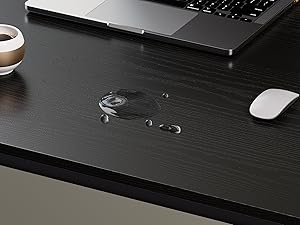
Image: Close-up of water droplets on the desk surface, illustrating its water-resistant finish.
Menyelesaikan masalah
If you encounter any issues with your Pamray computer desk, refer to the following common solutions:
- Meja Tidak Stabil/Goyah:
Ensure all assembly screws are fully tightened. Adjust the six foot pads at the bottom of the desk by rotating them until the desk is stable and level on your floor.

Imej: Jarak dekat view of the adjustable foot pads on the desk legs, used for leveling.
- Parts Don't Align During Assembly:
Double-check the orientation of each part against the assembly instructions. Some components may appear similar but have specific alignments. Do not fully tighten screws until all parts for a section are loosely assembled, then tighten them progressively.
- Laci Tidak Meluncur dengan Lancar:
Ensure the drawer rails are correctly installed and free from obstructions. Verify that the non-woven drawer is inserted properly.
If problems persist, consult the full PDF manual or contact customer support.
Spesifikasi
| Ciri | Perincian |
|---|---|
| Jenama | Pamray |
| Nombor Model | A6 |
| Nama Model | A6-100 |
| Dimensi Produk (D x W x H) | 38.58"D x 19.69"W x 29.53"H (98cm D x 50cm W x 75cm H) |
| warna | Hitam |
| bahan | Kayu Kejuruteraan (Atas), Logam (Tapak) |
| Berat Barang | 11.5 Kilogram (25.35 lbs) |
| Cadangan Berat Maksimum | 150 Paun (68.039 Kilogram) |
| Bilangan Laci | 1 (Non-woven) |
| Ciri Khas | Monitor Stand, Computer Case Stand, Hanging Hooks, Adjustable Foot Pads |
| Perhimpunan Diperlukan | Ya (Disyorkan 1 orang) |
| Alat Perhimpunan yang disertakan | ya |
Waranti dan Sokongan
Pamray provides a limited warranty for this product. Please refer to the warranty information included with your purchase for specific terms and conditions.
For customer support, missing parts, or further assistance, please contact Pamray customer service through the retailer where the product was purchased or visit the official Pamray store online.
Visit the Pamray Store on Amazon
Protection plans are available for purchase separately to extend coverage beyond the manufacturer's warranty. Options include 2-Year and 3-Year protection plans.


