1. Pengenalan
The Pristar P15 Mini Bluetooth Label Printer is a compact, portable, and rechargeable thermal label maker designed to simplify your organization tasks. With its wireless Bluetooth connectivity, you can easily create and print custom labels directly from your iOS or Android smartphone using the intuitive 'Marklife' application. This manual provides detailed instructions on setting up, operating, maintaining, and troubleshooting your P15 label printer to ensure optimal performance and a seamless labeling experience.
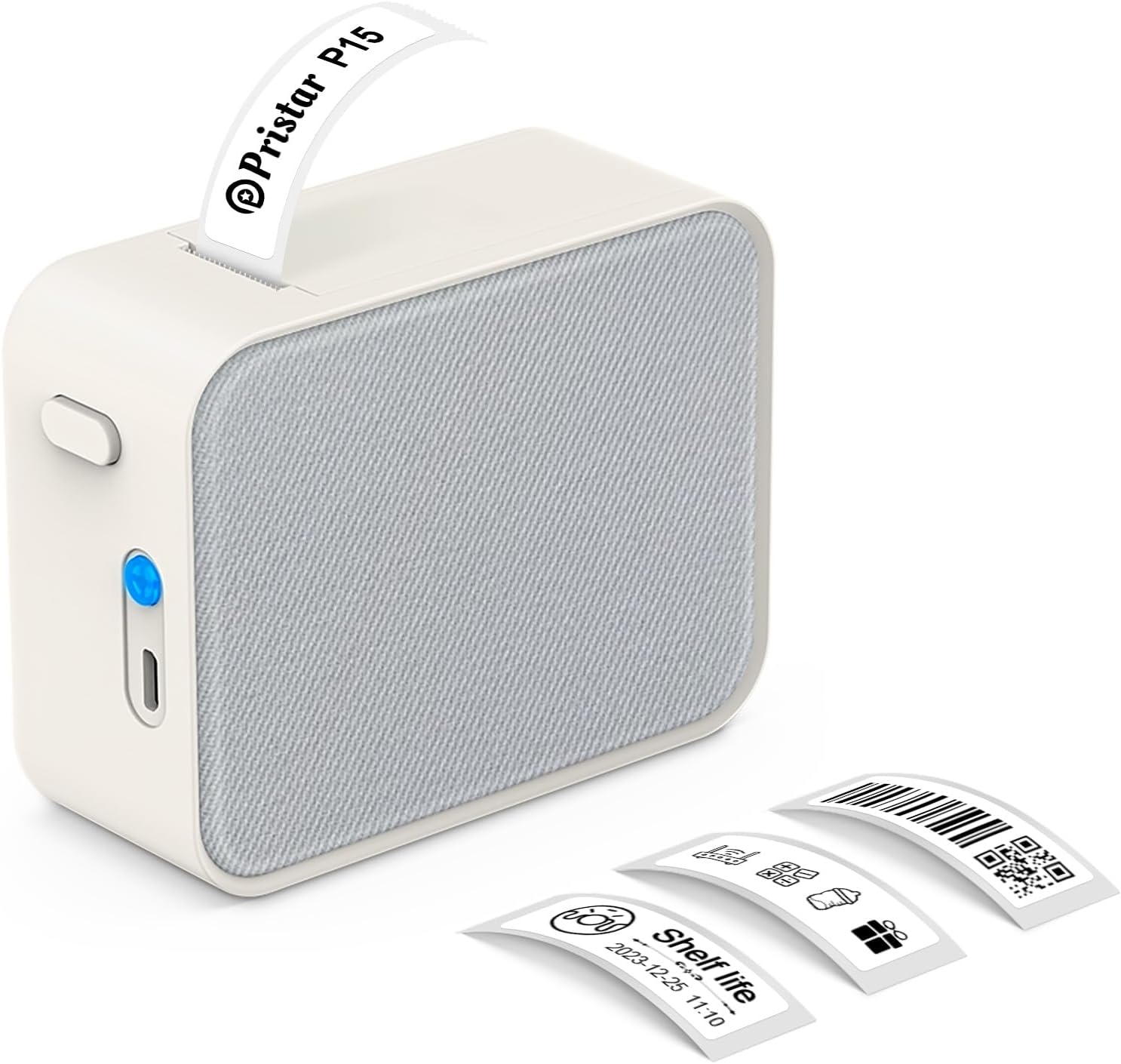
Figure 1.1: Pristar P15 Mini Bluetooth Label Printer
2. Maklumat Keselamatan
Please read all safety instructions carefully before using the Pristar P15 label printer. Failure to follow these instructions may result in injury or damage to the device.
- Jangan buka, baiki atau ubah suai peranti.
- Jauhkan peranti daripada air, kelembapan dan suhu tinggi.
- Use only the specified USB-C cable for charging.
- Avoid exposing the print head to direct sunlight or strong light.
- Jauhkan daripada kanak-kanak.
3. Kandungan Pakej
Sahkan bahawa semua item terdapat dalam pakej:
- 1 x Pristar P15 Label Printer (with built-in 1200mAh rechargeable lithium battery)
- 1 x Roll of Label Paper (12x40mm, White)
- 1 x USB-C Charging Cable (Power adapter not included)
- 1 x Manual Arahan
4. Panduan Persediaan
4.1 Mengecas Pencetak
Before first use, fully charge the printer. Connect the provided USB-C cable to the charging port on the printer and plug the other end into a USB power source (e.g., computer, wall adapter). The indicator light will show charging status.
4.2 Memuatkan Kertas Label
Proper loading of the label paper is crucial for clear printing.
- Open the printer cover by sliding the release button.
- Insert the label roll with the label face down, ensuring the leading edge of the labels extends slightly out of the slot.
- Tutup penutup pencetak dengan kuat sehingga ia berbunyi klik pada tempatnya.

Figure 4.1: Label Paper Installation and App Connection Steps
4.3 Pemasangan Aplikasi
The Pristar P15 operates via the 'Marklife' application.
- Scan the QR code provided in the quick start guide or search for "Marklife" in your device's app store (App Store for iOS, Google Play Store for Android).
- Muat turun dan pasang aplikasi.
4.4 Sambungan Bluetooth
Connect your printer to the 'Marklife' app.
- Pastikan Bluetooth didayakan pada telefon pintar anda.
- Open the 'Marklife' app.
- Within the app, search for and connect to your P15 printer. Do not connect via your phone's general Bluetooth settings.
5. Arahan Operasi
The 'Marklife' app provides extensive features for creating and customizing labels.
5.1 Penciptaan Label Asas
- Open the 'Marklife' app and ensure your printer is connected.
- Select the desired label size (e.g., 12x40mm).
- Tap on the text box to enter your desired label content.
- Use the editing tools to customize fonts, sizes, and styles.
- Tap the 'Print' button to send the label to the printer.
5.2 Advanced App Features
The 'Marklife' app offers a wide range of customization options:
- Fonts & Languages: Access over 60 fonts and 8 languages for diverse labeling needs.
- Icons & Frames: Choose from 1000+ icons and various frames to enhance your labels.
- Kod Bar & Kod QR: Jana dan cetak kod bar dan kod QR terus daripada aplikasi.
- Image & Text Import: Import pictures, or use features like Excel import, scanning, and voice input for text.
- templat: Utilize free templates for quick label creation. (Note: Some templates may require payment, and signing in allows saving customized templates.)

Figure 5.1: Smart App Control Interface
5.3 Thermal Printing Technology
The P15 uses thermal printing, eliminating the need for ink or toner, making it cost-effective and environmentally friendly. It supports 12-15mm label printing with a 203 DPI resolution for clear results.
5.4 Label Tape Features
Pristar label tapes are designed for durability and ease of use:
- Water & Oil-proof: Labels maintain integrity even when exposed to water or oil.
- Anti-scratch: Resistant to fading or damage from rubbing.
- Ketahanan Koyak: Durable and not easily torn by hand.
- No Sticky Residue: Designed for easy removal without leaving adhesive residue.

Figure 5.2: Features of P15 Thermal Label Paper
5.5 Aplikasi Luas
The P15 is versatile for various organizational tasks:
- Home Storage: Label food containers, pantry items, and storage bins.
- Office Classification: menyusun files, documents, and office supplies.
- harga Tags: Create clear and professional price labels.
- School Information Management: Label school supplies, books, and projects.
- Pengurusan Kabel: Identify cables and wires for electronics.

Figure 5.3: Home Organization Examples

Figure 5.4: Work Organization Examples
6. Penyelenggaraan
To ensure the longevity and optimal performance of your Pristar P15 label printer, follow these maintenance guidelines:
- Membersihkan Kepala Cetak: If print quality degrades, gently wipe the thermal print head with a cotton swab lightly dampened with isopropyl alcohol. Ensure the printer is off and dry before use.
- Membersihkan Bahagian Luar: Use a soft, dry cloth to clean the exterior of the printer. Do not use abrasive cleaners or solvents.
- Storan: Simpan pencetak di tempat yang sejuk dan kering, jauh daripada cahaya matahari langsung dan suhu yang melampau. Tanggalkan gulungan label jika disimpan untuk tempoh yang lama.
7. Penyelesaian masalah
If you encounter issues with your Pristar P15 label printer, refer to the following common problems and solutions:
| Masalah | Kemungkinan Punca | Penyelesaian |
|---|---|---|
| Pencetak tidak dihidupkan | Low battery; Power button not pressed firmly | Cas pencetak; Tekan dan tahan butang kuasa selama beberapa saat. |
| Tidak dapat menyambung melalui Bluetooth | Bluetooth off; Incorrect connection method; App issue | Ensure phone Bluetooth is on; Connect via 'Marklife' app, not phone settings; Restart app/phone. |
| Kualiti cetakan buruk | Dirty print head; Incorrect label loading; Low battery | Clean the print head; Re-load label paper correctly (face down); Charge the printer. |
| Label tidak memberi makan | Label roll empty; Paper jammed; Cover not closed properly | Replace label roll; Clear any paper jams; Ensure printer cover is securely closed. |
| Apl ranap atau membeku | Gangguan perisian; Versi aplikasi yang ketinggalan zaman | Restart the app; Check for app updates in your app store. |
8. Spesifikasi
Key technical specifications for the Pristar P15 Mini Bluetooth Label Printer:
| Ciri | Spesifikasi |
|---|---|
| Model | LPPR-P15-LM-GYF |
| Dimensi Produk | 4D x 9.5W x 7.9H Sentimeter |
| Berat Barang | 150 Gram |
| Teknologi Ketersambungan | Bluetooth 4.0 (Effective distance up to 10m) |
| Teknologi Percetakan | terma |
| Resolusi Cetakan | 203 DPI |
| Saiz Media Maksimum | 15mm |
| Lebar Label yang Disokong | 12-15mm |
| Bateri | Bateri Litium Boleh Dicas Semula 1200mAh |
| Peranti Serasi | Telefon pintar (iOS, Android) |
| Komponen yang Disertakan | USB-C Cable, Labels |
9. Waranti dan Sokongan
Pristar products are manufactured to high-quality standards. For warranty information and technical support, please refer to the contact details provided on the product packaging or the official Pristar webtapak. Simpan resit pembelian anda sebagai bukti pembelian untuk sebarang tuntutan waranti.
For further assistance, you may contact Pristar customer service at pristar_service@outlook.com.


