1. Pengenalan
Thank you for choosing the Micool Y30 Open Ear Headphones. These wireless Bluetooth 5.3 earbuds are designed to provide a comfortable and safe listening experience by resting gently on your ears without blocking the ear canal. This design allows you to remain aware of your surroundings while enjoying high-quality audio, making them ideal for sports and daily activities.
2. Apa yang ada di dalam Kotak
- Micool Y30 Open Ear Headphones (Left and Right)
- Sarung Pengecas Tanpa Wayar
- Kabel Pengecas USB-C
- Manual Pengguna
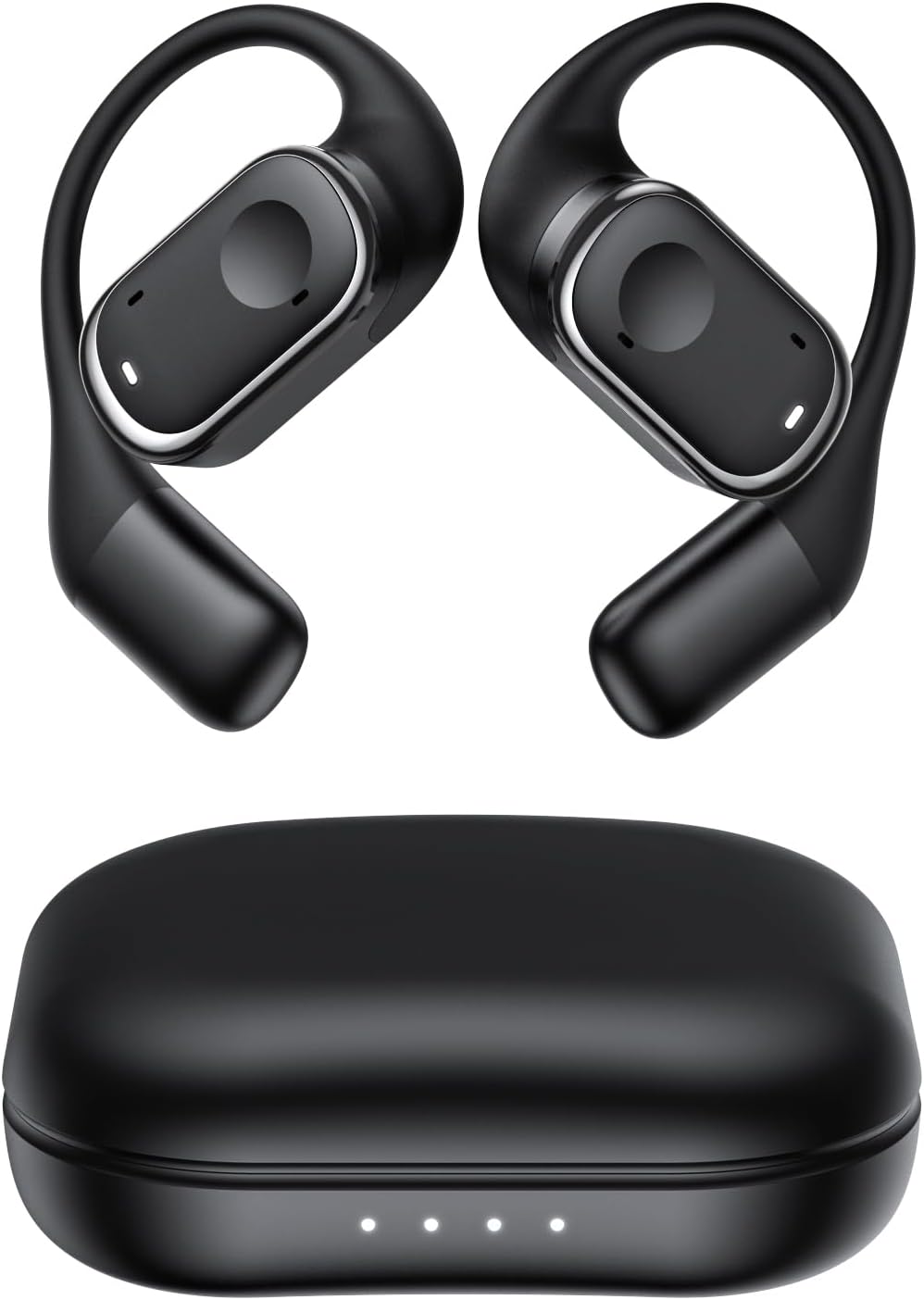
Rajah 2.1: Micool Y30 Open Ear Headphones and their charging case. The image shows two black open-ear earbuds with ear hooks, positioned above a sleek black charging case with four LED indicator lights on the front.
3. Produk Lebihview
3.1 Komponen Earbud
Each earbud features an ergonomic design with a soft silicone ear hook for secure and comfortable placement. The main body houses the speaker and touch control area.

Rajah 3.1: jarak dekat view illustrating the ergonomic design of the Micool Y30 earbud. The image highlights the curved ear hook and the soft silicone material designed for comfort and secure fit, conforming to the ear's contour.
3.2 Kes Pengecasan
The charging case protects the earbuds and recharges them. It has a USB-C charging port and LED indicators to show battery status.

Rajah 3.2: Dalaman view of the Micool Y30 charging case, showcasing the earbuds nestled inside. The image highlights the Bluetooth 5.3 technology and the digital display indicating battery levels, emphasizing fast response and stable connection.
4. Persediaan
4.1 Mengecas Peranti
Sebelum penggunaan pertama, cas sepenuhnya fon telinga dan bekas pengecas.
- Mengecas Kes: Connect the provided USB-C cable to the charging port on the case and to a USB power adapter (not included). The LED indicators on the case will show the charging status. A full charge takes approximately 1-2 hours.
- Mengecas fon telinga: Place the earbuds into the charging case. Ensure they are correctly seated. The earbuds will automatically begin charging. The case can charge the earbuds 4-5 times, providing up to 6 hours of playback per single earbud charge.
4.2 Berpasangan Bluetooth
To connect your Micool Y30 headphones to your device:
- Pastikan fon telinga dicas.
- Buka bekas pengecas. Fon telinga akan memasuki mod berpasangan secara automatik.
- Pada peranti anda (cth, telefon pintar, tablet), pergi ke tetapan Bluetooth dan hidupkan Bluetooth.
- Cari untuk available devices. Select "Micool Y30" from the list.
- Setelah disambungkan, anda akan mendengar nada pengesahan dan fon telinga akan sedia untuk digunakan.
The headphones support Bluetooth 5.3 for stable and efficient connection.
5. Arahan Operasi
5.1 Hidupkan/Mati Kuasa
- Hidupkan kuasa: Buka bekas pengecasan dan fon telinga akan dihidupkan secara automatik.
- Matikan: Letakkan fon telinga kembali ke dalam bekas pengecasan dan tutup penutupnya. Mereka akan dimatikan secara automatik dan mula mengecas.
5.2 Main balik Muzik
The Micool Y30 headphones feature touch controls for media management.
- Main/Jeda: Ketik sekali pada mana-mana earbud.
- Lagu Seterusnya: Ketik dua kali pada fon telinga kanan.
- Trek Sebelumnya: Ketik dua kali pada fon telinga kiri.
- Kelantangan: Ketik tiga kali pada fon telinga kanan.
- Perlahankan suara: Ketik tiga kali pada fon telinga kiri.
5.3 Pengurusan Panggilan
- Jawab/Tamatkan Panggilan: Ketik sekali pada mana-mana earbud.
- Tolak Panggilan: Tekan dan tahan salah satu fon telinga selama 2 saat.
5.4 Single and Dual Earbud Mode
The Micool Y30 headphones support seamless switching between using a single earbud or both earbuds.
- Mod Earbud Tunggal: You can use either the left or right earbud independently. Simply take one earbud out of the case, and it will connect to your device.
- Mod Fon Telinga Dwi: Take both earbuds out of the case, and they will automatically connect to each other and then to your device for a stereo audio experience.

Rajah 5.1: Illustration of the Micool Y30's flexible usage modes. The diagram shows how the earbuds can be used independently in "Single Earphone Mode" or together in "Dual Headphone Mode" for a synchronized connection.
6. Penyelenggaraan
6.1 Pembersihan
- Gunakan kain lembut, kering dan tidak berbulu untuk membersihkan fon telinga dan bekas pengecas.
- Jangan gunakan bahan kimia yang keras, pelarut pembersih atau detergen yang kuat.
- The earbuds have an IPX6 waterproof rating, meaning they are resistant to strong jets of water. However, they are not designed for submersion. Wipe them dry after exposure to sweat or water.
6.2 Penyimpanan
- Simpan fon telinga dalam bekas pengecasnya apabila tidak digunakan untuk melindunginya dan memastikan ia dicas.
- Elakkan menyimpan peranti dalam suhu yang melampau (panas atau sejuk) atau dalam persekitaran yang sangat lembap.
7. Penyelesaian masalah
| Masalah | Penyelesaian |
|---|---|
| Fon telinga tidak berpasangan dengan peranti. |
|
| Tiada bunyi dari satu fon telinga. |
|
| Fon telinga tidak dicas. |
|
| Poor sound quality or connection drops. |
|
8. Spesifikasi
| Ciri | Perincian |
|---|---|
| Nama Model | Y30 |
| Teknologi Ketersambungan | Wayarles (Bluetooth) |
| Versi Bluetooth | 5.3 |
| Penempatan Telinga | Buka Telinga |
| Kapasiti Bateri Earbud | 100mAh (setiap satu) |
| Kapasiti Bateri Kes Pengecasan | 450mAh |
| Playback Time (single charge) | Sehingga 6 jam |
| Jumlah Masa Main Semula (dengan kes) | Up to 30 hours (4-5 full charges from case) |
| Masa Pengecasan (kes) | 1-2 jam |
| Port Pengecasan | USB Jenis-C |
| Penilaian Kalis Air | IPX6 |
| bahan | plastik |
| UPC | 776584469303 |
9. Waranti dan Sokongan
Micool products are designed with quality and reliability in mind. For warranty information or technical support, please refer to the warranty card included in your product packaging or visit the official Micool webtapak. Anda juga boleh menghubungi peruncit anda untuk mendapatkan bantuan.
Untuk bantuan lanjut, sila layari Micool Store on Amazon.


