pengenalan
The VILTROX 15C RGB LED Panel Light is a versatile and portable lighting solution designed for photography and videography. It offers a wide range of color temperatures, full RGB color control, and various special effects, all controllable via an intuitive smartphone app. Its compact design and built-in rechargeable battery make it ideal for both indoor and outdoor use.
This manual provides detailed instructions on setting up, operating, and maintaining your VILTROX 15C RGB LED Panel Light to ensure optimal performance and longevity.
1. Persediaan
1.1. Membuka Kotak dan Kandungan Pakej
Selepas membuka bungkusan, pastikan semua komponen ada:
- VILTROX 15C RGB LED Panel Light
- Bateri NP-F550
- Kabel Pengecasan USB Jenis-C
- Penyesuai Kasut Sejuk
- Mini Tripod (may vary by package)
- Manual Pengguna

The package includes the VILTROX 15C RGB LED Panel Light, an NP-F550 battery, a USB Type-C charging cable, and a cold shoe adapter for mounting. Some packages may also include a mini tripod.
1.2. Pengecasan Awal
The VILTROX 15C features a built-in 2200mAh rechargeable lithium-ion battery. For first-time use, fully charge the device using the provided USB Type-C cable. A full charge typically takes approximately 2 hours. The light can be powered or charged via the USB Type-C port, making it suitable for both indoor and outdoor photography.
1.3. Memasang Cahaya
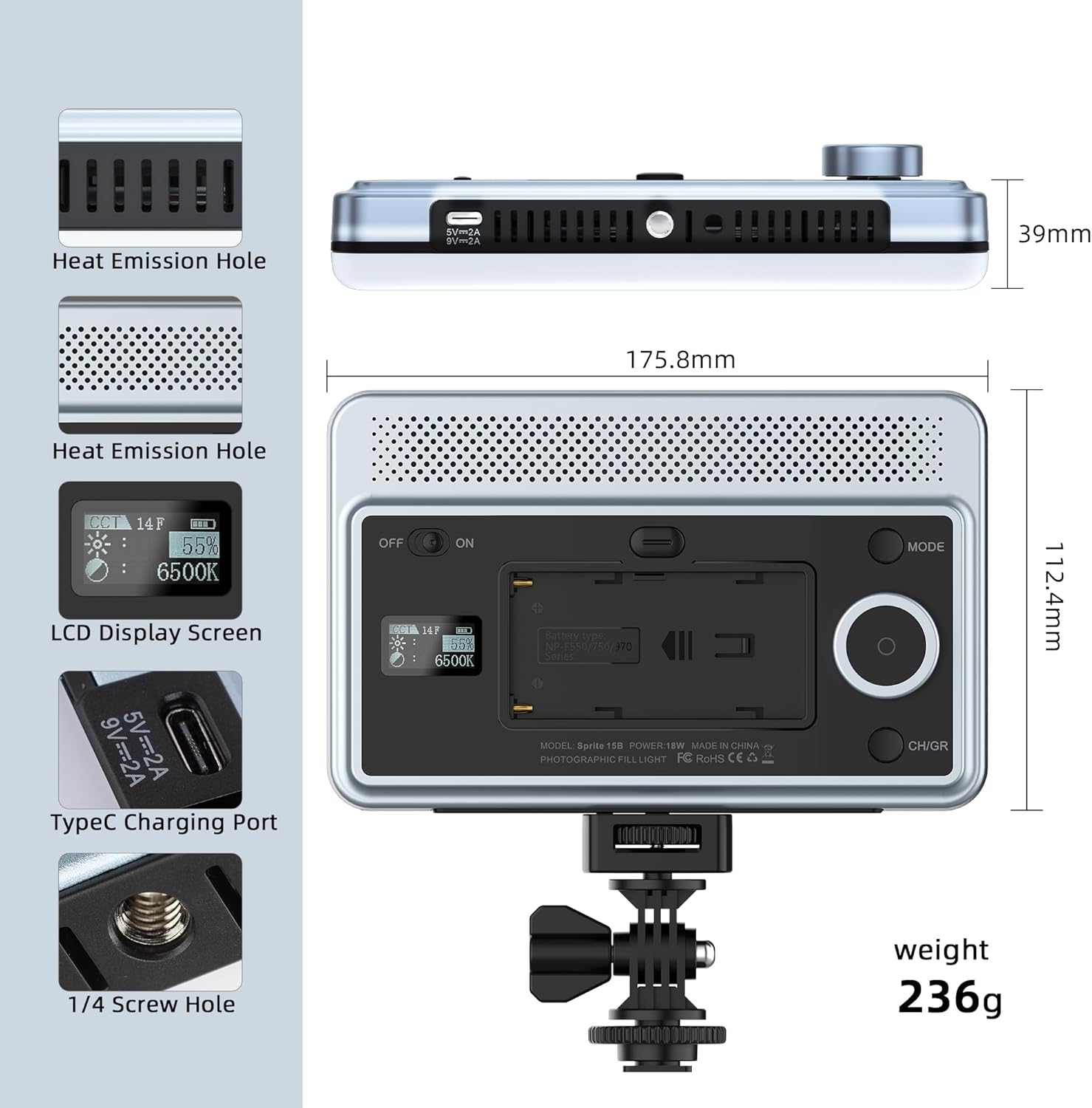
The light is equipped with a 1/4-inch screw hole and comes with a cold shoe adapter for versatile mounting options. This allows for compatibility with a wide range of cameras, tripods, and other photographic accessories.

To attach the cold shoe adapter, screw it into the 1/4-inch thread on the light. The 180° rotatable cold shoe adapter offers additional flexibility for positioning the light.
1.4. Smartphone App Installation
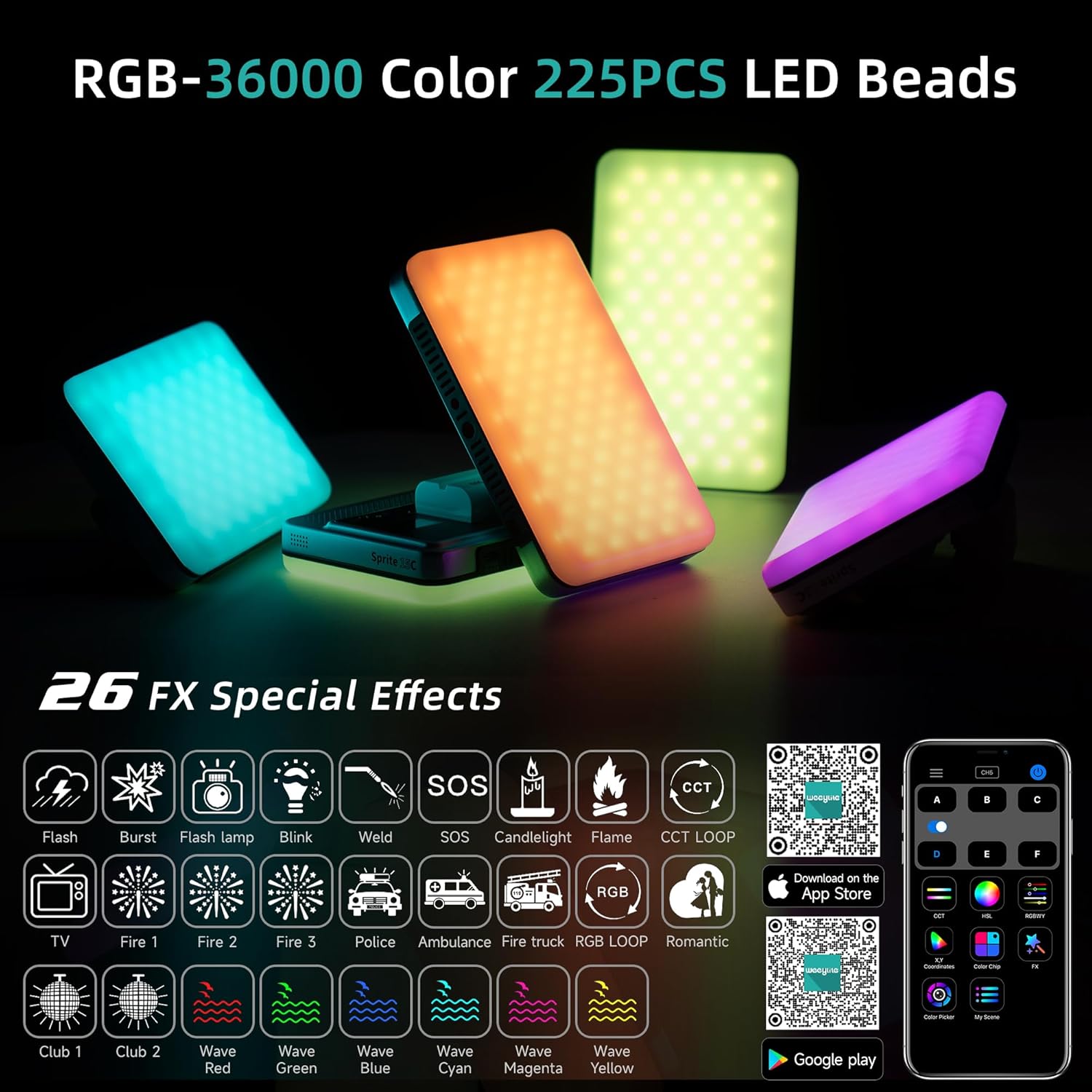
For enhanced control, download the "WeeylitePro" smartphone application. This app allows for easy adjustment of light settings and access to advanced features. The app is available on both the Apple App Store and Google Play Store.
Download the WeeylitePro app:
2. Operasi
2.1. Hidupkan/Mati Kuasa
Locate the power switch on the side of the light. Slide the switch to the "ON" position to power on the device. The built-in LCD screen will illuminate, displaying current settings. To power off, slide the switch to the "OFF" position.
2.2. Brightness and Color Temperature Adjustment
The VILTROX 15C offers a color temperature range of 2600K to 6800K and brightness adjustment from 0-100%. Use the control dial and buttons on the light to navigate through settings and make adjustments. The LCD screen provides real-time feedback on parameters.

The high Color Rendering Index (CRI) of 95+ ensures accurate and vivid color reproduction, providing optimal lighting conditions for professional results.

2.3. RGB Full Color and Special Effects
The light offers 360° full-color RGB control and 26 special lighting effects. These effects can be selected and adjusted to create dynamic and creative lighting scenarios for your photography and videography needs.
2.4. Kawalan Aplikasi Telefon Pintar
The WeeylitePro app provides comprehensive control over the light. You can adjust brightness, color temperature, HSI (Hue, Saturation, Intensity) values, and select from various scene modes. The app also allows for color picking from your phone's camera to match existing light sources.


3. Penyelenggaraan
3.1. Pembersihan
To clean the VILTROX 15C, use a soft, dry cloth. Avoid using abrasive cleaners or solvents, as these may damage the surface or internal components. Ensure the device is powered off before cleaning.
3.2. Penyimpanan
When not in use, store the LED panel light in a cool, dry place away from direct sunlight and extreme temperatures. The advanced heat dissipation design helps ensure a longer lifespan for the light, but proper storage further contributes to its durability.
4. Penyelesaian masalah
If you encounter issues with your VILTROX 15C RGB LED Panel Light, please refer to the following common solutions:
- Lampu tidak menyala: Ensure the battery is fully charged. Check that the power switch is firmly in the "ON" position.
- Isu sambungan apl: Make sure Bluetooth is enabled on your smartphone. Ensure the light is powered on and within range. Restart both the app and the light if necessary.
- Output cahaya yang tidak konsisten: Verify that the battery level is sufficient. If using external power, ensure the USB-C cable is securely connected and the power source meets the required specifications.
For more detailed troubleshooting or persistent issues, please contact VILTROX customer support.
5. Spesifikasi
| Ciri | Perincian |
|---|---|
| Nombor Model | ZHJYC-03353 |
| Dimensi Produk | 6.9 x 4.4 x 1.5 inches (17.5 × 11.2 × 3.9cm) |
| Berat Barang | 1.3 paun (263g) |
| Bateri | 1 bateri Litium Ion (2200mAh) |
| Hayat Bateri | lebih kurang 3 Jam |
| Julat Suhu Warna | 2600K - 6800K |
| Manik LED | 225 high-quality LED beads |
| Indeks Paparan Warna (CRI) | 95+ |
| Special Lighting Effects | 26 kesan |
| Ketersambungan | Bluetooth (for smartphone control) |
| Port Pengecasan | USB Jenis-C |
6. Waranti & Sokongan
6.1. Maklumat Waranti
This product comes with a manufacturer's warranty. Please refer to the included warranty card in your package for specific terms and conditions regarding coverage and duration. Protection plans may also be available for extended coverage.
- Pelan Perlindungan 2 Tahun (Pilihan)
- Pelan Perlindungan 3 Tahun (Pilihan)
6.2. Sokongan Pelanggan
For any inquiries, technical assistance, or support related to your VILTROX 15C RGB LED Panel Light, please visit the official VILTROX webtapak atau hubungi bahagian perkhidmatan pelanggan mereka.
Official VILTROX Webtapak: www.viltrox.com


