1. Pengenalan
Thank you for choosing the JONR VC10 Pro Cordless Vacuum Cleaner. This manual provides essential information for the safe and efficient use, maintenance, and troubleshooting of your new appliance. Please read this manual thoroughly before first use and keep it for future reference.
The JONR VC10 Pro is designed for versatile cleaning, featuring powerful suction, an automatic cleaning station, and a long-lasting battery for a convenient cleaning experience.

Image 1.1: JONR VC10 Pro Cordless Vacuum Cleaner with its automatic cleaning station.
2. Arahan Keselamatan
To reduce the risk of fire, electric shock, or injury, always follow basic safety precautions when using an electrical appliance.
- Baca semua arahan sebelum menggunakan perkakas.
- Jangan gunakan di luar atau di permukaan basah.
- Jangan biarkan digunakan sebagai mainan. Perhatian yang rapi diperlukan apabila digunakan oleh atau berhampiran kanak-kanak.
- Gunakan hanya seperti yang diterangkan dalam manual ini. Gunakan hanya lampiran yang disyorkan pengilang.
- Jangan gunakan dengan kord atau palam yang rosak. Jika perkakas tidak berfungsi sebagaimana mestinya, telah terjatuh, rosak, ditinggalkan di luar rumah, atau terjatuh ke dalam air, kembalikannya ke pusat servis.
- Jangan tarik atau bawa dengan kord, gunakan kord sebagai pemegang, tutup pintu pada kord, atau tarik kord di sekeliling tepi atau sudut yang tajam. Jangan jalankan perkakas di atas kord. Jauhkan kord dari permukaan yang dipanaskan.
- Jangan cabut plag dengan menarik kord. Untuk mencabut palam, pegang palam, bukan kordnya.
- Jangan pegang palam atau perkakas dengan tangan yang basah.
- Jangan letakkan sebarang objek ke dalam bukaan. Jangan gunakan dengan mana-mana bukaan yang disekat; jauhkan daripada habuk, serabut, rambut dan apa sahaja yang boleh mengurangkan aliran udara.
- Jauhkan rambut, pakaian longgar, jari dan semua bahagian badan daripada bukaan dan bahagian yang bergerak.
- Jangan ambil apa-apa yang terbakar atau berasap, seperti rokok, mancis, atau abu panas.
- Jangan gunakan untuk mengambil cecair mudah terbakar atau mudah terbakar, seperti petrol, atau gunakan di kawasan yang mungkin terdapat.
- Jangan ambil bahan toksik (cth, peluntur klorin, pembersih ammonia, pembersih longkang).
- Jangan gunakan tanpa cawan habuk dan/atau penapis di tempatnya.
- Matikan semua kawalan sebelum mencabut plag.
- Gunakan lebih berhati-hati semasa membersihkan di tangga.
- Jangan gunakan untuk mengutip objek keras atau tajam seperti kaca, paku, skru, syiling, dll.
- Prevent unintentional starting. Ensure the switch is in the OFF position before connecting to battery pack, picking up or carrying the appliance.
- Isi semula hanya dengan pengecas yang ditentukan oleh pengilang.
3. Produk Lebihview
Familiarize yourself with the components of your JONR VC10 Pro Cordless Vacuum Cleaner.
Komponen Utama:
- Main Vacuum Unit (with motor and dustbin)
- Tongkat Sambungan
- V-shaped Floor Brush
- Automatic Cleaning Station
- Penyesuai Kuasa
4. Persediaan dan Pemasangan
4.1 Memasang Pembersih Vakum
- Insert the extension wand into the main vacuum unit until it clicks into place.
- Attach the V-shaped floor brush to the other end of the extension wand until it clicks securely.
- Pastikan semua sambungan kukuh sebelum digunakan.
4.2 Setting up the Automatic Cleaning Station
- Place the cleaning station on a flat, stable surface near a power outlet.
- Connect the power adapter to the cleaning station and plug it into a wall outlet.
- The station is now ready for charging and automatic dustbin emptying.
4.3 Pengecasan Awal
Before first use, fully charge the vacuum cleaner. Place the main vacuum unit onto the automatic cleaning station. The charging indicator will illuminate. A full charge takes approximately 4-5 hours.
5. Arahan Operasi
5.1 Menghidupkan/Mematikan dan Mod Sedutan
Press the power button on the main unit to turn the vacuum cleaner on or off. The vacuum features 3 suction speed settings. Press the mode button to cycle through the different suction levels (Low, Medium, High) to suit your cleaning needs.

Image 5.1: The JONR VC10 Pro offers up to 27,000 Pa of suction power for effective cleaning.
5.2 Membersihkan Permukaan Berbeza
The V-shaped floor brush is designed for effective cleaning on various floor types.
- Lantai Keras: Use any suction mode. The soft bristles effectively capture dust and debris without scratching.
- Permaidani: For optimal cleaning on carpets, especially for pet hair, use Medium or High suction mode. The V-shaped brush helps prevent hair tangles.
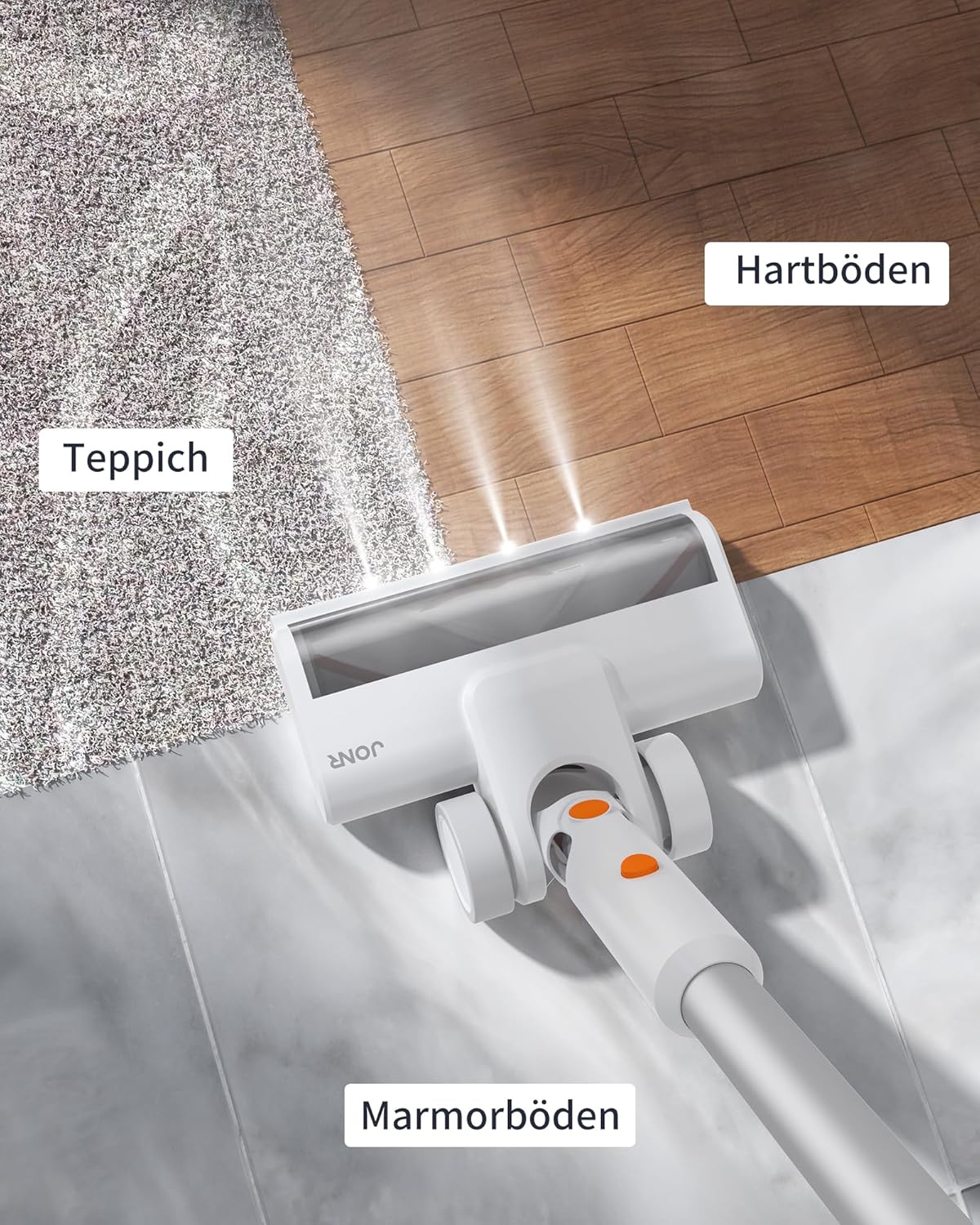
Image 5.2: The floor brush is suitable for various surfaces including carpet, hard floors, and marble.
5.3 Using the Automatic Cleaning Station
After cleaning, place the main vacuum unit onto the automatic cleaning station. The station will automatically empty the vacuum's dustbin into a disposable dust bag within the station. This feature minimizes contact with dust and debris.

Image 5.3: The automatic cleaning station empties the vacuum's dustbin, providing a hands-free experience.
5.4 Masa Jalan Bateri
The JONR VC10 Pro is equipped with a 2500 mAh battery, providing up to 60 minutes of runtime on a single charge, depending on the selected suction mode and usage conditions.
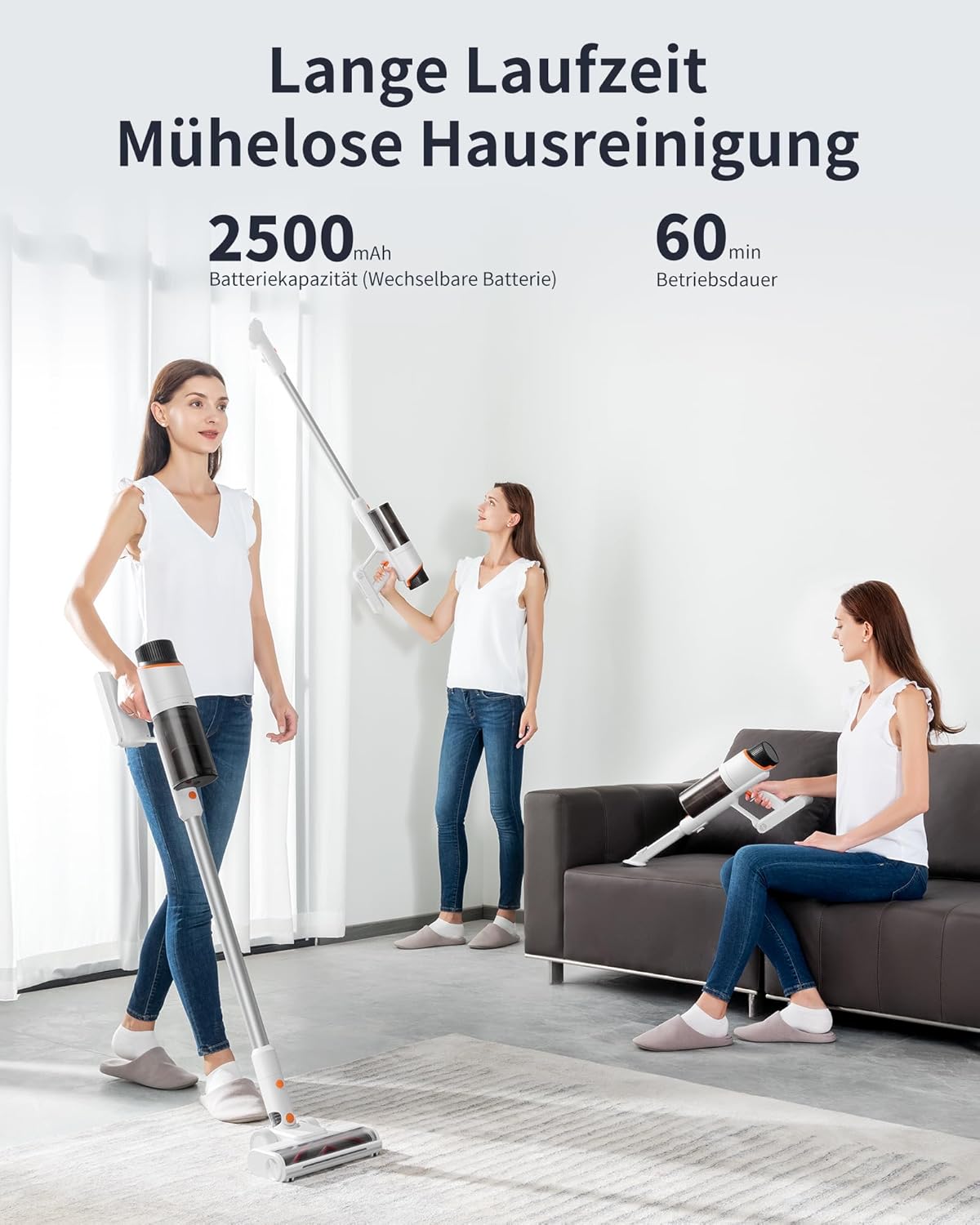
Image 5.4: The 2500 mAh battery provides up to 60 minutes of continuous operation.
6. Penyelenggaraan
Penyelenggaraan tetap memastikan prestasi optimum dan memanjangkan jangka hayat pembersih vakum anda.
6.1 Emptying the Dustbin (Manual)
While the automatic cleaning station handles most emptying, you can manually empty the dustbin if needed. Detach the dustbin from the main unit, open the bottom flap, and empty contents into a waste bin. Close the flap securely.
6.2 Membersihkan Penapis
The dustbin and filter are washable. Regularly remove the filter from the dustbin and rinse both under running water. Ensure they are completely dry before reassembling and using the vacuum cleaner. Do not use the vacuum with a wet filter.
6.3 Cleaning the Floor Brush
The V-shaped floor brush is designed to minimize hair tangles. However, occasional cleaning may be required. Detach the brush from the extension wand. Use scissors or a cleaning tool to remove any tangled hair or debris from the brush roll. Reattach the brush securely.

Image 6.1: The unique V-shaped floor brush design helps prevent hair tangles.
6.4 Replacing the Dust Bag in the Cleaning Station
The automatic cleaning station uses disposable dust bags. When the indicator light on the station signals that the dust bag is full, open the compartment, carefully remove the full bag, and replace it with a new one. Dispose of the full bag responsibly.

Image 6.2: The automatic cleaning station utilizes disposable dust bags for hygienic disposal of collected debris.
7. Penyelesaian masalah
If you encounter issues with your JONR VC10 Pro, refer to the following common problems and solutions.
| Masalah | Kemungkinan Punca | Penyelesaian |
|---|---|---|
| Vakum tidak dihidupkan | Bateri habis Butang kuasa tidak ditekan dengan betul | Cas bateri sepenuhnya Pastikan butang kuasa ditekan dengan kuat |
| Kuasa sedutan rendah | Tong sampah penuh Penapis tersumbat Brush roll or wand is blocked | Kosongkan tong sampah Bersihkan atau gantikan penapis Check and clear any blockages in the brush roll or wand |
| Gulungan berus tidak berputar | Hair or debris tangled in brush Brush roll is detached | Bersihkan gulungan berus Ensure the brush roll is correctly installed |
| Automatic emptying not working | Dust bag in station is full Vacuum not correctly docked Blockage in station's suction path | Gantikan beg habuk Ensure vacuum is fully seated on the station Check for and clear any blockages in the station |
Jika masalah berterusan selepas mencuba penyelesaian ini, sila hubungi sokongan pelanggan.
8. Spesifikasi
| Ciri | Spesifikasi |
|---|---|
| Model | VC10 Pro |
| Jenama | JONR |
| Kuasa Sedutan | Sehingga 27,000 Pa |
| Kapasiti Bateri | 2500 mAh |
| Masa jalan | Sehingga 60 minit |
| Kapasiti tong sampah | 2.5 Liter |
| Bilangan Kelajuan | 3 |
| Ciri Khas | Automatic cord rewind (Note: This feature is listed in product specs but typically applies to corded vacuums. For a cordless model, it likely refers to the automatic emptying function or a mislabeling in source data.) |
| Jenis Penapis | taufan |
| Dimensi (Pakej) | 73.5 x 37 x 29 cm |
| Berat (Pakej) | 9.38 kg |
9. Waranti dan Sokongan
Your JONR VC10 Pro Cordless Vacuum Cleaner comes with a standard manufacturer's warranty. Please refer to the warranty card included in your product packaging for specific terms and conditions, including warranty period and coverage.
For technical support, troubleshooting assistance, or to inquire about replacement parts, please contact JONR customer service through the retailer where the product was purchased or visit the official JONR webtapak untuk maklumat hubungan.