pengenalan
Thank you for choosing the La Crosse Technology SW403 Weather Station. This device provides comprehensive weather information, including indoor and outdoor temperature and humidity, a 4-day forecast, and time/date functions, all displayed on a vibrant color screen. Its Wi-Fi connectivity allows for advanced features and data history via the Tuya application. Please read this manual carefully to ensure proper setup and operation.
Kandungan Pakej
- La Crosse Technology SW403 Weather Station
- Outdoor Temperature/Humidity Sensor (assumed, typical for weather stations)
- Penyesuai Kuasa AC
- Manual Pengguna (dokumen ini)
Persediaan
1. Powering On the Weather Station
- Insert the AC power adapter into the power jack on the back of the weather station.
- Plug the adapter into a standard wall outlet. The display will illuminate.
2. Memasang Bateri dalam Sensor Luar
Open the battery compartment of the outdoor sensor and insert 2 AA batteries (not included), observing the correct polarity. Close the compartment securely. The sensor will automatically attempt to connect to the weather station.
3. Wi-Fi Connection (Mandatory for Full Functionality)
The SW403 requires a Wi-Fi connection for full functionality, including 4-day forecasts and data history. Follow these steps to connect:
- Muat turun "Tuya Smart" or "Kehidupan Pintar" application from your smartphone's app store (iOS or Android).
- Daftar atau log masuk ke akaun anda dalam apl.
- On the weather station, press and hold the Wi-Fi button (often indicated by a Wi-Fi icon or a specific button on the side/back) for a few seconds until the Wi-Fi indicator on the display starts flashing rapidly. This puts the station into pairing mode.
- In the Tuya app, tap the "+" icon to add a new device. Select "Small Home Appliance" > "Weather Station" or search for "Weather Station".
- Confirm that the Wi-Fi indicator on the station is flashing rapidly.
- Enter your 2.4GHz Wi-Fi network password (5GHz networks are not supported).
- Follow the on-screen instructions in the app to complete the connection. Once connected, the Wi-Fi indicator on the station will become solid.
Note: If you experience difficulty connecting, ensure your Wi-Fi network is 2.4GHz and that your phone is connected to the same network during the pairing process. Try moving the station closer to your router.
4. Tetapan Awal (Masa, Tarikh, Unit)
Once connected to Wi-Fi, the time and date should synchronize automatically. If manual adjustment is needed, refer to the operating instructions for setting time, date, and preferred units (Celsius/Fahrenheit, 12/24 hour format).
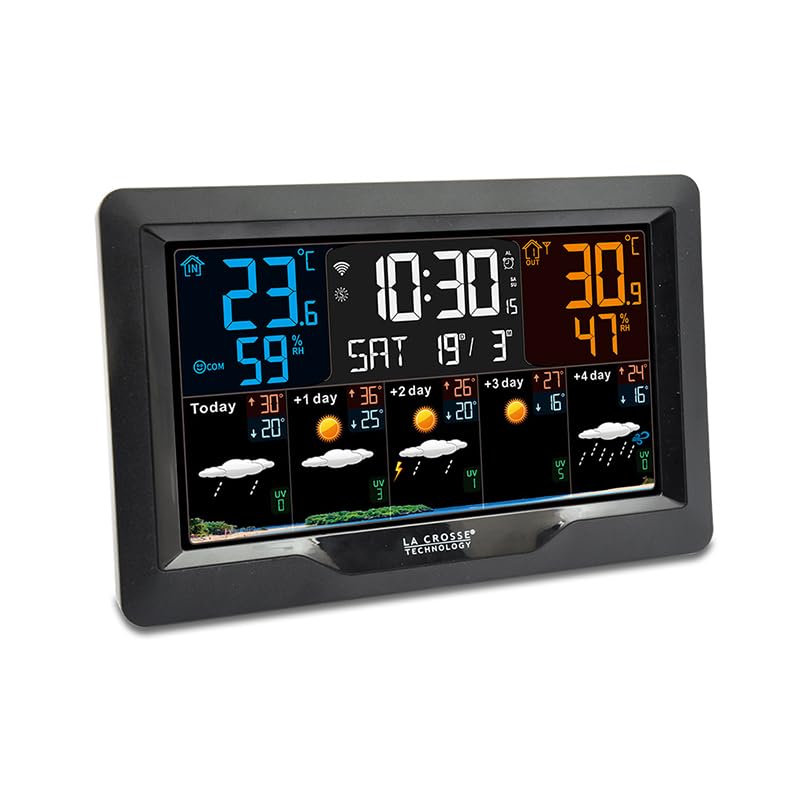
Imej: Depan view of the La Crosse Technology SW403 Weather Station, displaying time, indoor/outdoor temperature and humidity, and a multi-day weather forecast on its color screen.
Arahan Operasi
1. Paparan Lebihview
The color LCD screen provides various data points:
- Masa dan Tarikh: Displays current time (12 or 24-hour format) and date.
- Hari dalam seminggu: Clearly shown on the display.
- Suhu dan Kelembapan Dalaman: Current readings for the station's location.
- Suhu dan Kelembapan Luar: Readings from the connected wireless sensor.
- Rekod Minimum/Maks: Historical minimum and maximum temperature/humidity values.
- Ramalan Cuaca 4 Hari: Icons and temperature predictions for today and the next four days.
- Penunjuk Keselesaan: An icon or text indicating the current indoor comfort level.
- Status Sambungan Wi-Fi: An icon indicating if the station is connected to Wi-Fi.
2. Menetapkan Penggera
The station features 3 alarms with a snooze function.
- Press the "ALARM" button (or similar) to cycle through Alarm 1, Alarm 2, Alarm 3, and Alarm Off.
- When an alarm is selected, press and hold the "ALARM" button to enter setting mode.
- Use the "UP" and "DOWN" arrows to adjust the hour and minute. Press "ALARM" to confirm each setting.
- To activate/deactivate an alarm, press the "ALARM" button briefly when the desired alarm is displayed. An alarm icon will appear/disappear.
- When an alarm sounds, press any button (except "SNOOZE") to stop it for 24 hours, or press "SNOOZE" for a temporary delay.
3. Viewdalam Rekod Min/Maks
Press the "MIN/MAX" button (or similar) repeatedly to cycle through the recorded minimum and maximum indoor/outdoor temperature and humidity values. These records typically reset daily or can be manually cleared.
4. Amaran Suhu
Set customizable alerts for indoor and outdoor temperatures. Consult the specific button layout on your device for accessing and setting these alerts. When an alert threshold is met, an audible alarm or visual indicator will activate.
5. Port Pengecasan USB
A USB charging port is integrated into the weather station, allowing you to conveniently charge your smartphone or other USB-powered devices.
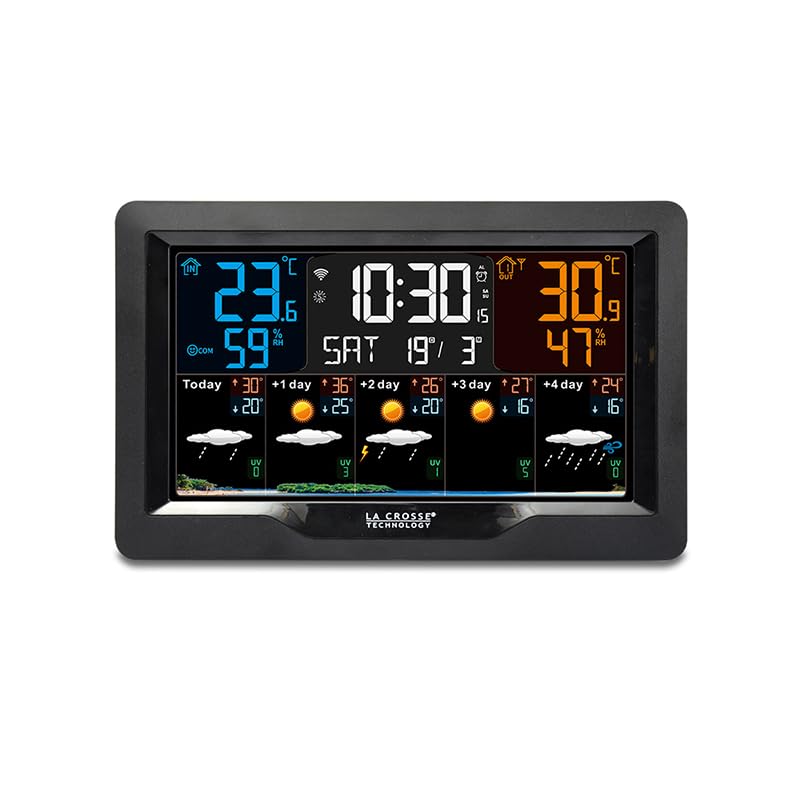
Imej: Bersudut view of the La Crosse Technology SW403 Weather Station, showcasing its sleek design and the clear, colorful display from a different perspective.
Penyelenggaraan
1. Membersihkan Unit
Wipe the weather station and outdoor sensor with a soft, damp kain. Jangan gunakan pembersih atau pelarut yang kasar, kerana ia boleh merosakkan paparan atauasing. Ensure no moisture enters the device openings.
2. Battery Replacement (Outdoor Sensor)
When the low battery indicator appears for the outdoor sensor, replace the batteries with new ones (2 AA, alkaline recommended). Ensure correct polarity. After replacement, the sensor should automatically re-establish connection with the main unit.
3. Kemas Kini Perisian Tegar
Periodically check the Tuya Smart app for any available firmware updates for your weather station. Updates can improve performance and add new features. Follow the app's instructions for any update procedures.
Menyelesaikan masalah
| Masalah | Kemungkinan Punca | Penyelesaian |
|---|---|---|
| Tiada paparan pada unit utama | Penyesuai kuasa tidak disambungkan atau rosak. | Ensure the AC adapter is securely plugged into the unit and a working power outlet. Try a different outlet. |
| Outdoor sensor not displaying data | Sensor out of range, low batteries, or interference. | Replace sensor batteries. Move sensor closer to the main unit. Avoid large metal objects or electronics between units. Re-sync the sensor if necessary (refer to specific device instructions). |
| Wi-Fi connection fails or disconnects frequently | Incorrect Wi-Fi password, 5GHz network, weak signal, or app issue. | Ensure you are connecting to a 2.4GHz Wi-Fi network. Verify the password. Move the station closer to your Wi-Fi router. Restart your router and the weather station. Re-attempt pairing via the Tuya app. |
| Bacaan suhu/kelembapan tidak tepat | Sensor yang terdedah kepada cahaya matahari langsung, sumber haba atau kelembapan. | Relocate the outdoor sensor to a shaded, well-ventilated area, away from direct sunlight, rain, or heat sources. Allow time for readings to stabilize. |
Spesifikasi
- model: SW403-BLA
- Pengeluar: Teknologi La Crosse
- warna: Hitam
- Bahan: plastik
- Jenis Paparan: LCD, Color
- Teknologi Ketersambungan: Wi-Fi
- Sumber Kuasa: Battery Powered (for sensor), AC Adapter (for main unit)
- Ciri Khas: Large screen, Wi-Fi connectivity, 4-day forecast, USB charging port, Alarms, Min/Max records, Comfort indicator
- Ketepatan Pengukuran: +/- 1 ° C
- Dimensi Pakej: 21.8 x 14.4 x 6.8 cm
- Berat Barang: 500 gram
- Komponen yang Disertakan: Penyesuai Kuasa AC
Waranti dan Sokongan
La Crosse Technology products are designed for reliability and performance. For warranty information, please refer to the warranty card included with your product or visit the official La Crosse Technology website. For technical support, troubleshooting assistance, or to inquire about replacement parts, please contact La Crosse Technology customer service through their official webtapak atau maklumat hubungan yang diberikan dalam pembungkusan produk anda.


